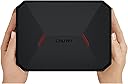
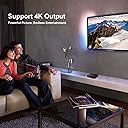
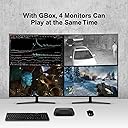
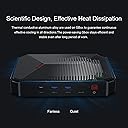
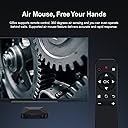
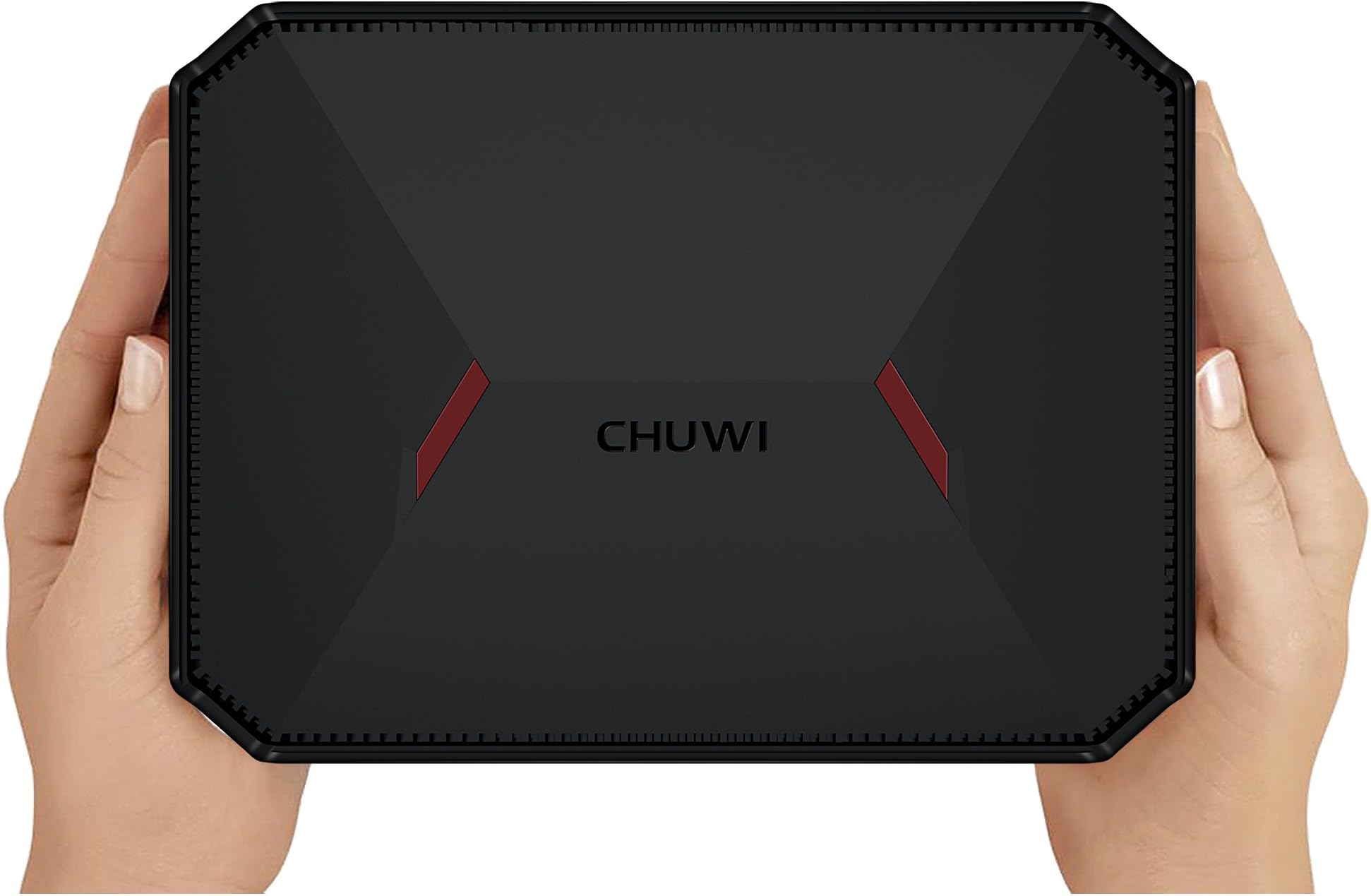
Product description KINDLY NOTICE 1.Please use original adapter to charge and do not use the machine under charging status for long time. 2.This mini PC definitely can decode 4K video, please make sure the source video is 4K video and your screen can support the video. 3.This mini pc doesn't not support M.2 SSD. Powerful mini pc GBOX features Intel Latest Gemini Lake 64Bit 4Cores-4Threads CPU—delivering great performance while using less energy .Intel 9th HD Graphics comes with 12 execution units clock up to 700MHz..It can comprehensively decode 4K videos and play blue ray videos in HD with finest quality image.Dual-band wifi supports 2.4G/5G frequency band, operating on the newer LEEE802.11ac standard.5G delivers ultimate fast internet speed,while 2.4G goes for more stable connection.Furthermore, RJ45 gigabit ethernet can transfer data at more than a thousand million bits per second . Package List 1* CHUWI Mini PC; 1* Power Adapter; 1* Remote Control; 1* VESA Mount; 1* User Manual Key Features CPU:Intel Gemini Lake N4100 Processor. 4GB DDR4 + 64GB ROM Support Extended 256GB SSD. Suppot Micro SD max 128GB (Not include) . Gen9lp 12EU, 700MHz,Support Netfilx 4K 60Hz HD video Remote Control:Free remote controller . VESA international standard interface back clip. Authorized Windows 10 Home (64-bit) pre-installed. Support Linux Interface: HD port,Type-C,USB 2.0,USB 3.0,VGA LAN,WIFI,BT 4.2. Great Invention for Dual Screen Operation! Intel 9th HD Graphics comes with 12 execution units clock up to 700MHz.It can comprehensively decode 4K videos and play blue ray videos in HD with finest quality image. In addition, the CHUMI GBOX mini pc also supports dual screen operation, which is a great invention. You can connect two monitors for two different activities. For example, watching movies and playing games at the same time. Or work or monitor. Air Mouse add more fun to your mini pc! Features Adopt all new wireless RF2.4 technology by CHUWI; 1. Easy to turn ON/OFF even if the Gbox is mounted on the back of display device. 2. Built in gravity-stabilized gyroscope, feel free to use your mouse in the air. 3. Automatic sleep function,Standby time is up to 3 months. How to use the Air mouse Auto wireless connection Press menu and the right mouse button simultaneouslyfor 5 seconds to enable the keyboard togo into pairing status (the red indicatorblinks). It goes into working status auto. Home Theater PC in Your Pocket Intel 9th HD Graphics excels in 4K UHD hard-decoding, allowing you to enjoy ultra-clear real-time video of multiple formats. Online streaming media is handy and supports videos in VP9 and HEVC 10-bit formats. Compact appearance, Quiet and low power consumption, expandable memory, super decoding capability, Transform into a HTPC anytime. Portable As It Should Be For Meeting And Busineess Take the GBox to your work place, make a splash in the conference room for your business, or make it your mobile entertainment buddy. why? because it won't take up tons of desk space and you can simply just slip it into your pocket and travel with it all the time Multi Powerful Methods to Extend Storage Powerful storage expansion, it gives you a variety of ways to store and transfer document. You are not worried that it does not have enough memory to handle your work or enjoy your fun entertainment. Whether it's documents, songs, movies, as long as it is what you want,you can safely hand it over to him for storage. Power Saver Box Scientific Design, Effective Heat Dissipation. Thermal conductive aluminum alloy are used on GBox to ensure continuous effective cooling in all directions. The GBox is intended to be energy-efficient straight out of the box. It packs with energy-efficient hardware components that work closely with the operating system to maintain the overall power consumption lower than 10 watts Review: Does the job - Purchased this as a solution to run a tensile tester in the lab. Installed and SSD and formatted it with a fresh Windows 10 install on the SSD and set the Swap File to the onboard EMMC. Runs the instrument and all programs and office smoothly and without issue. Review: Okay Mini PC, but heat can be an issue - I received this as a gift and can say it is what it is. I was under the impression that Gemini Lake was a good bit faster than Apollo Lake, but I was a bit disappointed. It works good for streaming video / audio. The only issue I have is the thermal throttling. I use Linux a lot and if I ever try to compile something from source this thing starts to crawl due to heat issues. The heat sink is literally just a slab of metal. There are no fins or anything to dissipate the heat. As long as you do not do anything cpu extensive then it does what it says.


| ASIN | B07F15PBDY |
| Additional Features | Microphone |
| Brand | CHUWI |
| CPU Model | Celeron |
| CPU Speed | 2.4 GHz |
| Color | Black |
| Connectivity Technology | Bluetooth, Ethernet, USB |
| Customer Reviews | 3.6 out of 5 stars 34 Reviews |
| Graphics Card Description | Dedicated |
| Graphics Card Interface | Unknown |
| Graphics Description | Dedicated |
| Hard Disk Description | HDD |
| Hard Disk Interface | Serial ATA-600 |
| Hardware Interface | Ethernet |
| Human-Interface Input | Buttons, Keyboard, Keypad, Microphone |
| Item Dimensions | 7.39 x 5.48 x 1.47 inches |
| Item Weight | 1.23 Pounds |
| Manufacturer | CHUWI |
| Memory Clock Speed | 2.4 GHz |
| Memory Storage Capacity | 4 GB |
| Model Number | GBOX |
| Native Resolution | 3840 x 2160 |
| Operating System | Linux, Windows 10 |
| Personal Computer Design Type | Mini PC |
| Processor Brand | Intel |
| Processor Count | 4 |
| Processor Series | Celeron |
| Processor Speed | 2.4 GHz |
| RAM Memory Installed | 4 GB |
| RAM Type | GDDR4 |
| Ram Memory Maximum Size | 4 GB |
| Resolution | 3840 x 2160 |
| Screen Size | 7.4 Inches |
| Total Usb Ports | 4 |
| Video Processor | Intel |
| Wireless Compability | 802.11ac, 802.11ag, 802.11bgn |
| Wireless Network Technology | Wi-Fi |
| Wireless Technology | Bluetooth |
K**E
Does the job
Purchased this as a solution to run a tensile tester in the lab. Installed and SSD and formatted it with a fresh Windows 10 install on the SSD and set the Swap File to the onboard EMMC. Runs the instrument and all programs and office smoothly and without issue.
W**N
Okay Mini PC, but heat can be an issue
I received this as a gift and can say it is what it is. I was under the impression that Gemini Lake was a good bit faster than Apollo Lake, but I was a bit disappointed. It works good for streaming video / audio. The only issue I have is the thermal throttling. I use Linux a lot and if I ever try to compile something from source this thing starts to crawl due to heat issues. The heat sink is literally just a slab of metal. There are no fins or anything to dissipate the heat. As long as you do not do anything cpu extensive then it does what it says.
T**G
Responsive gear
pre-installed win 10 is nice, and the mini gadget is very responsive!
G**.
Got it right the 2nd time.
Like another reviewer, the first system that I received was opened and set up so I could not log into Windows. There is no obvious bios configuration for setting the boot to access one of the USB ports to recover the password. I returned it back to Amazon and Amazon replaced the unit. The second unit works perfectly. It boots fast, and I watched a movie served up by a Plex server. Everything played smoothly as it should. The build quality feels good and solid. For simply web surfing or watching streams, this Windows 10 mini PC does the job.
A**R
Shipped me a USED device! Not Windows 10 Pro!
Just received this without the remote and could tell it was used as there was already a local account created on the device with someone else’s name and there was a pin code so I can’t even log into windows on the device. It won’t factory reset so I will have to contact support and go through that and end up having to get the device replaced if they can’t help. Highly inconvenient, as far as performance and use of the device I don’t know as I’m unable to use it! Update: Device was replaced, this time I could tell it was new as it had cellophane around the box and came with the remote, however the key features state this product comes with Windows 10 Pro, the product I received has Windows 10 Home. Other than this the device seems to do what it is intended to do so far.
T**N
Does not smoothly process at 4k or even 1080. Buyer beware.
This computer sounded great based on the description of this seller and appeared great out of the box. It looks really polished and nicely designed. I purchased this specifically to run on my new television while replacing my 10 year old low quality computer on had on my old TV. Upgrading both my TV and computer. I speed tested my ethernet connection for adequacy (verified at around 50mbps) and my HDMI cable was sufficient (HDMI 2.0 version capable of 24Gbps). After my first disappointing experience with this Gbox Mini PC, I contacted support and got a second one sent out. Same issues. Significant under performance of visual processing. Even moving the mouse pointer across the screen was delayed and shaky with no browsers open and no media playing. Trying to watch Netflix, Hulu, or HBO was frustrating to say the least. At less that 1080 resolution the video would be a little shaky and appear to pause for a moment about every 4 count. The audio was not in sync with the video. I tried both the Gbox Mini's on 2 different televisions of very different size and lower resolution, 3 different HDMI cables. and wi-fi vs. plugged in ethernet. My 10 year old computer running a DVI cable had better visual processing. Nothing I could do could get this computer to respond reasonable to visual processing demands. Attached is an image of the processing diagnostics when streaming sub HD resolution video from Netflix. It frequently hit the 100% capacity mark for processing, which explains the perceived issues. This is an under-powered PC. It did not come remotely close to being able to process 4K. I do not recommend this computer for video processing needs. I spent a couple hours across a 2 evenings trying to trouble shoot this mini PC to get it to do what they market it for. Very disappointed. I wanted to love it. I'm not sure how this manufacturer thought it can process 4k at a frame-rate that is viewable. Processing maxed out at 1.32ghz is low. Not a good sign.
O**S
Excelente y portátil
Buen juguete, pero no tan potente para emuladores.
C**V
decent inexpensive mini pc, with false advertising
Just got it, so this isn't a review. Be warned this computer does not come with Windows 10 Pro. It comes with Home version installed. I bought it because of the advertising and words on this page that states W10 PRO. If you need the AD joining features, be prepared to pay for the OS upgrade.
V**O
N4100 4Gb 64Gb
Acquistato per l'uso multimediale, fin da subito si apprezza la reattività e la familiarità del sistema Windows10 con cui arriva pre-installato. Utilissimo anche il telecomando AIR MOUSE con cui viene fornito, dato che non funziona l'HDMI-CEC. Concludo subito per chi non voglia leggere tutta la recensione, che secondo le mie prove risulta essere il MINIMO indispensabile per l'uso multimediale. Soffre dove deve soffrire, ma riesce a fare il suo compito fino in fondo. Per ora sono soddisfatto (e do 5 stelle). Ma procediamo con la mia esperienza: Dopo aver usato BOX TV Android per qualche anno, cercavo qualcosa di analogo, ma con prestazioni "stabili" e soprattutto generale purpose per far andare tutto lo streaming che esiste e che verrà creato in futuro... per passare poi con tranquillità al 4K senza dover tribolare ancora di più con BOX TV Android da aggiornare, con APP da ottimizzare, etc.... Mi sono indirizzato verso questo GBox con processore Intel N4100, poichè da varie prove sul web avevo "dedotto" che fosse il minimo indispensabile. C'era chi usava anche CPU meno prestanti, ma con qualche dubbio in merito. Per carità, le mie aspettative erano minimali, ed infatti il processore N4100 abbinato alla scheda grafica integrata UHD600 fanno quello che si ripromettono: -decodifica hardware per tutti i file video che gli ho propinato -audio-passthrough attraverso HDMI -video in streaming fluido da browser (teoricamente anche a 4K,ma per ora testato a 1080p avendo un TV FullHD) Poi per le mie prove ho utilizzato anche KODI 17.6 (versione alla quale sono legato per il DB v17 "remoto" di altre installazioni che ho in casa). Il risultato è stato la riproduzione senza intoppi di TUTTI i video di test che gli ho propinato: h264/h265 1080p/4k 24fps/25fps/30fps con auto frame switch funzionante al primo colpo senza dover fare nessun magheggio Insomma, ottima integrazione con KODI e quindi il player ottimale per vedere film e serie TV. Passiamo allo streaming. Dopo varie prove che non sto a riportare, ho dedotto che il browser ottimale per lo streaming video è Edge! I miei test: -Netflix: ottimo su browser Edge, senza intoppi e raggiunge 1080p tranquillamente (teoricamente anche i 4k, ma come detto inizialmente ho un TV FullHD quindi arrivo a 1080p) -Amazon Prime Video: ottimo su browser Edge, come Netflix raggiunge i 1080p tranquillamente -DAZN: non so di preciso che risoluzione raggiunge, dato che non ho trovato il modo di vederlo, ma passa da SD ad HD sicuramente (si vede la qualità aumentare) e le prestazioni sono in linea col servizio DAZN (qualità dell'immagine non eccezionale e frame rate discutibile). Ma su Edge ho notato che a parte perdere il sync con il LIVE, con un reload che avviene più o meno dopo 5/10 secondi, lo streaming diventa stabile e senza ulteriori sfarfallamenti evidenti. La miglior esperienza DAZN che ho provato fino ad ora... nella speranza che il prossimo anno migliorino la qualità generale del servizio. -Youtube: video riprodotti in modo fluido fino a 4k (per testo ho provato a riprodurre anche video 4k, senza intoppi, si può scegliere questa modalità, anche se poi sarà il TV, presumo a fare il downscaling e riportarlo a 1080p) In particolare ho notato che il browser Edge rispetto a tutti gli altri testati, ha un consumo di CPU minore rispetto agli altri e probabilmente questo permette delle performance migliori. In particolare poi Netflix sugli altri browser testati arriva massimo a 720p, emntre su Edge raggiunge, come detto, teoricamente i 4k. Ho testato anche SkyGo, ma per questo c'è bisogno di una precisazione: non è possibile che lo stesso streaming SkyGo funzionasse bene su browser e da quando hanno fornito la APP da scaricare per Windows si veda peggio... a scatti... con difficoltà nel sync audio/video. A questo punto penso che più che dal processore, dipenda da una NON ottimizzazione del software in questione. Comunque, per far andare tutto fluido (o almeno così mi pare nelle prove da me effettuate fino ad ora), ho dovuto calare la risoluzione a 720p (1280x720) ed anche il frame rate calarlo a 30 Hz. In questo modo SkyGo funziona in modo regolare, fluido e non riscontro con i test fatti fino ad ora, scatti o desync evidenti come se si lascia la risoluzione standard 1920x1080 60Hz. Per semplificare l'avvio da telecomandino AirMOUSE, ho creato un .BAT che in automatico: -cambia risoluzione a 1280x720 30Hz -lancia SkyGo -cambia risoluzione (ovviamente quando si esce da SkyGo) a 1920x1080 60Hz in questo modo si riesce bene anche con AirMOUSE a vedere anche questo app di streaming. NB Sky non trasmette in HD su SkyGo quindi diminuire la risoluzione a 720p di fatto non pregiudica la qualità del video visualizzato. Quindi, per concludere, il miniPC con N4100 risulta essere "adatto" sia per veder VIDEO tramite KODI, sia per vedere video tramite lettore integrato (Film&TV), sia per vedere video in streaming tramite browser Edge e per ultimo anche per utilizzare al minimo SkyGo a 720p per chi avesse anche questa necessità in caso di bisogno. Io lo uso solo per i video on-demand, dato che come detto la qualità non è eccelsa, ma per chi, come me, ha un abbonamento Sky sul Digitale Terrestre, è l'unico modo per poter vedere dei video OnDemand dato che Sky ancora non ha fornito questo servizio sul Digitale Terrestre (a differenza di Mediaser Premium ad esempio che permetteva questo, con CAM+WIFI di cui io sono già in possesso). Per ultimo, un test dell'AIR MOUSE fornito: ovviamente è un semplicissimo AIR MOUSE niente di più, niente di meno. il funzionamento è buono, non è certo impeccabile, ma ci si lavora discretamente. Il fatto che non abbia bisogno di "utilizzare" nessuna porta USB essendo integrato è un plus interessante. Certo la scritta sulla descrizione "1 x telecomando (prodotto di qualità) " fa un po sorridere, dato che peserà 5gr ed ha "solo" 12 bottoni Di questi 12, però, sono riuscito a ri-programmarli 3: HOME VOLUME UP VOLUME DOWN per poter avere 3 tasti riprogrammati in qualche cosa che mi serviva di più in KODI ed in questo modo posso dire di trovarmi abbastanza bene con questo Air Mouse (BASE + 3 tasti) Certo un AirMouse con tastiera querty, è un' altra cosa ed era auspicabile che "1 x telecomando (prodotto di qualità) " potesse avere anche questo, dato che altrimenti si dovrà acquistare separatamente con il consumo della consueta porta USB. Concludendo: il prodotto fa quello che promette. Per chi lo chiedesse, Windows si aggiorna regolarmente con i 64Gb di spazio, ma c'è bisogno di fare una "pulizia" del disco direttamente da Windows (e togliere eventuali versioni vecchie di windows presenti). La riproduzione di video procede senza intoppi. Anche sul fronte streaming si comporta decentemente. Per il resto rimane un Windows 10 Home con i pregi e difetti del caso, ma sicuramente per un miniPC è un buon inizio. Come BOX TV, diciamo che rispetto ai BOX TV Android da 50/100 euro è un passo avanti significativo, soprattutto per la stabilità del software e della componentistica. Certo se si passa a BOX TV da 200 euro , probabilmente si avranno performance simili, ma in questo caso, preferisco un miniPC che ha un comportamento "conosciuto", dei software sempre presenti (per ogni cosa), e che per eventuali streaming e attività future, sarà il primo sistema operativo preso in considerazione, essendo il più presente al mondo. Quindi, consigliatissimo se vi serve un BOX TV o un miniPC con performance decenti e degne di essere considerato valido per l'uso di tutti i giorni.
V**I
Ottimo dispositivo, prestazioni discrete
Computer pratico e funzionale ma un po' lento...
C**R
mini pc Windows 10 Top qualità\prezzo per navigazione, uso ufficio e multimediale di base.
Nota 1: Se avete bisogno di oltre 4GB di ram lasciatelo perdere perchè la ram è ddr4 2133 saldata non espandibile. Nota 2: Per fare render, cad, giochi o usi più spinti dovete puntare ad hardware più potenti e con consumi più elevati. Nota sulla garanzia: quando ne ho avuto bisogno per un tablet Chuwi che mi ha dato problemi, li ho contattati tramite i recapiti qui su Amazon e il produttore\venditore non mi ha mai nemmeno risposto. Quindi ok li pagate poco ma non fate affidamento sulla garanzia. Chi ha bisogno di un pc "serio" spesso sa già che tipo di portatile o desktop puntare. Questo mini pc Gbox della Chuwi è sicuramente adatto a tutti coloro che pensano di usarlo in un ufficio per applicativi office-gestionali, collegato ad una tv come centro multimediale, oppure per un uso domestico blando come semplice navigazione, musica, ecc. Consuma pochissimo, non scalda e non fa alcun rumore (non ha ventole). Per questo l'ho fissato a parete come serverino domestico per Plex server, Kodi e condivisione in rete di hard disk. E' molto curato nei dettagli e materiali, è un prodotto ottimo soprattutto in rapporto al costo minimo (attualmente circa 169€ con offerte frequenti a 143€). Lo spazio di archiviazione è espandibile, con 1 slot m.2 + 1 slot 2.5" sata vuoti in cui è possibile installare degli ssd\hdd a vostra preferenza. La memoria eMMC su cui è installato Windows è abbastanza veloce per l'uso cui è destinato il Gbox ma non è ai livelli di un buon ssd di marca. Piccola postilla: ****per aggiungere ssd\hdd bisogna aprire il Gbox rompendo il sigillo di garanzia!**** Lato funzionamento posso dire che è impeccabile sia per dotazione di porte che per uso effettivo. Appena preso, reinstallando Windows 10 May update 1903 64bit non ci sono né problemi di driver né con l'air mouse, che infatti continua a funzionare bene. La licenza di Windows 10 Home risulta attiva anche dopo la formattazione, buona cosa. Ricapitolando: ottimo prodotto purchè siate coscienti dei limiti d’uso di una cpu Intel N4100, 4gb ram e ssd dalle prestazioni medio\basse di 64 GB.
G**A
Piccolo e potente
Il GBox è l'ultimo mini PC Windows 10 di Chuwi. E’ alimentato dall'ultimo GemColor Lake Celeron N4100 SoC, ha 4 GB di RAM DDR4 e 64 GB di spazio di archiviazione. Sul retro, c'è una slot SATA3 da 2,5 "e nascosto all'interno anche uno slot M.2 2242 e 2280 per un SSD. I materiali utilizzati sono il metallo e la plastica nera opaca. Ha una porta HDMI 2.0A e una VGA. La portata del wireless è buona con un segnale solido grazie alle due antenne sul coperchio interno del mini PC. Tutte le porte USB alimentano HDD esterni fino a 4 TB. Il GBox è perfetto per attività leggere come documenti, modifica di immagini di piccole dimensioni, browser Web come Chrome e fogli di calcolo. Inoltre, sarebbe perfetto come un lettore multimediale grazie al telecomando incluso. Finché non si chiede troppo alla CPU da 6 watt come multitasking aggressivo, il mini PC funziona bene. Specifiche Chuwi GBox: Intel Celeron N4100 4GB DDR4 2133Mhz Sandisk 64GB eMMC 5.1 Slot SATA3 da 2,5 "e M.2 2 porte USB 3.0 2 porte USB 2.0 Intel Wireless AC + BT 4.1 Realtek Gigabit LAN, HDMI 2.0A Uscita VGA USB 3.0 Type-C
F**O
Assurdo
E' arrivato con un alimentatore completamente sbagliato, inutile. 3 porte usb su 4 non funzionanti. wifi smesso di funzionare dopo 2 giorni. Restituito.
Trustpilot
2 days ago
3 weeks ago