Buy anything from 5,000+ international stores. One checkout price. No surprise fees. Join 2M+ shoppers on Desertcart.
Desertcart purchases this item on your behalf and handles shipping, customs, and support to KSA.
🚀 Elevate your workspace—because five screens are better than one!
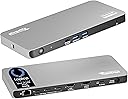
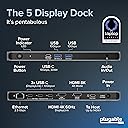
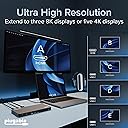
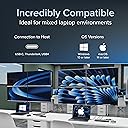
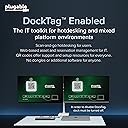
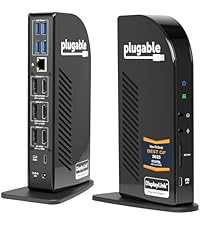
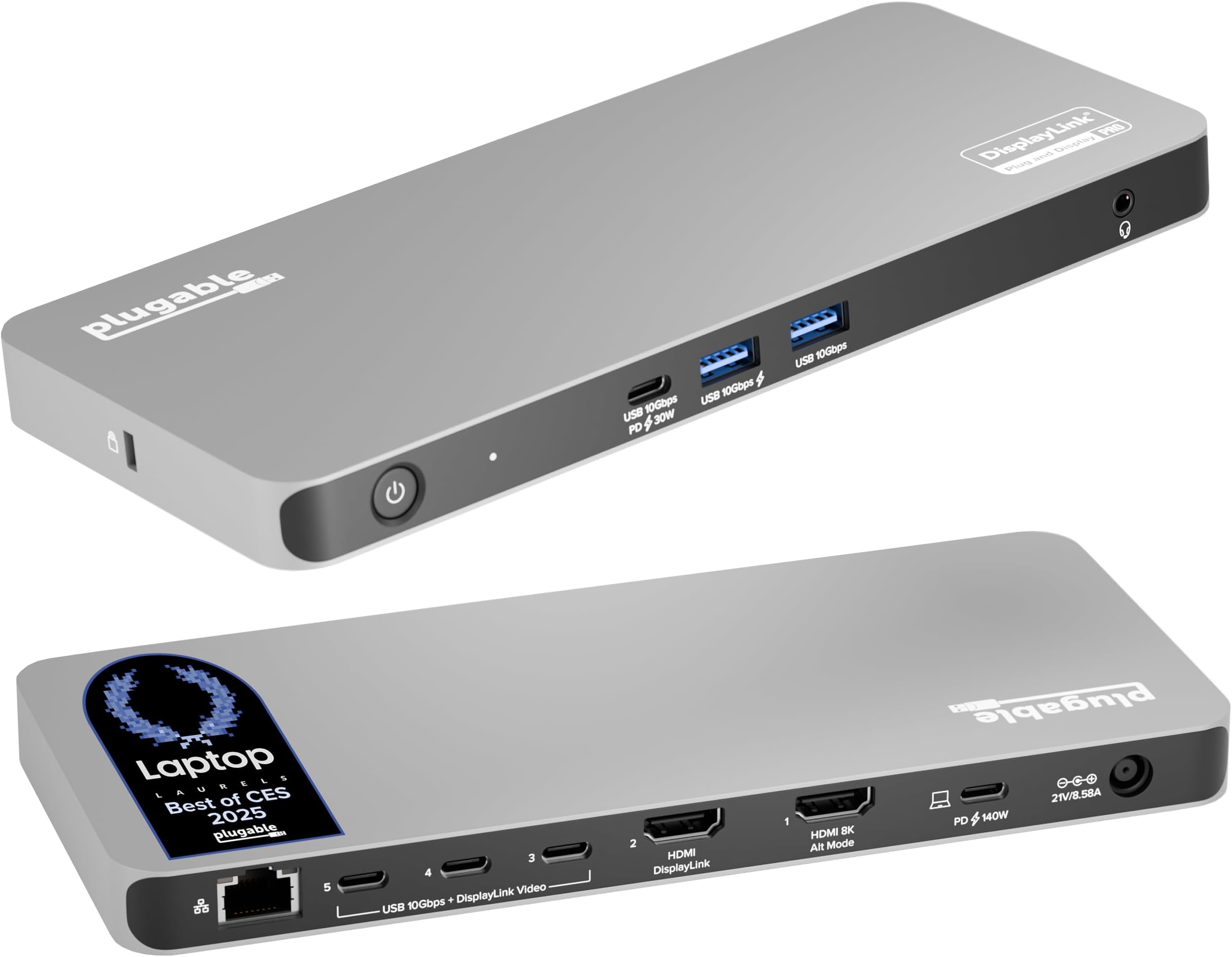
The Plugable UD-7400PD USB-C Docking Station is a powerhouse hub designed for professionals craving maximum productivity. It supports up to five 4K or three 8K displays, delivers up to 140W laptop charging, and features a 2.5Gbps Ethernet port for ultra-fast networking. Compatible with Windows and macOS systems, including the latest Apple Silicon Macs, it offers versatile connectivity with HDMI, USB-C, and USB-A ports. Equipped with DockTag OSD for easy setup and backed by lifetime support, this dock transforms any laptop into a multi-display command center.


| ASIN | B0DPGM58S1 |
| Best Sellers Rank | #331,341 in Electronics ( See Top 100 in Electronics ) #115 in Docking Stations |
| Brand | Plugable |
| Brand Name | Plugable |
| Colour | Space Grey |
| Compatible Devices | Laptop |
| Country of Origin | China |
| Customer Reviews | 4.1 out of 5 stars 103 Reviews |
| Global Trade Identification Number | 00819927013488 |
| Hardware Interface | USB Type C |
| Item Weight Unit of Measure | 2.8 Pounds |
| Manufacturer | Plugable |
| Manufacturer Part Number | UD-7400PD |
| Minimum Required Operating System Version | Windows 10 |
| Model Number | UD-7400PD |
| Number of Ports | 11 |
| Smart Home Compatibility | Not Smart Home Compatible |
| Total HDMI Port | 2 |
| Total USB Ports | 7 |
| UPC | 819927013488 |
| Wattage | 140 |
G**O
Quality Equipment, Amazing Support. Buy the Adapters!
Purchased this dock so I could have 5 monitors with my laptop. I started a new job and couldn't use my desktop but have grown accustomed to my 5 monitors. Plugable is really the only option out there. Price is steep, but it's worth it. I purchased 2 hdmi cables, and 3 USB-C to HDMI cables. Initially, I was only able to get 3 out of the 5 monitors to work on my Windows 11 Dell XPS Laptop. I noticed, it was really the USB-C connections were the ones that were not working consistently. Restarts, and reinstalls didn't really fix it. I removed one of the USB-C to HDMI cables and replaced it with a USB-C adapter and HDMI cable , this allowed me to get another monitor to work. For the 5th monitor, I bypassed the dock altogether and plugged it directly into the laptop. That got me 5 for the moment, but it wasn't what I paid for. I decided to contact support and described the issues in detail. I provided them links with all the different cables I was using, steps I took in troubleshooting, and what I ended up doing to get my all 5 monitors working. Bob from support replied, and provided excellent step by step assistance. They wanted to rule out anything wrong with my dock, so they sent me a brand new one that they had tested and confirmed was working. They also couldn't determine if the USB-C to HDMI cables I purchased were the culprit, so they sent me 3 USB-C to HDMI adapters free of charge. I purchased 3 Amazon Basics 6ft HDMI cables and returned the "UANTIN USB C to HDMI 6ft Cables" Once I received the new replacement dock, I removed all the power and USB-C cables. It was important to not use any of the cables that came with the original dock. Once I installed the new HDMI cables and replacement dock, All 5 monitors came up. Not one issue. I believe the issue resides in the cheap USB-C to HDMI cables. SO if you've made it this far, and you are going to spend the money for this dock, do yourself a favor and buy the plugable branded adapters https://a.co/d/0bzOC4Pd to go with it. (Honestly, they should be included since they are marketing this dock as a solution for multiple external monitors) Also, I've recently switched my laptop from a Dell XPS to a Macbook Air M2 (Against my wishes) and again no issues.
R**A
Excelente
Excelente docking station, es de los únicos que soporta monitores ultrawide de 49" a 1440p. Mi única queja es que a veces el HDMI alt tiene intermitencias pero es raro y se recupera rápidamente
K**M
Solid Docking Station with Outstanding Customer Support
I initially ran into some issues getting this docking station set up (one of the three monitors wouldn't initialize on startup), but the customer support from Plugable was excellent. Their team was fast, friendly, and very action-oriented in helping diagnose the problem. It turned out the new cables I had purchased separately on Amazon were not compatible with the dock (be careful which cables you purchase). Once I replaced them with Plugable-brand cables, everything worked perfectly. The docking station now runs flawlessly with multiple devices in our home: my work laptop (Dell, Windows 11), my personal Lenovo laptop (Windows 11), and my partner's MacBook Air running the latest macOS. It’s been a reliable and seamless setup across all of them. Very happy with both the product and the quality of customer support.
A**R
Quick and easy setup, works (almost) flawlessly on Mac
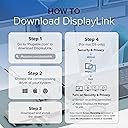
I don’t leave that many reviews but I just had to for this one. After installing the drivers I found for it online, I plug everything in and it all worked flawlessly with no issues whatsoever: I had all my displays setup in the correct position, rotation and orientation within minutes. Setup could not have gone more smoothly. Only tested this on a Mac but I assume it’s just as good on Windows. Pricey, but worth it! Edit: After some more time with this, I’ve frequently encountered issues waking my macbook from sleep, after which one or more of the screens will fail to reconnect and output video automatically and I’ll have to either disconnect and reconnect the whole adapter, or just the USB-C/HDMI cable for the screen that’s not working. It’s happened so many times I had to reduce my rating since it’s just too irritating and inconvenient to ignore. Still, while this is probably the best multi display link adapter out there, it’s too bad it doesn’t work perfectly all the time. Second edit: I believe I’ve fixed the auto reconnect issue with dedicated USB-C to HDMI cables instead of using plain HDMI cables with Apple USB-C multiport adapters. It was just a hunch, but seems to be working better now.
R**E
Great for driving two 49" monitors at full res
This is a good device and generally works well. I have it driving two 49" Samsung monitors stacked one over the other. The screen space is awesome. I have both divided into thirds - so like having six monitors. Really nice for wide spreadsheets. It took some trial and error to figure out which ports would give me the full resolution along with getting the proper cables. One issue I've had is it not waking up to turn on the monitors when I wake up the computer. I've had to turn it off and on (the plugable, not the computer) and then it would wake up the monitors. Contacted tech support who was quick and helpful with ways to fix that problem (turn off auto-detect source on monitors, update DisplayLink driver). So far so good. Note: that the unit does get quite hot especially if stacked on another device (even if that device itself does not necessarily get hot). When it gets too hot, a USB port or output port will stop working. Rebooting the device will usually resolve that, but best to make sure it has plenty of airflow all around it (tempted to put a fan on it but don't want to listen to a fan all day). I would buy this again.
Trustpilot
1 day ago
3 weeks ago