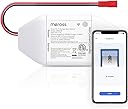
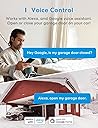
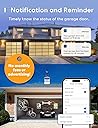
All-in-all, this little device works well and consistently, giving me remote access to opening/closing my Genie garage door.I purchased this MSG100 just a bit over a week ago. I was initially surprised to find some pieces missing (little screws, adhesive pads, test wire), so I reached out to Meross to see if there was anything they could do. They were able to send me a new package, this one with the missing pieces.Now that I had everything, I was ready to set it up. It really wasn't that difficult. I was initially worried that I didn't know enough about garage doors to do this, but it really wasn't that difficult. I watched a YouTube video where someone mounted this that gave a good easy-to-understand visual.They give you a little piece of wire that you can use to connect between two contacts on your garage door in order to test if the device is compatible with your opener. In my case, the terminals I needed to test had a number 1 and 2 next to them (see attached picture). If you would like to test before you decide to order, you can just use your own wire, or take a pair of pliers and bridge the connection. If your garage door opens/closes when you touch it to both of the terminals, then the Meross device will work.Walking through the app will go over all of the directions. After testing, they recommend to go ahead and plug up the device to power inside your home to get it started with wifi setup. If you can plug it up in the garage, that will also let you test if your wifi will reach. Once I had the app setup, I moved on to installing it.I used the provided adhesive pads to stick the device on top of the opener itself, and just bundled the cables together so they're all up there (see photo). The power cable is a USB plug that connects to a regular power adapter, and there should be an outlet just above your garage door opener. The control cable has two leads that now need to connect to those same two terminals that were tested before.The final cable on the device has a red connector that attaches to the long cable included for the door sensor. This was probably to longest part since I had to run the cable across the rail to the door itself. There should already be some wire running across this rail to one of the control levers that stops the door when it's closed. I just followed that and put the new wire under the plastic clips holding the existing wire. In my case, I opted to attach the sensor using the included adhesive pads to the top of the plastic piece that slides along the underside of the rail (the emergency release lever part). This is what the guy did in the Youtube video. It was a shorter run and easier than attaching the sensor on the door, while also serving the same purpose. If you do the same, just keep in mind this plastic piece also hits the levers on the rail to stop it once it's closed, so just put it like in the picture attached so it doesn't conflict.Once all was done, I just opened the app and tapping the garage door icon was opening and closing my garage door! It initially was giving an error saying that the garage door failed to open or close, even though it opened/closed just fine. This is because of the "Opening time" setting that you will need to adjust. This setting tells the app to wait a longer/shorter time before checking to see if it completed successfully. Since my door takes a while to open, I had to change the 15sec default to 20 seconds. Now I don't get the message, and successfully get notifications when the door opens and closes. These notifications work even if you use your manual remote or button in your car to open, which is cool.And on top of that, it also integrates with Alexa. Just download the Meross Alexa Skill and link it, then you can open and close it with your voice.At the end of the day, it works quite will so far and I am very happy with it. I was apprehensive at first due to my lack of knowledge, but it really was pretty simple. And Meross came through and did the right thing to get me the missing parts so I didn't have to return it. Just give them some time to respond.Final note: If I did have one small gripe so far, it would be that once you have it integrated with Alexa, the Alexa app does not have an open/close button that you can tap. So if you do not want voice control, you can't use the Alexa app to control it, so you'll just have to use the Meross app. I'm not sure if it's an issue with the Alexa app or the Meross skill. The Alexa app does not treat the garage door opener like a smart plug with a simple on/off button. I can't dock them for that, but if Meross and/or Amazon are listening: you guys should get together and find a way to have a simple open/close button in the Alexa app just like you do in the Meross app. That way you can use the Alexa app as the hub even if you don't want to use voice.