


Desertcart purchases this item on your behalf and handles shipping, customs, and support to KSA.
🖌️ Elevate your art — because your ideas deserve the ultimate canvas.
The Wacom Cintiq 16 is a professional-grade interactive creative display featuring a 15.6-inch 1920x1080 Full HD screen and the Wacom Pro Pen 2 with 8192 levels of pressure sensitivity and tilt recognition. Designed to reduce parallax and enhance workflow comfort, it connects via HDMI and offers precise, lag-free input without batteries. Ideal for digital artists and designers seeking a natural drawing experience with vibrant color accuracy.
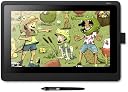




| Active Surface Area | 15.6 inches |
| Asin | B07L77GTTY |
| Best Sellers Rank | #161,044 in Computers & Accessories (See Top 100 in Computers & Accessories) #623 in Graphic Tablets |
| Box Contents | Digital Pen |
| Brand Name | Wacom |
| Colour | black / black |
| Compatible Devices | Laptop, Desktop |
| Customer Reviews | 4.6 4.6 out of 5 stars (3,040) 4.6 out of 5 stars |
| External Testing Certification | ANATEL |
| Global Trade Identification Number | 00753218986399 |
| Item Dimensions L X W | 16.6L x 11.2W Centimeters |
| Item Type Name | Wacom Cintiq 16 Interactive Display (Dtk1660K0A1) |
| Item Weight Unit Of Measure | 1.9 kg |
| Manufacturer | Wacom |
| Manufacturer Part Number | DTK1660K0A |
| Model Name | Mesa digitalizadora Wacom Mesa digitalizadora CINT |
| Model Number | DTK1660K0A |
| Native Resolution | 1920x1080 |
| Network Connectivity Technology | HDMI |
| Number Of Items | 1 |
| Operating System | Windows 10 Professional |
| Pressure Sensitivity | 8192 Levels |
| Product Features | Easy to use |
| Screen Size Unit Of Measure | 15.6 Inches |
| Software Update Supported To Date | unknown |
| Specific Uses For Product | Illustration, animation, 2D, 3D, photography, sketch, graphic design, game, manga, free drawing, development of films and digital scenarios in general, virtual reality, augmented reality, image treatment, productivity gain in use with creation software, character modeling, etc. |
| Upc | 753218986399 |
User
جيد
جيد
User
Quality you can see and feel!
This is an amazing quality product.I have used a WACOM pen tablet for years for my photo art in Photoshop and Painter. This is my first display tablet.I had purchased a HUION Kamvas GT221 which was a much bigger screen, but could not get the screen colour balanced or even close to the appearance of my other main screen. I quickly returned it and bought this tablet.My Cintiq 16 displays colours,contrast and brightness the same as my IMac. The only set up issue was needing to reboot my computer to get the pen and tablet talking with the rest of the computer. Easy set up but worry if one of the wires get faulty the whole cable set up has to be replaced because all 3 cables are fused into a main connector that easily plugs into the tablet.However I have never had that issue with other Wacom pen tablets so this might be a needless worry.The pen feels like the other WACOM pens, there are no batteries to recharge or replace (unlike HUION ). The tenxure on the screen is natural feel. There is no lag between pen curser and my drawing action. I like that this is not a touch screen as I find even with a glove its easy to set off touch screens and buttons on the side of the screen - which was the problem with the HUION touch screen. I loved the HUION and is more affordable but the quality just wasn't what I could work with compared to WACOM. Cintiq 16.If space is an issue for you, then you might want the smaller WACOM but it is a touch screen. Download the driver from the Wacom website. Then plug in your tablet. It easily recognizes it....then reboot to get the pen working as well. I also had to buy and HDMI adapter to thunderbolt drive as IMAC doesn't have HDMI connections. AThe stand is extra....GRRR - however it is a quality product as well, but adds to the cost and certainly makes alternatives like HUION very very attractive...but it is what it is for now. WACOM costs...but you do get what you pay for.I like the amount of real estate for the actual image on the display. (A larger model - 22 inch - would be great...but it comes at a significant higher price....maybe next time!).Buy what you can afford. Amazon usually has an outstanding return policy that gives you time to see it it works for you.
User
Funciona muy bien
La compramos para que mi hija la puede utilizar en la universidadFunciona muy bienEs una muy buena opción
User
I love this thing! Get a screen protector though!
Personally, after having tried the ipad pro, I was highly disappointed from all the hype. I was promised a full version of photoshop and still it was watered down just like photoshop express (but they claim they are adding functions as time moves forward, personally I felt I was lied to by apple). I used my ipad pro with the astro pad app to use the full version of photoshop with my mac pro desktop and it worked decently, but wacom devices always blows lesser products out of the water. Why? Simply put, the hover technology. It's a small feature but this is all due to the nature of the design and technology used. Apple has a pen that must be charged, but you must also "click" or actually touch the surface of the tablet in order to "move" the mouse to a new position. So the first part of a stroke is always a little tricky and you might haev to redo and backstep until you find the proper point which won't always be exact either. With the Wacom, theres no charging the pen, you can hover without touching or giving an input, and move the mouse and get a more precise brush stroke from start to finish because you know precisely where you are at without having to guestimate anything. It's like magic basically, and the hover function also works well with airbrushing techniques as well. Wacom also has a better tilt control and pressure sensitivity in my opinion. The lack of a hover mouse movement feature for the ipad pro may be a small annoying thing that frankly, I think apple really dropped the ball with going that direction with their pen technology being rooted in bluetooth, and I'm not entirely sure why they did it but I have a feeling it has to do with copyrights and patents. Wacom is the clear industry leader in the graphic design space for a long time used by many pros in the graphic design industry, and personally I wanted a drawing pad for my desktop as my main art station, but I could still use my ipad pro for on the go sketches and then transfer the data over to my computer and work on the full version of photoshop with this thing. If you are looking for mobility and a tablet, this is not the thing you want, but if you are looking for an art station with a desktop and you have the full version of photoshop, this thing is pretty much the best money can buy, and its significantly cheaper than the wacom cintiq 13hd that I purchased years ago which was probably like 1300 bucks and this thing is basically the same and is half the price. The features are great, you can customize everything, but personally I use this with a razer tartarus v2 which I also customize to have all the photoshop shortcuts button mapped to the tartarus keypad for extremely quick editing without having to change tools or waste small amounts of time fiddling with the user interface and moving the mouse, it just becomes muscle memory and button pressing which is faster than moving back and forth between the drawing space and clicking the tiny tool set buttons on the left side of the photoshop user interface, as it takes a few seconds to move your mouse or hand + wacom pen. I also recommend getting a screen protector for this thing because you WILL scratch the surface of this thing, but it won't matter that much as the screen brightness once on usually eliminates the visibility of scratches, but its a small additional charge that will give more longevity to your device and give you some piece of mind. Since this thing has no operating system or battery for this drawing device, I feel like this thing is a monolith that could probably be used for decades to come and still function great. WORTH EVERY PENNY!
User
Muito bom!
Fiz essa compra com um custo benefício bom, ele estava com desconto e tals, mas parece que ele já foi usado e retornado, é a sensação que tenho, porque na hora de abrir a embalagem, ele veio todo amassado e rasgado nas bordas, apesar de parecer totalmente novo por dentro. O bom da caixa da wacom é que ele parece ser autoprotetivo por ter isopor nas bordas, mas esperava que o vendedor pudesse embalar com mais cuidado a parte externa para dar mais segurança..Achei um pouco dificil de instalar, porque meu computador é um Macbook M1, comprei um adaptador até e tive que reiniciar várias vezes até o dispositivo reconhecer meu notebook, mas por fim deu certo.Comprei essa mesa porque através de vários reviews que assisti, as pessoas reclamavam das telas de outras marcas mudarem de cor após pouco período de uso e pelo valor ter abaixado bastante também em um período que não era evento tipo a Black Friday.Editado* 2023.Está funcionando muito bem, a caneta responde muito bem com a tela, é uma pena mesmo não ser touch, ou ser mais dinâmico quanto o iPad, mas isso não é um problema do vendedor, mas do produto.Recomendo!!
Trustpilot
3 weeks ago
2 weeks ago