Buy anything from 5,000+ international stores. One checkout price. No surprise fees. Join 2M+ shoppers on Desertcart.
Desertcart purchases this item on your behalf and handles shipping, customs, and support to KSA.
🖱️ Elevate your workspace with ergonomic precision and multitasking magic!
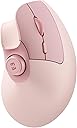
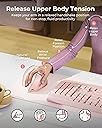
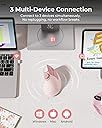
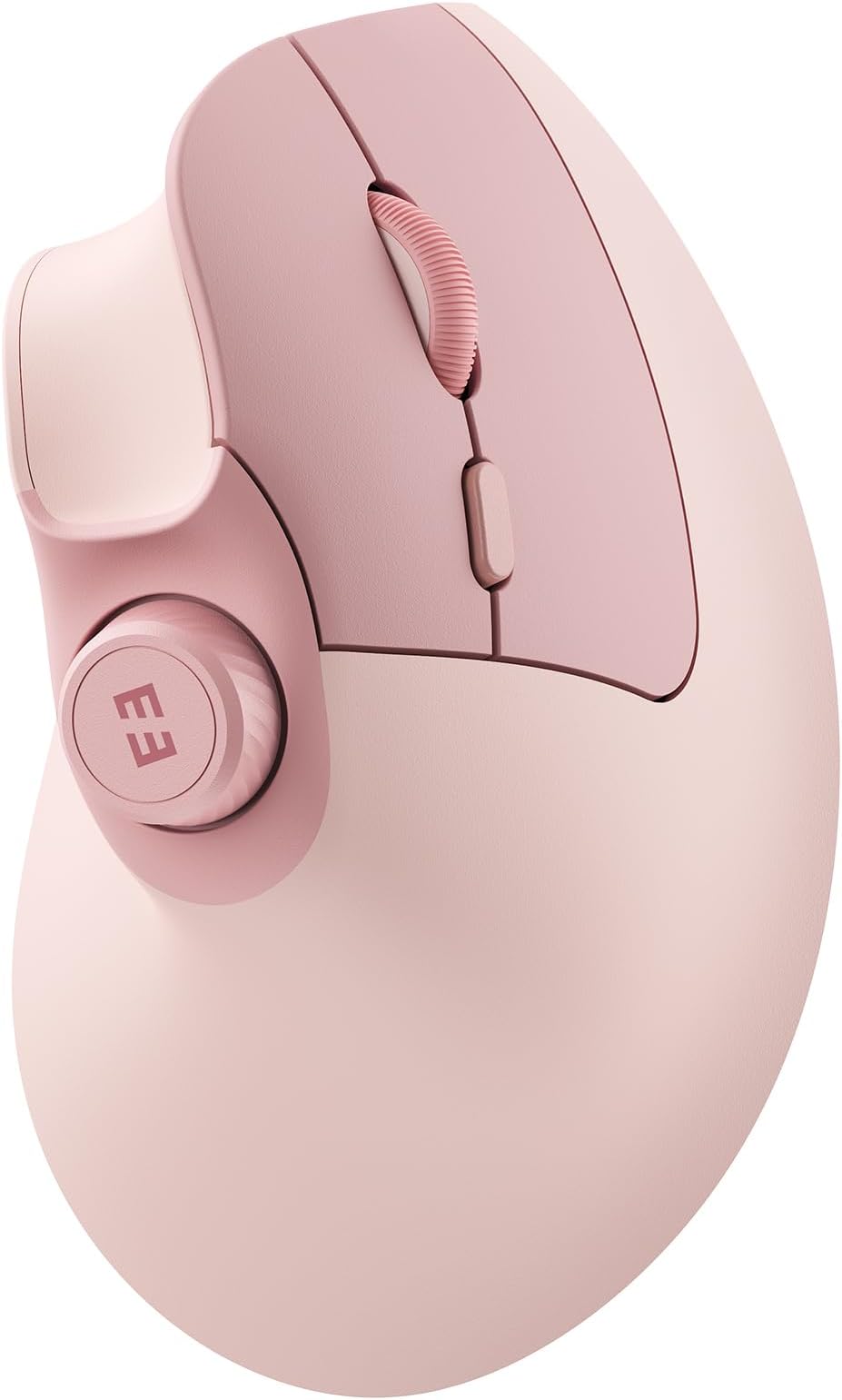
The seenda MOU-302 is a rechargeable wireless vertical mouse designed for professionals seeking ergonomic comfort and productivity. Featuring a natural handshake grip, adjustable DPI up to 2400 for precise control, and a built-in volume knob, it supports seamless switching between three devices via Bluetooth and USB. With up to 2 months of battery life per charge and silent clicks, it’s perfect for hybrid work environments, reducing wrist strain while enhancing multitasking efficiency across Windows, macOS, iOS, and Android platforms.


| ASIN | B0CT1ZCYPD |
| Additional Features | Ergonomic Design, Volume Control |
| Antenna Location | Office |
| Are Batteries Included | Yes |
| Are Batteries Required | Yes |
| Battery Average Life | 2 months |
| Best Sellers Rank | #74 in Computer Mice |
| Brand | seenda |
| Built-In Media | batteries |
| Button Quantity | 7 |
| Color | Pink |
| Compatible Devices | Computer, Laptop, Desktop, PC, Notebook, Tablet, MacBook Pro, MacBook Air, iPad, iPhone |
| Connectivity Technology | Bluetooth, USB |
| Customer Reviews | 4.7 out of 5 stars 1,411 Reviews |
| Enclosure Material | Plastic |
| Finish | Glossy or Matte |
| Hand Orientation | Right |
| Manufacturer | seenda |
| Minimum Required Operating System Version | Android 13.0, Mac OS 14 Sonoma, Windows 11 |
| Model Name | MOU-302 |
| Model Number | MOU-302 |
| Mouse Maximum Sensitivity | 2400 Dots per Inch |
| Movement Detection | Optical |
| Movement Detection Technology | Optical |
| Number of Batteries | 1 AA batteries required. (included) |
| Number of Buttons | 7 |
| Operating System | Mac OS, Windows, Android |
| Power Source | Battery Powered |
| Range | 5.0 meters |
| Special Feature | Ergonomic Design, Volume Control |
| Style Name | Modern |
| Theme | Ergonomics |
| Unit Count | 1.0 Count |
| Warranty Description | 2 year manufaturer |
A**S
Quiet, Comfortable, Convenient
I ordered both this mouse and the Proto arc because they are budget friendly and both have good reviews. Not much sets them apart, both are great options! This Seenda is slightly larger which I decided was best for what I need. (Hands 6.5in x 3.5in) Quiet, smooth, similar weight and feel when moving around. Similar control on the screen as well. Both incredibly easy to pair with my Macbook. I ended up choosing this one because I love the colors and I like the knob that turns the volume up and down. They both have buttons that when clicked, go back a page, or go forward a page. I will update my review if it is not durable.
J**!
Amazing mouse! Real wrist saver.
I do a lots if computer work. This mouse has really relieved the strain on my wrists and hand. It connects via blue tooth or usb remote. Hold a charge for a long time. I usually charge it at least once a month, but sometime I forget and it still works for two, and use it all day long or leave it on. Easy to adapt to. Too knob adjusts volume. Scroll disc on right side and forward back button on left side.
T**L
A Smart Upgrade: Seenda’s Ergonomic Mouse Impresses
As someone who has relied on a traditional wireless mouse for years, I approached the Seenda Ergonomic Mouse with cautious curiosity. I was interested in exploring ergonomic options, but unsure how significant the difference would be. To my surprise, this device made an immediate and positive impression. The mouse is impressively quiet and highly responsive, gliding effortlessly even on a standard desk surface—so much so that I’ve done away with my mousepad altogether. Its ergonomic design provides a natural hand position, which enhances comfort during extended use, especially when browsing or working online. One of the standout features is the inclusion of forward and backward navigation buttons, which streamline web browsing. Additionally, the conveniently placed voice control button on the top of the device adds a modern, user-friendly touch. That said, there are a couple of areas for improvement. While the rechargeable battery is convenient, the mouse does not offer an option for traditional batteries. Furthermore, it appears to lack a clearly visible low battery indicator, which could potentially lead to unexpected downtime. However, I have yet to experience any battery-related issues during use. Overall, the Seenda Ergonomic Mouse is a well-designed and enjoyable tool that significantly enhances the computing experience. It delivers on comfort, functionality, and performance—earning it a strong 4.8 out of 5 in my review.
M**N
Easy on the wrist! Cute design!
I like it! It’s def helped with work and my wrist is no longer being overextended all day while at my desk! It’s efficient and I love the volume dial!
D**M
Responsive and very comfortable!
My goals for a mouse are productivity and development, not gaming. Overall, I’m a really big fan of this mouse and will be keeping it as a primary mouse. This is my first ergonomic mouse. This mouse fits perfectly in my hand and does not strain my wrist or fingers. It’s extremely comfortable to use. It worked out of the box with no additional software, a huge plus as I need it to be usable with my work laptop. The clicks are not very loud, which is great. The battery lasts a very long time. The little thing I love the most is that it came in a cute color, instead of just the standard white and black. It’s a cute, responsive, comfortable, affordable everyday house with no extra software and confirmations needed for it to work. I love it. That being said, it has things to note. The scroll wheel is very basic, no fancy scroll features unfortunately. It’s not loud, but just basic. The volume scroll wheel is a little high, sometimes I hit it by mistake. Neither of these are big deals. If I could change anything about this mouse, it would be swapping the volume scroll wheel to a horizontal scroll. I have 4 ways to change volume across all my desk devices, but 0 ways to scroll horizontally. Finding a vertical mouse that provides horizontal scroll functionality without additional software is nearly impossible. That feature would make this mouse a favorite for productivity IMO.
D**A
Very nice and comfortable!
I have carpel tunnel syndrome in both hands, and using a regular mouse hurts my hand. My friend told me to buy an ergonomic mouse, so I said sure. I've never used an ergonomic mouse before or one that is turned on the side like this one. However, I bought this one because of its high ratings. I love this mouse! It's comfortable, easy to use, and has high quality. The color is great too for all of you pink lovers. It comes with a USB cord to charge the mouse. All you need to do to charge it is to attach the cord to your mouse and to your laptop and let it charge. You can also use the mouse while charging it. I read someone else’s review. They said that if the mouse isn’t working or communicating for whatever reason, you can still use it with its USB cord, and the mouse still words. It looks like the company put a lot of thought into making this device, and it’s well worth the cost. I'm glad I bought this; my hands don't hurt anymore, and it’s super unique. When I started using this mouse, it took a little time to get used to using it on its side. I couldn’t fully wrap my hand around it, but I’m getting more used to it and it feels great on my hand. The thumb buttons are for going back to the previous page you were on, or going forward to the next page. The button on the very top of the mouse is for the volume. You can also press it down, but I honestly don’t remember what that part is for. The other side of it is the left and right clicks with the scroll wheel. There’s another button above the scroll wheel also called the DPI button that allows you to quickly adjust the mouse sensitivity. You will also find the charging port on the lower part of the mouse where it divides, and there are several other buttons and the USB receiver on under the mouse for connecting the mouse t to your computer. A user manual comes with this device that guides you through the setup. Shipping was on time and packaged nicely. I give this a 5/5 and recommend this product.
P**A
Love it! And... it can be remapped!!!
Love it!! I'm a Mac user and it's been wonderful. Zero connectivity issues. The size is perfect too, my hand is like 7.5inches I think, and it was just right. What knocked it out of the park is that I was able to get the buttons remapped with Karabiner-Elements, so now I have custom shortcut buttons!!! I also read on Reddit that it can be remapped with AutoHotKey for Windows ;) It's ergonomic, responsive and quiet, and it works great with Bluetooth. Being able to remap it has made it the most perfect and affordable vertical mouse. Hope it lasts forever, we'll see how it holds up over time!
C**C
Durable, affordable, definitely buy it
This fits so comfortably in my hand and I find that the layout of the clicker buttons is more efficient for me than a normal mouse. Tbh I don't use all of the functions but I know she's got more than I utilize. Moves smooth. For someone who has hand mobility issues or injuries (maybe even carpal tunnel?), this might be a better alternative than a normal computer mouse. It's good quality, durable, and I love the color options, I got purple/green with yellow. Super cute and worth the price. My husband got a $100 ergonomic mouse but I was not willing to pay that hefty price. 🤷🏻♀️
A**G
Best mouse I've ever used.
Great mouse, comfortable to hold, buttons placed in sensible places, have it connected to my PC, TV and amazon fire cube with the press of one button I can swap between the 3, easy to install, best mouse I have ever used.
G**L
Absolutely excellent for sore hands/wrists, great value as well
I am delighted with this mouse. I wanted a vertical mouse as I've been having a lot of difficulty with my hands. I did research but I didn't want to pay $75 - $130 for well-known brands in case I didn't like a vertical mouse. I figured as this one was inexpensive, if I didn't like it the price wasn't too big financial hit. Right out of the box it was easy to set up and from the get-go I have been able to use it without a learning curve. It's very comfortable to use, doesn't feel strange at all. The various buttons seem to be in logical places. Highly recommended.
T**A
Lifesaver for My Wrist and Workflow!
I've been using this Seenda ergonomic mouse for about a month now, and it's genuinely made a huge difference. I picked the purple one, and it looks great on my desk. The main reason I bought it was because of wrist pain after long hours at the computer. The vertical design really does feel natural – my hand isn't twisted anymore, and I can feel the pressure off my wrist. It took maybe half a day to get completely used to the grip, but now it feels completely intuitive. The other big win for me is connecting it to multiple devices. I have it paired via Bluetooth to my work laptop and my personal MacBook, and I use the USB dongle for my desktop PC. Switching between them with just the button on the bottom is seamless and saves me so much time shuffling between machines. The buttons are responsive; I appreciate having the quiet clicks option on the main buttons (especially in shared spaces), but the other buttons have a satisfying, albeit softer, click. The scroll wheel is smooth. The built-in volume knob is surprisingly useful! I listen to music or podcasts constantly while working, and being able to quickly adjust the volume or pause without tabbing out of my work is a small thing that adds up to big convenience. The battery life seems solid so far; I charged it when I got it and haven't needed to again yet, which is great. The Type-C charging is also a plus. Overall, it feels like a really well-thought-out mouse that tackles both comfort and practical daily needs. Highly recommended if you sit at a desk all day or juggle multiple devices.
L**N
Très bonne souris, excellent rapport qualité prix.
très contente de mon achat. Marche parfaitement, plusieurs points très pratiques : - les boutons forward and reward, positionnés en haut et en bas du pouce, beaucoup plus logique que la majorité des souris, permet un mouvement naturel. (au lieu d'avancer et reculer le pouce, pas pratique, sur la majorité des souris). - le bouton son, qui permet de baisser ou augmenter le son rapidement, très bien en réunion quand certains parlent moins fort ou inversement, et qui permet aussi de stopper rapidement une vidéo et la remettre en lecture. - la connexion en usb et bluetooth, ce qui m'évite d'avoir à toujours transporter le récepteur usb Au niveau de la grandeur (L. 12 cm / l. 7 cm) et de l'ergonomie, convient parfaitement à ma main (17cm)
M**Z
Sehr gute Mouse
Super Mouse. Wirklich gut geformt und sehr schonend für das Handgelenk
Trustpilot
2 weeks ago
2 months ago