Desertcart purchases this item on your behalf and handles shipping, customs, and support to KSA.
🚀 Scan Smarter, Work Faster, Stay Ahead!
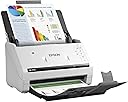
The Epson DS-575W is a high-speed wireless document scanner delivering up to 35 ppm duplex scans with a 50-sheet auto document feeder. Compatible with PC, Mac, and mobile devices via Wi-Fi, it integrates seamlessly using TWAIN and ISIS drivers. Designed for busy professionals, it supports a peak daily duty cycle of 4,000 sheets and comes backed by a 3-year limited warranty with next-business-day advance exchange service.
| ASIN | B0733NHFK4 |
| Best Sellers Rank | #238,515 in Office Products ( See Top 100 in Office Products ) #253 in Document Scanners |
| Brand | Epson |
| Built-In Media | AC adapter with power cable, Epson DS-575W, Start Here poster, SuperSpeed USB 3.0 cable |
| Color Depth | 24 bpp |
| Connection Type | Wi-Fi |
| Connectivity Technology | Wi-Fi |
| Customer Reviews | 4.3 out of 5 stars 100 Reviews |
| Global Trade Identification Number | 00010343937550 |
| Item Type Name | Epson DS-575W Wireless Color Document Scanner for PC and Mac, Auto Document Feeder (ADF), Duplex Scanning |
| Item Weight | 8.1 pounds |
| Light Source Type | LED |
| Manufacturer | Epson |
| Media Type | USB |
| Minimum System Requirements | Windows 7 |
| Model Name | DS-575W |
| Optical Sensor Technology | CIS |
| Resolution | 1200 |
| Scanner Type | Document |
| Standard Sheet Capacity | 50 |
| UPC | 010343937550 |
| Unit Count | 1 Count |
| Wattage | 17 watts |
A**M
Really happy with this purchase
The installation and setup of this scanner definitely had some rough edges. As of now, I've gotten it to work wirelessly from two of my three computers (one Windows, one Mac), but I was only able to get it working with USB wire from the third (a different Mac) -- not a huge deal, but a little annoying. But once installed, this thing has been awesome. The default settings made poor quality scans, but once bumping up DPI and a couple other things, the scans are great quality. They're also done super fast. But the best thing of all is that it handles the multi sheet feed perfectly in my experience. I've put in 50-page docs with frayed edges, old stacks of photos, newspaper clippings, greeting cards, and on and on. Scanner has not had a mis-feed of a single page of any type in three months of heavy use.
N**K
Great scanner!
This scanner took a little bit to get setup, but now that it is we love it. This thing is a work horse. We are using it to scan multiple documents into our new digital system in the office. This scans single sided and double sided. The software let's you set presets so that it is as simple as clicking a button and you can keep on going. It does take a little knowledge of this type of equipment to get it fully functional, but overall it has been an amazing scanner.
K**S
This does what it does perfectly. Outstanding Product
I have been using my Brother MFC-L8850CDW laser printer for scanning for years and thought it was good until I bought the Epson DS-575W. It's so much easier, faster, clearer. I found my Brother scanner would 50% of the time slightly skew the scan, which I can straighten out using Adobe products but it all takes time. The Epson does this automatically. I've scanned literally thousands of pages in the last week without any issue. Highly recommend
S**H
Great scanner
I asked my employer's tech support person for a recommendation of a moderately priced scanner, which was my only "missing link" when i moved to working from home. I ordered this based on his recommendation and have been very pleased with it. Easy to set up and has a flexible and easy to use software. I am glad I went ahead and ordered the wireless capable vs. standard model, which I believe was a $50 difference. It's convenient for me not to have it tethered to my laptop for use. Well made and compact, sits nicely atop my rolling file that holds my other supplies.
C**B
not super happy so far
Just installed this. Install initially failed but worked on second try. As soon as it finished install it wanted to update the software (even though I had just downloaded it from their site -- wouldn't you think they would have their latest software on the downloads page?). The update hung and after about 10 minutes I gave up and eventually managed to exit the update. The software without update worked ok but the scanned image had a white border around a the edge of a colored document and did not capture faint text even thought it was set to 300 dpi. Thinking about returning it.
T**A
Good Scanner with Some Flaws
Overall this is a great scanner. I work in an office where we have 6 Epson Document scanners. The first version of the scanner that I bought was the DS-560. These are FANTASTIC little scanners, easy to use and the software was packed full of features. This DS-575 I find to be a little more frustrating than the 560. The moving parts on the scanner do not move smoothly. They get stuck and are very hard to open and close and to adjust; you sort of need to force the parts to move. I thought that maybe it was a specific problem to the scanner that I use but I checked this on the other one that's in the office too and it has the same problem. It would be nice if the parts moved smoothly and easily but...not the case, and I feel like this is going to cause the scanner to break more quickly than it should. The software has fewer features and seems to be of a lower quality than the original software with the Epson DS-560. The black and white scans come out very poor quality even with the setting at a higher quality. So if I need to do high quality black and white scans I use a different scanner because this scanner is incapable of producing a high quality black and white scan. Also it seems like the software is missing features, like the ability to scan many pages at a time to individual files, this was a feature that I LOVED in the old software. Now you have to either scan them one page at a time, or you have to scan a bunch of pages and then manually export them to individual files (which can be impossible if you don't own pdf editing software). The function that skips blank pages does not work accurately if the scanner perceives that there is something on the back side of the page then you end up needing to edit your pdf to delete blank pages (also a problem if you don't own pdf editing software), also the auto rotate setting is inaccurate and you need to check every file to make sure that the pages are scanned in the correct direction. I love Epson scanners but I feel like this particular scanner was a downgrade from the DS-560 despite the much higher price. I feel like Epson needs to go back and update the software to have better functionality and redesign the moving parts on the scanner so that they move smoothly without needing to be forced. On the upside the scanner is durable and scans documents quickly and rarely jams. I scan documents of all sizes and quality. I work for a construction company so many of the documents I scan are dirty and crinkled and this thing will scan them all and almost never jams (even on those tiny, fragile little credit card receipts). I love that it's easy to use and compact. It can be folded up to take up just a small space on your desk so it's out of your way until you need it.
Y**M
WORKHORSE
This is a great little scanner & doesn't take up too much space on my desk. Using it to organize many years of tax & personal documents for us & mom. Yawn. Then I thought: what about organizing all my craft dies, stamps, DSP. Oh am I brilliant or what??? I am thinking now about how I can organize my craft supplies to scan & retrieve all my stuff quickly on any device thru Evernote. I have 2 extra tall bakers racks full of old files I can scan too. Oh happy day! My shredder is going to get fat eating all this paper. LOL. Oh, I almost forgot my genealogy documents, now they’ll have a home too.
L**Y
Great Update to a good line of scanners
We've purchased several scanners over the years including the predecessor Epson models, Fujitsu ScanSnap, and Xerox DocuMate. This is an awesome scanner with super-fast feedthrough. Quick setup, and good TWAIN integration. Glad we chose this for our new primary scanner.
Trustpilot
1 month ago
4 days ago