


Desertcart purchases this item on your behalf and handles shipping, customs, and support to KSA.
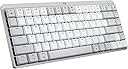
⌨️ Elevate your Mac setup with the sleekest, smartest mechanical keyboard experience.
The Logitech MX Mechanical Mini for Mac is a compact, wireless mechanical keyboard optimized for Apple users, featuring low-profile tactile quiet switches, smart backlighting, multi-device Bluetooth connectivity, and a long-lasting USB-C rechargeable battery. It includes a free 1-month Adobe Creative Cloud subscription (UK only) and customizable keys via Logi Options+ software, making it the ultimate productivity tool for professionals seeking premium design and seamless Mac integration.


| ASIN | B0BGPWZM4C |
| Antenna Location | Everyday Use |
| Best Sellers Rank | #2,111 in Computers & Accessories ( See Top 100 in Computers & Accessories ) #35 in Keyboards |
| Box Contents | Mac Keyboard, USB-C charging cable (USB-C to USB-C), User documentation |
| Brand | Logitech |
| Brand Name | Logitech |
| Button Quantity | 104 |
| Colour | MX Mech Mini MAC - White |
| Compatible Devices | Android Devices on Android 8.0 or later, Chromebook, MAC, PC, iPad on iPadOS 14 or later |
| Connectivity Technology | Bluetooth, Logi Bolt |
| Country of Origin | China |
| Customer Reviews | 4.3 out of 5 stars 104 Reviews |
| Enclosure Material | Plastic |
| Hand Orientation | Ambidextrous |
| Importer Contact Information | Rashi Peripherals, Rashi Complex, Survey 186, Dongari Pada, Poman, Vasai (E) Thane, Maharashtra -401208, Registered Address - Rashi Peripherals Pvt Ltd, Aristo House, 5th Floor, Corner of Telli Galli, Andheri (E), Mumbai 400069, India |
| Item Dimensions L x W x H | 13L x 31W x 2.6H Centimeters |
| Item Type Name | Mechanical Keyboard |
| Item Weight Unit of Measure | 1 Grams |
| Keyboard Backlighting Color Support | Single Color |
| Keyboard Description | Mechanical |
| Keyboard Layout | QWERTY |
| Language | English |
| Manufacturer | Logitech, Rashi Peripherals Pvt Ltd, Rashi Complex, Survey 186, Dongari Pada, Poman, Vasai (E) Thane, Maharashtra -401208, Registered Address - Rashi Peripherals Pvt Ltd, Aristo House, 5th Floor, Corner of Telli Galli, Andheri (E), Mumbai 400069, India Delhi: -110019 G-6, Raja House, 30-31, Nehru Place Delhi: -110019 |
| Manufacturer Contact Information | Rashi Peripherals Pvt Ltd, Rashi Complex, Survey 186, Dongari Pada, Poman, Vasai (E) Thane, Maharashtra -401208, Registered Address - Rashi Peripherals Pvt Ltd, Aristo House, 5th Floor, Corner of Telli Galli, Andheri (E), Mumbai 400069, India Delhi: -110019 G-6, Raja House, 30-31, Nehru Place Delhi: -110019 |
| Manufacturer Part Number | 920-010800 |
| Model Name | MX Mini Mechanical |
| Model Number | 920-010800 |
| Number of Keys | 3 |
| Packer Contact Information | Logitech Asia Pacific Ltd, Unit no. 1003, Tower 1, Cheung Sha Wan Plaza, Cheung Sha Wan Road, Kowloon, Hong Kong. |
| Power Source | Battery Powered |
| Product Features | Backlit, Ergonomic, Wireless |
| Recommended Uses For Product | Everyday Use |
| Special Feature | Backlit, Ergonomic, Wireless |
| Style Name | MX Mech Mini MAC |
| Switch Type | Tactile |
| UPC | 097855174710 |
| Unit Count | 1 Piece |
| Warranty Description | 1 year manufacturer |
R**N
One of the best keyboards
One of the best keyboards I have used till date - at par with keychron. Easy swappable keys (except for space bar) and overall great performance.
N**H
Logitech MX Mechanical Mini for Mac - A Premium Typing Experience
The Logitech MX Mechanical Mini for Mac is an exceptional keyboard that combines sleek design with outstanding functionality. The compact layout is perfect for those who need a space-saving keyboard without sacrificing key comfort or typing speed. The low-profile mechanical switches offer a satisfying tactile feel with just the right amount of responsiveness, making it a joy to type on, whether for work or casual use. The keyboard’s build quality is top-notch, featuring an aluminum top plate that gives it a premium, durable feel. The white backlighting adds a modern touch and is easily adjustable based on lighting conditions or personal preference. It pairs seamlessly with my MacBook Air, thanks to its Bluetooth connectivity and dedicated Mac keys. The long battery life (up to 15 days with backlighting on) is an added bonus, ensuring I don’t need to worry about frequent charging. Overall, the Logitech MX Mechanical Mini for Mac is a fantastic keyboard that combines a minimalist design, solid performance, and premium feel—perfect for anyone looking to elevate their Mac setup. Highly recommended!
R**D
Perfect Keyboard For MAC users - Smooth, Quiet, and Efficient
I've been using MX mechanical Mini for Mac for a few weeks now, and it's quickly become my favorite 😍 keyboard. It is good easy to use, low profile and less heavy with 3 device compatibility. I can write comfortably with that keyboard and it is balanced elevation just touched my heart ❤️. From Functional side logitech provide software compatibility with logi+ options you can configure the Functional key as you want. It pairs seamlessly with Mac, has good battery life. The best feature of the keyboard ia the backlighting which is auto sensing based on the light. It will only turned on when there is low light or no light. It sounds just fine with the muted keystrokes with balanced sound. I can say it is the best value for money option you will forget other keyboards after using this. Highly recommended for anyone looking for a premium, minimalist keyboard experience specially for mac. 🌟🌟🌟🌟🌟
M**M
Great buy, amazing tactile switches.
I had mixed feelings about this 10k keyboard when it arrived. Because I got this white MacBook keyboard since it came with the brown switches. I got this for the brown silent tactile switches. I’m writing this review after daily usage for 2-3 weeks. I have used a wired full size mechanical keyboard before, it came with red linear switches so I was sure it wasn’t for me. I’d have bought the grey version of this if it didn’t have the red switches only, because the sellers only ship that version here. First day was a disappointment, I take this out, connect it to my MacBook AND my windows laptop. I was making typos left and right. The first opinion was of buyers remorse. The keys felt tight and hard to press. And they were getting stuck. I didn’t get the tactile part of this keyboard. It felt like I had wasted money on this expensive fancy board. Worst of all I can’t return it once I buy it. So stuck in that dilemma I started practicing on this terrible(then) board which has weird switches and it doesn’t even match with my max master 3s - which I highly recommend to use with this. After a while I got more used to the keys, how to make the keystrokes. And with usage the keys became smoother and the tactile bump became more noticeable as I used the keyboard. After 2 days I crossed 100WPM with ease and consistency on this. I was only able to do a 90 on the MacBook keyboard for baseline. So, being a second time buyer of mechanical keyboards I’ve come to realise that these come with a learning curve. But it’s amazing once you get used to it. As for the “for mac” branding Logitech is using, it’s just white and comes with cmd and opt keycaps. It differs only on a software level other than this when being recognised by the software. I can assure you that the dark grey version will work just as well for the mac. What I like about this board: - you can customize keys to anything, all keys are hot swappable - the tactile quite switches feel amazing to type on - the multiconnect feature is one of the main reasons I got this board. And it works without any hassle across 3 devices I connected via Bluetooth. - it’s wireless and sleek design. - battery lasts for a month almost, the same and on par with my MX master 3s - it has keys which you can reprogram with the logo options software - set them to anything shortcut or key combination. It works flawlessly.
R**T
Good feedback, suitable for office environment and coding.
I had a mini heart attack when this keyboard didn't connect to my 8 year old Mac but it was a quirk of Mac. I had to delete some Human interface files in Mac so that it connects seamlessly. The logi options+ is good to configure some keys on the keyboard. I also use it with my office Windows laptop, off course some function keys don't work on Windows. Switching back to Mac OS and then to Windows and then back to Mac OS makes it forget the pairing. That's the only culprit in the user experience. Typing is good and feedback is as expected. Since it's brown switches, it's good for office environment.
M**U
Perfect keyboard for your Mac
I recently purchased the Logitech MX Mech Mini Mac keyboard and it’s been a fantastic experience. The keyboard feels incredibly sturdy. I’m particularly impressed with the tactile feedback and the pleasant sound of the keys – it strikes the perfect balance between being noticeable and not overly loud. The backlight configurations are a standout feature for me; they add both functionality and an aesthetic appeal, making the keyboard not just a tool, but a part of my workspace’s ambiance. Highly recommend for any Mac user looking for a reliable and stylish keyboard.
S**A
Beware of defects | MX Mechanical
Beware of this keyboard's quality. Some keys may not work and you will have to go through warranty since no replacement service is available on amazon. My keyboard arrived defective with the spacebar only working intermittently and even then sometimes registering presses twice. There is no way to replace it through amazon and Logitech is asking to 7-10 days to replace it. It appears Logitech simply doesn't care. I am very disappointed and would have gotten a refund if I could. I bought it for work and it's now causing me grief to deal with this defective product. Extremely poor support and not worth the premium price that Logitech has charged for this keyboard.
S**A
Great keyboard
Amazing mechanical keyboard with great ergonomics.
J**E
The sound and feedback you get from typing on a mechanical keyboard is very satisfying
I love the feedback and sound I get from this mechanical keyboard. Previously I was using MX Keys it was nice but doesn't give the same satisfying sound and feeling of a mechanical keyboard as this one. I'm loving it. Although it's a smaller keyboard and everything is more crammed together as compared to the full-size MX Keys. I'm loving it.
A**R
Exactly as described.
Fast delivery, exactly like described. Favourite feature is can switch keyboard to different bluetooth devices.
A**N
Good MacOs support
I can switch device connection by pressing one key. The mechanic keys have very good key response although the bounce is bit soft. The bottomline is the key layout is for MacOs and iOs
A**R
Up to Logitech's usual standard
Great compact little keyboard - great feel, love that the function keys can be used as normal Mac keys or behave like Windows keys (hello using F2 in Excel - thankyou Logitech!!!).
J**.
Great product
Works well together with the test of the MX line of peripherals.
Trustpilot
2 weeks ago
2 weeks ago