Buy anything from 5,000+ international stores. One checkout price. No surprise fees. Join 2M+ shoppers on Desertcart.
Desertcart purchases this item on your behalf and handles shipping, customs, and support to KSA.
🚀 Plug in. Power up. Stay connected everywhere.
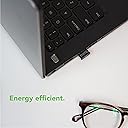
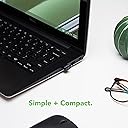
The Plugable USB Bluetooth 4.0 Low Energy Micro Adapter transforms any Windows 7 to 11 PC into a Bluetooth powerhouse, enabling wireless connections with a wide range of devices up to 32 feet away. Its compact design fits discreetly into USB 2.0 ports, delivering stable, energy-efficient connectivity backed by industry-certified profiles and exceptional lifetime tech support.


| ASIN | B009ZIILLI |
| Best Sellers Rank | #69 in Bluetooth Network Adapters |
| Brand | Plugable |
| Built-In Media | Network adapter |
| Color | Black |
| Compatible Devices | Windows 11, 10, 8, and 7 |
| Customer Reviews | 4.4 out of 5 stars 11,512 Reviews |
| Global Trade Identification Number | 00649241921943 |
| Item Dimensions | 6.3 x 6.02 x 0.79 inches |
| Item Type Name | Plugable - Network Adapter - USB 2.0 |
| Item Weight | 0.1 Ounces |
| Item dimensions L x W x H | 6.3 x 6.02 x 0.79 inches |
| Manufacturer | Plugable |
| Mfr Part Number | USB-BT4LE |
| Model Number | USB-BT4LE |
| Number of Items | 1 |
| Package Quantity | 1 |
| Specific Uses For Product | personal |
| UPC | 649241921943 |
| Unit Count | 1.0 Count |
| Warranty Description | no warranty |
E**E
Great tech support and a great product
Simply put this device works great. It's Plug and Play, meaning you just plug it in and windows update provides the driver software. The Bluetooth connection is good for this Bluetooth 4.0 I can get some headphones to stay connected through several walls, and if anything does get disconnected it has no problem auto-reconnecting. Works great with newer Bluetooth 5.0 headphones too! The best part about this product so far has been the tech support. I bought this product about 4 years ago and had no issues, until a few months ago. Turns out it wasn't the this product, but some things I changed with the drivers. I am pretty tech savvy and did everything I could to fix the issue, but I couldn't figure it out. I reached out to Plugable, they ask for details and a debug report (which they show you how to do), then reply with detailed instructions specifically tailored to your specific issue. I was honestly blown away with the level of tech support they offer. Even their website is filled with information to help troubleshoot, down to specific brands and models of Bluetooth devices you might be using. The instructions tech support provided me fixed all my problems, even ones that weren't in my original request. They are also very clear instructions that even someone who has no tech knowledge or experience could do. The product works great, it's affordable, and if you run into any problems, I believe their tech support can fix them. With out a doubt the best tech support I've seen, and I've done tech support as a career for years. Pros -It just works -Good range -Stable Connection -the best tech support I've ever seen, even 4 years after the original purchase date. -affordable Cons -I would buy a USB extension to keep the device away from any metal for the best connection and stability. I went a little extra and got a 6 foot cable so I could hang the adapter a foot from my ceiling. Not necessary but, all BT devices work best with direct line of sight. -Works best with USB 2.0 ports. Not much of a con because if your device only has USB C or USB 3.0 ports then it likely already has Bluetooth, but if you need a BT adapter, it still works best in a USB 2.0 port.
P**.
Works on my Mac Studio
I bought this to use on a Mac studio that was in another room and I wanted to be able to use my Apple magic mouse. This worked fantastic! plugged into my wired Mac keyboard that is on a cat6 extension, turn Bluetooth off and on and I was good to go. I love when things work! Thanks 🙏
P**O
No blue tooth on your computer - no problem - get this little device and you'll have blue tooth in no time
THIS IS AN UPDATE ON THIS PRODUCT: I began to have difficulty with my computer connecting to the internet. When I would boot up, it would not leave my wifi "on". It kept saying my computer wi fi was turned off and to click the on/off switch on the front of the computer to turn the wi fi back on. I tried this over and over - and it would not stay 'on'. So, my computer would not connect to the internet. I spent several hours trying to fix the problem. I even called my provider and they suggested I take the computer in for a check up. When my husband came home he asked me if I had downloaded anything new on my computer that might have caused the problem. The only thing different was the plugable USB Bluetooth. I had noticed on my trip back east that I was having difficulty logging into the internet but thought it was just due to a slower dial up connection. My husband suggested I unplug the bluetooth plug in until after the computer had booted and was connected to the internet - just to see if that worked. It did! I had spent a stressful day thinking I had somehow damaged my computer. Once the computer is full functional and running, with the internet connected, then the plug in can be inserted with no problem. But - I would suggest you unplug it after each use. It's a little tedious to have to do this but not nearly as bad as not being able to connect to the internet. And - this is my original review - which still is correct. I was shocked at how small this device is. I got it 2 days ago and it's worked GREAT from the very beginning. I'm not very computer savvy and even I had no trouble installing the drivers and other steps necessary to get it working. The device will 'walk you through' the install. Take it one step at a time and you WILL NOT have a problem!! Read the directions on the screen. I did not need the CD/DVD that came with it. I'm not sure what it's for but I was able to do the install by just plugging the device into my USB port and letting it do its thing. I just followed the directions that popped up on the screen. I got this because my computer (a Sony/Vaio) that was only about 3 years old, did not come with blue tooth installed (I was shocked). Anyway - it has blue tooth now and I just leave the device plugged in all the time (which is what they suggest). I don't even notice it - except for the little blue light that shows it's working. GREAT device at a very inexpensive price!!
T**.
Crazy good customer service; works well with BeatsX
NOTE: Original review was 2 stars. TL;DR: It hadn't worked with a particular Bluetooth headset. I was pretty frustrated, since others hadn't had too many problems with that headset's connection. The company reached out and tried to help me solve the problem, and their solution probably would have worked if I still had those headphones. I changed to BeatsX and it works great. The customer service is above and beyond anybody else, ever. ORIGINAL REVIEW: Unreliable connection. Works flawlessly occasionally, but multiple models/brands of wireless headphones have exactly the same problem, where the connection becomes de-synced and is a real PITA to reconnect. Oh how many hours I've spent trying to connect. Often when you connect, the PC tells you it's connected successfully, only for the audio to come out of the computer speakers. You check the Bluetooth connection for the device and it shows as "disconnected". You check your device itself, and the lights indicate it's searching for connection. The problem is on the dongle. When the Bluetooth connection works (which is maybe half the time?) the sound quality is normal, except for the occasional weird bug where it comes out VERY low quality. This device is an enigma. EDIT 6/19/18 (four stars): For some reason, it was behaving the same way at first when I changed my headphones from another brand. I use BeatsX now, and after a couple weeks they now work pretty well. MUCH easier than my previous brand of headphones paired with this device. I would give five stars if I knew for a fact that the adapter wasn't part of the problem with the old headphones. Few reviews on the other headphones mentioned connectivity problems. It's possible that it's incompatible with some headphones. EDIT 6/26/18 (five stars): The company commented on my review offering to help, including suggestions for potential problems as well as an offer to replace the headphones. I didn't return their message because at this point I was fairly convinced that the adapter wasn't broken. So they sent me an actual, physical letter, via snail mail. They sent it to the address I had originally ordered from. They hand-wrote a note explaining what the problems could be, and all of their suggestions made sense and one could potentially be the problem. They again offered to send me a replacement. They even offered to send me a USB extender to potentially alleviate any radio interference problems from the PC. I am VERY impressed with their level of commitment to making it right. To the seller: My adapter works well, and I don't need a replacement. I actually can't test your "stereo vs call-quality audio" solution with the old headphones because they broke, but that probably would have solved the problem. I very much appreciate you reaching out.
M**2
Plugged into a Win 10 desktop and it just worked. Nice!
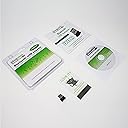
What I like about this Bluetooth adapter is it works just as it should. Even better than expected because other people complained about driver issues, getting it recognized, etc. Well, I had none of those issues. Plugged it into a usb2 port on the front of a desktop PC running Windows 10 expecting a window to open up to install drivers, but nothing happened other than two beeps from the PC. So I open the Bluetooth app and list devices. Put my LG 730 headset in pairing mode and it showed right up. Clicked "pair" and it connected. No drama. Opened my music folders, clicked on a playlist and it just worked. Again, no drama. I noticed no difference in the quality sound of music through this Bluetooth adapter and the Broadcom wi-fi/bluetooth adapter built into my laptop. Once music was playing, I walked around to see what sort of distance it has. Was able to go to next room with no problem, but when two or more walls get between the headset and Bluetooth, music started to break up as I walked around. But standing still it played OK. Not bad considering there is no external hi-gain antenna attached to this micro device. I really didn't expect it to penetrate through one wall. So, even though I paid more than I thought it was worth, it does work well. Also, it does use a Broadcom chipset, which is what a majority of laptops with bluetooth use, so its a quality product. Besides pairing the LG stereo headset, it also paired to two other Bluetooth earpieces I normally use with a Samsung phone. Came with the Bluetooth adapter, Driver CD, and Instructions. Windows 10 does not need the driver cd.
S**.
Works great for my PS4 controller to use on the PC!!
(I've been using this for my wireless PS4 controller use on my Windows 10 home theater/gaming PC for more than 6 months now). This works very well. I didn't need to install any drivers or mess with any settings. I would just do a "restart" after you install it to make sure everything is working properly with the drivers. I'm currently using it for my PS4 controller on my living room PC set up. (The PS4 controller is the best game controller, in my opinion.) The Bluetooth dongle recognized my PS4 controller. Others seem to be having a bit of difficulty with that, but I have not had that problem. Try restarting the PC after the drivers are installed. I can confirm that this works with the PS4 controller; I've been using it for well over 6 months now. It's important to note that this isn't a simple "plug and play" if you are trying to use Sony's controller on a PC (something they did not design it for.). But, with a little know-how, you can get it working. You will need a third party software program to use the PS4 controller on Windows. I use DS4 Windows by Jays2King. (ds4windowsDOTcom). I play games like Witcher 3 and Mass Effect Andromeda with the controller through this Bluetooth, and I have not noticed any lag or other problems. You can only connect one controller at a time through this dongle; if you try to connect other devices besides the controller, it sometimes has issues, so if you're buying this for the PS4 controller, I would understand that you are probably going to be ONLY able to use Bluetooth for that purpose alone. That might be the only drawback for some (but I think that's true of any Bluetooth, not just this particular adapter.) For $14 this was a perfect solution. Rather than buying an Xbox controller or using a wired controller, for not a lot of money, I was able to use a controller I already had on my computer!
M**R
Relatively easy install for a Bluetooth device, good sound, and decent range. Highly recommended.
Adapter installed flawlessly. OK, it was a multistage install, but no real issues. My system is Windows 7 64-bit and did have a CSR v2.0 installed in it prior to this adapter. I expected some required uninstall, but as I usually try first and ask questions later, I just dropped it into a USB slot to see if MS could sort it out. Windows updated Installation happened and completed normally and I was able to pair a Bluetooth 4.0 headset (Bohm) without issue. There were some uninstalled parts of the driver when I examined the device in the Bluetooth list. Well, despite no installation errors per se, it did not appear as a sound playback device; due to the missing drivers not provided through Windows Update. So, I went to the Broadcom site, they make the chipset is this unit (you could also get them from the Pluggable support site) to get the latest drivers ([...]). They appear to support XP to Windows 10 and some Linux distros. Downloaded the small installer (boradcom, pluggable is the full 200MB at once) which proceeded to install a bunch of additional software (~200MB). It completed and All the device features now had drivers installing for them. Completed and no errors. Still no sound. This is resolved by simply entering the sound mixer on Windows (click the speaker in the lower right corner and select Mixer and finally use the dropdown under the Device column above the slider) and select your paired Bluetooth headset as the playback device. You can also this as the default playback device; check the control panel. After that it worked without issue. Other programs like games or Skype may also require you to set a new device as the playback or microphone device. That part is kind of a pain, but does allow a headset for Skype and speakers for normal windows playback. Range was not what I expected. I thought this was a type 1 with 100 meter (typical 20-30 meter) range. It appears to be a typical type 2 with 33 meter (typical 10 meter) range; and that with assumed clear line of sight. Site states 10 meter (33') range. I actually just read that ([...]and [...]). Granted I was testing in a house with one wall between me and the unit. Sound is very good. I noticed some clipping or click when I change volume in Windows, but that is not uncommon. Playback however is excellent within 20-30 feet. Beyond that it comes and goes in a house setting; your mileage will vary. I was able to go upstairs in my house (and not directly above) out to around 30' from the computer when I would get cutouts; more or less. Not all that I hoped (was hoping to walk the house, but this unit would not do that), but the installation ease, sound quality, and decent multi-room range make this a great buy if you need Bluetooth connectivity for a machine without it or one that does not support the newer 4.0 standard. Not sure if the microphone on my BT headset or the connectivity or sound generation of this adapter is not very good. Sound recorded on a Skype echo test was not good; muffled and not crisp at all. I'm not sure that I will be using it for more than listening at this point. I will do some real people tests and use different headsets and update later. Right now I'm "blaming" the headset. I will also try to do some more line of sight testing to see if the range improves at all Good unit so far, but I've only had it for about 1 hour and I'm listening to music and completed my installation and testing. You may have installation issues if you have previous or current Bluetooth driver installed. Checkout the Pluggable link above. There they also have a nice comprehensive FAQ that tries answer many installation issues. I did not use them, but I did look through them while downloading the drivers. Very good adapter. Highly recommended. I've tried many imported knockoffs, mostly BT 2.0, and this is by far the easiest and most complete install. Most have incomplete or failing drivers and provide limited functionality or poor and somewhat distorted sound quality. I have found another good vendor that does appear to care about the user. Getting tough to find these days. Installed in a second machine at work, again no problems following the same steps as above despite it being a radically different machine but still Windows 7 64-bit. I've ordered a second one!
J**N
Full of glitches and not worth the trouble
I bought this to add Bluetooth capabilities to my new desktop with 8th generation Core i5 processor and Intel Z370 chipset. It had several positive reviews on here and was Amazon's Choice for this type of product, and for the price I figured I could afford to take a chance with it. All seemed well initially. Windows 10 identified and installed a driver for the device, and in moments I had the familiar Bluetooth icon in my system tray. I was encouraged; this looked like it was going to be a textbook USB installation, a simple, trouble-free plug-and-play experience. When I tried to pair my Bluetooth headphones, the Windows 10 Bluetooth dialog spun and spun and spun, for over a minute, before giving up. I tried this multiple times, putting the headphones in pair mode each time, only to have Windows fail to detect. Finally, I went to Plugable's website and downloaded the driver software for it. After installing and rebooting, Windows continued to spin, but this time it finally paired. Yea! Things should be okay now. Not so fast. Sound on the headphones was of good quality, but it "hiccuped" frequently (skipped or dropped out). Worse, when I tried to play a video game, I discovered very quickly that there is a serious lag/delay in the sound over Bluetooth, as much as one second or more. Imagine playing a game where your sound is one second behind your visuals and you can imagine how crazy was my experience. That's not all. After installing the Bluetooth driver software, my iTunes would no longer work. I restarted my computer and was able to start iTunes, but it would become unresponsive within 5-10 minutes and require killing with Task Manager. I use my computer daily, and for the past month I had experienced no problems at all with it. It was when I installed this seemingly innocuous USB adapter that the problems began. I yanked it out, to confirm that it was the cause. It was. iTunes once again ran without issue, and I had no process hangs or any system stability issues, and certainly no delays over wired headphones. Your mileage may vary with this, but it has been nothing but a headache for me, and I'll be return it and exchanging for a different brand, a brand with a proven track record of delivering reliable computer components.
J**K
Tips for Windows XP installation
I have two of these - one in use with a Sony Vaio running Windows 7 and the other with a Samsung Netbook running Windows XP. The first one - in use with the Vaio - installed easily first time and performed exactly as expected; the second one - in use with the Samsung - was a lot more difficult to get working! My Samsung Netbook does not have an optical drive so I had hoped to get the dongle working with some Windows drivers and the custom software downloaded from the net - no chance! I am fairly computer-literate but after an hour or so of trying to get the wretched thing working I was about to send it back to Amazon as a failure. However - I persevered and eventually got it up and running so here are my tips for XP users. Firstly, don't bother with the Installation Wizard that pops up when the dongle is inserted - close it and forget it. Then forget the custom software download from the web - it just doesn't recognise its own dongle and Windows may try to block the download anyway. Don't hunt for Bluetooth drivers in Windows Update - there aren't any that work. The only way I could get this dongle working with XP was by installing the software from the provided CD - so if you are planning on installing it on a Netbook you will need to own or be able to borrow a USB optical drive. Then try this: insert the dongle into a USB socket and close the Installation Wizard when it pops up - ignore any error messages. Insert the CD into the optical drive and run it - follow the onscreen instructions until the software has loaded then reboot your computer. A final option box should then appear - choose your options and the Bluetooth should then be working OK - mine did! Once its working this is a good device so I will give it five stars for that, and running under Windows 7 is a doddle. It has also given my old Netbook a new lease of life - eventually! Good luck!
Y**3
Absolut zuverlässiger USB-Bluetooth-Adapter
Mein Computer hat von Haus aus kein Bluetooth, dennnoch wollte ich sowohl Bluetooth-Kopfhörer als auch eine -Soundbar nutzen können. Dieser Adapter eignet sich dafür hervorragend! Günstig, äußerst klein und macht seinen Job hervorragend. Installation war Plug n Play (unter Windows 10). Seit über einem Jahr verrichtet der Adapter nun seinen Dienst (beinahe täglich) absolut zuverlässig. Entgegen einiger Rezensionen kann ich die Reichweite nur ausdrücklich loben. Selbst in der Küche (zwei Räume weiter) kann ich problemlos Musik hören - ohne Einschränkungen. Und da sind ein paar Wände dazwischen! Ähnlich wie bei W-LAN-Adaptern kann es natürlich Probleme bereiten, wenn man den USB-Stick direkt ins Gehäuse hinten einsteckt. Je nachdem wie viel Störquellen in unmittelbarer Nähe sind, kann es zu deutlichen Einschränkungen kommen. Wer den Adapter in einen USB-Hub, Tastatur / Bildschirm etc. einsteckt sollte deutlich weniger Probleme haben. Ich hatte nie Verbindungsabbrüche oder ähnliche Störungen und würde den Adapter jederzeit wieder kaufen. Uneingeschränkge Empfehlung von mir.
I**N
GRAZIE PLUGABLE!
Risparmiatevi un mal di testa. Se cercate un dongle bluetooth senza dover essere "forzati" ad un pcie che comprende anche wifi, optate per questa marca. Davvero. Penso di aver provato qualcosa come 5 dongle diversi. Va bene tutto, interferenze, quello che volete. Ma io non ho avuto NESSUN problema con questo dongle. Gli altri non appena connettevo piu di un dispositivo (e alcuni erano anche protocollo 5.0), dopo qualche oretta cominciavano a dare problemi. E allora li comincia il: stacca-riattacca-riavvia-reinstalla i drivers-eccetera. Seriamente, è una di quelle sciocchezze che a furia di perderci tempo, ti rovina le giornate e di conseguenza la produttività a l'umore. Ottimo il servizio clienti e anche le accortezze sull'usare porte usb 2.0 invece che 3.0 per evitare interferenze. Si percepisce quanto sia importante ricevere un feedback positivo per plugable sull'utilizzo piuttosto che vendere il prodotto e basta come altri competitor. Assolutamente consigliato.
E**O
Perfectly work on Ubuntu 22.04
This adapter works perfectly no ubuntu 22.04. Simply plug-in and doesn't require the extra driver installation on my local machine. Sooooo convenient, very nice product. Recommend to anyone that using ubuntu ~22.04 version
B**T
Funcionamiento sin problemas
Me he alegrado de encontrar a un fabricante que da soporte a GNU/Linux. El dispositivo está soportado de serie por lo que no hay que instalar controladores pero en algunas distribuciones será necesario instalar un fichero de firmware para que funcione mejor. Está explicado en su blog (https://plugable.com/2014/06/23/plugable-usb-bluetooth-adapter-solving-hfphsp-profile-issues-on-linux/), y aunque en inglés, los pasos son muy sencillos. Resumiendo por si a alguien le cuesta de entender: En una terminal con permisos de root usamos el comando dmesg para ver si al conectar el dispositivo aparece un error avisando de que falta un fichero de firmware. El fichero lo descargamos del enlace indicado en el blog y lo movemos a la ubicación que nos señala el comando dmesg. Reiniciamos y ya debería funcionar al 100%. Lo estoy usando para conectar el móvil a un PC y funciona perfectamente. La música se escucha con mucha claridad y sin cortes, a no ser que me lleve el móvil lejos o haya varios obstáculos por enmedio. No voy a opinar del alcance porque interviene en igual medida la calidad del móvil. Destacar también el detalle del blister, que no es de esos que te arriesgas a perder un dedo abriéndolos. Va cerrado a presión, se puede abrir y volver a cerrar con facilidad así que lo podemos usar para proteger las instrucciones y el CD que lo acompañan y para guardar el dispositivo cuando no lo usemos. Hasta en eso han tenido un detalle de calidad.
Trustpilot
1 month ago
4 days ago