Desertcart purchases this item on your behalf and handles shipping, customs, and support to KSA.
🎮 Elevate your game—precision meets plug & play for the ultimate FPS domination!
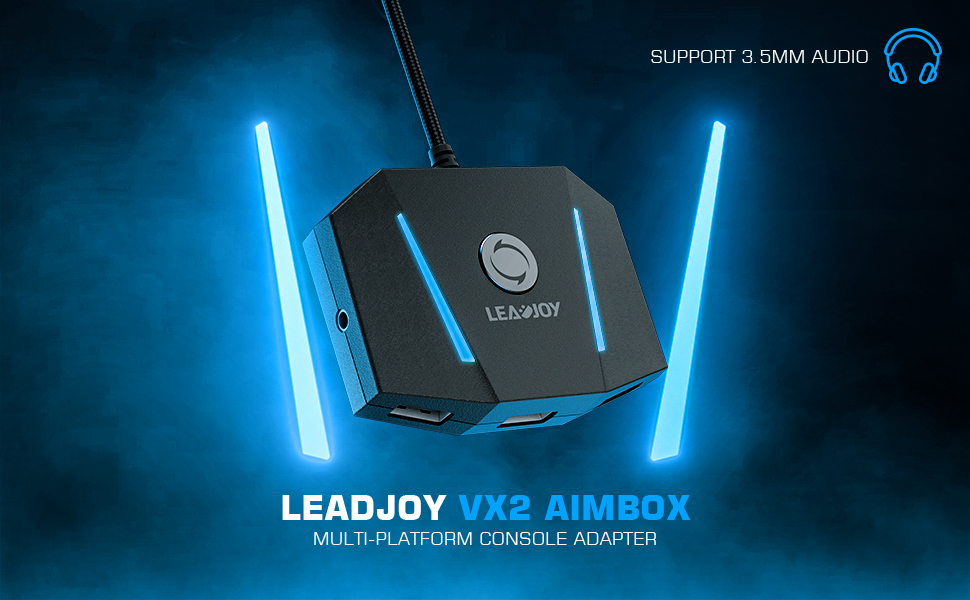
The leadjoy VX2 AimBox is a cutting-edge keyboard and mouse adapter designed for PS4, Xbox One, Xbox Series X/S, and Nintendo Switch. Featuring advanced 1:1 agility translation technology, built-in 3.5mm headset support, and full customization via the Vlead app, it delivers seamless plug-and-play setup and pro-level control for FPS and RTS gamers seeking a competitive edge.


| ASIN | B09M823MFP |
| Best Sellers Rank | #1,937 in Video Games ( See Top 100 in Video Games ) #5 in Xbox One Adapters |
| Brand | leadjoy |
| Color | VX2 Aimbox |
| Compatible Devices | PS4 |
| Connector Type | Micro USB |
| Current Rating | 0.5 Amps |
| Customer Reviews | 4.0 4.0 out of 5 stars (1,502) |
| Finish | Metallic |
| Input Voltage | 5 Volts |
| Item Dimensions | 3.15 x 2.28 x 0.73 inches |
| Item Weight | 0.37 Pounds |
| Manufacturer | leadjoy |
| Mfr Part Number | LJVX2AIMBOX01 |
| Model Number | LJVX2AIMBOX01 |
| Number of Items | 1 |
| Number of Ports | 5 |
| Package Quantity | 1 |
| Power Plug Type | Type C |
| Smart Home Compatibility | Not Smart Home Compatible |
| Specific Uses For Product | Mouse and Keyboard Converter, Xim |
| UPC | 731034978095 |
| Unit Count | 1.0 Count |
| Warranty Description | 1 Year Warranty |
| Warranty Type | *Warranty for 365 days from date of purchase. |
P**R
Great
Really nice and convenient
D**Y
This is a gift
Gave as gift and was thanked profusely by teenager. I call that a win
A**H
WASTE OF MONEY
I had high hopes and despite the negative reviews I took the risk as it’s only $40 but man this is GARBAGE, terrible product. Works for 90 seconds at a time. I’ve configured the setup many times and I have updated all firmware. The app is terrible you can’t bind scrolling your mouse wheel to anything which was extremely disappointing and made playing the game I got it for basically unplayable. Not to mention you can’t set controller button combinations to one key on your keyboard which is the whole point something like this exist. If you leave this plugged into your Xbox it will randomly turn it on. It disconnects periodically causing you to resubmit your config from the app on your phone about every 90 seconds. Randomly has an aneurism and forgets your config. Randomly shares screenshots even though nothing is bound to share. Randomly opens the Xbox Home Screen Randomly inverts your mouse movement. What a waste.
S**Z
Works as advertised
Works great and stood up to the abuse of an angry 14 year old boy playing fortnight.
W**E
Works exceptionally well, once you understand it.
System Specs: - Xbox Series X w/ standard controller - LG OLED C1 Series 55" (4k@120hz) - Razer Turret for Xbox One KB+M Combo (uses a single, wireless dongle for both devices) Games Tested: - Skyrim Collectors edition (Series S / X Optimized) - Battlefield 2042 (Series S / X Optimized) Reason for Purchase: Bought this device to compliment purchase of my Xbox Series X and LG C1 OLED TV after having made the following assumptions (all of which were inaccurate): 1. Assumed BF 2042 on Xbox had out of box KBM support, like COD: Vanguard. Wrong. 2. Assumed Xbox Series X had some level of native controller -KBM emulation. Wrong. 3. Assumed a $270 keyboard and mouse combo from Razer branded as being made for Xbox One accomplished bullet 2. WRONG!!! Summary Review: - Fantastic input performance out of the box (no app required, which was a plus for me) -Simple set up: 1. plugged in controller, 2. plugged in dongle, 3. plugged Gamesir VX2 into Xbox USB. 4. Turned on Xbox with controller - Zero input lag experienced in BF2042, even with in game aim sensitivity, controller input threshold, and mouse DPI maxed out - Zero input lag experienced when setting mouse to max dpi with reduced aim sensitivity in Skyrim - Slight input lag experienced when both mouse DPI and aim sensitivity were maxed out (to be clear, these settings are beyond impractical, but was impressive to see how fast the camera could spin on the TV). - Instructions come with default controller to key mapping for each platform, which was very helpful - Cheap and cost effective (if you already have a KBM) Full Review: First thing to understand: I DID NOT TEST THIS WITH THE APP WHATSOEVER. The app had serious privacy concerns and I figured any layouts can be customized within the game itself. Second thing to understand: The vendor states in the manual that you need to increase aim sensitivity in game to maximize Gamesir VX2 effectiveness. This is not entirely true and, in fact, will NOT work on its own. Instead, a combination of aim sensitivity and mouse DPI affords for optimal (and dare I say, exceptional) customization. Because of this, the mouse you are using must allow for the dpi to be increased for optimal results (i.e, buttons above / below scroll wheel). Playing each game felt more or less like playing on a PC. In fact, my own personal experience is better on my current setup because my budget gaming PC did not consistently hit 4k @ 120hz on either game (so far, I've never experienced FPS drop below 118 on Xbox Series X). The optimized version of Skyrim looks flat out better on Series X than it did on my PC, which added to the enjoyment of playing with the KBM. It almost makes me want to move the console from my living room to a desk... almost 😁. The default keys did take a couple hours to get used to (I didn't attempt remapping in game because, once I got used to them, they were somewhat intuitive). There is no power button to the Gamesir VX2 and the Xbox does keep the unit powered on, even when it is turned off. There is a reset button, which apparently allows you to resync when things arent working. So far I haven't had to use it, though. All in all, does what it's supposed to do in the simplest form. If you're looking for a review of the app, I recommend viewing it in the app store. I would recommend this product to any PC gamer looking to make a crossover to the latest gen consoles, which are quite powerful and optimized for 4k @120hz
A**R
Not that bad but I returned
You get what you want it's just not worth it and it takes a while to learn and you risk getting banned everyday.
A**N
Smooth return process
Thx for the quick response in the return process,of a non working piece of equipment
B**S
Finally a great experience on console
This product does as suggested. You must use an official controller to connect to the device. The device utilizes your cell phones Bluetooth along with the app to modify and adjust settings for each game. I recommend going through your library of games periodically and allowing some time solo to make adjustments until it feels right. I’ve found the process is faster and easier moving the sliders in games all the way up and focusing on the settings in app. All in all, this works for the series S and X consoles of this new generation allowing a truly close and near equal PC like experience. Great device and appreciate this gift to myself as it has allowed a more full enjoyment of games without feeling extremely held back. I think we are all pretty confused why in 2024 we are still not getting standard 1:1 KBM (keyboard and mouse) support on all game consoles when 90% are cross platform multiplayer. It’s literally nothing for developers to add but kudos for your business from their negligent laziness.
ن**ر
.
لا يعمل محول
م**ي
دوس اشتريها ومعليك بل التقييمات السلبيه
جدا ممتازه انا جربته ببلاك اوبس 4 فوق التقييم افضل قطعه تشتريه تريحك با احسن الاعدادات بس لازم تنزل برنامجه موجود ب ios وا الاندرويت
I**3
しっかり繋がる
説明書付きでわかりやすいし、お手頃価格 しっかり使える
O**U
Tavsiye ederim.
Kullanımı çok basit. Tak çalıştır mantığı. Ürün ise kaliteli ve şık . Alacak arkadaşlara tavsiye ederim. Tepkime süresi güzel PC de oynuyormuş hissiyati veriyor.
E**A
Ok
Okk
Trustpilot
3 weeks ago
1 day ago