Buy anything from 5,000+ international stores. One checkout price. No surprise fees. Join 2M+ shoppers on Desertcart.
Desertcart purchases this item on your behalf and handles shipping, customs, and support to KSA.
🚀 Elevate your home Wi-Fi game—stay connected, stay ahead!
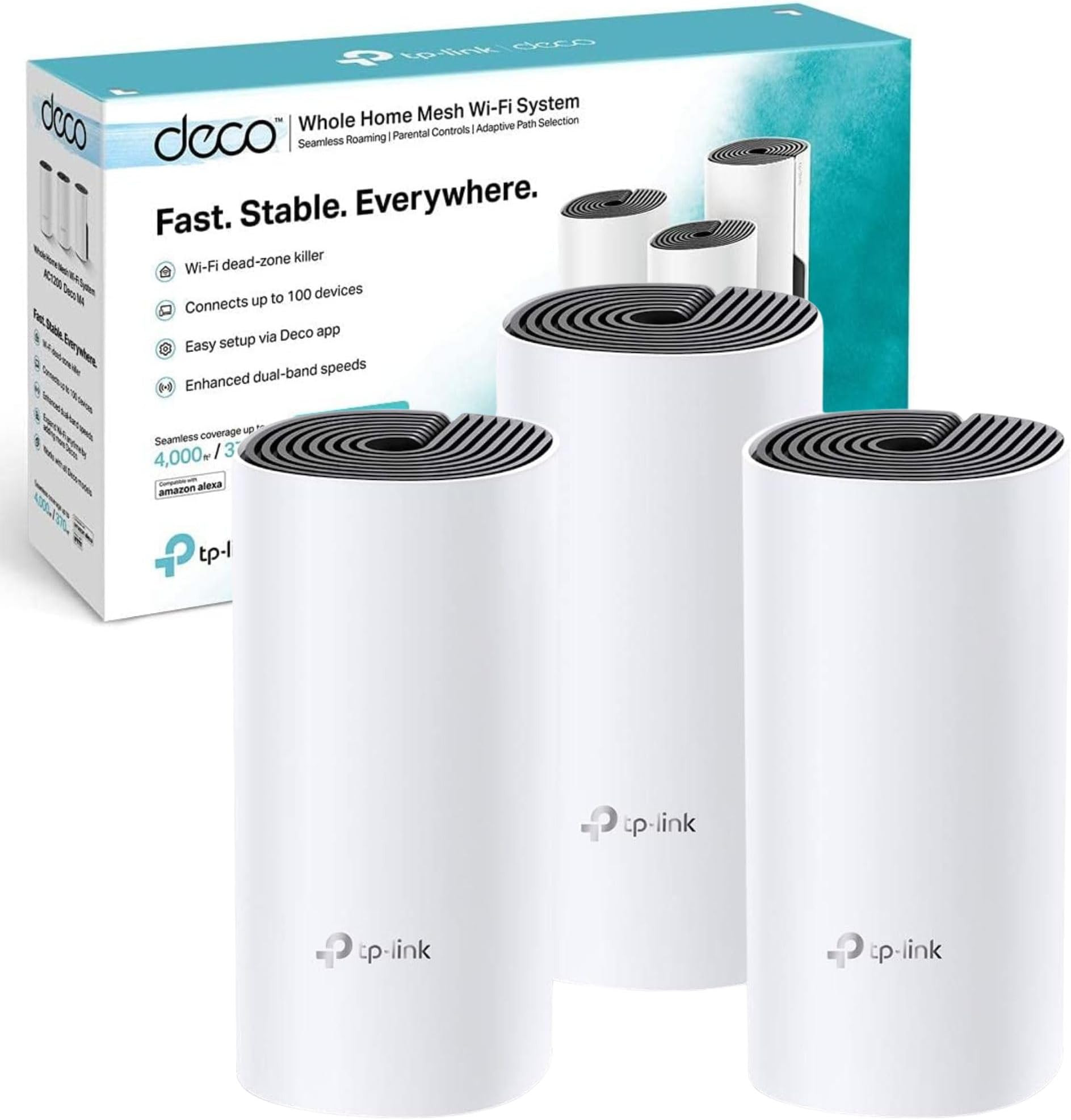
The TP-Link Deco M4 Whole Home Mesh Wi-Fi System delivers seamless, high-speed wireless coverage up to 4000 sq ft with AC1200 dual-band technology and gigabit Ethernet ports. Designed for easy app-based setup and smart parental controls, it supports over 100 devices simultaneously and integrates effortlessly with Amazon Alexa. Ideal for medium to large homes, this 3-pack mesh system eliminates dead zones and ensures uninterrupted connectivity throughout your space.
| ASIN | B07NH1J543 |
| Antenna Location | Home |
| Antenna Type | Internal |
| Best Sellers Rank | #155 in Computers ( See Top 100 in Computers ) #1 in Whole Home & Mesh Wi-Fi Systems |
| Brand | TP-Link |
| Built-In Media | 3 x Deco M4 Router |
| Color | White |
| Compatible Devices | Game Consoles, Mobile Devices, Personal Computer, Streaming Devices, Wi-Fi or Ethernet Electronics |
| Compatible devices | Game Consoles, Mobile Devices, Personal Computer, Streaming Devices, Wi-Fi or Ethernet Electronics |
| Connectivity Protocol | Wi-Fi, Ethernet |
| Connectivity Range | 4000 Square Feet |
| Connectivity Technology | Ethernet, 802.11ac |
| Control Method | App |
| Controller Type | App Control |
| Coverage | 4000 square feet |
| Customer Reviews | 4.4 out of 5 stars 4,062 Reviews |
| Data Transfer Rate | 1167 Megabits Per Second |
| Frequency | 5 GHz |
| Frequency Band Class | Dual-Band |
| Frequency band class | Dual-Band |
| Has Internet Connectivity | Yes |
| Is Modem Compatible | Yes |
| Item Dimensions L x W x H | 22.5L x 10.5W x 47.3H centimeters |
| Item Type Name | TP-Link Deco M4 3-Pack Whole Home WiFi Mesh System |
| Item Weight | 1.3 Kilograms |
| LAN Port Bandwidth | 1000 Mbps |
| Manufacturer | TP-Link |
| Maximum Upstream Data Transfer Rate | 1167 Megabits Per Second |
| Mfr Part Number | Deco M4 (3-Pack) |
| Model Name | Deco M4 |
| Model Number | Deco M4 (3-Pack) |
| Model name | Deco M4 |
| Number of Ports | 2 |
| Operating System | TP-Link OS |
| Other Special Features of the Product | Alexa Compatible, Guest Mode, Parental Control |
| Security Protocol | WPS |
| Smart Home Compatibility | Smart Home Compatible |
| Special features | Alexa Compatible, Guest Mode , Parental Control |
| Unit Count | 3 Count |
| Wi-Fi Generation | Wi-Fi 5 |
| Wireless Compability | 802.11a, 802.11ac, 802.11b, 802.11g, 802.11n |
| Wireless communication standard | 802.11a, 802.11ac, 802.11b, 802.11g, 802.11n |
N**R
So easy to set up and work extremely well
I was very surprised by how easy it is to set these up. I was able to do it myself and have not had any issues with any of the units that I bought. This is really an excellent product. I’m using them at my mom‘s house to connect three three outdoor cottages to the main Wi-Fi in the house.
K**I
Woks on wifi and cable
Amazing, very good product and convenient price
J**R
Good
Good
L**.
Excellent range
Easy setup and excellent range in three bedroom apartment with only two units. The only caveat is that if you plan to use all three, the other two units need to be in range of the main unit - you cannot daisy chain them across the house. Lots of features and easy setup. If I could daisy chain - I would give this five stars
R**I
من افضل حلول الانترنت
شي مميز بكل اختصار
S**A
Extremely unreliable
Had them for over a year now. Horrible performance, internet always shuts off. The application that you use to make modifcation is beyond horrible. And the straw the broke the camel's back is today, they rolled out a firmware update and they automatically updated the deco routers without my consent, and now they DO NOT WORK AT ALL. ALL I SEE IS A RED LIGHT. I have reset the routers a couple of times now and they still refuse to work and just show a solid red light
K**B
since day one It doesn't work smoothly with me, keep disconnecting
I am working in IT field so I am sure that all the settings and configuration are right, but still every week at least I will get 1 time or more disconnecting some or three of them at the same time and I have to wait 15 minutes to be rebooted, I tried to make a schedule restart at night but still that doesn't help. I am not sure if this a manufacture defect or something common with these devices but I really suffer with it and I requested for return but it got rejected because the 30 days finished. so please be careful.
K**R
Does not work as expected
Easy to install yes.. efficient no, speed is slashed by 75% even at the main deco which directly connected to the router.. tried everything and still no hope.. parental control is a joke.. I wouldn’t buy it again
V**T
Excellent product
Excellent product
P**O
Attenzione che l'articolo arriva con le prese UK e non italiane EU
Attenzione che l'articolo arriva con le prese UK e non italiane EU, dovrete poi acquistare dei commutatori e/o direttamente dei trasformatori compatibili.... Peccato che questa informazione non sia riportata tra quelle importanti da sapere.
Y**I
Brilliant product. Solves your poor WiFi speed.
This is one of my best purchases and i recommend this product to anyone who is suffering from poor wifi signal from their ISP router. My plusnet router was a pain (i would like to say more but the words would not be appropriate here) at best i got 20mb and the majority of time anything from 1mb to 5mb. Well what a relief it was when i connected the Deco M4, the wifi signal was full and the wifi speed clocking above 70mb, so happy. Its the same high speed in any of the rooms. It would have been so nice if plusnet admitted their router was crap and buying Deco M4 would solve all your wifi problems. I spent months trying to get it sorted and finally just gave up. Setting up the Deco M4 units was very easy. Firstly, load the app and the app then guides you through what needs to done. First unit is connected to router with the network cable and power adaptor. The app guides you through each step. Once this is done you take the second M4 unit to another location (away from router, furthest point) and plug it in (no network cable needed). The app guides you through the process. Once this is done you then take the third M4 to another place (away from unit 1 and 2) and plug it in (no network cable needed). The app guides you through each step. Once all M4 units are configured you are ready to use the super fast wifi. You will be shocked at the speed I'm getting over 70mb. Another good thing is you can see all the devices that are connected to the M4 and lets you know how much data each of the devices is consuming (upload and download). Overall very good product and for me its money well spent. No more WiFi problems. So happy. 😊😊😊👍
R**I
جيده
ممتازه وعمليه غطت دورين بس لازم تكون المسافات مو بعيده
L**S
Podría mejorar
No tiene tanto alcance como dice. Hay partes de la casa donde el internet no funciona.
Trustpilot
1 day ago
2 months ago