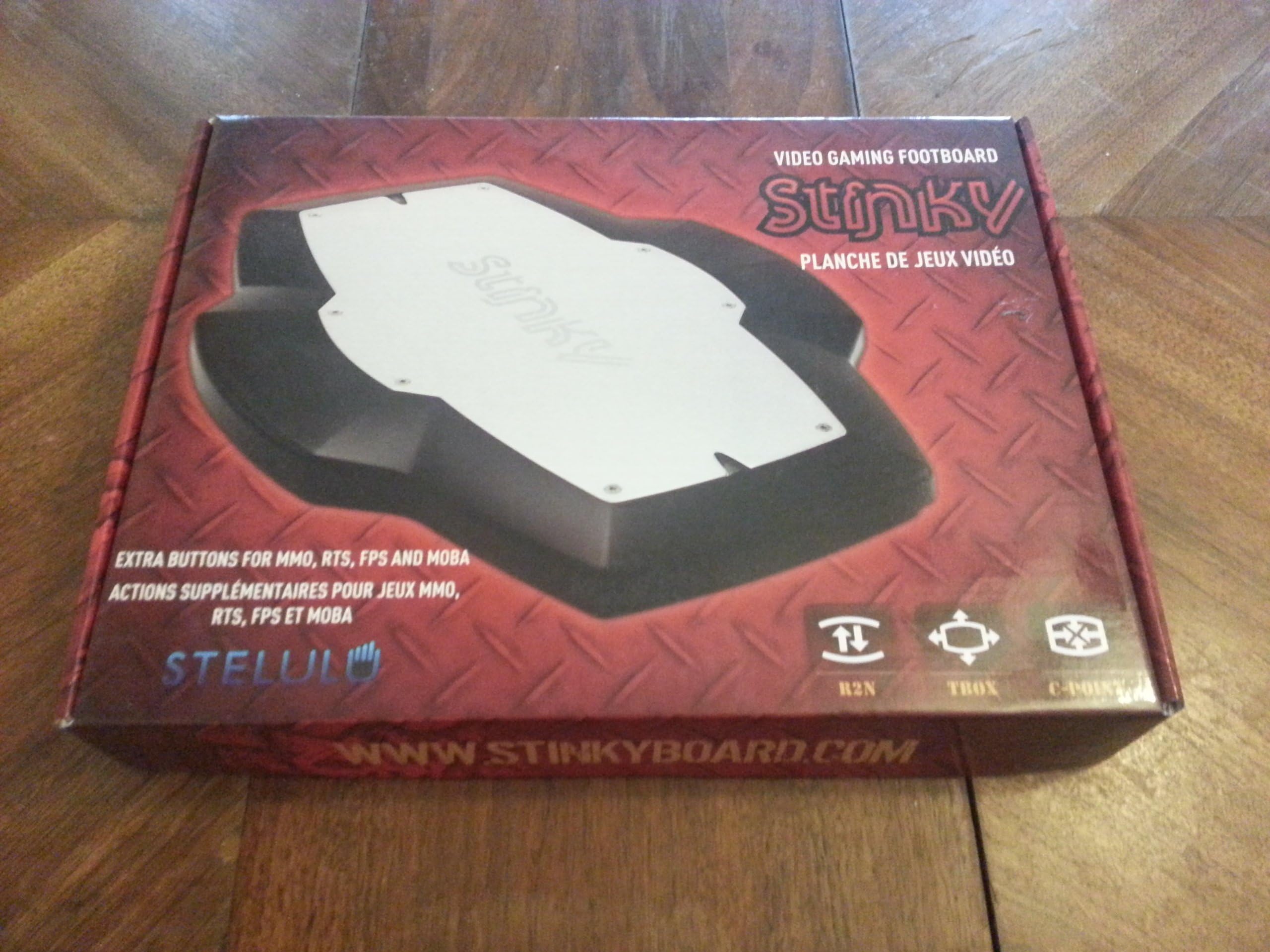
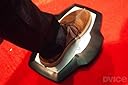
Stinky Gaming Footboard Foot Controller - PC
Product ID: 251930
🎮Multi-button Activation
🔧User Adjustable Tension
⚙️Return to Neutral Tech
🎮 Step Up Your Game with Stinky!
The Stinky Gaming Footboard Foot Controller is designed for serious gamers, featuring innovative Return to Neutral Technology, a multi-button activation system, and customizable tension settings to enhance your gaming experience.
| ASIN | B00EOPT5ZS |
| Additional Features | Touchpad |
| Brand | Stinky |
| Brand Name | Stinky |
| Button Quantity | 14 |
| Color | Black |
| Compatible Devices | Windows |
| Customer Reviews | 3.9 out of 5 stars 71 Reviews |
| Global Trade Identification Number | 00841200000014 |
| Hardware Platform | linux, mac, pc |
| Item Dimensions | 14.5 x 1.4 x 11 inches |
| Item Weight | 2.8 Pounds |
| Manufacturer | Stinky |
| Manufacturer Part Number | Stinky Footboard |
| Model Number | Stinky Footboard |
| Number of Buttons | 14 |
| Package Quantity | 1 |
| Special Feature | Touchpad |
| UPC | 841200000014 |
B**R
WASD for the one-handed.
I lost the use of an arm in an accident and I bought this hoping it would allow me to play fps games. There are other ways to do it and a web search will show you how some of these remarkable people manage to play, for example, BF and COD with one hand and a standard x-box controller. These approaches were no good to me unfortunately. The board comes with 3 different spring sets, ranging from soft to stiff. There are even softer springs available from the supplier. These are the ones I use for WASD. For most FPS games this is a great solution, you wont be the most graceful person on the map but you will not be held back. I play CS 1.6 easily with this. However the board does have its limitations. I cant really play CS:GO with (just) the board. CS:GO requires perfect control of your movement. You needed to make rapid and very precise presses on the board to "stutter-step", an essential technique in the game. Players of the game will know what I mean. I said the board has limitations but the limitation is really in my foot and ankle. I simply don't have the control or dexterity make the required movements for CS:GO. Thankfully I found a solution that allows me to play CS:GO with little or no compromise. I use the board for forward and back and two of the side buttons on my Naga 2014 mouse for strafing.This is a great mouse and the combination with the board is perfect for anyone with restricted mobility of an arm. I highly recommend this combo. Decoupling WS from AD seemed to make everything click. About the board in general. The build quality is great, it should last for many years of stamps and kicks. Set up, install and configuration are all trivially easy. Some people have claimed the board is over priced for what you get. They followed the standard internet procedure of breaking open the product, adding up the cost of the individual components within and subtracting that from the sales price of the product. The result is the amount you're getting ripped off by to the penny. I don't know what profit margin they operate on but I can tell you that the people behind the company are absolutely not out to make an easy buck. I sent them an email telling them I was happy with the board and thanking them. The kindly offered to post a free set of super soft springs to try. Unfortunately the postal system let us down and I never received the springs, I emailed asking if perhaps something went wrong. I immediately received an email form them saying they sent the springs and I should have received them by now. They then sent another set of free springs and a free t-shirt, this time by priority post, that same day. I received both a couple of days later. I know its just an anecdote but they really are very nice people ( Canadians dont you know). The product does look deceptively simple, its just a few switches and plastic right? After you use the board for a few days you start to appreciate how well its designed and how much trail and error research and dev must have went in to the product. You can rest the full weight of your foot and leg on the board and none of the switches will activate. No need to hover, the bane of all foot switches. This is due to the large "neutral area" in the middle of the board. While rested on this its very easy to activate the switches with small movements of the ankle or foot. I believe they have achieved the best possible compromise between stability and responsiveness. I use the board in all games and most applications (I bind Alt, Ctrl and Shift to help with awkward key combos). I highly recommend this to any gamer especially those who you have a disability effecting the arms or hands. Brian Update 12/08/2015: I now use two stinkyboards for csgo. Left foot is duck, mic, drop weapon, jump throw. Right foot is back, forward, score board and inspect weapon (gotta see those skins). I have about 2000 hours on csgo across 3 accounts. The boards have never let me down once in all that time and work exactly like they did when new. I also got a Logitech G502 to replace the Naga. It has about 12 buttons. The side buttons are perfect for left-right strafing and the sensor is a huge upgrade to the Naga. I solo queued from MG2 to DMG in a couple of weeks after I got used to the new buttons, Im LE now (post vac wave). I highly recommend that mouse to gamers with limited use of their keyboard hand.
H**N
Great for Adapted Gaming
I have cerebral palsy that affects the left side of my body, so my left hand does not have the dexterity or fine motor skills required for many fast-paced FPS games. Since the advent of the analog stick, most games have been too difficult to play. I was struggling to find a solution until I bought this. I use the Stinky Footboard with my right foot to control the WASD movement and then I have an MMO gaming mouse I use with my my right hand. With that setup I'm able to play with hardly a handicap. I haven't felt this good in regards to gaming since using the original NES controller as a child. Parents of disabled gamers or disabled gamers themselves that have limited mobility in the arms and legs should check this out. For the average gamer it would add just that much more to your gaming experience. The construction is top-notch and goes way beyond the cheap no-name foot switches. Driver support is current and up-to-date. A small software utility is available for download for easy keybinding. Like I said before, I have the front switch set to W, back set to S, Left is A, Right is D. The extra springs included help get the exact feel right underfoot. Thank you to the developer of this!
W**E
Good overall, though not for intensive use
Seems quite well built. It's fairly heavy and consequently pretty stable in normal use (though on carpet it will still slide around easily if you bump it from the side). I find it a bit big for my U.S. men's 11 foot - I have to move my foot in order to comfortably press any one of the four directions, rather than leaving my foot centred and rolling it. Yet I also still find that I can't safely rest my foot in the middle, as it will frequently actuate the pad in a random direction. That's using the default springs (mid level resistance). The heavier springs might help that, but then I already find it tiring to use the footboard for more than a few hundred clicks at a time, due to the small but noticeable resistance against each press. After a "long" (twenty minutes; few hundred clicks) session with the foot board, I can feel my calves starting to get sore. It makes a rather loud mechanical "click" with every actuation, which makes it a little awkward and inconsiderate to use in a space shared with others. It's been compared [unfavourably] to "an annoying grasshopper". If you're very deliberate and slow, you can press it slowly and minimise the noise, but not eliminate it completely and in doing so you tend to risk triggering key repeat unintentionally. There's essentially no Mac support built-in - the configuration software is Windows only. There are 3rd party offerings, however. I recommend ControllerMate - it lets you create combinations and sequences of actions (for any input device) of practically limitless complexity. It's also one of the few USB controllers that work with the Stinky at all (e.g. USB Overdrive doesn't, not one bit).
J**N
Mac NOT SUPPORTED. Product website is WRONG. BEWARE DON'T GET RIPPED OFF
From their website, http://stinkyboard.com/support/ then click on FAQ this product is supposed to support Mac since late 2014 (it is now Feb 2015). After being incredibly excited to try it, I felt ripped off once it arrived. Here's how it works out of the box on a Mac: The directional keys are auto mapped to the NUMPAD. Forward = 8, Back = 2, Left = 4 and Right = 6. Sounds good right? Well, there is are 2 serious problems as the driver and software are not supported on a Mac: 1. YOU CANNOT PRESS 2 KEYS AT ONCE. While this doesn't seem like a big deal at first, this is a deal breaker for me and albeit most players. When using the WASD keys, you often want to move forward + direction OR forward + strafe. Because the stinky footpad can only on register 1 key at a time, you're stuck choosing. To make things WORSE, after pressing one key stroke, you are LOCKED IN until you unpress it. This means that if you hold forward then adjust your foot to turn right or left to turn, you are STUCK GOING forward. The second key press will not be registered. This makes gaming impossible. I was attempting to use to for movement in games like WoW, Counter strike and Team Fortress. I'm sticking to WASD 2. WITHOUT DRIVER SUPPORT THE HANDLING AND SENSITIVITY IS TERRIBLE. This is understandable as there is no driver support. After fishing through their website, I didn't find a customer support phone number. Their only contact is through email which makes sense for a small company. This is really disappointing for me as I was really looking forward to trying this out. And this did look like a great product. If they have Mac support soon, I'd be willing to wait. I will post updates as this situation unfolds.
B**Y
Would be much better if wireless... short USB chord could easily get tangled and damage your computer or the peripheral.
Wanted to like this, but the channel support for the USB cable does not allow for much movement, and is very hard to use. I believe in the long run I ended up having a short in the USB jack. I tried different cables and different USB ports, but in the end it was no longer recognized. I wanted to use this for Control Alt and Shift buttons to allow easier use and more commands in MMOs. I also was going to use it for scroll buttons when reading music so i could keep both hands on my guitar. What would be very good in practice didn't work well in the long run. I believe if you came up with a wireless or bluetooth product you could very easily have a damn good product, but since people are using it with their feet, their is always a chance to pull this out of your pc or out of the peripheral which could easily cause damage to either or. Fortunately for me, it did not damage my laptop... 17 inch alienware. Please make a wireless application and it would solve many problems, use USB cable for firmware update only. I am not sure whether i will order another one or not. I hate to spend this kind of money on something this niche since the cable is way to short and just one wrong move on this short cable could easily pull a laptop from your desk or table. How easy is it for you to get your foot wrapped around the chord and cause 100s of dollars in damage? At the very least you should supply a 10 ft chord since this is used by your feet...
P**1
Your Miles May Vary. Good Quality Item, Niche Uses
I'm on the edge with this one. I originally bought it with intentions to use for some additional hot keys while playing MMOs and other titles, but what I found was I don't like to keep my feet in one position while gaming. This poses a problem for a foot pedal and I found myself constantly positioning and re-positioning the actual pedal. I had initially bound a push-to-talk key to the pedal for use in Mumble, but I ultimately decided that it was better suited for lesser used skills/items like cool-downs or "oh-snap" buttons. That was my experience. That being said I will speak to the quality of the item. The foot pedal itself is VERY well made and feels very solid. I didn't end up changing the springs out as a found the stock installed springs to be well suited to the weight and force I required. The install was smooth and the software worked well on a Windows 8 install. My only other complaint is the cheap packaging this thing was in. The box wasn't bad, but the fuzzy plastic pieces they insert into the box should probably be made of heavier material. The one I received was broken in about 6 places. The item itself was not harmed and I suspect the toughness of the pedal my be partially at fault for breaking the flimsy packing material.
K**I
Helps mitigate Carpal tunnel syndrome
I bought this after reading a book about treating CTS. It recommends to take off work from the hands. This has helped. Even if only slightly, something is something. The quality of the product is great. The clicks when pressed are nice. The material, the packaging, the software all top quality. My usage: The software can have different profiles for different activities/programs. a) I have office profile, which is basically for excel, microsoft money, word. I have set the 4 buttons as arrow keys and enter (instead of down) b) And gaming profile for a MMORPG game. For this i have set some attacks. I have "pulse" option on, so it will continuously fire that button for up to 30 times a sec! It might lag though, I set it to 10x per sec. I havent set more important shortcuts to the pedal because im not yet skilled at controlling it as i would my hand. But i can see progress and potential. There is an option for autoprofile which detects the software you using and uses the profile for it. This is awesome. But it does not happen instantly, probably would need some seconds to change over to it. The footboard is detected by windows as a keyboard. Its plug and play. Easy to move from my office to my home. The shortcuts stay in footboard's memory, but you cant change them unless you install the software in that computer. Definitely a worthy gadget.
D**F
It's a great little toy
I got this because I have too much disposable income. It's a great little toy. I use a Controller + Mouse Combo. Using this allows me to bind arbitrary things like Map, Character screen and inventory. I actually lean back in my chair when I play any game. Not just controller friendly action Games. I'm talking MMORPGs and other Genres that demand a mouse. That's mostly thanks to my Controller + Mouse Combo. This was an EXCELLENT way to expand on my unique method of gaming on the PC. When people say "I don't want to be hunched over a KB + Mouse when I'm gaming" I just laugh.I only use my Keyboard for typing. I would definitely buy this thing again. Excellent build quality, works out of the box. Firmware update went off without a hitch. I would also recommend it for Xpadder fans that are using the Full Controller to play. This is a great way to free up some keys.
Trustpilot
3 weeks ago
1 month ago