Buy anything from 5,000+ international stores. One checkout price. No surprise fees. Join 2M+ shoppers on Desertcart.
Desertcart purchases this item on your behalf and handles shipping, customs, and support to KSA.
🖱️ Elevate your workspace with wireless freedom and precision — because your productivity deserves the best.
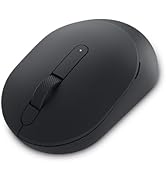
The Dell MS5120W Mobile Pro Wireless Mouse offers dual-mode connectivity via 2.4GHz wireless and Bluetooth 5.0, ensuring seamless pairing with Windows 10 & 11 PCs. Featuring a high-precision 4000 DPI optical sensor, programmable buttons, and an ergonomic ambidextrous design, it delivers comfort and customization for professional use. Powered by a single AA battery with up to 36 months of life, this matte black mouse combines durability with advanced features, backed by a 3-year warranty.


| ASIN | B083V5NZ4M |
| Additional Features | Programmable Buttons, Wireless |
| Antenna Location | Business, Personal |
| Are Batteries Included | Yes |
| Are Batteries Required | Yes |
| Battery Average Life | 36 months |
| Best Sellers Rank | #310 in Computer Mice |
| Brand | Dell |
| Built-In Media | Battery (1 x AA), Documentation, Mouse |
| Button Quantity | 7 |
| Color | Black |
| Compatible Devices | Personal Computer |
| Connectivity Technology | Bluetooth |
| Customer Reviews | 4.5 out of 5 stars 1,112 Reviews |
| EU Spare Part Availability Duration | 3 Years |
| Enclosure Material | Plastic |
| Finish | Matte |
| Global Trade Identification Number | 00884116366775 |
| Hand Orientation | Ambidextrous |
| Hardware Platform | PC |
| Item Dimensions L x W | 4.1"L x 2.4"W |
| Item Weight | 0.16 Pounds |
| Manufacturer | DELL |
| Mfr Part Number | 570-ABGW |
| Minimum Required Operating System Version | Windows 10 |
| Model Name | MS5120W |
| Model Number | MS5120W |
| Mouse Maximum Sensitivity | 4000 Dots per Inch |
| Movement Detection | Optical |
| Movement Detection Technology | Optical |
| Number of Batteries | 1 AAA batteries required. (included) |
| Number of Buttons | 7 |
| Operating System | Windows 10, Windows 11 |
| Power Source | Battery Powered |
| Range | 10.0 meters |
| Special Feature | Programmable Buttons, Wireless |
| Style Name | Computer Mouse |
| Theme | General |
| UPC | 884116366775 |
| Unit Count | 1.0 Count |
| Warranty Description | 3 years Advanced Exchange Service |
J**Y
Best wireless mouse.
The Bluetooth mouse I use at work started to disconnect randomly. Cleaning, batteries, remove and reinstall... nothing fixed it. I looked around on Amazon and bought the Tecknet based on reviews. What a mistake! I wrote a review on that one. Terrible mouse. Avoid it. I didn't even waste my time to return it. It felt good to throw it in the trash. I like Dell equipment. My work laptop is Dell. My gaming PC is Dell Alienware. Love them. So, I spent about 30% more on this Dell mouse and I love it. One AA battery so it is not heavy. Slightly beveled sides (wider on the top) so it's easy to pick up if needed. Very comfortable in the hand and is symmetrical so it's great for left handers too. I called it a wireless mouse because it works with an included USB dongle or with your native Bluetooth. The dongle stores inside if not used. Easy to set up - follow the instructions because there is an option to link to Bluetooth or the dongle. You can switch between the two, indicated on the bottom. The power switch is good. I only turn it off when it's in my backpack. On the desk, it sleeps and wakes seemlessly. The optical sensor on the bottom works onall surfaces and there is no red laser to blind you when you look for the switch. You can adjust the dots per inch sensitivity for your needs. This helps me for drawing sketches with the mouse. There are buttons. The usual left, middle, and right. The middle button is a wide scroll wheel, and it works as left and tight tilt, too. Two thumb buttons (for right hand use). All buttons are configurable through the provided application. I'm not using them for anything yet, but it's a nice option. All-in-all I highly recommend this inexpensive wireless mouse for every day use. I have an expensive Alienware wired gaming mouse specificly for gaming use. But for work documentation, occasional CAD use, surfing the web, this is my new favorite. Dell MS5120W.
C**Y
Works Well
When I seen the price of the mouse, I was like " it's just a mouse". But after reading the description and a few comments I thought like "why not, try it". It really is a good mouse. It's worth the purchase. You really do get what you pay for. I have a Dell laptop, and this works seamlessly w/ it (via USB). The Bluetooth connection was less responsive when I tried it, but when I linked it via USB it worked great. I recommend. I also recommend the wireless no sound keyboard too. It's fire. It works well as well.
R**B
Fits well, accurate movement, sleek design, comfortable to hold
I've been using this mouse for 6 months so far and have not had to change the batteries. It sees use M-5 and I haven't changed the battery yet. I've enjoyed using it. As a gamer, I was worried about a wireless mouse because a prior one would drop connection randomly but this uses bluetooth and has seen no issues in missed input. I'm a 5'10" male and it fits well in my hand but I could see this being an issue for anyone who uses XL gloves but for anyone smaller than me it would fit better. The design is really clean and simple which makes it look like it belongs anywhere.
K**R
Best Wireless Mouse I've had
I have been buying cheap wireless mice for years and then wondering why the wheel isn't scrolling in any web browser. I finally tracked it to the wheel sensors in those cheaply made mice including the Logitech I just replaced. Once I installed this mouse the control and function of all the buttons and wheel is so much better and scrolling is no longer an issue. And the best part is the price was just about the same as the supposedly best in class mice that just failed to perform. Great job Dell. BTW I'm not heavy gamer so there are way more expensive mice on the market for those folks. For my uses, this mouse does it all.
A**I
Very practical
It is very easy to connect by both ways (bluetooth or receiver). It is appreciated that the battery is included. I thought it would be thinner and more comfortable, but it is still very practical and comfortable for continuous use. The only complaint is that when using Bluetooth sometimes the cursor stops for a couple of seconds, but I couldn't check if it's because of the mouse or the notebook's Bluetooth.
A**R
Solid mouse. Great for travel use.
Works as expected
M**Y
Perfect
Perfect
A**R
Great Mouse
I needed a mouse that could be used on the desktop, and go portable in a backpack, so it needed an on /off switch, which this has. I use my laptop with two portable monitor screens that use both of my USB 3.0 ports, and needed a mouse that could work with the laptop without using a USB port, which this mouse will connect to Bluetooth, and solves that issue. This mouse is great, it has several buttons, a wheel, Dual modes, it can work with Bluetooth, or radio frequency in USB. The software app wanted to upgrade the firmware, If you have trouble getting it to complete, try connecting with the Radio frequency USB, as Bluetooth mode didn't work for me, but it completed first try with the Radio USB connection. It takes one AA battery. The mouse Feels great, and moves accurately, quiet solid clicks. I would recommend.
M**X
Good!
Been using it for 5 months. No issue. The only thing that bothers me is that it’s not silent. You hear the clicker and I prefer not too. But other than that it works perfect and you can use it with 2 different devices
T**?
Buen producto
Si recomiendo el producto
T**1
Excelente producto
Excelente producto
I**Y
Dell Wireless Mouse Functionality
Cannot fault the Dell Wireless mouse. Am able to switch between 2 computer system simply by the press of a button.
S**D
As same as showed
Doesn't feel cheap, had bit wight on it, buttons are clicking and responsive, no problem with connection between two devices via Bluetooth and dongle provided
Trustpilot
3 weeks ago
1 month ago