Desertcart purchases this item on your behalf and handles shipping, customs, and support to KSA.
🚀 Print smarter, faster, and sharper — because your labels deserve the spotlight.
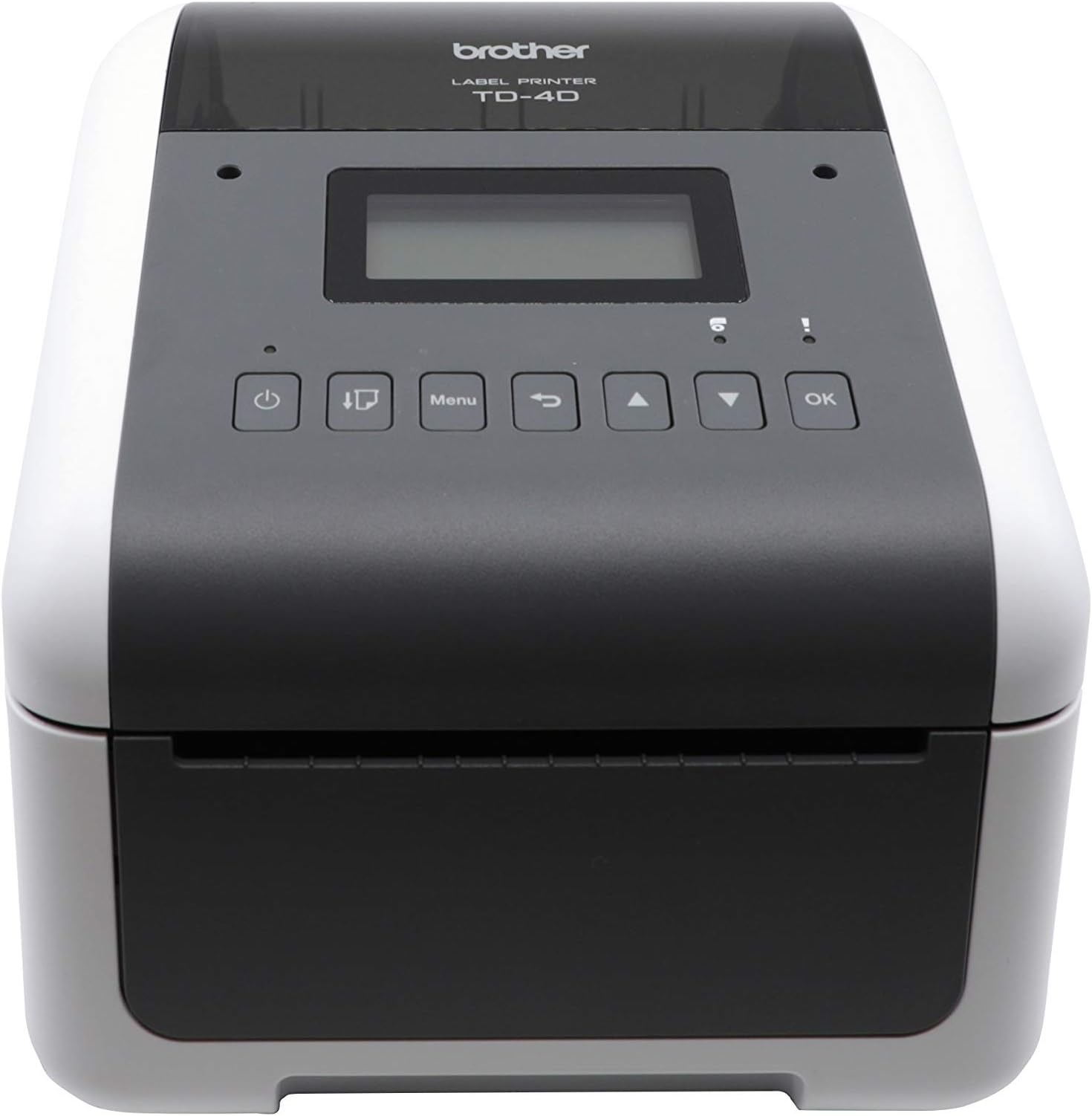
The Brother TD-4550DNWB is a high-performance 4-inch thermal desktop label printer delivering up to 6 ips print speed at 300 dpi resolution. Designed for SMBs, it features spindle-less media loading, versatile connectivity (USB, Ethernet, Bluetooth), and seamless integration with existing workflows. Ideal for inventory, shipping, and barcode labeling, it offers dependable, crisp print quality with scalable output capacity and user-friendly design software.


| Additional Printer Functions | Print Only |
| Asin | B082XVV978 |
| Best Sellers Rank | #99,615 in Office Products (See Top 100 in Office Products) #184 in Desktop Label Printers |
| Brand | Brother |
| Built In Media | AC Adapter, Power Cable, Printed Guides, TD-4550DNWB Printer, USB Cable |
| Color | White |
| Color Depth | 1 bits_per_pixel |
| Compatible Cartridge | Brother label cartridges for TD-4550DNWB model |
| Compatible Devices | Laptops, PC, Smartphones, Tablets |
| Control Method | App |
| Controller Type | Android |
| Customer Reviews | 4.3 4.3 out of 5 stars (68) 4.3 out of 5 stars |
| Display Type | LCD |
| Duplex | Automatic, Manual |
| Hardware Interface | Ethernet, Serial Interface, USB 2.0 |
| Ink Color | White |
| Item Dimensions D X W X H | 8.82"D x 7.08"W x 6.1"H |
| Item Type Name | Direct Thermal Printer |
| Manufacturer | Brother Industries, Ltd |
| Maximum Copy Resolution Black And White | 300 dpi |
| Maximum Copy Speed Black And White | 6 pages_per_second |
| Maximum Media Size | 4" Wide |
| Maximum Print Resolution Black And White | 300 x 300 dots_per_inch |
| Maximum Print Resolution Color | 300x300 dpi |
| Maximum Sheet Capacity | 1 |
| Model Name | TD4550DNWB |
| Model Number | TD-4550DNWB |
| Model Series | TD4550 |
| Number Of Ethernet Ports | 1 |
| Number Of Trays | 1 |
| Other Special Features Of The Product | Auto-Duplex, CD-Printing, Portable |
| Output Sheet Capacity | 1 |
| Paper Size | 4 |
| Print Media | Labels |
| Printer Connectivity Type | Bluetooth, Networkable, USB |
| Printer Output Type | Monochrome |
| Printer Type | Thermal |
| Processor Count | 1 |
| Resolution | 300 x 300 |
| Scanner Type | Bar Code, Photo, Receipt |
| Series Number | 4550 |
| Specific Uses For Product | Office/business use, shipping, inventory management, barcode labeling |
| Total Usb 2 0 Ports | 1 |
| Total Usb Ports | 1 |
| Unit Count | 1 Count |
| Upc | 012502655053 |
| Warranty Description | 2 Year |
| Warranty Type | limited warranty |
| Wattage | 120 watts |
User
Excellent Printer
Excellent printer. Works with Linux over Ethernet.
User
The Best Label Printer Around!
This labeled printer works fast and instantly I never have to fuss with it like I do with many other printers. Highly recommend this thing easy to use. Works over Wi-Fi. Good value for the price. Compatible with my MacBook.
User
Good Reliable Printer with Bluetooth and Wi-Fi
300 DPI Resolution the labels comes out superb! I haven’t been able to test it with the iOS with Bluetooth, I don’t know what is the App for it.
User
Not compatible with mobile device over 5 years old
This printer is not compatible with Samsung Galaxy S20plus...and it would not connect to my store's wifi. Could not connect through bluetooth due to not being compatible. Could not use and had to return.
User
Difficult to set up but great printer once set up
It has a steep learning curve but once you set it up properly it has become almost as reliable as my Zebra ZD621 which is normally a more expensive brand. The printer takes everything literally so if you don't have your PC software calibrated properly it won't print exactly like you want it. The Brother QL-1100 caters more to beginners so I recommend going with that one if you don't want to worry about technicalities as much. The downside is that it's harder to find compatible labels for the QL-1100 and they are more expensive. But the Brother TD-4550DNWB will take basically any label with or without a roll.
User
The best thermal printer on the market
Zebra printer was a pain it was wasting labels, i bought this brother one and problem solved, simple installation, no cables, i use bluetooth, installed the auto cutter wich is sold separately.
User
I printed labels from iPhone with no setup!
I have a few Zebra GK420 that require tedious setup to install the driver. I wanted something a bit easier to use and setup and have had my eye on the Brother printer but I couldn't justify the price as a smaller business. A few years later, I can now justify the price but I also found an amazing deal on a used printer. When setting up the printer, my Mac and iPhone required no install or setup, it just worked. On windows, I did have to download a driver off the brother website but the install was painless.I use Shippo for most of my shipping and am able to buy and print labels over wifi from my iPhone. wow. 10/10, would recommend.
User
Good build quality, fast printing, but the print quality isn't great
I'm a fan of Brother printers, but this one didn't live up to expectations. The build quality is great, and it prints really fast, but I couldn't find any settings that would make the print quality acceptable given the price. Cheaper printers beat it handily on print quality. This Brother printer had specks of black in the white areas, and specks of white in the black areas of prints. I ended up returning it, and sticking with a cheaper Rollo printer.
Trustpilot
2 weeks ago
1 month ago