Desertcart purchases this item on your behalf and handles shipping, customs, and support to KSA.
🎬 Stream, game, and control your world in 4K brilliance—because your entertainment deserves the pro touch.
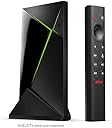
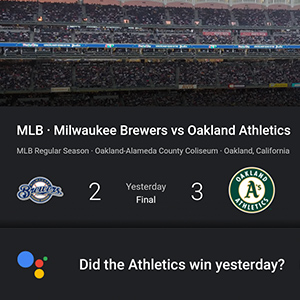
The NVIDIA SHIELD TV Pro is a premium 4K HDR Android streaming media player powered by the advanced Tegra X1+ processor, delivering 25% faster performance. It features AI-driven real-time upscaling from HD to 4K, Dolby Vision HDR, and Dolby Atmos surround sound for an immersive cinematic experience. With 3GB RAM, 16GB storage, and dual USB 3.0 ports, it offers extensive expandability for storage and peripherals. Integrated Plex Media Server, Google Assistant, and Alexa compatibility make it a versatile smart home hub. Perfect for streaming top apps, cloud gaming with GeForce NOW, and high-res audio enthusiasts, it’s designed for professionals who demand the best in entertainment technology.


| ASIN | B07YP9FBMM |
| Best Sellers Rank | #1,656 in Electronics ( See Top 100 in Electronics ) #13 in Streaming Media Players |
| Brand | NVIDIA |
| Built-In Media | Remote Controller |
| Color | Black |
| Compatible Devices | Television |
| Connectivity Technology | Ethernet, Wi-Fi |
| Connector Type | HDMI |
| Controller Type | Voice Control |
| Customer Reviews | 4.4 out of 5 stars 13,567 Reviews |
| External Testing Certification | Não Aplicável |
| Form Factor | TV Box |
| Global Trade Identification Number | 00812674023038 |
| Item Dimensions L x W x H | 6.26"L x 1.02"W x 3.58"H |
| Item Type Name | Streaming Media Player |
| Item Weight | 2.1 pounds |
| Manufacturer | NVIDIA Corporation |
| Memory Storage Capacity | 16 GB |
| Mfr Part Number | 945-12897-2500-101 |
| Model Name | NVIDIA SHIELD TV Pro |
| Model Number | 945-12897-2500-101 |
| Number of Items | 1 |
| Other Special Features of the Product | Android Phone Control, Microphone Feature |
| RAM Memory Installed | 3 GB |
| Resolution | 4k |
| Special Feature | Android Phone Control, Microphone Feature |
| Supported Internet Services | Amazon Instant Video, Hulu, Hulu Plus, Netflix, Pandora |
| UPC | 812674023038 |
| Unit Count | 1 Count |
| Video Codec | H.265/HEVC |
| Video Output Resolution | 4K (3840x2160) |
| Warranty Description | One (1) year from the date of purchase of your new Warranted Product. |
P**L
Dolby Atmos! Updated: Media Streamer Comparison Review+
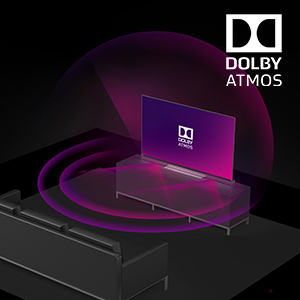
As pictured, the Nvidia shield tv pro NOW supports Dolby Atmos music and Yes it is amazing, and well separated throughout my 7.2.4 setup and much more immersive than stereo music. From what I understand dac’s don’t currently support Dolby Atmos music and right now the only way to listen to Dolby Atmos music is to first have a good streaming device, like the nvidia shield tv pro, and second it has to be connected to your dolby atmos source via an HDMI cable. For example, I can ONLY listen to true Dolby Atmos music through the tidal app of my Nvidia, which is connected to my Dolby Atmos AVR, Denon AVR-x4500h. Dolby Atmos music is honestly brand new to me as I have been using tidal connect which doesn’t support Dolby Atmos at the time of this review. Dolby Atmos music is hands down better than stereo and reminds me of listening to great music that is played on a dolby atmos movie! The sample rate for dolby atmos is currently reading at 48khz but as we all know it’s difficult to tell the difference between 24 bit 192khz and 16bit 44khz because what really matters is how well the track was mastered, something we cannot quantify at this time. I would think Dolby atmos music would be identifiable in a blind listening session since the surround channels are so engaging! This is another example of why the nvidia shield pro is such a great streaming device!!! Update: After having this unit a few years I’ve finally gotten a chance to get an upgraded dac for my system and find the best source to play to my dac. After trying Bluetooth, airplay2, and using the hi res USB Audio function of this shield pro (hardwired to my dac) and found this is this machine that gives you an amazing music experience.. if you like to rock! The biggest improvement in sound is how the shield pro makes your subwoofers work for the money! My subs really come alive in hi res usb while played from the nvidia. I compared playing usb music between my iPhone and the shield which plays to a new hi-res, affordable, 1mii DS -601 dac and the biggest difference between playing hardwired from my iPhone and hardwired from the shield is how well the signal processes in my subwoofers. It’s fun and I highly recommend using this product for hi-res USB music (Tidal is awesome at sound quality and discovering/rediscovering your fav music) as well as a stout dolby atmos/vision machine! This does it all!!! Thank you nvidia🙂 This review compares the Full Nvidia Shield Pro against the newest Apple TV 4k 3rd generation and Roku Ultra on a cheap hiscence 65” TV with an Audiophile grade Dolby Atmos 7.2.4 Home Theater Component Setup. The picture quality of the Nvidia Shield Pro is near equivalent to the Apple TV, but is better at upstreaming and removing that annoying CGI Wavy dark background from your video playback. The Roku Ultra is very unremarkable when compared against the Nvidia Shield Pro and Apple TV and wont be mentioned further. Please keep in mind this is Nvidia, so the fact this product is the best shouldn’t be a surprise based on how well the stock has performed historically. The apple TV doesn’t detect the available video settings like the Nvidia does, which I love. What this means is that you get to find a Dolby Vision and HDR10 setting that eliminates the Wavy CGI dark background and replaces it with rich detail!! I ultimately picked this because I am an audiophile and love Dolby Atmos! This streaming device makes Dolby Atmos really pop! If you already have a great Dolby Atmos system this device is definitely worth considering as it will upgrade your audio experience as well as video experience! You do have to play around with the display settings though to find what works best for your TV, screenshots of possible settings (for my TV available). I found my favorite setting is Dolby Vision, default was Non-Dolby Vision set at 4k 59hz. For my TV Dolby Vision was only available at 4k 29hz but again, this lower refresh rate removed the wavy CGI dark background that interferes with your movie watching experience! I love this Streaming Device and have settings listed below: The default picture and sound is standard, you must first change the default video settings to 4k with Dolby vision and HDR as pictured to achieve the best picture possible (Pro). Also change the Audio settings to manual and select all Dolby and DTS Settings for optimal sound(Pro!). The default is regular 4k which will not appear that different from your budget smart TV. Once the settings are optimized on this device you will find this android device is much better than the Apple TV, which is hard to beat! This device is worth the price as it optimizes the picture and sound. I don’t use this for games, only to enhance the picture and make the surround sound really pop! This truly is A must for anyone who is an audio enthusiast and/or for someone who has bought a budget TV like a Hiscence, as I did. UPDATE: The screensavers are beautiful! Can you please put the locations on them instead of the photographers name, where applicable, it would be greatly appreciated!!
W**S
Reliable and Great UI
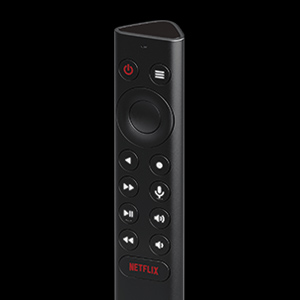
First, write this down and save it for when you need it, how to reset the remote when it locks up and new batteries don't help: "Remove one of the batteries, press the home+dpad center button & slide in the battery. Continue to hold the buttons down till you hear a audible beep." That happens about 6-9 months apart and knowing how to fix it makes this a flawless system. Can't say that about upgrading my win 10 box to win 11 but the Android TV box that Shield TV is works well. I have it on wired Ethernet because the house has that. As does Marantz receiver, Samsung QLED TV, BluRay player (UHD streaming is not as good as disks, I'm on fast fiber, Amazon prime custom content and new Paramount+ Star Trek stuff being exceptions). They all work together and I have an Amazon 4k fire stick that does well but can't Chromecast. I cast things that aren't available in streaming form, a typical example is MLB have highlights, available on phone app. Clunky if you try them via browser (exception is watching on the computer directly). Generally I stream a lot including a lot of ad free YouTube. News, science and IT training videos (how to software stuff). The shield works well, up scales okay but the fact is that this is not the same as real 4k content, which the Shield does flawlessly. The remote is easy to use, unlike the horrible QLED remote. If only Harmony would recognize the Shield. I may shelve my 4k Fire stick, but I have the additional box to DVR broadcast stuff, which the Shield doesn't do. I don't use that anymore, once in 2 months, so I'm debating just removing the Fire stick. The shield just works but doesn't have enough apps. What it needs is a music player that works with my Asustor NAS box. I can use Plex on NAS to stream a few hundred DVD disks I own and ripped, but music doesn't work. Select a folder and it often just jumps to the root. I can cast (there are several phone apps on my Pixel that do that well) but a phone screen is small when I have folders of folders, couple of thousand CDs of music, over half is classical. Easy from PC, moderate from phone but it doesn't work well in cast mode. Often I really to drill down to a folder - far quicker than artist or album (by probably a factor of 50-100) and then selectively play favorites. Nobody does that well in cast mode. Local mode to headphones is fine but not casting. I'm not interested in connecting a large multi TB drive to the shield as FAT32 winter cut it, NTFS will be necessary (I don't use Linux except wsfl so EXT4 is out). Mostly I use YouTube, Plex (client mode), Paramount+ and may migrate from Fire Stick: Amazon Prime & Amazon Music. I dumped Hulu (on an old Roku) years ago, and Netflix because I didn't find much content worth while. Paramount+ is close to that now, likely after the next season of Brave New Worlds. If Netflix hadn't turned Formula One into a racing version of real housewives I might still subscribe. The apps, though, work well and it was easy to use any that I wanted except music on Plex (movies and documentaries are fine). I'd highly recommend the Shield TV. I saw an interesting YouTube video on Android TV boxes, the video was about security, specifically if they have a modified version of Android that allowed spying on your home network traffic. The answer was, and the person tested dozens of boxes, YES they do support spy with 2 exceptions. Shield was one, and it runs native straight Android and was clearly declared to be the one that should be considered trustworthy in this regard. The others had source code that was modified and some didn't even try to hide it, the findings were enough to lose sleep over. Search YouTube for this:"Android tv box security" and one by Lon TV about "Is Your Android TV Legit?" is the one to start with but NordVPN "Pre Installed Malware on Android TV Box" is the other. Watch before you buy (these were made earlier in 2023) if you are thinking of a $40 Android TV box. So get a cold one or as I'm writing in December, since hot chocolate, sit back in your recliner and enjoy some excellent content available these days. Side note is that it was easy to get Bluetooth keyboard and mouse, combo from Microsoft, to work with the shield TV. The problem is more about how it isn't easy to use them sitting in a recliner. But they do work. Just so you know.
P**R
The Best Android TV Experience
The NVIDIA Shield TV Pro is one of the best streaming devices I’ve ever used. I mainly bought it to bring a full Android TV experience to my television, and it works perfectly. The performance is incredibly fast, apps open instantly, and navigation is smooth with no lag. Streaming quality is excellent, supporting 4K HDR content with great picture quality. It also handles multitasking and demanding apps much better than most built-in smart TV systems. Setup was simple, and everything worked right out of the box. Even after extended use, it remains responsive and reliable. If you want to upgrade your TV with a powerful Android TV system, this is absolutely worth it.
T**X
Twenty year Roku user mad I didn't switch sooner.
We have three Rokus in the house. One of the cheapest sticks, on of the midrange boxes, and one of the most expensive models. Over the years the ads have gotten more and more intrusive and the device performance keeps getting worse. They all have become super laggy, and the longer they are used the worse it gets. The updated UI is also horrible compared to the simplicity of the old interface and the Shield's home/app screens. The final straw was when I would remove items from being displayed - and they would automatically return. I did a ton of research and despite their age - these were regarded as the best. The initial setup was a breeze. Works flawlessly with Jellyfin as well. It also removes the need for the remote to my Yamaha receiver as the Shield's remote can control it's volume function - something none of the Rokus could do. Performance is snappy and responsive. Initial startup is a little longer than a Roku, but that is more than made up for in how much faster it is at everything else. As someone who has used rokus for probably twenty years, I am honestly disappointed in myself for not going with the Shield Pro sooner. Roku has also recently been bought by Fox and I doubt that will make the devices any better (probably the opposite if I had to guess.) The remote is also light years ahead of the Roku remote.
M**4
Best available, even while old ..
12/22/2025 : compared to any other streamer out there, this is 5+ stars, even though it is getting dated. This includes Apple TV 4K, the new one, which yea, does produce *slightly* nicer visuals without 4K upscaling, but, constantly has handshake and YouTube issues.. if you want one box that will play almost everything you throw at it, feel super snappy, and JUST work, this is the one. Especially if you have your own plex or other video library, and have some movies that just weren’t encoded the best, this box will nail them. If this box can’t play something, nothing short of a full PC will play it (although, weirdly, sometimes an iPhone will play videos that even a MacBook struggles with..??). Anyway. I just cannot recommend any other streamer. I even had the new cylindrical non-pro version, and just got sick of the little glitches and little hiccups, so I bought this to try it out. Glitch free. No hiccups. If you have very large 4K files, they will look MUCH smoother when played on this box. Seriously, I just wish I had bought this when it first came out, but I had bought almost all shield tv models prior and didn’t want to spend even more. Well. I ended up buying this anyway. And even though it is in eol territory, it is STILL more muscular than NYTHiNG else out there. If all you do is watch Netflix and prime and stuff, then the other stuff might be fine. But, if you have a big screen and surround system, don’t cheap out on the streamer, just get this. So, why only 4stars? Because I’ve been waiting over a year for an updated model with even more grunt power, even better 4K upscaling, and complete video decoding including the new AV1 codec, but nvidia seems to have stopped working on this and just fallen in love with data center equipment. Anyway. Even though the interface is getting outdated, I would still recommend this, because things stream smooooothe and look greaaaat. Sadly for me, when nvidia releases a new streaming box, I’ll probably throw more money down and get that too. I have so many boxes lying around now, need to get rid of them.
J**G
Powerful Streaming Device with Excellent 4K HDR Performance
Powerful Streaming Device with Excellent 4K HDR Performance I purchased the NVIDIA Shield Android TV Pro to upgrade my home entertainment setup, and it has been one of the best streaming devices I’ve used. The first thing I noticed was how fast and responsive the interface feels. Apps launch quickly, navigation is smooth, and the device handles multitasking without any noticeable lag. Setup was straightforward, and it integrated easily with my existing TV and sound system. Picture quality is outstanding. 4K HDR content looks sharp, vibrant, and detailed across streaming services, making movies and shows look fantastic. The AI-enhanced upscaling feature is especially impressive, helping older HD content appear clearer and more refined on a 4K display. One of my favorite features is the versatility of the Shield TV Pro. In addition to streaming, it supports a wide range of apps, media playback options, and gaming features. The built-in Chromecast functionality and Google Assistant integration add convenience, while the powerful hardware ensures reliable performance even during extended use. Pros: • Fast and responsive performance • Excellent 4K HDR picture quality • Impressive AI upscaling for HD content • Wide app compatibility and media support • Built-in Chromecast and Google Assistant • Reliable and powerful hardware Cons: • Higher price compared to basic streaming devices • Remote may take some time to get used to for new users Overall, the NVIDIA Shield Android TV Pro is an outstanding streaming and media device. If you want premium performance, excellent picture quality, and a feature-rich entertainment hub, it is an easy recommendation.
S**Y
Star for great concept/audio/graphics, epic failure execution
The mass appeal for this product for me was the fact it had a built in Plex Server, certified streamer (except Xfinity, attempt to side load did not work), and best in class graphics and Dolby Atmos support. I sat on purchasing this for ages because a promised update in May (2025) was to fix the Plex Server issues of crashing and the Shield's power issues with the remote etc. I cannot tell you the amount of research, inquiring, and effort I put in to find me such a device that was simple and affordable. While I was warned via various platforms such as reddit, I hoped with the age of the posts coupled with the recent updates that enough time had passed for Nvidia to sort the bugs. However, even outside the box with these updates I experienced a very sensitive remote and power issues. In terms of the power issues, after hitting the power button to turn on my tv/device it would immediately turnoff (this was a bug fix explicitly outlined in the May update that apparently did not take). This then progressed to delayed page navigation to just the Plex app (separate from the buried server app) crashing or not loading to then other apps not loading or crashing to then the device working just fine but if left untouched would crash out and act as if it was shutoff. To awaken it again and to fix any of these issues I would have to power cycle the device. It got to the point that I had to power cycle at least once during any usage period, however brief. I checked as often as I could for updates even though I set it up as automatic. I factory reset at least 3 times and reset up my server just as many. Thankfully I used an external drive to house everything so didn't lose that, but was a PITA to have to redo my collections and detections each time and if anything as my library grew the strain only increased on the device. Nvidia was not helpful in the slightest and the replacement didn't last much longer either. Five months of troubleshooting and trying to optimize and nothing ever got better, the issues persisted and grew and in frequency. I travel frequently so I wanted to be able to feel comfortable leaving my server plugged in and unattended without fear of battery issues/overheating/glitching. I almost settled with purchasing an amazon power plug to remotely power cycle the device since truly that was the only solution that temporarily unstuck it, but then I realized for how much I paid for this and yet the amount of effort it is taking to simply keep it operating I should not be complacent just to have those few moments of graphics and audio appeal. Save yourself the headache, invest in NAS (thinking the latest ASUS NUC) and there'd be no issue with keeping it running all the time unattended, just as much of a small footprint and probably a bit more versatility in that the whole automation process is on one device rather than me having to transfer files.
M**A
Best bang for your buck if using the Plex Server feature....
Honestly, I don't know much about and can't speak to the gaming aspect of this device. So it still could be a great value for someone who cares about that. But for those who only care about the streaming aspect, $200 is way overpriced for that, even with the AI upscaling feature. Because you'll find out that it doesn't enhance everything you play. It will only enhance lower than 1080p files, so if most of your content is 1080p, there is nothing to enhance, and it'll say something like "AI enhance not compatible." At least, that's been my experience. I have to purposely seek out a 720p video to see it in action. The reviewers on youtube that demo this and make you drool, fail to mention this fact. I thought it was going to enhance everything, including my 1080p files. So if this is just a movie playing device for you, those Fire TVs and sticks are still the best bang for your buck. So why don't I follow my own advice? Why did I pay this much if I only care about streaming? Well, it's because I was in the process of buying another plex server for my household that didn't need to be too powerful. Still, there would have been even more peripheral cost needed to run a PC server. So I gave this $200 Shield Pro a try and boy, it has been perfect! It is much snappier than the Amazon Fire TVs, and it is now the main server for our household. You do not need to directly attach your source to the Shield. Ours is pulling movies from our Qnap NAS. I had a spare 128gb SSD card laying around, so I attached that to the Shield to make it the new "internal" storage. The goal for me was to take off a little pressure from our main server which we share with our family outside our household. It is now 100% theirs, since we will stream from the Shield from now on. The things I do for them! They better get me some good Christmas gifts! LOL! JAN 1, 2023 UPDATE: -------------------------- So after two years of usage, I have a noteworthy update. If using this as a Plex Server, as your media library grows, you'll need to add an external drive. Even if you're not storing your media in Shield itself, or even on the external storage. For example, I have my media on a NAS, yet I still needed to add an external storage for the Plex Server's data such as all the covers and artwork. If you have a large movie collection, the server will need a lot of space to store data, and if you install a lot of apps, your 12gb will be gone in no time. Eventually, I felt my Shield was just bogging down, and not working well with the external storage. You know, like an Android phone that slows down, gets laggy and buggy over time. Eventually, I ditched the Plex Media server today, ditched the external drive too, and the Shield is now happy again, no longer lagging and stuff. I fought this for about year, the entire 2022 year. I'm tired of troubleshooting it every month, so I've decided to ditch the plex media server. Part of this could be that Plex people are so busy with their new endeavors as a free streaming provider, and so perhaps, they're not dedicating much time providing updates to fix their server issues on the Shield Pro. Or perhaps after two years, the hardware on my shield is wearing out? Well, if it acts up again, then I'll know it had nothing to do with the Plex Media Server, and I'll provide an update. But my guy instincts says the server was the issue.
S**A
Awesome!!!!!!!!!!!!!!
Good Product Worth every penny
S**.
Bastante bueno, aunque quizá algo más caro de lo que debería.
En cuanto a su velocidad es simplemente el mejor, tengo roku streaming stick 4k y amazon fire stick 4k max, y el nvidia es más ágil para todo, y sin mencionar el escalado por IA, que de verdad mejora notablemente el contenido que no esté en resolución 4k, lo que no me gustó es que no soporta HDR10+, a pesar de ser compatible con Dolby Vision y HDR10, una lástima. El audio Hi Res, fue una de las razones por lo que lo compré y sí es bastante bueno (archivos de audio en alta calidad, aunque aparentemente solo grabados en sonido estéreo), pero no he encontrado la manera de que reproduzca bien archivos de música grabados en sonido cuadrafónico, en vez de eso los reproduce en estéreo. La caja venía perfectamente sellada, pero el control ya tenía las pilas colocadas, no sé si esto sea normal, por cierto el control se siente de gran calidad además de que sus botones son retroiluminados, un muy buen plus si gustas de mirar películas o oscuras, para tener ese feeling de cine en casa.
O**I
Still pretty swift
We all know this is old now, but it's still pretty quick. Android TV imo needs a new front end, if for nothing else but to get rid of the adverts. Luckily the Shield is more than happy to accept one. Instantly better. What is odd is that the Shield won't play android games from the store, admittedly this could be cheap SSD I added as extra internal storage, so I am going to test that with a better one when it turns up. Edit: yup, certainly was the cheap ssd hard drive, I got a Samsung SSD and it. Is. Glorious. Talking of which, extra expenses: 1. You will need an SSD to expand the memory, 16gb including space for the OS is frankly a joke. 2. A decent hdmi lead. 3. The possibility of needing a high speed hdmi splitter if your TV wasn't made yesterday. My TV has four 4k hdmi ports but only two super high speed, one of which is arc. That's fine, but the arc is taken up by my fancy soundbar and the other super high speed port is taken up by my Xbox. This means the shield can currently only go into a normal 4k port and that means no Dolby Vision or HDR10 etc. And really this box needs those settings as it's just a bit lack lustre without them. 4. You might also need to consider buying a powered USB 3(+) hub. There isn't a massive amount of power to spare in the Shield and obvs running the usb takes up some of it. So to avoid digital drudgery, extra power might help. CEC is tricky to set up as it appears to conflict slightly with the rather nice IR settings you can tweak. I'm not yet savvy enough with the system to figure all this out yet, but I have hopefully stopped it randomly shutting down the Shield and my TV which was just annoying. My intention is to run this as a retro gaming/TV box. It's not the easiest thing to set up, but after a few days of nerdling around I think it has potential... it's just slightly out of my grasp so far. Edit: mostly got everything sorted for emulation. It's fiddly and it's a fine line between shaders and a CTD! Oh and the remote is very cool, if a little bit sensitive. Edit: all other controllers now feel old fashioned!
J**.
FANTAN 2. ENCHUFES, EUROPEO Y INGLES..
FALTAN LAS DOS PIEZAS DE ENCHUFES, PAQUETE ABIERTO..... ENCHUFE EUROPEO / ENCHUFE INGLES O AMERICANO...... TERRIBLE........ DEVOLUCIÓN DEL PRODUCTO......
S**R
Good Product
Very good, I would take this over the firetsick, because it has more functions and apps.
Trustpilot
2 weeks ago
2 weeks ago