Desertcart purchases this item on your behalf and handles shipping, customs, and support to KSA.
💿 Bring scratched discs back to life — because your collection deserves a second chance!
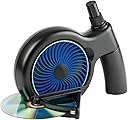
The SkipDr DVD and CD Manual Disc Repair System is a compact, manual device designed to fix minor scratches on optical discs including DVDs, CDs, and popular gaming discs like PS1, PS2, Xbox, Xbox 360, and Wii. Utilizing a patented FlexiWheel and rejuvenating fluid, it smooths surface scratches through radial resurfacing without affecting disc data. Each wheel can repair up to 25 discs, and the kit includes all necessary components for repeated use, making it a cost-effective solution to restore disc playability and extend the life of your media collection.


| ASIN | B0015ACUKC |
| Best Sellers Rank | #3 in Audio & Video Disc Repair Kits |
| Brand | Digital Innovations |
| Brand Name | Digital Innovations |
| Customer Reviews | 3.7 out of 5 stars 5,083 Reviews |
| Global Trade Identification Number | 00659846101831 |
| Included Components | FlexiWheel, Rejuvenating Fluid, Blue Drying Cloth, Felt Buffing Square |
| Item Dimensions | 5.87 x 3.94 x 9.02 inches |
| Item Weight | 16 ounces |
| Item dimensions L x W x H | 5.87 x 3.94 x 9.02 inches |
| Manufacturer | Digital Innovations LLC |
| Material | Plastic |
| Material Type | Plastic |
| Model | 1018300 |
| Number of Items | 1 |
| Number of Packs | 1 |
| Part Number | 1018300 |
| UPC | 099675866233 172302890822 746278540359 782386034267 074994540750 071030674677 172302664614 031112143293 804067408881 763615721165 659846101831 021112418477 767887436376 163121449148 868461018312 172304226513 808113024391 168141432323 102930683633 045555690870 112840364010 001910648658 UPC 099675866233 172302890822 746278540359 782386034267 074994540750 071030674677 172302664614 031112143293 804067408881 763615721165 659846101831 021112418477 767887436376 163121449148 868461018312 172304226513 808113024391 168141432323 102930683633 045555690870 112840364010 001910648658 See more |
| Unit Count | 1 Count |
| Warranty Description | 1 year |
K**G
Want a real disc Repair System for a Reasonable Price?!
This is for you! This repair system is 1 compact can fit about anywhere 2 this machine has a very reasonable price for what it does 3 allthough it wont last forever the base of it will so you can get refill packs for about 35% less then the original price of the machine itself so dont throw it away all of it can be replaced keep the base also keep the plastic spray bottles top since the refill kit comes with a normal topped bottle then just replace the spray top and exchange it onto the filled bottle of solution! 4 this machine really works! and heres how to prove it I scratched up a playstation disk (on purpose) I put it data side up down and scratched it up against the walls untill i could made sure it wouldent work I tested it out it couldent even reconize it was a playstation disk! and so I put it in for about 3_5 cycles and wow it does leave radial marks this is normal and the scratches were still visable though slightly less there I thought it wouldent work but to my amazment it worked better then when i tested it before scratching it allmost like new! 5 one disk can be repaired several times maybe through one whole wheel 50 cycles before it reaches the data itself and cannot be repaied but it brings out the full value of the disc one cycle is 2 passes through the machine each repair requires 2 passes through the machine which makes one cycle here are some detailed instructions 1 Clean up the disc of any dirt and thurougly dry it 2 Set up the disc repair machine get your included cleaning cloth buffering pad and cleaning solution bottle out of their compartments 3 Spray disc thuroghly with the bottle about 2-3 inches away make sure to cover every inch of the disc with spray 4 place disc lable side down and data side up in the little holder (make sure the data side is up facing the wheel 5 crank the wheel for a full turn (the way I make sure its passed only one is with the soulution droplets when I no longer see the soulution drops on the i crank for about 15 more seconds and it will be done) 6 Dry disc 7 buffer the entire disc (buffer with the radial pattern) 8 Repeat steps 3-7 and you are finished! Remember some discs may need 2 or more full cycles each cycle is all the steps above Overall it may not leave the disk looking so nice but it really does work It works on the following disks Playstation ps2 xbox xbox 360 compact disc ( music cds ) Dvds and wii DO NOT use on gamecube games blueray discs and or ps3 discs THIS WILL DAMAGE IT it does not have the same encoding and gamecube is a wrong size for the machine But Beware buffering pad starts to loose its shining and buffering quality from use and no longer fully does its job you need one that you can hear the scratchyness when in use and see the marks it leaves when buffering which is my only complaint since they dont sell the buffering pads seprately thats what you really need to get it stops working fully at about 30-40 the last ten better be ones that have minor glitches and not stoped working completely since it wont do as good as a job the wheel works all the way till 50 uses then if you use it after it wont damage discs but it wont repair efficently either anyway enjoy!
C**L
Added brand-new gouges to the very first CD
Every once in a while you purchase a product that delivers a completely different experience than what the reviews led you to expect. In some cases it seems that manufacturers cut more and more corners throughout a product's lifespan until that product is completely different than the one that got glowing reviews. Case in point, the SkipDr Disc Repair System. I know because I had one of the first models many years ago. I know that it was a different design back then; instead of a fold-out disc guide, there was a larger plastic wedge that supported the disc. So far, so good; the newer design is more compact when not in use. But I'm nearly positive that the plastic didn't feel as flimsy as this new black one. I remember being impressed with every aspect of the original even down to the wordy instruction booklet (now you get a double-sided piece of paper). None of that would have bothered me had the product not failed on the very first use. But it did, and I'm convinced that Digital Innovations has done whatever possible to make this a cheaper product. I actually think the retail price is less than the original was 10+ years ago. This is puzzling because there's plenty of room price-wise between this and more heavy-duty CD repair machines. And the SkipDr costs about as much as having three CDs repaired by a professional. So what went wrong? On my very first CD repair, I followed the directions to the letter. Spray the CD, then run it through two full rotations of cranking. I repeated the process again (including the spray) because the worst scratch was still visible. On the second rotation of the second repair cycle, the grinder wheel started warping out of shape and eventually slipped sideways. When this happened it left a deep ugly gouge in the CD. Thankfully this was a test on a CD from a garage sale, because although it had tons of scratches beforehand, it now has the flipping Panama Canal running through it. I'm sure it's unplayable now. It's really too bad because the SkipDr is a great idea. When it works, the CD looks like a mess but usually plays much better. And it's simpler and less messy than the products that try to fill scratches in. Unfortunately this once useful product has officially become a bona fide Piece of Junk. Chris gives the SkipDr one star.
S**A
Good arm workout
The Reason: I bought this thing because I accidentally left my copy of Borderlands for PC outside for a long time, and dust accumulated on the DVD. I washed off the dust, which came off easily. No biggie I said. I popped it in and I noticed it was taking forever to read the disc. Tried installing the game, but it said it would take 130+ minutes. Preposterous! I shouted, while cancelling the installation and removing the DVD out for a closer inspection. Needless to say, and this is something I've observed before in the past, there was this very thin layer of dust(?) still left on the disc. I scrubbed and scrubbed, but it just wouldn't come off. I tried a solvent (rubbing alcohol) and that did not work. Tried dish washer soap, cider vinegar, a lemon... I even lost it at one point and just rubbed the disc as hard as I could against my knee - nothing was removing this very fine layer of HELL. So I finally decided to purchase one of these things, since I first thought about buying one back in like, early 2000? Irrelevant anyways. Well, got it in 2 days, and as soon as it arrived, I put it to work. ============================================== The Good: Simply remove the product out of the box, attach the handle (can be a bit tricky - just keep trying or read the manual), grabbed the disc in concern, sprayed some of the liquid on, and inserted it into the contraption. Whether I was supposed to leave the liquid on or not, I did not care, nor did it matter. That thing worked like a charm. At first I thought the disc was not spinning - it does, just very slowly, so keep on cranking. Also, be sure to insert the disc with the label facing down! There is a towel inside the handle too. The thing is very easy and safe to use. I had fun. ============================================== The Bad: The only thing I did not like about this product was the handle. It is just too, cumbersome. Very uncomfortable to hold. Again, be sure to place the label of the disc pointing DOWN, otherwise you will literally polish the data off the disc. The handle was a tad tricky to install at first, but I blame that on the fact that I wasn't really looking at it. You have to crank this thing for quite a bit in order to get a good result. Applying more pressure or spinning it as hard as possible is not going to help, so nice and steady wins. I had to go over my disc at least 3 times, so I did quite a lot of turning. ============================================== The Verdict: It works good. It fixed my problem. I have not tried it with a severely scratched disc yet, as I am usually very gentle with my belongings. This product is not magical, so it will not repair a disc if the data side is scratched, or if the scratches underneath are too deep. Worth the money in my humble opinion. ============================================== Additional: Needs more bacon.
S**L
Worked good for me
I literally just got this a few minutes ago and opened the box, and figured I'd try it out to quiet my kid down- I had two Wii games that were scratched a bit. They wouldn't play; kept giving error message that the disc was unreadable. At first I was annoyed, I couldn't find the piece of blue cloth and white felt in any of the packaging. Then as I was repacking it into the box, I found them shoved into the handle piece. So look around if you don't find it. The directions are easy to read and understand fortunately (I'm one of those that usually doesn't mess with directions) with pictures too thankfully because I could not figure out how to put the disc into the thing until I looked at the picture....anyway, sprayed the alcohol/water mix on it, popped it in. Cranked it around the two times it recommended. Dried it off with the blue cloth, and then buffed it a bit with the white felt thingy. Had my kid try it out, and voila....both worked and were playable. The thing doesn't look like much, it's plastic. But, it did work. I wonder if those with the poor reviews maybe didn't follow the directions? It states clearly the disc must be kept wet with the alcohol mix. Or, if the scratches are that bad/deep, it may not be repairable. The first review posted is very detailed in how the whole thing works and is very informative. Once you understand the concept of what it's doing it makes sense. The only complaint I have with this, and why it's not 5 stars, the handle to crank the thing is detachable, which is fine-I assume for storage and shipping. It's easy to snap on, but it snaps off too easily while trying to crank it, at least mine is. I just have to stop every few cranks and make sure it's still secured, and have it on the edge of my desk while I'm cranking it. Otherwise, $16. investment to save not having to buy new games/movies. Very happy with it so far.
S**Y
Some success, but only when used with a polishing compound.
I've tried this on four music CDs, three of which have definite scratches affecting play, and the last one more "marginal" - meaning sometimes it skips and sometimes it doesn't. After treatment with the SkipDr, none of them performs any differently. I would have expected improvement in at least that fourth one. As far as I can tell this thing does not work at all. It does leave that radial scuffing pattern everybody else has noticed, so it does something ... just nothing beneficial. Why two stars instead of one? Because contrary to what some have said, it doesn't seem to have actually harmed my discs. They play exactly as badly as before, skipping at the same points in the music. So while I might suspect this doctor of quackery, I won't go so far as to accuse it of malpractice. There are a few more old CDs I can try it on here. Just one success will mean it wasn't a total loss. If that happens I'll come back to amend the review. ----------------------------- Followup after many more attempts: although I was never able to get SkipDr to work when following the directions, it has finally salvaged a few discs now. The difference is the addition of a polishing compound, specifically Novus 2. This is what has worked sometimes for me. 1. Spray the included watery fluid on the surface of the disc. 2. Add a drop or two of Novus grade 2 polishing compound, and spread it around the surface with a finger. 3. Insert the disc in the device and start cranking slowly. 4. Keep going for four or five full revolutions of the disc, giving it another spritz of fluid now and then -- don't let it dry out. 5. Remove the disc, spray more fluid on it, and wipe clean with a microfiber cloth. Now you might have a playable disc, or not; either way, of course your SkipDr will be a chalky mess. You could have used the polishing compound directly with a cloth on the disc, but the SkipDr device does help you polish evenly and in a consistent radial direction, so it adds some value to the process. Increasing from 2 to 3 stars because of this.
A**T
Game saver!
Many of our wii games were severely scratched and this this made them all playable again. It's definitely an arm workout but totally worth it. It took a considerable amount of time but again my games were scratched BAD. The rotation is slow but it got the job done. Clear and helpful instructions and it included enough cleaner to go over multiple games several times. I saw reviews about the handle falling off but I didn't have that issue and its still holding up well after many many uses.
L**E
It worked (4 out of 5 discs). Just follow the instructions and keep realistic expectations
So I read all the reviews on here before buying this and it seemed like this DVD fixing device is working for a lot of people. I looked at the negative reviews pretty closely and after using this thing I think either they didn't follow the instructions or the disc probably wasn't fixable anyway. So here's my experience and my tips after trying to repair 5 discs. #1 - Be realistic I bought this specifically to fix a couple of XBOX 360 games and DVD's that weren't working properly. All of the discs had scratches but one was really bad and I figured that I couldn't repair that one. Out of the 5 discs I tried to repair - I was able to get 3 working perfectly again, 1 works better, and the 1 really bad disc I couldn't repair which wasn't a surprise as it was really scracthed up.. The big WINS - My old XBOX 360 NCAA football is still a favorite of mine since they don't make a new version for the XBOX ONE and it would work until midway through a game and then freeze. After running it through the SkipDr it now lets me play normally and I can do a season and everything. The other important one was a DVD that isn't made anymore and is rare - it was skipping a whole scene and now it's playing again. # 2 - Follow the steps Use the fluid - the wheel is resurfacing the disc - it needs lubrication otherwise it's like applying straight sandpaper to a disc. The wheel turns the disc really slow so it may not look like it's turning but it is. BUFF BUFF BUFF - when you get done in the machine you need to buff with the little white sqaure really really well. I found on two of the discs that they weren't fixed UNTIL I went back and buffed them a second time really well. # 3 - It leaves lines on your disc but they are supposed to be there A bunch of people in the negatives reviews say that the things ruined their discs. Seriously, how can something ruin your non-playing, scratched up disc? The first time I used it I was a little worried because it leaves lines on the discs, but even with the lines the discs were fixed. The lines are there permanently though so if you're looking for a perfect finish like new, this isn't going to do that. However it does work and the lines aren't an issue - it even says so in their instruction video. So no, it didn't ruin your disc, it's trying to resurface it, like getting your car brake rotors resurfaced. Also a lot of people said - didn't clean my disc...it's not a cleaner, it's resurfacing your DVD. #4 - Run the disc through multiple times if it doesn't work the first time One of my discs wasn't fixed the 1st time but I ran it through 2 full revolutions and then buffed again and it started working. So if it doesn't work the first time try a couple of more times. So was it worth the price to fix 4 out of my 5 discs? You bet it is! Even if it had only fixed one it would have been worth it. I know it isn't going to work for everyone or on every disc but for the price it's worth a shot.
F**Y
Ruined Gf’s Surprise Present
1) Handle kept snapping off without using massive pressure. Reinforce your connector so people won’t have to re-insert it 24/7. 2) This thing did start cleaning, and was super slow to do it. I took it out because it kept popping out even though it was inserted properly. 3) The white pad easily falls apart and leaves specs behind it. Improve your buffing pad! It’s the most important step, and it can’t even get those smudges off?? Fat chance it’ll read because of that then. Fix it or get out of the business. 4) The console I use (Fat PS2, original) reads PS1 games. It is backwards compatable, and can easily read discs that are both clean and well maintained. Originally, it had very small scratches that could be mended. Now? Small scratches and big streaks, bad enough for the PS2 to think it’s not a PlayStation game anymore. I expect a full refund, and since it destroyed my disc, deserve a brand new game. If you’re going to advert a device meant for repairs, at the very least you can make it reliable enough to use. I’ll also point out (for future users) that there’s a whole Reddit thread talking trash about this, with very few saying it actually works! r/nostalgia, look them up! Ohio has no disc resurfacer, and that’s the exact reason why I bought this. It’s a piece of plastic garbage that makes itself out to be cool, but can’t even do its job right. I mean it when I expect a refund, and a new game. I expect to be contacted back as soon as possible for this, as well as for you to go back to the drawing board.
N**U
Resuelve el problema con un mínimo coate
Tenía un CD original de Pink Floyd que, más que rayado por debajo estaba mate y rasposo, parecía que estabapara tirar. Para probar compré este extraño aparato y, aunaue tuve que pasarlo unas 5 o 6 veces y que no terminara de pulirlo del todo y dejara marcas radiales (ojo, las instrucciones dicen que si deja marcas radiales es que el proceso de reparación se ha llevado a cabo de forma satisfactoria), el CD ha resucitado por completo, se escucha entero y no falla en ningún momento. Lo bueno es que hay recambios y no valen tampoco mucho, y con 1 kit puedes reparar unos 25 CDs (según afirman ellos). La verdad muy contento.
N**E
Cumple su propósito
Si funcionó bastante bien, reparé unos juegos de ps2 con rayones leves. Haré una prueba con un cd mas rayado mas tarde pero hasta ahora, los resultados del producto son buenos 👍.
D**N
Skip Dr is the best.
Although I bought this in 2010 - so long ago! It still works. It lifts the first coating of the damaged CD and you end up with streaks on the disc. However the CD does play. However it does not remove all scratches on other CDs, some may remain and during play it will jump. For best results sprinkle a few drops of plain tap water on scratched disc, insert and turn until water fades. Wipe with a soft cloth and play! The durability of the Skip Dr is amazing even working after all these years!
P**K
Disc Retter
Ehrlich gesagt hatte ich keine großen Erwartungen…ABER ich bin absolut begeistert. Das Gerät hat 2 meiner Spiele die nicht mehr geladen hatten einen 2ten Frühling beschert. Das kurbeln kann zwar etwas anstrengend sein aber wenn dein Spiel danach wieder funktioniert ist es das auf jedenfall Wert vor allem für diesen Preis 👍🏻
C**N
SkipDr Manuel CD & DVD Repair System
Répond pratiquement à mes attentes. Dommage que les Skip Dr ne soient plus motorisés comme avant.
Trustpilot
1 week ago
1 day ago