Buy anything from 5,000+ international stores. One checkout price. No surprise fees. Join 2M+ shoppers on Desertcart.
Desertcart purchases this item on your behalf and handles shipping, customs, and support to KSA.
🖱️ Master precision and comfort—because your workflow deserves the best.
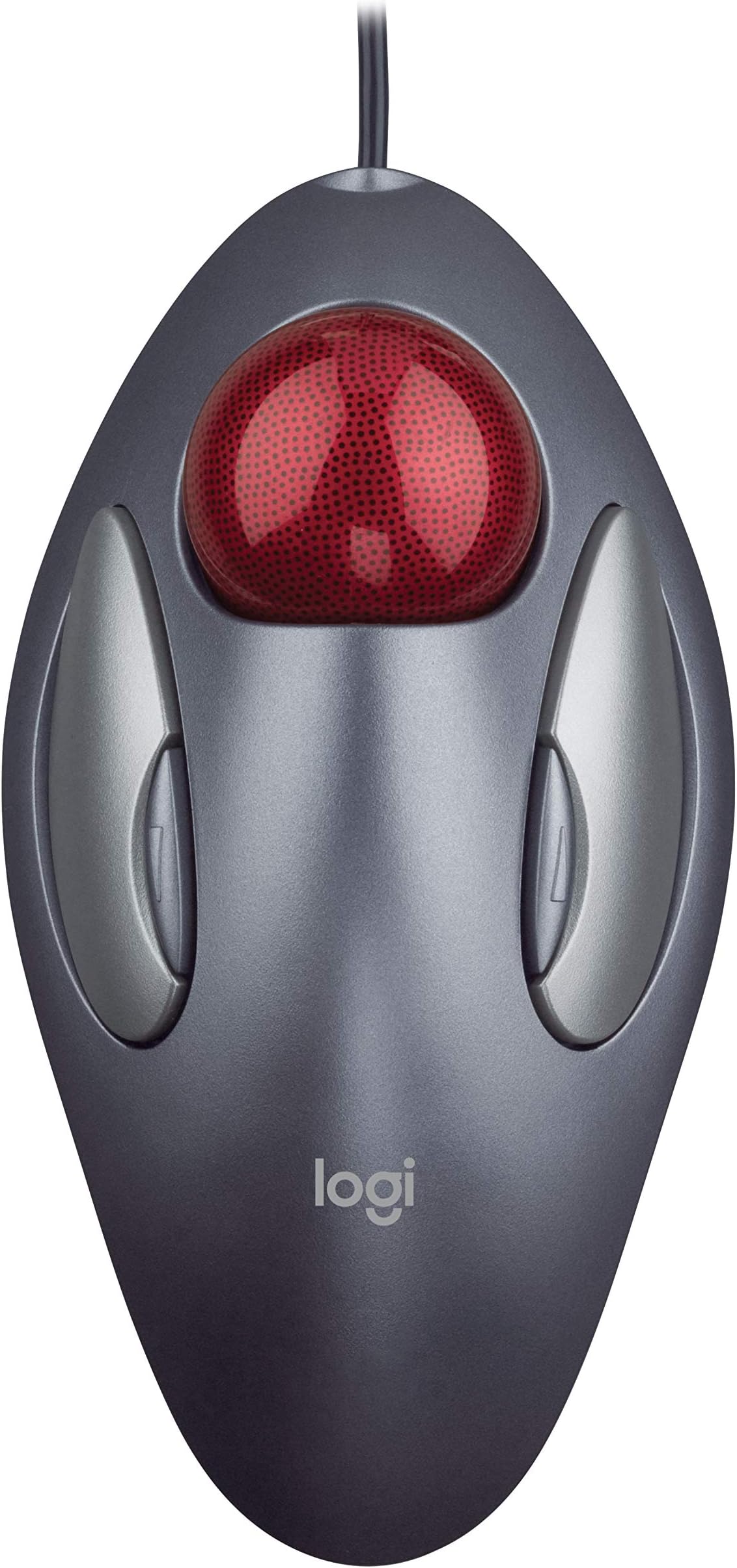
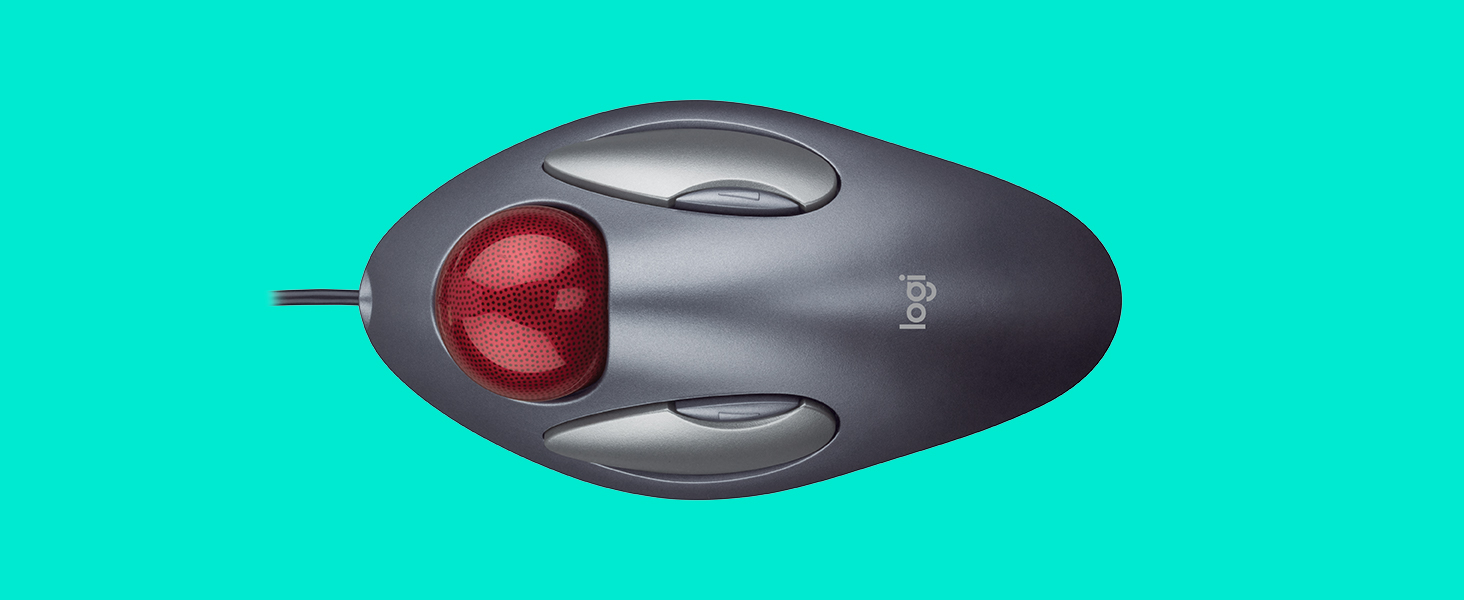
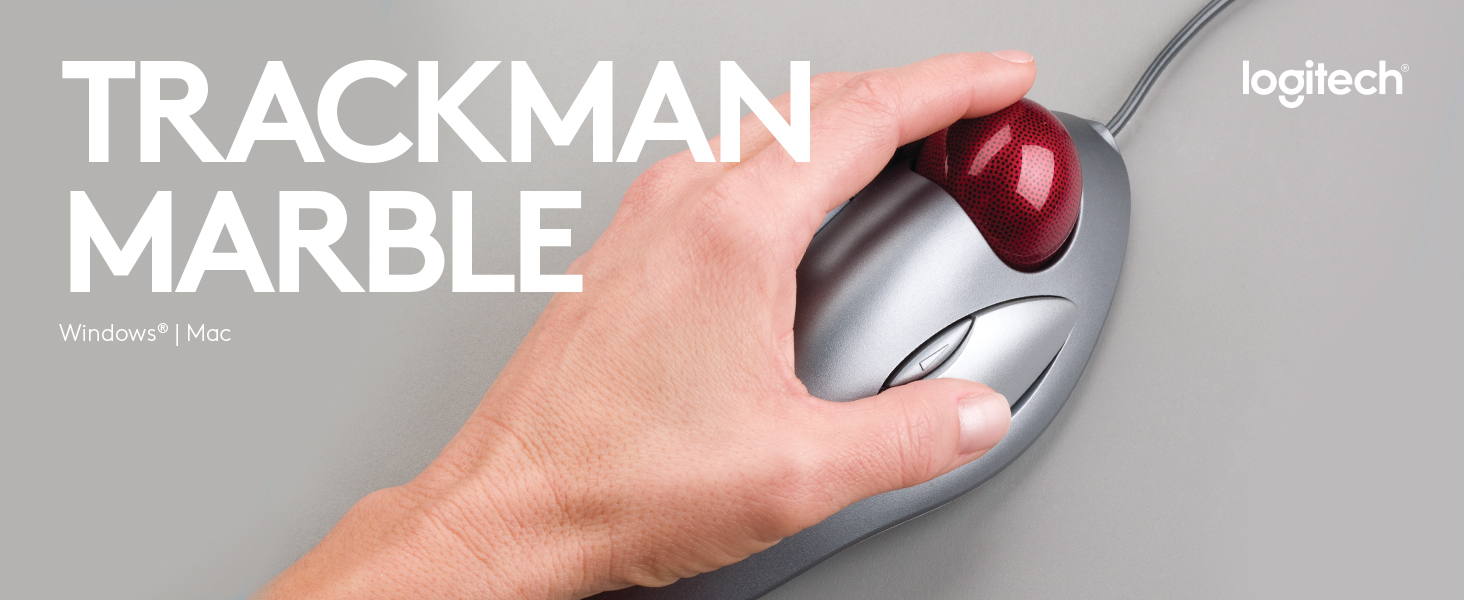
The Logitech Trackman Marble Trackball Mouse combines advanced optical tracking with an ambidextrous ergonomic design, featuring four programmable buttons and wired USB connectivity for instant plug-and-play use. Built for durability and comfort, it minimizes wrist strain and maximizes precision, making it the go-to choice for professionals seeking a reliable, space-saving input device.


| ASIN | B001F42MKG |
| Additional Features | Ergonomic Design, Programmable Buttons |
| Antenna Location | Office |
| Are Batteries Included | No |
| Are Batteries Required | No |
| Battery Average Life | 2 years |
| Best Sellers Rank | #772 in Computer Mice |
| Brand | Logitech |
| Built-In Media | Logitech Trackman Marble Mouse, Four-Button, Programmable, Dark Gray, Product Information |
| Button Quantity | 4 |
| Color | Dark Gray, Red |
| Compatible Devices | Personal Computer |
| Connectivity Technology | PS/2, USB, Wired |
| Customer Reviews | 4.6 out of 5 stars 12,084 Reviews |
| Enclosure Material | glass |
| Global Trade Identification Number | 00097855052483 |
| Hand Orientation | Ambidextrous |
| Hardware Platform | PC |
| Item Dimensions L x W | 9"L x 3"W |
| Item Weight | 89 Grams |
| Manufacturer | Logitech |
| Mfr Part Number | 910000806 |
| Minimum Required Operating System Version | Windows 10, Windows 7 |
| Model Name | Trackman Marble Trackball |
| Model Number | 910-000806 |
| Movement Detection | Optical, Trackball |
| Movement Detection Technology | Optical , Trackball |
| Number of Batteries | 2 AA batteries required. |
| Number of Buttons | 4 |
| Operating System | Windows 10, 11 or later |
| Power Source | Corded Electric |
| Range | feet |
| Special Feature | Ergonomic Design, Programmable Buttons |
| Style Name | 910-000806 |
| UPC | 097855052483 |
T**6
Only Mouse I Want To Use!
I've been using this Logitech Trackman marble mouse since the late 90's, and been using personal computers since 1984. In that time, we've worn out one Logitech Trackman marble mouse after almost ten years(the first-- left button started being erratic), but bought several for our multiple computers. Once you've used one you'll never want to go back! There's several advantages: 1..The big one is accuracy. If you do ANY graphic work at all, even just fixing red-eye on photos, this is *the best* mouse to use. It becomes so intuitive and fluid, it's as agile and precise as your eye-hand coordination allows. It doesn't "get in the way" like a regular mouse. 2..Space saving. Even with a cord, this thing takes up less space than a wireless mouse, because it doesn't require movement. It also doesn't require a mousepad and works anywhere-- on your leg, on your chair arm, on a clear glass desktop. (I love it so much, I use it as my mouse with the laptop that I'm on for 8-10 hours a day! Yeah, it's that good.) 3..Aching wrists/fingers will be a thing of the past. This mouse is much more ergonomic and comfortable. 4..Versatile. Got both lefties and righties in the family? No problem! The Logitech software adjust for either with just a couple of clicks, and the mouse itself isn't shaped to favor one hand over the other. 5..BUILT LIKE A TANK!! Like I said, in ten years of heavy, heavy use by three computer nerds, with hundreds of thousands of clicks or more on the original unit, we wore out exactly *one* of these mice. And yeah, that mouse fell off the desk a few times, and the ball went bouncing across the floor probably a few times a month (One of us is a bit of a klutz). That said, you're less likely to drop it because you're not having to constantly move it. 6..User satisfaction. Everyone who uses one never wants to go back. Ever. 7..Excellent for those with limited hand movement. If you can move your thumb to click, have minimal movement in your arm and can rest your fingers on the ball, you can probably use this mouse. The four buttons can be specially programmed (say, if you've only got click-ability with your thumb, or your pinkie, for instance) and are configured so that accidental clicks aren't a huge problem. I can't speak for the wireless version of this mouse as I've never used or owned that model, and I *don't* recommend the version that puts the ball under your thumb-- that one *hurts* to use for very long. I hope Logitech NEVER stops making this mouse, because I have never found another of any kind, wired or wireless, that is so accurate, comfortable and well-built!
I**S
I hope Logitech never stops making this
This mouse is a masterpiece. This mouse will be in a museum someday. I hope that Logitech never stops making this mouse. I have used many different types and brands of input devices: mice, trackballs, touch pads, gyroscopic air-mice, wacom tablets, etc... This is the most comfortable mouse for general use. I can use this mouse for 8 - 10 hours straight without any problems. The key to this mouse: You rest your hand on top without squeezing the sides of the mouse. The design of the mouse/trackball facilitates this. Your palm gently rests on top of the grey base which keeps the grey base from moving. With a typical mouse, I will grip or squeeze the sides of the mouse in order to move the mouse and also when clicking down on the mouse. I have found that this gripping/squeezing action is what causes me to get carpal tunnel syndrome. In order to prevent wrist pain, I have to be consciously aware of how I am using a mouse whenever I am using a normal mouse. The Logitech Trackman Marble Mouse does not require this conscious effort or awareness. Pros: Simple to use, plug and play if you don't use the 2 middle buttons You can flick the trackball to quickly and easily move your cursor anywhere on your screen. Much easier to use than a typical mouse or typical (thumb) trackball after you get used to it. It took a couple of weeks to get used to this. Use it for a couple of weeks to give it a fair chance. Requires less desk real estate than a mouse Inexpensive Cons: The left click button wears out after 6 to 12 months depending on usage. My computer is used daily. Infrequent users may have this mouse for years. The small white balls that the red trackball sits on top of eventually get stuck or break. The red ball will no longer move smoothly after this. Again, keep in mind that my computer is used every day. With heavy usage, the grey paint eventually wears off the buttons and base. But maybe this is more of a Pro, because the paint wearing off indicates that the mouse has lasted closer to a year than 6 months (Built-in mouse replacement indicator). Care: Remove the red trackball every so often and clean out the lint from the white roller balls. Remove any dirt, sweat, or oil from the red trackball at this time. Be delicate when putting the red trackball back or you may damage the white roller balls. Keep clean, the 3 rubber pads on the bottom of the mouse. Keeping the rubber pads clean will prevent the mouse from moving on your desk. This will in turn prevent you from constantly having to adjust the position of the mouse on your desk.
R**É
Great product and value, but almost didn't make the 5th star
A little background: I've been a trackball user for over 4 years now and most of the work I do I'd done with the Logitech Cordless Optical TrackMan . I wanted another one of those, but seeing that they now go for $150 to $300, not the $55 I paid for it several years ago, I decided to go with this one. The great: The design works perfectly. The 2 custom buttons allow for good customization. I really like the fact that you move the ball with your fingers and not the thumb and that it has a very lo space requirement on my desktop. The fact that it has a cable doesn't bother me at all and I like not to worry about going low on batteries. The software has cursor speed and acceleration control which is just perfect for the use I give it (I really don't like to be moving the ball a lot to move from the outer edge of one screen to the outer edge the other screen). The bad: The trackball has no scroll wheel and middle button! And the software attempt to allow for scrolling is just plain poor. The right little button is also really not good for me, as being right handed, it's quite hard to press for me (but it's counterpart left button is easy to reach for me with my thumb). The workaround: After some searching, I found a way to emulate the scroll wheel using AHK (Auto Hot Keys) and a script a user wrote specifically for that issue. Now I have a scroll wheel functionality using the trackball itself (holding down the small left button) and also middle click using that same small left button. It works perfect and this gave the ball the 5th star. I find this arrangement of this arrangement for the scroll wheel quite more comfortable that using an actual scroll wheel, like the one on the other trackball I have, which has my finger aching every other day from use. Overall: Great product, excellent price. Get it, but also install AHK with the script to emulate the scroll wheel and middle button.
N**N
fantastic
As I learned the hard way, not all trackballs are created equal. About 6 months ago I bought a 2nd trackball at a local computer store. Unfortunately it didn't work well at all. It was much harder to use than the Logitech Trackman Marble. Also it had poor response and kept getting stuck. As a result I went back to the almost as frustrating cheap mouse. Then I noticed the Logitech Trackman Marble here at Amazon and decided to buy my 2nd one here. In my house trackballs are shared by 4-6 people depending on who's using the computers. This is my second Logitech Trackman Marble. I bought my first one (the exact same one) about 8 years ago and it still works great with hours of daily use. I bought the second one for a different computer which had a mouse. Both are used daily for 4-8 hours. This is an excellent device that gives you much better control than with a mouse. It's perfect for a left or right handed person. The ball, which is in the middle is used to move the mouse cursor. Using either hand it's very natural to click the left button to select something or the right button to select from a menu. There's no need for a mouse mat because, unlike a mouse, it can't get stuck moving it around. In fact you don't have to move it at all. You just need one finger to use it. Every couple of months you should take a minute to clean & wipe it to prevent dust from accumulating. You can easily pull out the ball and clean everything with a damp clean cloth. Then you can easily push the ball back in and everything works perfectly. As others have pointed out, this device is so much better and easier to use than any mouse. If you're into arcade games you'll find many games that play much much better with a trackball than a mouse. One example, which plays perfectly with a trackball, are breakout type games where you have to hit a ball. I recommend this trackball to everyone - especially those who like to play a lot of arcade games. It really is a fantastic device.
S**Y
Works for both right & left hand users, but odd browser button placement MAY cause comfort issues.
I am getting into graphics and digital art and so I needed something with more precise control than the traditional wrist-driven mouse. This Logitech Trackman is a solid entry-level choice and is pretty easy to get used to for first-time trackball mouse users. Logitech scores big points for designing a true ambidextrous mouse. That's a plus... however, it also leads to my main complaint: it works for both hands but isn't properly supportive for either. Using it for the reason I bought a trackball (precise cursor manipulation) made my hand and wrist ache after a short period, so it ended up being useless in that capacity. Second grumble: no scroll wheel. However, that is negated thanks to a hack located in the Q & A section which turns the trackball into a scroll wheel of sorts. Last gripe: the inconvenient location of the web browsing buttons (and their tiny size). Locitech at least has them on this mouse - which is more than I can say for some other trackball mice that cost a LOT more but oddly omit browsing button unfathomable in this day and age. This Trackman mouse has them, but placing the browser buttons on the front edge of the mouse on either side of the ball (either high up for the index & ring fingers OR down near the base of the mouse, where they could be used by the thumb & pinky) would have been a better choice. As is, they are comparatively tiny and located high back in the middle of the left & right buttons, forcing me to either move my hand back or unnaturally lift my wrist & compress my thumb to use the things. Not the worst, but definitely a pain - literally. I have fairly small hands, so I would imagine that folks with medium and especially big hands would find this annoyance magnified even more so. Other users may not have this issue but it bothered me, so I feel potential buyers need to be made aware. IMHO/YMMV After a few weeks using the Logitech, I ended up buying the HUGE trackball from Elecom (M-HT1URBK). That unit is right hand-only, BUT it has terrific ergo support (IMHO) and the giant ball is even easier to manipulate than the Logitech's. I wasn't crazy about paying twice the price over the Logitech but the Elecom unit works great for me so it has been well worth the additional $$$. I decided to keep the Logitech for use on our back-up computer and to use on my wife's laptop when we travel, as I detest those tiny touchpad things. NOTE: If you do decide to go ahead and purchase this Logitech Trackman, be sure to check out the hack link mentioned on this webpage, in the Q & A section. The marblescroll hack is an absolute Godsend and makes up for the disappointing lack of a scroll wheel on this Logitech Trackman mouse.
R**E
It's good.... another RF eliminator...
I bought this to cut down on EMF exposure. My Magic Trackpad only put out .1uw/cm2. That is right on top of the hand. Same with keyboard. The latest (2012) Bioinitiative Report set a precautionary level of between .0003 to .0006uw/cm2. They have shown microwaves to destroy red blood cells. So I thought it wise to change back to wired. Turn off the Bluetooth. Amongst the other things I have done. Like turning off the WiFi. This is a good mouse. Downloaded the Logitech Software. Reminder... This is a Mac. Ended up with a locked up computer. Had to unplug it. Plug it back in with my Magic Trackpad back on and Mouse disconnected. Then connected this Mouse. Then set it up from the mouse control in the System Preferences. It seems to be working ok. I'm not going to touch that Logitech software again. I trust the Apple Software as always trying to make things work. Doesn't pull ms throwing you under the bus. I'll see how things work out. I do have four button control. Two small ones for scrolling. I confess, I did love my Magic Trackpad. Mac doesn't sell anything wired anymore. Any pads wired are expensive. Maybe one day? I lost my triple screen that I could swipe to go to next instantly. Lost my good control of scrolling. The mouse buttons for scroll, jump. Even with them set to lowest speed. Lost a few other nice things with the Magic Trackpad. I do have to admit. My Magic Trackpad could be a bit squirrely. This Mouse is more accurate/precise. I am happy with this mouse. It's working good right now. I've had trackballs before. Like them a bunch more than regular mouses' one moves around. This is a good one. I can't complain. EDIT: Now using it a while. It's stable. Am getting to love it. Facing the fact that my Magic Trackpad has quirks also. Am getting to love this. It is better in certain ways than the trackpad. Especially with eliminating RF and turning off the Bluetooth. Now all I have to do is worry about my cat stealing my mouse's ball. I lost a trackball before to that. When the cats finally allowed me to find it. It was damaged. Doh!
L**N
Great mouse!
I am of the move-the-mouse-around-the-pad generation. I attempted to use a friend's mouse of this similar type and just hated it. Could not figure out how to use it. Then I used my brother-in-law's. It was this exact model. I don't know what it was, but with very little trial-and-error I was moving around the screen. I was enamored by it so much that I went home and looked into the purchase of one. I probably would not have considered a trackball type, but my husband and I were both complaining that our conventional mouse kept going off the side of the pad since we'd bought a 22-inch monitor. We were constantly having to lift the mouse and replace it on the pad to get to one side of the screen or the other. I had tried changing the speed of the mouse, but my husband's eyes don't track as fast as mine and it wasn't working for him. Once installed, our mousepad was gone and this Trackman Marble just sits in one place on the desk. It has left-/righthand capabilities which is perfect for me as I'm ambidextrous, although I keep it on the right for my husband. The mouse on my other computer is on the left. :-) It did take a bit getting used to now that I was using it exclusively. The small buttons located above each larger one scroll/cruise the screen down or up depending on the left or right one you press. Or, at least, this is how my buttons are set. This is a bit funky and I still error in the up and down choice, but it's never frustrated me. I sometimes have a bit of trouble setting the pointer/cursor directly where I want, but this is usually when I'm moving things numerous times. This could just be eye/hand coordination, fatigue, whatever. In most instances I find my mark quickly and move on. I love the facts that the stationery ball does all the moving, my mouse literally stays in one place, my fingers do all the work versus my whole hand and arm, and my desk is clear of that darn pad.
H**S
Smooth, Comfortable, and Precise - A Surprisingly Great Experience!
I recently switched to the Logitech Trackman Marble Trackball, and I must say, it's a game-changer! Having used traditional mice all my life, I was initially skeptical, but the comfort and precision this trackball offers have won me over. First off, the ambidextrous design is thoughtful, making it suitable for both right and left-handed users. The curve of the device fits the natural contour of my hand, which significantly reduces the wrist strain I used to experience, especially during long hours of use. The tracking is smooth, with the marble gliding effortlessly - it took some getting used to, but after that initial period, I found it more accurate than my old standard mouse. It's fantastic for everything from daily office work to graphic design, offering precision that I didn't expect. One of my favorite features is the lack of constant mouse movement. My desk space is somewhat limited, and not having to move my arm constantly has freed up space and made my computer time more efficient. Installation was a breeze, as it was simply plug-and-play. No complicated software, no confusing setup, it worked straight out of the box. If there's any downside, it's that there are only two buttons, and I missed the scroll wheel initially. However, this became less of an issue as I grew accustomed to the trackball's operation, and the benefits far outweigh this minor quibble. All in all, the Logitech Trackman Marble Trackball has been an excellent investment for my comfort and productivity. I'd recommend it to anyone looking to change the way they interact with their computer for the better!
A**R
Mouse magnífico
O melhor mouse ergonômico que já utilizei até hoje. Contribui muito para evitar LER nas mãos, podendo ser utilizado por destros ou canhotos.
M**S
Awesome
Awesome trackball very quick delivery
B**T
Second purchase of this mouse
I've had this mouse for 10+ years and had to order a second one for use at work. I switch between left and right hands regularly to keep the pressure of my wrists. Ergonomic shape is brilliant!
G**G
Poco espacio
Perfecto para usar el ratón cuando se tiene poco espacio. La bola es cómoda y precisa. Los cuatro botones son programables. Sería perfecto si tuviera rueda scroll, pero para eso están las barras de desplazamiento en las ventanas. Muy recomendable.
J**C
Great mouse, fun to use!
The mouse works so well. The trackball is nicely weighted but still easy to move. No more wrist pain with this trackball mouse!
Trustpilot
4 days ago
1 week ago