Desertcart purchases this item on your behalf and handles shipping, customs, and support to KSA.
⌨️🔄 Power Your Productivity Anywhere, Anytime!
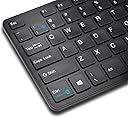
The Kensington KP400 is a versatile full-size keyboard featuring 104 keys and a numeric keypad, designed for seamless switching between wired USB and Bluetooth 3.0 connections. Compatible with Windows, MacOS, iOS, Android, and Surface devices, it offers plug-and-play setup and flexible power options—USB-powered for wired use or battery-powered for wireless mobility—making it an essential tool for multitasking professionals seeking productivity without boundaries.
| ASIN | B00R61TNTA |
| Additional Features | Charging Port |
| Best Sellers Rank | #9,559 in Computer Keyboards |
| Brand | Kensington |
| Built-In Media | USB Cable |
| Button Quantity | 6 |
| Color | Black |
| Compatible Devices | PC |
| Compatible Operating System Family | Windows |
| Connectivity Technology | Wired, Wireless |
| Customer Reviews | 3.5 out of 5 stars 287 Reviews |
| Enclosure Material | Acrylonitrile Butadiene Styrene |
| Global Trade Identification Number | 00085896723226 |
| Hand Orientation | Ambidextrous |
| Item Dimensions L x W x H | 19.75"L x 1.35"W x 10.25"H |
| Item Weight | 0.02 kg |
| Keyboard Backlighting Color Support | Single Color |
| Keyboard Description | Wireless |
| Keyboard Layout | QWERTY |
| Manufacturer | Kensington |
| Mfr Part Number | K72322US |
| Minimum Required Operating System Version | Windows 7 |
| Model Number | K72322US |
| Number of Batteries Required | 1 |
| Number of Items | 1 |
| Number of Keys | 104 |
| Number of Packs | 1 |
| Number of Sections | 2 |
| Power Source | Battery Powered, USB Powered |
| Series Number | 400 |
| Special Feature | Charging Port |
| Style Name | Wired+Bluetooth |
| Switch Type | connection-type switching mechanism |
| UPC | 809393876540 085896723226 807034592811 |
| Unit Count | 1 Count |
| Warranty Description | 3 years |
| Water Resistance Level | Not Water Resistant |
L**K
Great dual use switchable keyboard with a reasonable price. Great for using it with a phone, tablet and a desktop.
I just purchased this keyboard but I can say already that I really enjoy using it. It's better than another keyboard I was using. It is switchable from wired for desktop use then use it as a keyboard Bluetooth for use with a phone, tablet or use with a desktop as a wireless keyboard, as long as you have a Bluetooth dongle for the desktop. It's a rather quiet keyboard which I enjoy. It's very basic which I also like. Personally, I don't need extra keys for volume and extras I typically don't use. It does require two AAA batteries for wireless mode. Two AAA batteries are included with the keyboard. The keyboard layout is very traditional which I enjoy and it's the format I'm used to using. It does not come with a lengthy user guide, just a very basic quick start guide with a link to their site for a manual. I didn't find a need for the manual. The graphics on the quick start guide is good enough for general use. The Bluetooth pairing went easy but took a couple tries, which I'm used to with my phone. It works flawlessly once it's properly connected. A simple Ctrl+1 and it switches from wired mode to Bluetooth instantly. This is great when trying to type out anything on the phone when using the on screen typing is trying your patience. This is great for typing out memos and things like that. Overall, I really enjoy the keyboard and the switching is exactly what I've been looking for. I'd recommend it for anyone looking for a full size keyboard for typing to a phone or tablet and also using it for the desktop. It's definitely a 2-in-1 that's worth considering. It works just as advertised and was a worthy purchase. This will also be great for anyone who has Bluetooth feature on their laptop as it can function as an extra keyboard.
M**T
Do not buy this keyboard!
Giving this one a solid 3 stars because of issues I am running into Pros: The size/weoight of the keyboard is perfect for putting into a laptop back to carry with you Typing is very smooth on it Easy to pair** Cons: Seems to go to sleep or lose connection to blue tooth quite frequently (like only after 10-15 seconds of inactivity) When it does go to sleep or lose connectivity it takes several key presses to wake it While it is easy to set up and pair initially if you plan on using it with more than one device you will run into issues switching back and forth between machines. I have to remove the keyboard from the machine and reconnect it each time. **update 5/14/19** Dropping to 2 stars. Battery life is still a complete joke and the keyboard constantly loses the connection to blue tooth. I would not recommend this keyboard. Update 6/5/19 Dropping to a one star. The more I use this at work the less I like it. The keyboard is constantly dropping from Bluetooth and sometimes takes several whacks at the keys to bring it back. I am also noticing more ‘sticky key’ situations where the last key I pressed repeats a few dozen times. Don’t buy this keyboard. Update 12/18/19 *final* I absolutely regret buying this keyboard. It is by far the worst keyboard I’ve ever purchased. For the price I expected much better quality. I am going to try to get my money back but it is doubtful. Buy this keyboard instead Arteck Universal Bluetooth Keyboard Multi-Device Stainless Steel Full Size Wireless Keyboard for Windows, iOS, Android, Computer Desktop Laptop Surface Tablet Smartphone Built in Rechargeable Battery https://www.amazon.com/dp/B07VN47CYW/ref=cm_sw_r_cp_api_i_O5UJFb5J611E4?_encoding=UTF8&psc=1
A**N
Flimsy and Inferior to Logitech Old K800: Also Wireless Systems Compatibility Tips
Not worth getting it. I did so only because I thought (i) a complete change to bluetooth was necessary and had obtained the new Microsoft Precision Mouse, a bluetooth device, that I wanted to use (my old Logitech mouse having had a stroke and refusing to scroll -- with no solution offered by Logitech, despite hours of trying to find one); (ii) my old computer needed a bluetooth dongle since the computer lacked bluetooth; and (iii) my old Logitech K800 and its unifying receiver would not permit me to pair the new mouse with the new bluetooth dongle. I must add here that far too little attention is given to such issues by other commenters here for amateurs like me about conflicts between such strange things as bluetooth dongles and Logitech products that rely on its unifying receiver dongle. In my case it was a big problem if I wanted to use my new mouse: had to get rid of the old keyboard, I thought, and get this awful new bluetooth keyboard from Kensington (all wireless, of course) to get everything on the same wavelength, as it were. Well! More surprises were in store. The supplied batteries for the new KP400 ran out pretty quickly. Then another shocker: the new KP 400 from Kensington uses triple A batteries while the K800 uses double As. So you have have both on hand. Further, the new mouse recharges only by means of a USB connector plugged into your computer with no way of knowing (even using the Microsoft Keyboard and Mouse Center, which you must download and install) when the mouse recharge is done. You are told it is recharging by the Center, but not when it's over. A wireless mouse, a very good one, by the way, that makes my use a new wire just to keep it breathing, as it were. Great! Last surprises -- one pleasing, the other not. After getting the new keyboard, the KP400 which I now detest, paired and getting the new mouse paired and using them for a couple of weeks, I found I needed to put new batteries in the stupid keyboard. (Who knows how old and near death the supplied batteries were (thanks again, China)? When this happens, the whole pairing thing between the KP400 with the computer is lost. Try running your computer with no keyboard. (!!) Pull out the old K800 and plug back in the Logitech unifying receiver dongle, hoping for a miracle. Got one! It all worked! The computer recognized the old keyboard, let me pair it again, and I am using it now. The new keyboard, since I now could navigate with the old one, also was paired again and it worked at the same time. Amazing grace! The good part is that I can now go back to using my old, way better Logitech keyboard through the unifying receiver at the same time use the new bluetooth dependant Microsoft mouse works with the bluetooth dongle. The Kensington KP400 has been retired. Who knows when I might need it again? My hope is never.
P**S
Good full sized, straight, Bluetooth keyboard for Windows 7. Pairs easily, good for a touch typist, numeric keypad, etc.
Full sized, straight (not curved) Bluetooth keyboard. Bluetooth pairs easily with Windows 7 on the HP Envy 15t-100 laptop model with Bluetooth 4.0 built into the laptop. Good for a touch typist. Decent typing feel although it is more of the short keycap Chiclet keyboard. But in all works well. One issue, easily fixed with the 1/! (one/exclamation) key not working initially in Bluetooth mode. Plugged in the USB cable to keyboard and HP Envy laptop. Switched to USB keyboard mode with Ctrl-One key combination. Typed one/exclamation characters in USB mode without any issues. Unplugged the USB cable and switched back to Bluetooth keyboard mode using the Ctrl-One key combination. Now the 1/! keys both work fine in Bluetooth mode. Keyboard may have been in some odd state until the USB cable was plugged in. It all works fine now. All keys working.
D**G
Good keyboard for Windows, usable keyboard for Android.
I'm using this keyboard with a Windows 7 laptop plugged in via USB and a Nexus 7 tablet via bluetooth. Full-sized switchable keyboards like this are pretty rare, most switchable options are oriented towards travel and most bluetooth keyboards don't have a switching feature. The switching feature on this works great, especially when switching to USB where Windows will immediately recognize the keyboard and allow input. In Windows this keyboard has most of the keys needed for a decent experience. I'm a programmer and type for a living, I also prefer to use the keyboard rather than a mouse when I can, so I'm using this a lot and it seems to work great. My biggest complaint is that the key combination to switch the output is Ctrl+1, which is also the shortcut for Chrome to jump to the first tab. I miss the media keys, too. Switching to Android doesn't work quite as well. First, it takes a second or two for the keyboard to register and be usable. Then there's the key mapping. For one thing, the Windows key pulls up Google Now and I can't find a way to remap that key. All of the function keys are useless by default and it doesn't have any Android-specific keys. I used a keyboard helper app to remap some of the keys, but that was a good bit of work and the experience still isn't as good as, for instance, the Omoton Ultra-Slim Bluetooth Keyboard for Android. (The Omoton doesn't have the keyboard switching, though.) And again there's no media keys, which feels even worse on a media-centric device like a small tablet. Pros: Full-sized keyboard Switchable between USB and Bluetooth. Good layout for Windows. Small footprint for a full keyboard. Cons: Key combination to switch from USB to Bluetooth is a common shortcut in Windows. No media keys. Only basic keyboard functionality by default in Android. Switching to Bluetooth is a bit slow. Final tally: It's good for one device and okay for the other, but it's also a rare combination of features so I give it 4 stars.
P**M
LOGITECH PROVES SUPERIOR
A YEAR AFTER THIS REVIEW: I've switched back to Logitech after the Kensington began to not perform so easily and would disconnect from the Bluetooth connection constantly. I changed Bluetooth dongles and that didn't help any so I figure it must be the device on the keyboard. After dealing with various companies customer service department I was sick of doing it and replaced the Kensington and bought another K800 and have not had an issue again. ORIGINAL REVIEW: I settled on this keyboard while looking for a Bluetooth keyboard that isn't Logitech. It has all the features that I want except that it isn't backlit and doesn't have a built in rechargeable battery. I have to hand it to Logitech with their K800 but their customer service proved condescending and misleading so Logitech lost a 20 year customer. I couldn't find another full size Bluetooth keyboard with the number keys that has the backlight feature so I bit the bullet and bought the Kensington. After using it for a few months I have only good things to say about this keyboard. The Bluetooth connectivity is painless and once established it connects with my Windows PC automatically. I haven't had use for the wireless dongle connection but it does work. There have been a few times where I disconnect the Bluetooth accidentally and found it easier to plug the free USB cable into the keyboard for an instant wired connection and turn the Bluetooth back on. Also, I did have need to contact Kensington to get assistance with a key that wasn't typing. Their technical support is quick, friendly and quite knowledgeable. And although the K800 is a little more feature rich, I now prefer the Kensington over the Logitech because of its smaller size and lighter weight. The impressive performance of the KP400 led me to replace my Logitech trackball mouse with a Kensington Expert Wireless Bluetooth trackball. With these two devices it seems Kensington has earned a new customer.
R**M
Low ratings on this product are lies.
I've used multiple Bluetooth keyboards and by far for the price this is easily the best one. All because they are bluetooth may miss a keystroke here and there, but overall quality and usability between your phone and PC, are unmatched by anyone that I've brought prior to this one. This is a great sturdy keyboard. Easy switch from Bluetooth to PC and works right out the box. Usb Powers the Keyboard so you don't even have to use the Batteries unless you plan to take it on the go with you. This is a great Product. I brought for work to use with my Cell while working. I will now buy another for my house. I need this in each room. I don't work for the Company. I'm actually a guy that brought it and this thing is amazing.
R**R
Works very well, highly recommend
Works just as advertised. The keys have short travel so feels like a laptop keyboard (which I like), but will take a little getting used to if you're using a standard desktop keyboard. The switching functionality is excellent but it woudl be even better if the bluetooth remained connected the entire time and eliminated the lag when switching (not sure if that's even possible). Having said that, lag time is less than 2 seconds so not really a big issue. I use this at my office with my desktop PC (no bluetooth installed) and then switch between my phone. If you're trying to switch between 2+ bluetooth devices, this is not for you! Go get one of the bluetooth only ones that can switch between 2-3 devices and go completely wireless. For those who have one old fashioned (non bluetooth) device + a bluetooth, this works perfectly.
B**R
Awesome
This keyboard is perfect. Would definately recommend it. Fast shipping. Nice long cable.
N**D
Excellent keyboard, low profile keys
Awesome piece of tech. Working with it every day and no cons. Just a heads up: work flawlessly between two devices, one through bluetooth, other with usb cable. To work with 2 or more bluetooth devices needs to be paired every time. But, besides that it's an excellent mechanical keyboard for a low budget and no fancy RGBs.
L**N
it sucks
good luck replacin the atteries= they are such a tight git that you need pliers to remove the second one
W**H
Five Stars
Love this bluetooth keyboard
J**Y
Changed opinion
EDIT: I had to change my opinion. I usually used the keyboard wired, but since I tried to use it via bluetooth, it keeps disconnecting, sometimes it maintains a very poor connection, which leads to getting stuck on keys (repeating letters like "amazoooooooooo"). I wouldn't recommend this keyboard. The keyboard works great. I have only 2 small issues - I wish if the batteries were getting charged while being connected to the USB. I would like to be able to set the keyboard little bit higher. The two small legs at the back hardly make any difference. Other then that, perfect and the best mobile keyboard I've had so far.
Trustpilot
3 weeks ago
2 weeks ago