Desertcart purchases this item on your behalf and handles shipping, customs, and support to KSA.
🚀 Mini powerhouse, maximum impact — redefine your workspace!
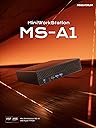
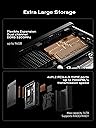
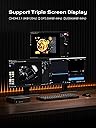
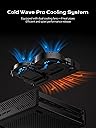
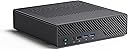
The MINISFORUM Mini Workstation MS-A1 Barebone is a compact yet formidable mini PC featuring the cutting-edge AMD Ryzen 9 9950X processor with 16 cores and 32 threads, capable of reaching speeds up to 5.7 GHz. Designed for professionals who demand high performance, it supports up to 96GB DDR5 RAM and four M.2 PCIe 4.0 SSDs, delivering ultra-fast storage and massive capacity. Its advanced Cold Wave Pro cooling system ensures quiet and stable operation. With versatile connectivity options including dual 2.5G LAN, OCuLink for external GPU support, HDMI 2.1, and USB-C, this barebone workstation offers unparalleled flexibility and future-proofing for demanding business and creative workflows.
| ASIN | B0GL2NPL27 |
| Aspect Ratio | 16:9 |
| Best Sellers Rank | #2,406 in Computers & Accessories ( See Top 100 in Computers & Accessories ) #80 in Mini Computers |
| Brand | MINISFORUM |
| Built-In Media | Mouse |
| CPU Model | Ryzen 9 |
| CPU Model Number | AMD Ryzen 9 9950X |
| CPU Speed | 5.7 GHz |
| Cache Memory Installed Size | 16 MB |
| Cache Size | 16 MB |
| Connectivity Technology | Ethernet, HDMI, OCuLink, USB |
| Customer Reviews | 4.4 out of 5 stars 135 Reviews |
| Display Resolution Maximum | 3840x2160 |
| Graphics Card Description | Integrated |
| Graphics Card Interface | PCI Express |
| Graphics Coprocessor | Integrated Graphics |
| Graphics Description | Integrated |
| Graphics Ram Type | GDDR4 |
| Hard Disk Description | SSD |
| Hard Disk Interface | PCIE x 4 |
| Hardware Interface | Ethernet, HDMI |
| Human-Interface Input | Buttons |
| Keyboard Layout | QWERTY |
| Manufacturer | Micro Computer (HK) Tech Limited |
| Memory Clock Speed | 5200 MHz |
| Memory Speed | 5200 MHz |
| Model Name | DeskMini |
| Model Number | MS-A1 |
| Native Resolution | 3840 x 2160 |
| Number of Component Outputs | 2 |
| Operating System | OS |
| Personal Computer Design Type | Barebone |
| Processor Brand | AMD |
| Processor Count | 16 |
| Processor Series | Ryzen 9 |
| Processor Socket | Socket F |
| Processor Speed | 5.7 GHz |
| RAM Memory Technology | DDR4 |
| RAM Type | DDR5 RAM |
| Ram Memory Maximum Size | 32 GB |
| Resolution | 3840 x 2160 |
| Specific Uses For Product | Business |
| Total Number of HDMI Ports | 1 |
| Total Usb Ports | 6 |
| Unit Count | 1 Count |
| Video Output | HDMI, DisplayPort |
| Video Output Interface | HDMI, DisplayPort |
| Warranty Description | 2 |
C**N
The best value homelab computer on the market!
After reading so much hype about the MS-A2, I couldn't wait to get my hands on one! I already have an MS-01 and MS-A1, so I was super excited to see how much the tech has evolved in the last year. The MS-A2 is essentially in the same case as the MS-A1, but packed with a lot more power! I was a bit saddened to see there is no USB4 support or Gen5 NVME and has just one HDMI video output . It does have two type-C USB 3.2 Gen2 10Gbps ports that support display port out, so you can add two additional monitors (for a total of three monitors at the same time.) It has two 2.5GbE ethernet ports. One is Intel-based, the other is Realtek based. In addition, it also has two SFP+ ports based on the Intel X710 network chip. The WiFi 6E and Bluetooth are from a Mediatek RZ616 m2 network adapter inside. It is now possible to get 64GB DDR5 SODIMM memory modules, so two of those DO work in this system for a total of 128GB of RAM!!! Of course, I had to get the Ryzen 9 version 9955HX, which has 16 cores and 32 threads. That CPU can turbo up to 5.4GHz! For storage, there are three M.2 slots that can fit either M.2 2280 (80mm) or M.2 22110 (110mm) NVMe SSDs. Yes, you can use RAID 0 or RAID 1 on them! It also includes an adapter if you want to use U.2 enterprise-class server storage drives. This Mini PC is no toy! The power brick is 240 watts! It's amazing how much power, performance and reliability you get for such a low price in such a small and quiet package! Yes, you can absolutely hear the CPU fan ramp up when it's under a heavy workload, but it is much quieter than the CPU coolers of yester-year! Opening up the system to work on it is just a push button away. No tools required! You push a button in the back and the entire case pulls off like a sleeve! There is an option to slot in a OcuLink PCEi card if you want to have an external GPU, though I'd just get a regular tower PC if that was my intention, personally. This is THE best value homelab computer available today! I am absolutely smitten with this workhorse!!!
J**A
Rare Gem with flaws (update)
((((update - swapped out my indium foil on the amd 9600x cpu in minisforum ms-a1 chassis with thicker foil 8-10c lower at idle, 7-10c lower at load 66c igpu without extra fans 63.8c igpu with extra fans 80-83c cpu temp (core) not bad for such a iffy cooler / heat block design for full socket going to try it in my ms-a1 that has a 7950x3D next - end update)))))) rare setup. very attractive. Pros: * cpu socket * removeable wifi/bluetooth chip * runs old win10 and many *nix os * amazing connectivity port options * bios reset button is hidden for basic security * bios battery wires have a connector to disconnect current to hard reset bios * extreme mobility * barebones option * price Cons: * bios lacks maturity * bios lacks features * bios will not properly reboot after conflicting option changes, meaning you need to take the front flash cover off to access the bios reset button * bios battery appears to be hard to replace as it has some plastic shrink wrap around it. wires might be soldered. idk. * minisforum website drivers appear to only work for win11. there are win10 amd drivers for cpu igpu that work on old win10 * heat sink sucks. 9600x idles around 78 celsius with indium foil, even at 30 watt limited ppd, 7950x3D idles around 90 celsius with a low quality thermal pad from amazon. i aim to customize mine for the new ice giant 360 cooler coming june 2025. however, amd software reports the gpu side of the 9600x to idle at 58 celsius. i ran furmark 2 and Prime95 stress tests for 20 minutes each. igpu max temp 78-80 celcius, cpu max temp 91-92 avg 90 celsius. i think since the igpu reads lower temps on the same die as cpu heat sensor that cpu temp might be a core temp. however amd did say the 9950x3D would have a revised layout so some heat generating parts wont overheat the chip by placing them closest to the surface of the chip... so who knows this heat issue could partly be the combined fault of amd, the bios, and the cooler. custom solution required or dont buy. * many linux distros dont have compatible firmware for network card or graphics, etc. some do though. including older versions of distros oddly. * as ive read online updating the bios is a chore and not for averagw users who have never touched a command line overall, for what it is, i highly value this unique product. it is for niche users, but i own 2.. one from amazon and one ordered from minisforum website. 5 Stars given, but i would deduct 1 for bios and drivers, especially linux drivers and old win10 driver availability. the heat issue deserves 1 star deduction but since i will customize i will allow a pass.
R**N
Ultimate home lab starter server
The Minisforum MS-01 is hands-down the best mini PC I’ve ever used for a home lab/server setup, and I’ve gone through more than a few (N100 minis, old Intel NUCs, used ThinkCentre tinies, etc.). This thing is a beast in a ridiculously small package. What makes it the “ultimate” for homelabbers: • CPU: The i9-13900H (or 12900H version) absolutely flies. Running Proxmox with a dozen VMs and LXCs (Pi-hole, Home Assistant, Plex, Nextcloud, WireGuard, etc.) and it barely breaks a sweat. Pass-through of the iGPU to a Jellyfin/Immich VM works flawlessly for hardware transcoding. • I/O is insane: Dual 10GbE SFP+ ports AND dual 2.5GbE RJ45. Finally a mini PC that doesn’t choke my network. The PCIe 4.0 x16 slot (x4 electrically) let me drop in a real quad-port 10GbE NIC without any compromises. • Expansion: Two M.2 2280 slots + one M.2 22110 + a U.2 NVMe connector. I’m running 12 TB of fast storage inside with zero external drives. Hot-tier, warm-tier, cold-tier—all in one tiny box. • Build quality & thermals: Surprisingly quiet under normal load, and even when I push all cores it never thermal throttles. The cooling solution is clearly over-engineered in the best way. • Power draw: Idle at ~18-22 W with everything running (Proxmox + services). That’s stupidly efficient for this much performance. Minor nitpicks (because nothing is perfect): • It’s not exactly cheap, but you get what you pay for. • The internal USB header situation is a little awkward if you want to run a Coral TPU or something similar. • BIOS is still getting updates—some early quirks with sleep/resume are mostly fixed now. If you’re tired of outgrowing every “mini PC” after six months and don’t want to run a loud 1U rack server in your apartment, the MS-01 is pretty much the endgame. I wish I bought two. Highly recommended for anyone serious about self-hosting or building a compact, high-performance home lab. 11/10 would buy again. Lots of ports,games ok, fast speed and easy to setup
T**U
Fast and compact system. Great for proxmox!
Update to my review based on both my own troubleshooting and help from MINISFORUM tech support. I have determined that one of my 48GB SODIMMs was bad and am in the process of replacing it under warranty. It appears that the issue was not directly related to the MS-A2 itself. The SFP+ ports work well with my fiber modules, using older HP multi mode modules as well as a newer long-range single-mode module. Some of my concerns are still relevent: First, none of my high-density Crucial 5600 SODIMMs (either of the 32GB nor the one working 48GB) work correctly with default BIOS settings. I have to boot into the UEFI BIOS and manually select the overclocking setting and then choose either 5200 or 4800 (I can't get it to run at 5600). Once that is done, they will pass memtestX86+ and work OK. Second, the temperature still runs quite hot when running Proxmox. It is pretty much as expected though, so I don't consider this a negative of the product itself per se. Original Review Below... Does not POST with Crucial 48GB DDR5-SODIMM modules, despite numerous reports online that it should. After manually adjusting DDR speed to 4800, I was able to get a single 48GB to POST and run. It does work with the same model 2x16GB DDR5-SODIMM and 2x32GB DDR5-SODIMM modules from Crucial. CPU runs reasonably fast and has reasonable thermals. Storage runs very hot though. Even with NVME heat sinks installed, I am getting WARNING Temperature reports via SMART when running Gen 3 NVME drives, not even using Gen 4s.
T**.
Great Item As Long As You Are Aware of Several Caveats
I am giving this a five star but wish I could give 4.5 instead. First, I got the bare version (CPU, but no memory, disk or OS). Overall, this is a great system, especially for a homelab (or in my case, a small hosting datacenter) for use as a virtual server (Proxmox 8.4.x in my case). However, you will want to be aware of a number of caveats in function vs. marketing. 1. The x16 PCIe slot in the device is only wired to x8, but it is x16 in size 2. The two SFP+ 10g ethernet connection are only wired to x4, whereas they would require x8 if they were to need to operate under full 10g load. This means that under heavy network load, your OS will experience 'network flapping' and intermittent momentary outages/pauses (which in a virtual environment for HA in particular is problematic) 3. Thermals are TERRIBLE at the default configuration. First, the paste applied at the factory/during assembly is either way too much, or way too little (I have three of these, have seen both). In order to prevent this device from hitting thermal loads that cause a shutdown, you need to pop off the CPU cooler, clean off the factory paste, and redo it correctly using a good paste. Make sure you change the fan speed in BIOS to always be full and as an extra precaution, reduce the CPU power draw from the default 75w to 55w (you can go as low as 45w). With these changes and the addition of an Intel 10g x8 network card, I was able to complete an hour of full load on both the CPU cores AND network while keeping temps under 85'C, while normal virtual loads didn't exceed 70'C If you understand and are prepared for all of that, you cannot beat the size and performance of this device for that kind of use case.
L**R
High-quality great support
This is an ideal, small PC with extreme capability. I like the fact that it has ECC memory for Linux and supports several small form factor graphics cards. I needed support after sales and the support after sales was excellent. It does require some skill to assemble and upgrade, but it is well built. I recommend this.
R**.
Does not work well with external audio interfaces....
I bought it for audio production proffetional studio . Computer does not wirk with external audio interface - I tried it with motu ai24 and also ableton push3 -both cases there are cracks and noises and no smood sound ..... Minisforum site service didnt replaied my messages and ....no service !!! Thanks to amazons service that took care of me and i sent it back anf got the full refund ..... Im very disapointed from the situation because the basic spec looks great for my needs.....
N**H
A tiny beast
I recently purchased the **Miniforums MS-A01** for my home lab, and I couldn't be happier! The sleek and compact design fits perfectly in my workspace, making it not only functional but also aesthetically pleasing. This little powerhouse handles everything I throw at it—from running virtual machines to hosting my personal website—smoothly and efficiently. It operates quietly, even under heavy loads, thanks to its effective cooling system. This is a huge plus for a home environment! If I could change one thing, it would be to switch the SFP ports to Ethernet. While SFP is useful for certain applications, having more Ethernet options would enhance versatility for home users. Overall, the **Miniforums MS-A01** is a fantastic investment for anyone needing a powerful, easy-to-manage home lab server. Highly recommended!
P**A
The Power Supply Died within 1 year.
J**.
La PC funcionaba bien, hasta que
He tenido problemas con el ventilador principal, ya que tiene 2 y el más grande que es el que disipa la mayoría del calor se desactiva de la nada, al principio crei que era mal contacto pero no, simplemente deja de funcionar, tengo que apagar la computadora y volver a encenderla, este problema hace que todo el chasis se caliente y termine afectando la temperatura del SSD y supongo que de otros componentes también, quiero esta PC para usarla desatendida y via Remota, pero este problema es de tomar en cuenta de que tengo que estar verificando qué no tenga este fallo
L**.
Just works
Fast reliable rig, no issues runs linux where Bluetooth, wifi and ethernet just works
B**+
U.2 adapter is missing from the package
Just like other Minisforum products it is very well made and no issues so far. I have 4 more HX99G and UM790Pro units and all work like charm. The only problem with this MS-A1 is that the U.2 adapter was not included in the box. This was the main reason that I purchased this Mini Workstation for. That is why I have given this one 2 stars only. As the package seemed to be factory sealed, I assume that Minisforum assembly line did not put it in the box at the first place. I appreciate if Minisforum could send me the adapter.
N**M
Great Product and Great Service
This is a great workstation for somebody that’s looking for a home lab or other powerful PC. Miniforum makes a strong product at a great price point. I’ve had contact support in the past on other products from this company, and their customer service is amazing and very quick to resolve issues.
Trustpilot
1 week ago
1 month ago