Desertcart purchases this item on your behalf and handles shipping, customs, and support to KSA.
⚡ Elevate your workspace: one dock, endless productivity.
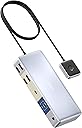
The Anker 553 USB-C Docking Station with KVM switch is a powerhouse for professionals juggling desktops and laptops. It supports dual 4K@60Hz monitors, offers seamless one-click switching between devices, and delivers up to 65W charging. With a rich array of ports including USB-C, USB-A, HDMI, DisplayPort, and AUX, it streamlines your workspace by consolidating peripherals and displays into a single, sleek hub—perfect for the modern hybrid work lifestyle.

| ASIN | B0C9CFTX3X |
| Best Sellers Rank | #124,006 in Computers ( See Top 100 in Computers ) #301 in KVM Switches |
| Brand | Anker |
| Color | Gray |
| Colour | Gray |
| Compatible Devices | Desktops, Digital Cameras, Headphones, Keyboards, Laptops, Monitors, Mouse, Smartphones, Speakers, Tablets |
| Compatible devices | Desktops, Digital Cameras, Headphones, Keyboards, Laptops, Monitors, Mouse, Smartphones, Speakers, Tablets Compatible devices Desktops, Digital Cameras, Headphones, Keyboards, Laptops, Monitors, Mouse, Smartphones, Speakers, Tablets See more |
| Customer Reviews | 3.4 out of 5 stars 140 Reviews |
| Hardware Interface | USB |
| Hardware interface | USB |
| Item Dimensions L x W x H | 17L x 7.2W x 2.8H centimeters |
| Manufacturer | Anker |
| Mfr Part Number | A83K2 |
| Model Number | A83K2 |
| Number of Items | 1 |
| Number of Packs | 1 |
| Number of Ports | 8 |
| Product dimensions | 17L x 7.2W x 2.8H centimeters |
| Total Number of HDMI Ports | 1 |
| Total USB ports | 4 |
| Total Usb Ports | 4 |
| UPC | 194644149420 |
| Unit Count | 1.0 Count |
| Wattage | 65 watts |
A**X
Good docking
Since I work remotely from home, I needed a docking system for my work PC and laptop. I chose Anker, my favorite brand, for its reliability. However, this time, the KVM docking system has some minor issues that left me slightly disappointed. I connected two monitors to both the PC and laptop. Whenever I switch between the two systems, one monitor goes dark. I have to manually turn the monitor’s power button off and on to reactivate it. Despite this, switching between the systems is seamless and straightforward..
A**N
Not a perfect product, but a bit of a magical one
So you have a desktop with the usual USB and DP/HDMI ports. You have a laptop (Macbook, Windows, whatever) that can do charging/video output/peripheral input via one USB-C connection. And you want to have a desk space where you can use the same monitor, keyboard, and mouse for these computers with minimal faff and minimal wires. Seems simple, right? Except this is literally the only product I've found that handles this all seamlessly! My wife and I share a desk, and this is perfect for allowing me to keep my desktop tower at that desk, while also making it simple for either of us to plop down and use our work or personal laptops with a second screen and good peripherals. One button press, and you're good to go. I can't recommend this enough for people in a similar situation (which I'm guessing is an increasing population in the post-COVID work from home age?) This isn't a perfect product - as others have said, it's quite plastic-y, the wired remote is a bit annoying, and it's certainly pricey. I would love to see competition for this device from some of the other big players in the dongle/hub market (UGreen?) However, if you're someone with a similar setup who doesn't mind paying a bit extra to save desk space and have the minimal wires possible, this is a great product. Very happy with the purchase so far.
W**G
To me, it works very well
I was hesitated to pull the trigger after reading all the reviews. However, I decided to give it a try as it is pretty much one of the only two options in the market that do a clean connection between a laptop and a PC. Luckily, it works flawless in my case. I have an Alienware ultra wide monitor, a Thinkpad and a ROG tower PC. Everything work as it should and the switch takes one to two seconds, which is the same as my KVM hub, so I am really happy with the result. Laptop charges normally as well. There is one time that the laptop cannot detect the monitor, but a simple push of the power button and push again solves it
T**H
Poor Build Quality for the Money
Given the cost of this KVM relative to others on the market I was expecting a premium product, unfortunately this was not the case. The build quality feels very poor, the entire case is made of a cheap plastic. I ended up returning it and opting for a much cheaper alternative with a better quality build.
J**U
Not recommended - Toggle button stopped working
the docking station doesn't detect the laptop when the system is powered on or after sleep. I have to unplug the usb-c cable and plug it back in. After a month, the switch to toggle between computers stopped working. Not recommended at all. Found kceve docking station less expensive and has better performance than this one.
Trustpilot
2 days ago
2 weeks ago