Buy anything from 5,000+ international stores. One checkout price. No surprise fees. Join 2M+ shoppers on Desertcart.
Desertcart purchases this item on your behalf and handles shipping, customs, and support to KSA.
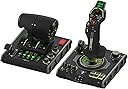
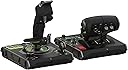
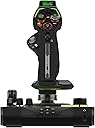
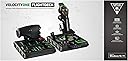
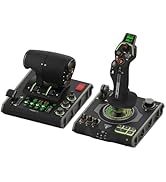
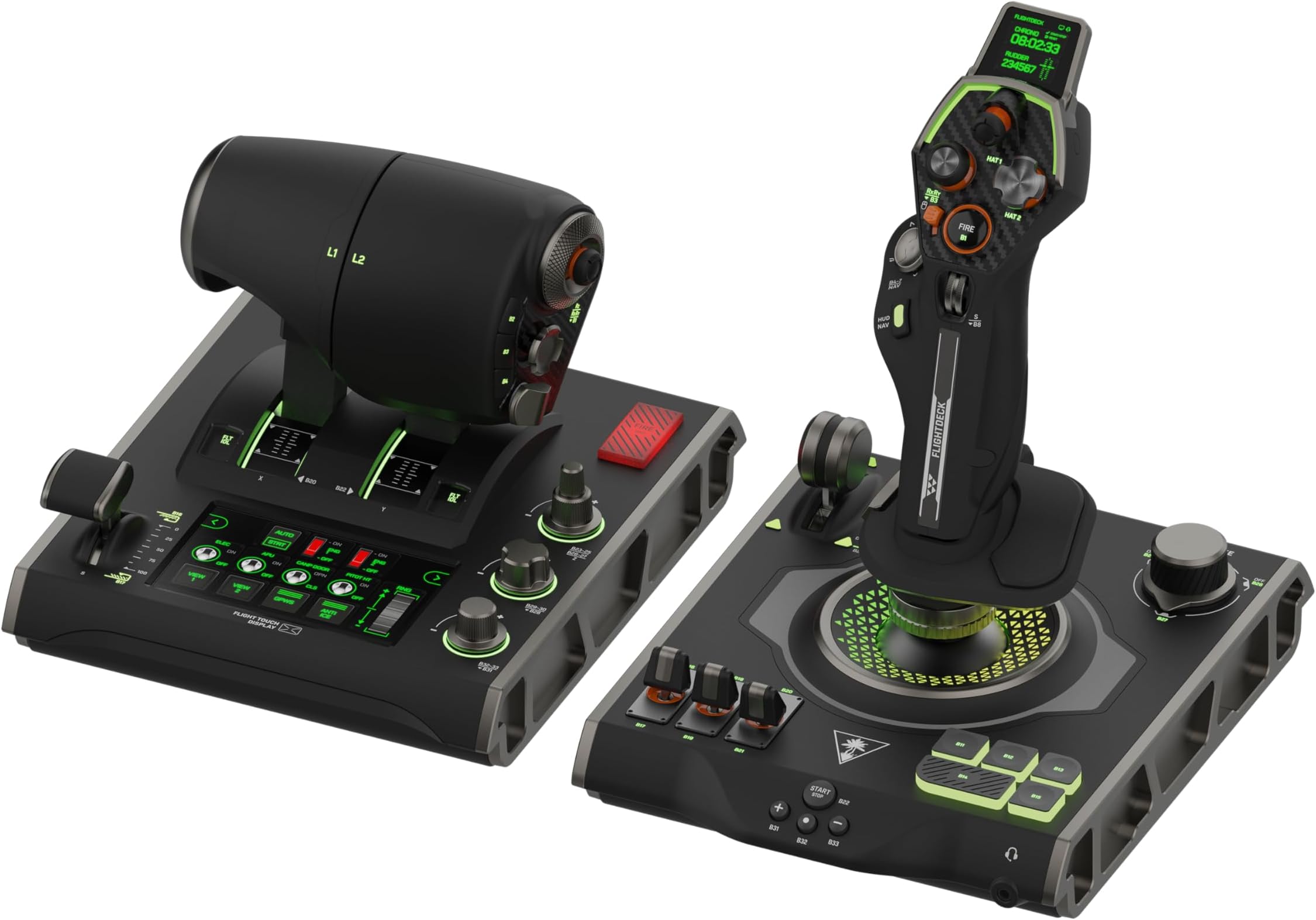
✈️ Elevate Your Flight Sim Game with the VelocityOne Flightdeck — Control, Customize, Conquer!
The Turtle Beach VelocityOne Flightdeck is a premium HOTAS system designed for Windows 10 & 11 PCs, featuring the world’s first fully programmable Flight Touch Display, 139 programmable controls, and contactless Hall-Effect sensors for precision. Its modular stick with adjustable height, OLED Head Up Display, and customizable RGB lighting deliver unmatched immersion and comfort. Compatible with top flight sims like Microsoft Flight Simulator and DCS World, it offers extensive customization via the Flight Hangar app and integrated audio enhancements for a truly immersive combat flight experience.


| ASIN | B0CPQ7RF6Z |
| Additional Features | Audio Advantage, Flight touch display, HOTAS System, Modular Stick, Throttle controls |
| Best Sellers Rank | #904 in Video Games ( See Top 100 in Video Games ) #5 in PC Game Flight Controls |
| Brand Name | Turtle Beach |
| Button Quantity | 139 |
| Color | Black |
| Compatible Devices | PC, Windows |
| Connectivity Technology | USB |
| Controller Type | Joystick, Throttle Quadrant, Yoke |
| Customer Reviews | 4.0 4.0 out of 5 stars (2,242) |
| Global Trade Identification Number | 00731855007240 |
| Hardware Platform | Desktop, PC |
| Item Dimensions | 6.93 x 20.63 x 10.04 inches |
| Item Weight | 9.41 Pounds |
| Manufacturer | Turtle Beach |
| Model Name | VelocityOne Flightdeck (TBS-0724-05) |
| Package Quantity | 1 |
| Power Source | Corded Electric |
| UPC | 731855007240 |
| Warranty Description | 1 year limited manufacturer |
A**X
Amazing HOTAS for the price
(Bought on sale) I have owned this HOTAS for a few weeks at this point with regular use in combat flight simulators (DCS World, War Thunder), and I can confidently say that this is an amazing HOTAS system for the money, Turtlebeach really outdone themselves with this product. The build quality is amazing and all the buttons and switches function perfectly. However, and this was stated quite a lot before me- The three switch covers on the Joystick base feel loose and wobble on the metal switch arm itself- However for me it is not an issue at all. _Stick_ Pros: - Stick grip is very ergonomic and fits most hand sizes with the sliding feature. - A lot of programmable buttons, switches, HAT switches, joysticks and rotary switches. - Build quality is amazing for the price. - Very satisfying buttons and switches. - Very responsive gimbal. Cons: - Pretty useless screen ontop of the stick - "Mouse" feature on the pickle button is very rough and unresponsive, as well as also being useless as it is right now with how choppy it is. _Throttle_ Pros: - Very accurate throttle readings. - Extremely smooth throttle sliding. - "Fire" button extremely satisfying to press (personal opinion) - Many useful buttons, HAT switches, 3 position switches and joysticks all over the throttle grip. - Split throttle feature, can prove useful in certain twin-engine aircraft. - Useful programmable screen (Can make your own switch panel using keyboard bindings in the software) that makes use of digital switches, dials and buttons. - Satisfying knobs and dials near the throttle grip Cons: - Never found a use for the "flap" lever as no game I tried recognizes the lever moving (as an axis), instead recognizing the switch clicks on the bottom and top of the travel - Touch screen is pretty low framerate and can wash out at certain angles. Overall, I really recommend buying this HOTAS system as it is a great product overall and you get an amazing system without breaking the bank like some of the more higher end HOTAS out there by Thrustmaster, Winwing, Etc. And you get a lot for what you pay which is always a big plus!. and I really recommend buying the Turtlebeach Rudder pedals along with this HOTAS system for an immersive flying experience!.
K**O
You need to read this. LCD Pixelated Day 2 MASSIVE POWER PROBLEM
I ignored the negative reviews on this stick. Day one I thought it was amazing. The throttle felt great, the stick was awesome, it had so many customizable issues!!!!!! The materials felt amazing. I was really excited. I am not a picky person with electronics nor am I rough on them. I was locing every bit of the velocity one flight deck. I returned an X56 for throttle issues within a week. I am not a picky person but when the trittle sticks at the detents every single time it's moved after 20 hours of use it's going to keep doing it. The stick also started creaking. It felt like it was going to break. I was ignoring bad reviews there too. So 2 days in and maybe 8 hours total playtime the LCD touch display pixelated. I unplugged it and plugged it back in, tried changing ports, reinstalled the profile, nothing fixed it. I noticed during this that the power slowly cut out to my Stealth 700 dongle in the same USB 3.0 hub (powered) on the front of my Alienware R16. This throttle nearly burned out my hub. I let things cool and my dongle worked again but the port the throttle was plugged into doesn't even wanna enable my simple thrustmaster hotas one, though the system detects it and "dings". I'm now worried that port is fried and will need repaired as it doesn't seem to be working properly. Edit: Tested port again in the a.m. and everything is working fine. It di not fry my port nor did the port do this to the throttle. I have put many devices in that same port and this is the only one that developed an issue. I bought the assurion protection plan but I am in no way accepting a replacement. I am not endangering my PC again. This will be a full refund return and I will be emailing Turtle beach about this as well. DO NOT IGNORE THE BAD REVIEWS. I did it twice and I am regretting it. I also don't know where I'm going from here. There's nothing really left in the $200 to $500 price range for a full hotas with more than 12 buttons. Virpil, Thrustmaster (high end highly reviewed stuff not the T16000M), VKB and Honeycomb are all going to be at least $700 to over $1,000 to get something similar.
A**R
Awesome setup
This wasn't necessarily a wise investment, but it is objectively the coolest thing I own. It works great. Tons of customizability, you'll spend a lot of time setting up key bindings if you want to use it to most of its potential. If you're really creative (and have undiagnosed autism) you can use JoyToKey to bind arbitrary inputs or macros to either controller for crazy things, I spent 4 hours setting up the joystick to be my brush controls for a 3D sculpting application, which is obviously not the typical use case, but it works. It has options you wouldn't think to realize you're missing, e.g. skipping the use of a mouse entirely with a sort of trackball (touch based), look that up if you need accessibility options or a way to use a mouse without moving your hand. Really this has way more gizmos than I can explain here, the customization on the menus for the throttle controller are also pretty crazy with arbitrary digital button arrangements and inputs (you can have multiple presets too). A lot of the triggers are both analog and binary, meaning you could press shift to activate the trigger as an analog controller for zoom, and then have it continue to operate to fire when it's fully depressed. You don't have to use that functionality, but it's great that you can. This flexibility applies even to something like a scroll wheel: it can operate as a simple plus or minus, or an analog scale. If you need something to continuously provide a value, not just shift it, that's why that's so important—think having a smooth gentle rudder input vs. tapping it fully for a short moment repeatedly. My only gripe was that my firmware upgrade didn't go through initially when I tried it with their application (which is also great itself.) No harm done, but the scare kept me off from ever trying the update again.
M**O
Returned
I had this hotas for a week and I was seting up the buttons to use it on FS2024. Since the second day of use I found out that the throttle stick display was all black with no graphis and throttle not being recognize. A couple of time i had to factory reset it and it was working. So it was acceptable. I thought there wil be another update to fix. But 2 days ago there was no way to make it working. The flight stick was ok no issue but the throttle no way to have it recognize. It did not reset and anything else was possible to do. So I decided to return. Its built quality is good and feels premium, the stick is based on cup spring but generally smooth and great adjustment for many hand size. The throttle a bit hard but generally nice building quality. I was unhappy to return it but after this experience I prefer not to buy another one. I will see after Xmas if anything new come out. 2 stars due for the unpleasant experience.
J**S
Very nice controllers BUT game compatibility is lacking (11 games) - support is awesome
I bought Everspace 1 hoping I could use the Flightdeck with it, and while I like the game to a certain extent, I am thoroughly P!$$3d 0ff that my flight stick and throttle aren't compatible with it. I have played with both the keyboard and mouse, as well as an Xbox contoller; while the game is playable with either (each has definitive pros and cons compared with each other), I would have much preferred using the flightstick (Turtle Beach Velocity One Flightdeck, so shame on them for not supporting their hardware better). Supposedly they are compatible with Everspace 2, but I just wasn't impressed with the first one enough to want to spend money on the second (at least I'll probably buy it when it goes on a good sale). To be fair, while my Flightdeck is nice, really nice, however, the support for multiple games REALLY $uck$. At this time Turtle Beach is only showing they are compatible with only 11 games, WTF??? for as expensive as it is, really? But I suppose that part of that is in the game makers too, having so little compatibility with more "elaborate" controllers, which again is why I'm kind of disappointed in Everspace, so shame on them as well. Truthfully, I don't really like using the Xbox controller for most games other than some platformers, for flight games, even this one which is a more "basic" sim (well okay, not sim, more of a shooter), I just don't like controlling with it (forget using it in an FPS, it feels like you're playing gimpy-games). Regardless, any game that offers any kind of flight mechanic, I'd prefer to use a flightstick, just as any driving game I'd prefer to use a wheel... Anyhow, it would have been REALLY nice if the Flight Hangar software offered better flexibility to allow users to at the very least emulate other controller profiles, such as the mouse for flight stick or having you be able to mimic a game controller input so at the very least be able to play "legacy" games, like the old Star Wars games, No Man's Sky, any number of mech games. Really any game you can ride or fly something, a compatibility mode or legacy mode would be really nice. Right now, I only have 2 games that this system is actually compatible with, Elite Dangerous and Star Wars: Squadrons. The others that are compatible I don't have or have much interest in playing. I should have researched this system more than I did to be honest, but I had faith in Turtle Beach products, at least until now. This was a LOT of money to spend to be only able to use it for two games :s I'm really hoping more game compatibility is to come, and more games. So yes, I really like the Flightdeck system, but I am really disappointed in the games supported and the ability to modify control settings. To be fair, on behalf of Turtle Beach, their support is really top notch. I had a problem with the controllers out of the box, and they immediately sent me a replacement. The support staff was extremely polite and efficient. Kudos to them. PS another future add-on that would be nice is to be able to have more control over the skins the throttle display, stick HUD, and tablet controls (nice feature BTW) can have applied. The stock ones could be nicer (or at least Turtle Beach could add some more).
R**R
RETURNING THE POS. from 5,4,3 and now 1 star which is to much RETURNING.
update I have 10 more days to be able to refund from amazon. It's GOING BACK. Nothing but trouble. The forums all say the same. Mine now stopped working on the stick side. Doing a firmware update again and will see. Original revoiew below. I LOVE the rubber coated feel. HOWEVER a week later the throttle lighting started to FLICKER. I looked online and found other saying this and some say they don't work (left side throttle "at all". Other commends in reddit about it is some guy has on his 5th replacement, other guys talking about things not working and I'm on the verge of sending it back for a refund. TORN as the 500-600-800 units are massive metal and I love the layout, side and feel of this. But I can return now? or fight with warranty later? It may be best to return it... I have a month or more to do so. Love the weight, size, design. Lots of controls... wow. Don't like Tension is to strong, (on throttle and spring on the stick). Not horrible, but not comfortable either. Lacks a USB port to plug the throttle into the stick, so I have TWO CABLES running to the PC. I'm buying 3 extension cables to route them together under my chair. I wish it had more mounting holes on the bottom. It has 3 and they didn't line up with my hotas CLAMPS. More holes doesn't cost more on their part. Just a hair more time. Instuctions are weak. It should be in depth. However after a couple hours I did figure out most of it. But I'm a long time computer geek. Doesn't seem to be supported by FS2024 yet. I can use it and program it myself but there are hundreds of buttons if not more and FS2024 wants a setup for each plane. Means 10's of thousands of programming steps. STILL: I was so so at first, the more I learn it and use it the more I love it. If it had more mounting holes on the bottom and better (online) full documentation - I'd give it 5 stars.
G**1
Great buy
Absolutely love this joystick set up. I am rough as can be on my flight sticks. I fly on flight sim 2024 I also played DCS and other flight Sims and let me tell you this thing is built solid unfortunately for other people they must’ve had defective builds or something, but I think it’s absolutely wonderful. A little difficult to figure out how to set up the push button screen but other than that excellent
C**S
Promising but lots of QC issues and mediocre software.
Multiple buttons on the stick base would stick when pushed which would get better with use but would still end up sticking occasionally when used which I consider a critical failure in QC. The throttle touch screen doesn't support holding down a button, you can configure it to do multiple button presses but it doesn't let you press and hold a button even though it has various ON/OFF toggles but they are all momentary with virtual toggle UI but not actual toggles with separate keys or held down buttons. A very promising design but for the price it shouldn't have these shortcuts.
I**R
Flight Deck not working from package
Flight deck not working from the box, but bought it for xmas for my son, so now too late to return. Terrible product it seems
C**N
Perfecto
Su funcionamiento es perfecto no ha habido ningún problema a la hora de conectarlo con el PC
ソ**郎
自由度高い
msfs2024及びxplane12で GA機体のみ使用 スティック センターが強めにホールド ボタンが多い 設定自由度 良し バイブ振動も感覚を高める スロットル プログラム設定 自由度 お気に入り! オートパイロットやアプリ操作にも設定出来る! バイブ振動でスロットル位置を設定出来る 視野の切り替えも可能 自己流コックピット構築とすぐに 撤去して ブラボーとハニカムに変更も可能。 あくまで 自己流に徹し こうあるべきはこだわらない 楽しめる環境が1番 正面 15.6タッチパネル littlenavmapやBGM再生 air manager用
S**I
Firmware‑kaos och noll tillförlitlighet
En produkt som hade kunnat vara riktigt bra, men som faller platt på grund av Turtle Beachs bristande kvalitetskontroll och otillräckliga funktionstestning innan leverans. Resultatet är en enhet som känns som ett lotteri att få igång. Firmware‑uppdateringarna fungerar ibland, ibland inte alls, och jag har lagt betydligt mer tid på att felsöka än på att faktiskt använda produkten. En snabb sökning online visar att många andra upplever exakt samma problem. Mitt råd är enkelt: undvik den här produkten, spara både tid och pengar och välj något mer pålitligt.
G**X
Déçu,..
Un bouton ne fonctionne pas et hier tout le système tactile m'a gentiment dit d'aller voir ailleurs si il y était, ça aura fonctionné une semaine, je vais demander un échange ou un remboursement, sinon bel appareil, en jeu pas de soucis fonctionne au top
Trustpilot
2 days ago
1 week ago