Buy anything from 5,000+ international stores. One checkout price. No surprise fees. Join 2M+ shoppers on Desertcart.
Desertcart purchases this item on your behalf and handles shipping, customs, and support to KSA.
💡 Elevate your space with smart lighting that works as hard as you do.
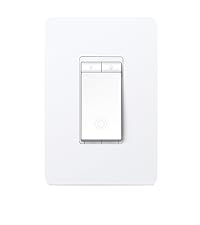
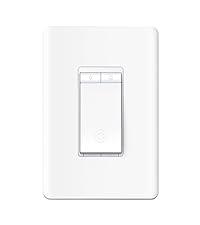
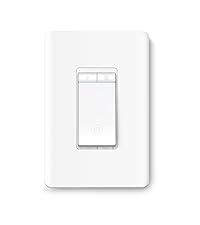
The Kasa Smart Dimmer Switch HS220 is a UL-certified, Wi-Fi-enabled single-pole dimmer requiring a neutral wire and 2.4 GHz network. Compatible with Alexa and Google Home, it offers app-based control, voice commands, customizable fade lighting, and advanced scheduling including an Away Mode for security. Designed for easy installation and reliable connectivity, it delivers professional-grade smart lighting at an accessible price point.


| ASIN | B079775ZZQ |
| Actuator Type | Push Button |
| Best Sellers Rank | #1,159 in Tools & Home Improvement ( See Top 100 in Tools & Home Improvement ) #3 in Home Automation Devices #3 in Dimmer Switches |
| Brand | Kasa Smart |
| Brand Name | Kasa Smart |
| Circuit Type | 1-way |
| Color | White, Alexa Compatible |
| Compatible Devices | Amazon Alexa, Google Assistant |
| Connectivity Protocol | Wi-Fi |
| Connector Type | Screw |
| Contact Material | Copper |
| Contact Type | Normally Closed |
| Control Method | Voice |
| Control Type | Remote, Voice |
| Controller Type | Amazon Alexa, Android, Google Assistant, iOS |
| Current Rating | 2.5 Amps |
| Customer Reviews | 4.6 out of 5 stars 34,755 Reviews |
| Global Trade Identification Number | 00845973083724 |
| Included Components | 1 HS220 Smart Wi-Fi Light Switch, Dimmer, 1 Wall Plate, 2 Wire Nuts, Wire Label sheet, Quick Installation Guide |
| International Protection Rating | IP00 |
| Item Dimensions | 1.77 x 3.35 x 5.04 inches |
| Item Type Name | Dimmer by TP-Link – WiFi Light Switch |
| Item Weight | 3.84 ounces |
| Lower Temperature Rating | 32 Degrees Fahrenheit |
| Manufacturer | TP-Link |
| Material Type | Polycarbonate |
| Model | HS220 |
| Mounting Type | Pole,Wall Mount |
| Number of Items | 1 |
| Number of Positions | 2 |
| Operating Voltage | 120 Volts (AC) |
| Operation Mode | Automatically,Off,Smart Switch |
| Part Number | HS220 |
| Smart Home Compatibility | Smart Home Compatible |
| Specification Met | UL |
| Switch Type | Dimmer |
| Terminal | Spst |
| UPC | 840460604987 845973083724 |
| Unit Count | 1.0 Count |
| Upper Temperature Rating | 104 Degrees Fahrenheit |
| Warranty Description | 2 years |
| Wattage | 300 watts |
M**N
Inexpensive, easy to set up and use and tons of functions. Buying more!
I'm a long time user of the Kasa smart plugs, which have been operating flawlessly for me at several locations for years and all are on schedules. I had no idea Kasa made dimmer switches as I've always just stuck to Lutron dimmers. I saw these on a suggested product on Amazon and decided to give them a try. I've been using the dimmer switch for a about a week now. These ARE EXACTLY WHAT I WAS LOOKING FOR AND EXCEEDED MY EXPECTATIONS. I mean holy crap I'm impressed with the quality, ease of install, set up and functions. I'll be looking for other switches to replace with these. And for the incredibly cheap price (compared to lutron) I really couldn't be happier. I really like that I can use the switch with all functions at the wall as well as on my cell phone.
D**H
Excellent value, works well with Google
I've installed more than 50 of these smart switches across several properties. Price-wise, these are on par with Lutron "dumb" switches that you'd buy at a big box store, and you get much more functionality. Installation is straightforward for anyone familiar with basic electrical work. It's a bit like a GFCI outlet, though- they are fairly bulky, so there's not going to be a lot of spare room in the box. It can be tricky to get two of these into a duplex box. (Waygo's, or very, very neat wiring are your friend) We use these with Google Home, and they work very well. The only complaint I have about the integration is setting them up twice- once in the Kasa app, and then again in Google Home. It would be great if the setup process were all in one place and just flowed through. For example, when i have "Living Room" in both apps, Google Home should realize that I've set up a switch in Kasa and automatically assign it to "Living Room" in Google. I realize that is on Google- it's just something that should be addressed. Once it is integrated, though, you can mimic a much more expensive home automation system. I've seen homes with $30k-$50K just on home automation. These switches do a darn good job of mirroring that, and they don't require a server to run them. We've set up "scenes" like "Hey Google, it's time for movies"- and then Google can address the various switches and dim the lights, close the blinds, etc. It's quite a luxurious feeling. What I particularly like about these switches is that they stay connected to our wifi pretty well. I've experimented with several other brands, and some of them will drop off the wifi on an annoyingly frequent basis. I want to install, then not think about it again. In my primary residence, we have >30 switched that have been running for about a year. Only one has ever needed to be reconnected to wifi, and that has only happened once so far. (btw, reconnecting is relatively easy, as there are reset buttons carefully hidden on the front of the device- you don't have to take it out of the wall). So all in, electronics are well designed, installation is about what you'd expect, and integration with Google Home is pretty good. Kasa has done a very nice job with these switches.
D**.
These are affordable and life changing!
I am just going to come out and say it. We freakin love these things. over the last 4+ years of owning our home we have swapped out almost every single light switch in our house with these Kasa Switches. Models we have: Kasa Smart Light Switch HS200P3 - Your standard light switch Kasa Smart Dimmer Switch KS220P3 - This is your standard dimmer switch Kasa Smart 3 Way Switch HS210 - 3 way switch We are a Google family with the exception of our 12 year old daughter how has yet to see the light but we are working on it. These switches are all hooked up to Google Home so we can either get off the couch and flick the switch like an animal or we can simply say: Hey Google, Turn off the kitchen lights. we have everything grouped in Google Home by room and function of the switch which make it a breeze for even my kids to use. My wife is British and to be fair she does struggle with it understanding her from time to time but I do not encounter that problem so I am giving these bad boys 5 stars. They are a modern bright white that matches our home, the install was so easy that even a colorblind adult (me) could do it, initial setup is very easy but if you do change your wifi name and network details you will need to reconfigure them which can be a bit of a pain in the buttocks. We have only had to do this once and I do not recommend it. We like these so much we have even purchased them as a house warming gift for my ungrateful brother and he is also now hooked on the smart tech they offer. I recommend these and will certainly be buying more in the future.
H**7
Well thought out switch, but with a few quirks
I recently installed a few WeMo switches so I could test them out, but found they weren't well designed and I wasn't particularly happy with them. So I started searching around for a new smart switch (Dimmer), and ran across the Kasa switches. I went ahead and purchased one to test it out. Installation: 5 stars, super easy and much better in my opinion than the WeMo switches. Main wires screw onto to the switch plate, and a couple of wires run off to attach with nuts. WeMo had all wires run off to attach with wire nuts which resulted in large amounts of wire and clutter behind the switches making them much harder to work with. Application: 5 stars, switch was immediately recognized and I had no problems with the application. Unlike the WeMo switches where I had several that had significant problems connecting, and they constantly disconnect. The Kasa switch has had a couple of times where the physical switch didn't work for a short period of time, but the app has always worked even when the switch didn't, and then the following day the physical switch would again work. Not sure if that is the result of a bad switch or if something else is going on, but ultimately it is a relatively minor issue as I can always use the application to turn the lights on or off if needed. Wireless: again the setup and connection were easy, and I haven't had any problems with the switch staying connected to my network and always being accessible via the application. I have loads of problems with this on the WeMo switches. Design: The design is much more well thought out from the wiring to even the physical function of the Switch than the WeMo version. WeMo uses a capacitive touch plate that runs the entire length of the switch. This results in the dimmer level constantly being change, turned off, etc... whenever you turn the light switch on or off because almost the entire switch is capacitive touch. Kasa on the other hand has their dimmer buttons at the very top of the switch so they are never in the way but are very easy to access. Quality: Quality seems to be on par with the WeMo, but the design decisions were clearly well thought out. If feels like someone actually tested the Kasa Switch, while it feels like no one actually ever tested the WeMo switch design of they would have easily seen and addressed several of the blatant issues it has. Note: there is one oddity with the Kasa switch, you may consider it a good or bad thing, but when turning the switch on/off there is a slightly delay (maybe 1-2 seconds). It caught me off guard at first and made me think the switch wasn't working properly. I'm still on the fence on whether this is a good thing or not, I think I prefer the instant switching action, but I can see why some people might prefer the delay and once you realize it is there it is honestly not a major issue. The Kasa Dimmer switch isn't perfect, there are a few oddities to it, but it generally functions well, it seems to be far more well thought out than the WeMo switches and is significantly more reliable as a "Smart" switch. If you are trying to decide between Kasa and WeMo, don't wait, go with the Kasa switches, they are significantly better in almost every way than my WeMo Switches have been. At some point I will be replacing the rest of my switches with the Kasa Switches and removing WeMo entirely from my house as they just have way too many problems with them.
M**W
Great product
Great product, the color match is just a bit off but it’s pretty close. The app makes it super easy to use and the installation took a total of 5 minutes. It does make a noise when turning on and off but so do most smart plugs. The brightness levels are super easy to set in the app and it’s honestly the perfect dimmer switch!
A**A
Amazing product that works amazing even 2 years later! Amazing reset button at the bottom left too!!
Amazing! A year and a half later still Awesome! and for the first time a storm caused my electricity to go off and on and then the light switch didnt work. i pushed the reset way down on the bottom left of the switch for 10 seconds and lights worked again! love love love this switch!
K**.
Simple, convenient
Excellent and easy to install! Works conveniently with the app.
C**K
Wow! Electronics that work great!!
I am recently new to kasa wifi products and am loving it! it all started because I installed white lights and colored lights on my Christmas tree and wanted to control them individually, sometimes just the white, sometimes just the colors, sometimes both so I started looking for a power strip that could do it. i found a 6 way power strip that had a separate push button switch for each of the 6 outlets and as a bonus, with the downloaded software I could control it from anywhere! And I mean anywhere!! Not just within my wifi network!! I wasn't sure what I was getting into but I bought it. It works great. I love that I can set a timer to turn them on and off. ( No "HEY GOOGLE" or ALEXA" for this kid) the app works great! I have since found uses for all of the spaces on the strip for other lights and and even to turn off the aquarium water filter while I feed so it doesn't suck in the food. Then I found I could get individual light bulbs that you can adjust colors and dim! I can schedule the lights to turn on or off at a certain time, even sunrise and sunset, or up to an hour before or after any of those. So now my living room lights come on by them selves 20 minutes before sunset and I turn them off my self when after I go to bed so I can see well down the stairs before turning them off. And when I go to bed, my headboard light is on and waiting for me, which when I'm ready to go to sleep, I don't have to reach up and turn the switch, I just pull up the app and turn it off. Oh! Also, the power strip also tells you power usage from each outlet!!! I installed a switch to control my front outside house lights so now they turn on automagically 30 minutes after sunset and turn off 20 minutes before sunrise and they can still be turned on or off manually. Then plug in outlets, I have two of them now and they do great!! Now just waiting for the ceiling fan and dimmer switches which are now supposed to come out after January!! When those finally become available, I'll be able to control the lights and my ceiling fans from my phone while I watch a movie or whatever!! Sorry this is so long, I'm so excited about these things. Now I have installed these three dimmable switches in my great room to control 3 groups of lights. Now when we want to watch a movie, we don't have to turn off the lights and maybe stumble over things to get to the seats, or live with the lights being on. Now I can get to my seat, snacks in hand, then sit down and turn the lights on or off or dim any of the three groups from the app (though you can still turn them off and on from the switch if you were to insist on being a knuckle dragging neanderthal). Now a few tips, these things seem pretty large but if you compare, the depth is really about the same. Now when you set them up, power up one item at a time, set it up, then do the next as each one has its own id number. as others have said, if you were to install all 3 switches and they were all powered at the same time, you'd likely have issues. For the switches, make sure you have a neutral (usually white) wire available.
N**I
Great switches with great features.
This was the first set of smart switches that i purchased and it was honestly a very confusing endeavor. there are just too many of them out there and a lot of mixed reviews. I ended up buying these on sale and honestly i am quite impressed. They were easy to install, easy to integrate with Google Home, and the app is super easy to use. As soon as you find the device, the firmware gets installed and you're good to go. I've lost electricity twice since they've been installed (not due to the switches) and they have never lost connection to wi-fi. They auto connect and without wifi still function like a regular switch. highly recommend this brand
C**S
No funciona
Nunca lo reconocio ninguno de los modem al que lo intente conectar, absténganse de comprarlo y tirar su dinero
K**P
No good for UK homes
It’s designed for American homes which have a 110V supply. UK homes have a 230/240 V supply so it can’t be used in UK homes
M**.
Brighten Your Nights: Smartly Transform Your Outdoor Oasis!
I recently incorporated the Kasa Smart Single Pole Dimmer Switch by TP-Link (HS220) into my outdoor decking area, and it's been nothing short of transformative. This smart dimmer switch has elevated not just the aesthetics of my outdoor space but also its functionality and security. Here’s why I’m all in on this device: Smart and Stylish: Integrating seamlessly with both Alexa and Google Home, this switch lets me adjust the lighting from anywhere, ensuring my deck always looks its best. Whether I’m setting the mood for an evening gathering or just enjoying a quiet night, I have complete control. Enhanced Security: The ability to adjust lighting levels remotely or set schedules adds an extra layer of security to my home. It's comforting to know that I can make my home appear occupied even when I'm away, deterring potential intruders. Energy Efficiency: Customizable dimming options not only create the perfect ambiance but also help in reducing energy consumption. It’s great knowing that enhancing my outdoor space’s beauty also means being kinder to the planet. Easy to Install and Use: Setting up the Kasa Smart Dimmer Switch was straightforward, and its user-friendly app made integrating it into my smart home ecosystem a breeze. Verdict: The Kasa Smart Single Pole Dimmer Switch (HS220) is an essential upgrade for anyone looking to enhance their outdoor lighting. It combines smart functionality with energy efficiency and added security, all while ensuring your outdoor space looks absolutely stunning. Sharing this gem with friends and family has been a pleasure, as it’s truly a game-changer for outdoor living. In a world where smart home features increasingly become a standard, this smart dimmer switch stands out as a must-have for elevating your home’s exterior lighting game.
G**Y
Great Dimmer
I have two of these dimmers now.it installls in minutes. Simple instruction to follow. I connected it to the Alexa quickly and easily. The Kasa app works great too. You can set a schedule or set it in vacation mode where it picks random on/off times. Great buy.
Trustpilot
1 month ago
3 weeks ago