Desertcart purchases this item on your behalf and handles shipping, customs, and support to KSA.
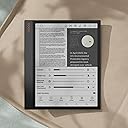
🖋️ Elevate your workflow with the BOOX Note Air 3 C — where paper meets future tech.
The BOOX Note Air 3 C is a 10.3-inch color E Ink tablet designed for professionals who demand versatile reading and note-taking. Powered by Android 12 with 4GB RAM and 64GB storage, it supports split-screen multitasking, seamless cloud syncing, and easy file transfers via BOOXDrop³. Its Wacom stylus and Smart Scribe technology refine handwritten notes into clean, editable content. With 4G and Wi-Fi connectivity, dual speakers, and a battery lasting about a day, it blends the tactile feel of paper with modern digital convenience.


| ASIN | B0CHF423CP |
| Battery Average Life | 1 days |
| Battery Description | Lithium-Ion Polymer |
| Best Sellers Rank | 90,084 in Computers & Accessories ( See Top 100 in Computers & Accessories ) 1,632 in Tablets |
| Bluetooth support? | No |
| Box Contents | Device |
| Brand | BOOX |
| Brand Name | BOOX |
| Colour | Dark grey green |
| Compatible Devices | [INF2] Inferred for general categories of devices that can connect via USB-C, Bluetooth, or 4G, such as keyboards, mice, or smartwatches |
| Connectivity technology | Bluetooth |
| Customer Reviews | 3.8 out of 5 stars 368 Reviews |
| Display Technology | Electronic Ink |
| Display technology | Electronic Ink |
| File Format | PDF, CAJ, DJVU, CBR, CBZ, EPUB, EPUB3, AZW3, MOBI, TXT, DOC, DOCX, FB2, CHM, RTF, HTML, ZIP, PRC, PPT, PPTX, PNG, JPG, BMP, TIFF, WAV, MP3 |
| Human Interface Types | Touchscreen with Stylus Support |
| Item Dimensions L x W x Thickness | 21.8L x 18.8W x 0.6Th centimetres |
| Item Weight | 0.4 Kilograms |
| Manufacturer | BOOX |
| Manufacturer Part Number | Note Air 3 C |
| Memory Storage Capacity | 64 GB |
| Memory storage capacity | 64 GB |
| Model Name | Note Air 3 C |
| Model Number | Note Air 3 C |
| Model name | Note Air 3 C |
| Native Resolution | 300x150 pixels |
| Network Connectivity Technology | Bluetooth |
| Other Special Features of the Product | Flexible Android 12 OS, Convenient Split Screen, Scribble Your Thoughts in a Smart Way |
| RAM Memory Installed | 4 GB |
| Screen Size | 10.3 Inches |
| Screen size | 10.3 Inches |
K**R
Boox Tablet Colour Tablet- Even Better than Remarkable 2
Boox Tablet Note Air 3 C E ink tablet has been one of the best e ink tablet tablets I used. The battery life and the performance is on the next level- even I would say its better than remarkable. The price for this tablet I think would be too expensive, but its worth the price. The writing quality is very smooth and feels like I am taking notes on the paper, therefore you wont have the urge to write on paper notebooks. The tablet using android software, which allows me to download relevant apps, although the colour effects isn't that great, but the screen itself feels more like a kindle- so I use the tablet for reading books and writing notes. The stylus however is a downside. The nibs have to be replaced often because they are made of recyclable cardboard meaning it wears down as you write on the tablet, and the replacement is costly. Please look after the stylus as a more valuable item within the tablet packaging. Overall, the battery last for at least 3-4 months after fully charge. It does not drain heavily- so its recommended for those who are student like me looking for an e tablet like this for their daily use for schools, college and university students. This has been heavily helped me a lot because it allowed me to stop using paper in order to save trees, being greener means looking for alternative. This has been my greatest notebooks of all time.
J**N
Good but not great
I really like the idea of a device that acts as an e-reader and notebook. My choice was between the 3C, Kindle scribe and Remarkable 2. I plumped for the 3C due to its versatility, it runs Android and therefore has access to the apps on the Google play store plus having a colour screen and a fully featured note taking app. Positives: - colour e-ink display, it is not vibrant like the iPad but it does help when reading documents which have graphs and charts - ability to install apps from Google play including Kindle, newspapers and magazines. - writing experience much better than an iPad, feels more like writing on paper as you have more control over the stylus. - comprehensive note taking app with a range of pre-installed templates. - performance is good enough, slower than an iPad because as with any e-ink display it can't refresh as quickly as an lcd or oled screen. - ereading using third party apps (I use Kindle) works very well, page turns are fast and the lighting on the screen can be adjusted to be warmer or cooler as desired. - Boox provides 10gb of free cloud storage. - uses a wacom stylus which doesn't need charging and is perfectly compatible with third party replacement nibs Negatives: - battery life is not terrible, however with reasonable use it will need charging every day unlike other e-ink devices - the magnets attaching the stylus to the side are too weak, it doesn't snap into place and unless you get the placing spot on it will fall off - the charging port is not accessible when the case is closed - the software can be glitchy at times and has a few rough edges Overall I am happy with my purchase, I use the 3C every day and the positives outweigh the negatives.
H**M
Best Option
I have explored Kindle Scribe, Note Air 3 C and Remarkable, This device is the best choice, from price perspective and usability and features. Pros: - You have colorful display so if your books have some images with basic colors it looks good. - Pleasant reading experience from ePub and PDFs. - Smooth and pleasant writing experience with no lag. Cons: - too expensive. you are paying £500 for a device to limit yourself for reading and writing with a flickering display! a pen and notebook already help you. - It comes with a Google Play, but most of its note taking apps are not compatible with this device and drawing or writing on the screen comes with 1 second lag. so don't assume you can use your favorite note taking app on this device! I tried OneNote and it was working perfectly but the others no! - They intentionally added a cross mark on the top of the pen to not able use it as an eraser so you have to pay £100 more for pen with eraser! total cost with device £600!! this a very bad sign of marketing! - Doesn't support dark mode - even they have introduced dark mode support in latest version of its software, still was not available to update for this device and if so it only works with epub files. - If you use some sites like excalidraw.com to draw diagrams and writing, it's slow on the browser and you can't use it to draw, connect shapes, and write. - It's note taking app doesn't support selecting shapes by tapping on them, you have to always use lasso tool which after a while annoys you. - It didn't have proper dictionary and said you have to install one! from where? how? I have paid £500 so I expect it to have - I doesn't support persian hand writing recognition! but Boox Go 10.3 had it! it's 2024 and these things are basic things the device should have. Conclusion: Save your money and ignore the obsession about e-ink display and feeling productive or cool! a pen and notebook can help you a lot.
C**B
Promising, but not quite there
I was so excited for this device, but ultimately it didn’t meet my expectations so has been returned in favour of a Remarkable 2, which I tested alongside the Boox. On the plus side - it’s a really nice device and feels solidly put together. It’s lightweight but feels sturdy, and the styling is high quality. The big appeal for me was not the colour capability, but the fact that it runs on Android and thus can run apps like OneNote, which Remarkable cannot. Unfortunately this ended up not working for me. My company enforces that Android devices connecting to corporate assets (including OneNote), must be Google Certified. It turns out the Boox is not, so I was unable to use it with my work OneNote notebooks. In addition, whilst writing feels “okay”…it’s not a paper-like experience in the same way the Remarkable is. It’s less “rough” and more “smooth”. Not “slippery” like the glass on an iPad, but not paper like either. I also didn’t find the performance to be very good. I know it would be unreasonable to expect “normal tablet” speed, but even so - it felt sluggish and not very responsive. The Remarkable is faster (although admittedly cannot do a lot of the thing the Boox can). To cap it all off (and whilst it wasn’t the main attraction for me to buy it), the colour is extremely washed out. The only way I can describe it is like looking at a colour screen through a sheet of tracing paper.
V**I
Absolutely terrible quality and even worse customer service.
Not even a year in, and the screen just stopped working—despite the fact that I bought a special hard cover to protect it. Yet, here I am with a broken device. When I reached out to customer support, they immediately blamed me, randomly marked a spot on the device to claim I damaged it, and then had the audacity to offer a repair that costs nearly as much as the item itself. Oh, and I have to send it to Poland(?)for this overpriced “repair.” This is beyond unacceptable. Avoid this product and this company at all costs.
G**S
A Game Changer
This is a game-changer. I would recommend this to anyone who reads a lot and likes to write notes while reading. PDF works perfectly. The interactive features are excellent and being able to keep it all in one place is just amazing. The only minus is the battery life which is not great, I read that the previous one wasn't that bad but yes that is something you have to get used to, the pen provided is great, I bought the PRO version and did not like it and returned. The cover is included in the package if you get it on the EU website, so I felt it was unfair to charge UK customers separately but I bought it and it works great. Overall, an excellent product. For students, writers, and readers. Very happy and highly recommend it.
S**R
Not excited by screen
I've owned a number devices with ePaper screens. Sadly this was the worst. I have an eye defect that makes reading tricky especially with a light shining in my eyes, of course if you don't have this issue then maybe it's not a problem for you. I found the colour screen to be low contrast greyed and tricky to read by natural light even in quite bright light. The Kindle paperwhite by comparison is easy. Turning on the built in illumination to maximum solved that, but then it's shines and it eats the battery. I estimate I was losing about 5% an hour. A real shame because everything else worked fine as far as I could tell. I could download reader software from the play store and then read almost anything I tried. The colour screen was OK, but on the images I tried, including a photographic test chart, only just about acceptable. It's nice to have but if, as I think, the colour overlay is responsible for the miserable reflective contrast, then not worth it to me. In short, I returned it after three days. I shall try the B+W version instead. Finally, just to note, it comes with a cover ordered direct - whynot here as someone else reviewing has pointed out?
T**R
Perfect e-ink notebook
Having spent a month researching, buying and returning devices, this is the one you want. It's a one-off purchase, no subscription, e-ink screen with colour support, sync with a variety of services from Drive to even WebDav. Latency is controllable, between quality and almost instant speed. The pen feels great, I haven't tried the eraser, but two AI features, both the ability to "scribble" out text and it get's deleted, or circle it and remove it, both solve this. It can load any App from the store, things like Firefox, or Notion. If you're a bit indie, this is the tool you want. (Also it supports sending data to a EU server, or even your own if you're paranoid).
A**N
Great e-ink device
Great e-ink device
H**O
EXCELENTE
EXCELENTE
M**K
Great for reading my school textbooks
Reviewing after having it for a bit. Overall I love it for reading my school textbooks and other books. Addressing a few well reviewed items: 1. Whiteness of the screen - Yes it is pretty grey compared to some others. This doesn't bother me honestly as it massively saves my eyes from hours of reading a textbook. - I read at a desk with a monitor light (BenQ) with the backlight off and it is great. See attached photo. - Unless you have a direct light, or turn the backlight on, it can be difficult reading in a room on the dim side. 2. Colors - Colors are not fantastic, but that is not the reason I bought it. - For textbooks, graphs and colored text are great to have and it helps things pop out. - For manwa and the like, its not great. Will never beat the experience on the phone (see attached photos). There are adjustments you can make to the colors, but the camera processing actually makes it look better than it is lol. One attached photo has a backlight and the other my top monitor light. 3. Ghosting - Following the comment about Manwa and ill include manga. Reading with ghosting is annoying to me, but you can get used to it, though it will need to be on HD and refresh a lot to minimize it. 4. Play Store - Play store is great. Since all my textbooks tend to be with VitalSource, I have to use the Bookshelf app to view my books. Would be great if they were epub or similar, but ill take the app too. 5. Battery Life - Yes it burns through battery much faster than a normal/typical e-reader. - Because I use a monitor light and have the backlight off, I usually recharge every few days if I notice it getting low. Not an issue as I just plug it in while doing a study session. Overall again I love it! Its fast and I always wanted a larger screen.
S**D
Great for my eyes for long reading and writing
This is great product. Saving my eyes from strain. Great to make notes as well. Im using since 06 months and being a indian in India I definitely can say if boox launch affordable products and also establish its service centres here it can achieve more sells which it currently is doing across world.
K**R
Good
Good i love it
Trustpilot
1 month ago
3 weeks ago