
Desertcart purchases this item on your behalf and handles shipping, customs, and support to KSA.
🖨️ Print smarter, faster, and worry-free—because your office deserves the best.
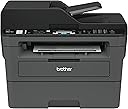
The Brother MFC-L2710DW is a monochrome laser all-in-one printer designed for home and small office use. It delivers fast 32 pages per minute printing with professional 2400 x 600 dpi resolution, supports wireless and wired networking, and features automatic duplex printing. Integrated with Brother’s Dash Replenishment system and a 4-month Refresh subscription trial, it ensures you never run out of toner. Compatible with multiple operating systems and mobile printing protocols, this compact device streamlines printing, copying, scanning, and faxing with ease.


| ASIN | B0763ZCH7K |
| Additional Printer Functions | All In One |
| B&W Pages per Minute | 32 pages_per_minute |
| Best Sellers Rank | #44,290 in Office Products ( See Top 100 in Office Products ) #49 in Laser Computer Printers |
| Brand | Brother |
| Built-In Media | Brother MFC-L2710DWStarter Toner Cartridge (700 pages)DR-730 Drum (12,000 pages)Quick Setup Guide and Basic User’s GuideInstallation CD-ROM (Mac OS available from download links)AC Power CordTelephone Line Cord |
| Color | Black/Grey |
| Color Pages per Minute | 32 pages_per_minute |
| Compatible Cartridge | TN730, TN760 |
| Compatible Devices | Laptops, PC, Smartphones |
| Connectivity Technology | Wi-Fi, wired |
| Control Method | App |
| Controller Type | iOS |
| Customer Reviews | 4.5 out of 5 stars 8,782 Reviews |
| Display Type | LCD |
| Duplex | Automatic |
| Global Trade Identification Number | 00012502649694, 00012502654223, 00012502771128 |
| Hardware Interface | USB |
| Ink Color | [BLACK] |
| Item Dimensions D x W x H | 15.7"D x 16.1"W x 12.5"H |
| Item Type Name | Compact Laser All-in-One with Duplex Printing and Wireless Networking For Home or Small Office (Replacement Model for: MFCL2700DW) |
| Item Weight | 26 pounds |
| Manufacturer | Brother Printer |
| Maximum Copies Per Run | 9999 |
| Maximum Copy Resolution Black and White | 2400 x 600 dpi |
| Maximum Copy Speed Black and White | 30 pages_per_minute |
| Maximum Media Size | 8.5 x 14 inch |
| Maximum Print Resolution Black and White | 2400 x 600 dpi |
| Maximum Sheet Capacity | 250 |
| Model Name | MFC L2710DW |
| Model Number | MFCL2710DW |
| Model Series | MFCL2700DW |
| Number of Licenses | 1 |
| Number of Trays | 1 |
| Other Special Features of the Product | Auto Document Feeder, Auto-Duplex, Display Screen, Network-Ready |
| Output sheet capacity | 250 |
| Paper Size | 8.5 x 14 |
| Power Consumption | 440 watts |
| Print media | Card stock, Envelopes, Paper (plain) |
| Printer Connectivity Type | Wi-Fi, wired |
| Printer Output Type | Monochrome |
| Printer Type | Laser |
| Printing Technology | Laser |
| Processor Count | 1 |
| Resolution | 2400 x 600 |
| Scanner Type | Document |
| Special Feature | Auto Document Feeder , Auto-Duplex , Display Screen, Network-Ready |
| Specific Uses For Product | Gaming |
| Total Usb Ports | 1 |
| UPC | 012502638261 012502654223 012502771128 012502649694 012502674580 012502637325 012502655473 |
| Unit Count | 1 Count |
| Warranty Description | manufacturer |
| Warranty Type | limited warranty |
| Wattage | 440 watts |
C**Y
Better than my $750 HP LaserJet
The Brother MFC-2710DW laser printer is very easy to set up (from unboxing to first print-out from my PC, it took less than 5 minutes), has all the features you need, and operates reliably. Scanning is smooth and fast, pages print quickly and look very sharp, and faxing is very easy from the 2710DW. As far as 3rd-party toners - more companies are starting to include the IC chips, so unlike what other reviewers have posted, you CAN use less expensive 3rd party toners, as long as they have the IC chip and support the 2710DW. Only downside of the fax is that 4 rings is the maximum number of rings you can configure before it picks up to receive a fax (my answering machine picks up at 4 rings as well). You can work around this by simply having it answer faxes in manual or tel/fax mode, but it's odd that 4 is the maximum number of rings. Hopefully Brother will update their software to allow for more rings before the fax answers. First and foremost, whether you're using a Mac or PC, download the software package for the printer from Brother's website. The software package will install all of the necessary drivers, utils, and apps that you need to fully utilize the scan and fax features. It's also much easier to remotely configure the printer through your web browser or using the Remote software within the Brother utils package. Secondly, register the printer for Google Cloud print - just open up Google Chrome and type "chrome://devices/" in Chrome's URL address bar. Sign into your Gmail account and register the printer. Now you can print from any location with an internet connection. The 2710DW is fully supported with Google Cloud Print, despite the model not being listed on Google's list of supported devices (the 2710DW is simply a newer/updated 2700DW). I had a $750 HP LaserJet which crapped out after just a couple of years of light usage. It was an all-in-one, multifunction printer and not NEARLY as nice as this one. For $100 the Brother is a much better value...hopefully it lasts beyond a couple of years...
M**9
It Works Pretty Darn Good so Far
I haven't had this printer for too long, but so far, it works pretty good. I have suffered at the hands of cheap inkjet printers from HP for years and was sick and tired of paying ridiculous prices for the stupid tiny ink cartridges that were prone to dry out and quit working if you didn't use them for months. This is my first laser printer, and I am pretty happy with it. I see a lot of people complain about toner issues and connectivity problems with these printers, and after my experience with this one, I can see how a lot of people might have a problem setting this up if they are not very tech savvy. Luckily, I am a computer wiz, so I was able to overcome most of the technical roadblocks in a timely manner. Below is quick run-down for some of the issues people might have with this type of printer and how to overcome them. The first issue someone might have right off the bat is getting it to connect to their network. The DHCP needs to be enabled and have enough addresses available to accommodate another device. Most are set up this way, but not all routers people have for their home networks are created equal, and some come set up from the factory with settings that may limit the ability for peripherals, like printers, to connect to them properly. This is especially true with equipment that is purchased used. Some people, like me :), have their router locked down so tight, that nothing can connect to it unless they want it to. There is a setting in most routers with regard to either "Set AP Isolated" or "WLAN Partition" or some other jargon, but they all serve the same purpose. That is to disable network equipment connected to the router from being able to talk to each other. This is great if you want added security on your network, but If these settings are enabled on your router, then you will never be able to print to this printer from any device connected to your network unless you are connected directly by a cable from the computer to the printer. It's a give and a take. You give up added security, but hey, at least now your can print, right? The next mistake most people are going to make it to try to install the printer directly from Windows from the "Printers & Scanners" or from the device manager. Windows has default drivers that work with the printer and will find and install it, but you are shooting yourself in the foot right from the get-go when you do this. The reason being is that you will never be able to get to the settings and preferences that fully manage this printer, and you will not be able to find the setting that allows you to bypass the setting that makes the printer stop printing when the toner gets low. Many reviews on here complain about the toner-stop-printing issue, so this is how you fix it....Go to the Brother website and download the latest drivers for your printer and install all of the software on your computer. DO NOT use the CD that comes with the printer. It could have been sitting in a warehouse for 6 months or a year for all you know, and the drivers are probably not up to snuff. When the software installation reaches the point where you have to opportunity to update all of the software and firmware from the printer, do it. Do not skip that portion of the installation process. There is a sticker on the back of your printer with the "password" that it will ask for when you choose to remotely configure it, and within those settings, you have the wonderful option of setting the "Toner-Low" setting to "Continue" instead of "Stop". That way, you will never have to use those tricks or sequences to bypass when the printer stops printing when you still have oodles of toner left in the cartridge. Another issue that this solves is the fact that, without the software installed, you would never be able to scan documents from the scanner portion of your all-in-one printer and send them to your computer. You would be stuck with only basic print capability. I highly recommended that people also go through their settings for the printer directly at the printer itself and disable the "Auto Power Off" function altogether on the printer. It does not gobble up a million volts of electricity all the time when it's not being used. The reason I suggest this is because it will disconnect from the network and become "unavailable" for printing until you drag you carcass over to the printer and turn it back on. With the function disabled, it is always connected to your network 24-7 and will wake itself up from "sleep' and start printing a lot faster then if you had to go and turn it on every time when you haven't used it in awhile. I will update this review after a few months or add more info if I find any issues that I had to overcome. All-in-all, this is a nice little device that can print, fax, scan and copy for a pretty good price. So far, I am really enjoying the benefits of a laser printer over the junky inkjets that I have been using for so long. If you are like me and only print some stuff every now and then and are fed up with clunky inkjets, then you can't go wrong with a laser printer like this one.
W**Y
For the price you can't beat it - superb value
I'm impressed with this little fax/copier/scanner/printer. It has the ability to do stand-alone copying and faxing. Scanning is done to a PC with the ability to do full color RGB 24bit 1200x1200 dpi. Laser print is up to 1200x1200 dpi. Installation took me minutes (literally). Remove packing/tape etc, put toner in and plug it in to your network (I used RJ45 ethernet). I went through the setup cheat-sheet and then went into the Ethernet settings. Pretty straight forward. I then went into WLAN and setup the wireless. Again very straight forward. After that I installed the s/w on the DVD/CD rom and it's all up and running. I have quite a bit of experience with printers and copiers (heck I used to design them!!) however this little guy was incredibly easy. I'm replacing a 600dpi color laser that's just broken down and is basically dead and beyond repair and what made me decide on this was the "all-in-one"-ness of it. I realistically can't justify full color these days as most of my work is simply done on the computer. What I need for a small business/home use is quick B&W printing with the ability to do duplexing (double sided) printing. My justification is that if I need color I can go to a copy shop and pay them if needed which I see as extremely rare these days. The printer itself is really well designed and is a small footprint MFP. It takes the room of an older smaller laser but has the duplexer and multi page scan feeder built in as well as FAX should you need it (I don't have a wired phone line anymore). I've already tried all the features and it scans well, prints quickly and quietly and works well with my IPad (AirPrint). So it's a welcome upgrade too. Highly recommended.
W**A
The perfect printer for a small business or home office.
I was in need of a printer that could scan, print quickly, not cost a fortune to replace, and was small. The Brother monochrome printer is the exact product I was looking for. I was like most of you. I was reading reviews on different printers deciding which would be the best fit for me. I looked at Canon, Epson, Brother, and each printer had their own pros and cons. Some could print beautiful photos but not scan images. Some could scan images and print photos, but the ink was super expensive. Others could do it all but the size of the machine was huge and the price exorbitant. Basically, choosing a printer was harder than setting up the one I ordered. When selecting a printer it is important to research how much this machine will cost you in the long run. If you don't mind spending 60 dollars on ink and refilling it every 400 prints, that's on you. But me? I hate spending money on ink. I hate having to refill all the time when I haven't printed that much. I also hated that the ink dries out if you don't use it often enough. Therefore, I realized I needed a LaserJet printer. Toner was the answer I was looking for. But when you get a LaserJet printer, the cost goes up and you tend to lose the ability to print in color. Did I need to print in color? No. Most of the time I'm printing out tickets, labels, documents, and postage labels. I didn't need color. So a color LaserJet was out. Short story long, this brother printer was the solution I was looking for. So what are the pros and cons? PROS: - Prints quickly. - Can print significantly more pages than an inkjet without needing a refill. - Scans at a great quality. - Easy to setup for WiFi printing. - Small size, easy to place on top of a shelf or countertop. (Check measurements first!!! It is not the smallest printer but it is small) - Can fax if I ever decided to get a landline again. - Has the option to automatically order toner when your supplies run low. Hi yield can do a thousand plus pages without needing replacement. - LCD display is responsive and easy to use. - Has prompts to guide you when printing address labels. E.G. Open the manual feed tray and the rear tray. Place labels in the tray. CONS: - Cannot print in color. - Does not print graphics well. It's serviceable but definitely not intended for photos. - The scanner software used to scan in your documents is extremely barebones. Canon has a much better utility that sorts your scans into folders by date. Brother does not. You have to manually create folders with dates in them. - If you don't plug the printer into the USB, setting up the WiFi becomes harder. You have to manually select your network on the printer LCD display and enter the password using the arrow keys. It's time consuming and annoying. Could go significantly faster if you plug in the USB. - In order for users to use the scan feature, they need to install the brother software the comes on a CD onto their computer. Annoying and inconvenient. So if you need a printer that can do all your basic office tasks in black and white, I think the Brother monochrome printer would give you the best bang for your buck. This is definitely the type of printer that would be useful for someone who prints a lot of documents, scans sensitive information like ID's or social security cards, and prints postage or mailing labels. If the utility that came with it had been more robust like Canon's, I would have given this printer a 5. But because it doesn't, 4 it is.
N**D
Exactly what I was looking for
This printer is exactly what I was looking for. It was delivered a few hours ago, and I had it all set up in under 20 minutes. I set up the wifi manually because I was too lazy to find a USB cord, but it was very easy to do anyway. All I had to do was go to the network settings in the printer's menu and enter my passkey. I downloaded the drivers off of the website, but there is also an included cd if needed. I've had to set up a few printers in the last few years, all were inkjets, and this Brother laser printer was by far the easiest to get up and running. It is so nice to have a working printer again. Bye-bye inkjet printers! Update: I am still really happy with this printer, so I'm leaving my 5-star rating, but I have found one minor issue. I currently can't print from my phone. I believe the issue is that I have a broadband modem that is a bit quirky and it randomly selects which band it will let me connect to, so I keep getting a message that my printer isn't on the same network even though it is. I can wirelessly print from my computer, just not my phone. If I could figure out how to get both my phone and the printer on the same band, it would work. Update 2: I am very impressed with the "starter" toner cartridge that came in the box. I have printed a lot and it still says that my toner is full. With the inkjet printers I had in the past, I would already be needing to buy more ink by now. I am so happy with this purchase. So it's been 11 months of printing and it still says I have just over half of the starter toner left. Maybe I should've waited on ordering that extra toner I thought I would need right away. I hope it won't be bad by the time I get around to needing it. Pro Tip: If you're having trouble installing the software and can't figure out why it won't work, make sure you don't have a VPN on.
K**S
Simple, reliable, budget-priced unit
I have used several “all-in-one” units in my small business over the years. I’ve been using this for a few months and I can say that I’m very happy with this one. It’s nothing special but that’s fine cause it’s meant to be your basic, entry-level item. But don’t think that means is lacks quality. It has reliable performance and easy set up. To set this up, I put in the drum & toner, plugged in the power, typed in the WiFi password and the unit was ready to go. My iOS and Android devices found it automatically. I had to use the IP address to set it up on one of the Windows computers but the other one found it and set it up automatically. I do also use an old-fashioned phone line to fax. There’s a plug in on the unit for the phone line. I just plugged it in and it was able to work instantly. You can go set up your business name and header/footers, but it will send and receive faxes without it. It has very boring specifications: It does what it says it will do. It’s a standard size multi-function unit. It’s about as heavy as the other ones I’ve had. It holds an average amount of paper (looks like 500 sheets). The print quality is good, especially if you use the brand name Brother toner. It warms up quickly and prints pretty quietly. Much faster and less noisy than the one it replaced, but I suppose that’s to be expected since that one was pretty old. Overall this is a solid, budget option, multi function unit. If you want a basic, black and white printer/copier/scanner (and maybe fax?) that will work reliably, this is it. Simple to set up, simple to use.
N**S
FOREVER FAN OF LASER ALL IN ONES! Toss out your inkjet now!
I have always purchased HP printers; the last 2 HP printers crapped out within 2 years and that was it for me. After reading tons of reviews we decided to try this Brother Laser Printer. Since color printing was not a big deal for me, and I was sick and tired of purchasing small black ink cartridges every other month, the Brother B/W Laser printer was the most economical choice. The printer price was very reasonable AND to my surprise it came with toner which was unexpected as nowhere in the description did it say that is was included. It was not a large toner cartridge but a definite surprise as I purchased the large sized toner cartridge which is supposed to print around 3000 pages. In the end, you will save money using this printer over the HP crap machines. The set up of the printer coming from someone who has never set up a laser or this brand was super easy. The directions were easy to read and follow and we were up And printing on all of our devices within 30 minutes or less. I definitely recommend this brand as we have been using it for months with no issues - oh, and did I mention the print speed!?! Holy cow this printer is fast compared to any inkjet printer. I use to dread having to print more than 2 pages as it took forever on inkjet; whether you are printing a 40page document or fax, photocopy… you will not be disappointed. As I already state, I have had this machine a few months AND I will NEVER go back to an inkjet or anything that resembles one… FOREVER FAN OF LASER ALL IN ONES!
T**R
Constant headache.
**Update** After owning this printer for a year I have to update my review. Don't buy it. For the first few months it worked good. After that, though, it's a constant headache. It NEVER prints when you hit print from your phone or laptop - first you have to go to the printer and turn it off and back on. Sometimes you have to completely unplug it and leave it sit for a few. The toner cartridges are ridiculously expensive and they run out fast, and refilling them only works for a couple times before the printer catches on and won't let you print. Then you have to buy a new cartridge with a new chip. The drum life is short also, and has to be replaced frequently. You can follow all the directions and instructions and it's still a lemon. A $30 Walmart printer will last years longer. I've had them, so I know. We run a homeschool for our four children, and a printer is an absolute necessity, and this particular printer has been nothing but trouble. Again, there are other options that I highly suggest you look into before buying this printer (MFC-L2710DW). It is definitely NOT worth the money, as I thought a well-known brand like Brother would be. As of today - 9/26/19 - it is completely unusable. We've tried every platform possible (three different cellphones, three different chromebooks, and a PC), we've updated everything, reset everything, etc. The printer won't print. Doesn't even try. We really needed this for school today, and now we're left without being a le to print what we need. This is completely unacceptable. Good printer. We got it for homeschooling. The toner cartridges get expensive quick, so we refill ours. They're not supposed to be refillable, but they are and it's pretty easy.
S**T
Easy to use, good quality print & scan
Setting up brscan-skey on Linux was not that easy. Scan to file results in empty tif file. Other than that (software) can’t fault the printer. There’s always xsane.
A**O
Multifunzione efficacie
Stampante multifunzione veramente ottima- Per uso casa lavoro va benissimo, non è il top per quanto riguarda la velocita di stampa ma se non si hanno troppe pretese e troppa fretta va benissimo
R**6
Best printer in a long time!
We've gone through so many ink cartridges and printers and paper printers just being completely unreliable. This printer is just the opposite - it's very reliable, it prints and scans the second we need it whether we used it yesterday or 2 months ago. The software was a breeze to setup (not like Canon or those other printers) and I can print from 90% of our devices( PCs, chromebook, android phones/tablets and iphones).
L**A
Great printer
A great printer that was easy to install and easy to use. Print quality is good and the time for first print out is decent. As a retired computer and high speed printer tech I am pleased with the printer. I did not work for Brother so the review is unbiased. I have not had a paper jam but by the looks of the openings to access any jammed paper seems fine.
C**N
stampante non funzionante
La Stampante è arrivata non funzionante
Trustpilot
1 month ago
3 weeks ago