Desertcart purchases this item on your behalf and handles shipping, customs, and support to KSA.
🎙️ Digitize your past, own your audio future!
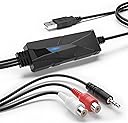
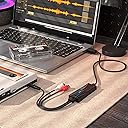
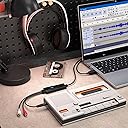
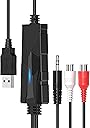
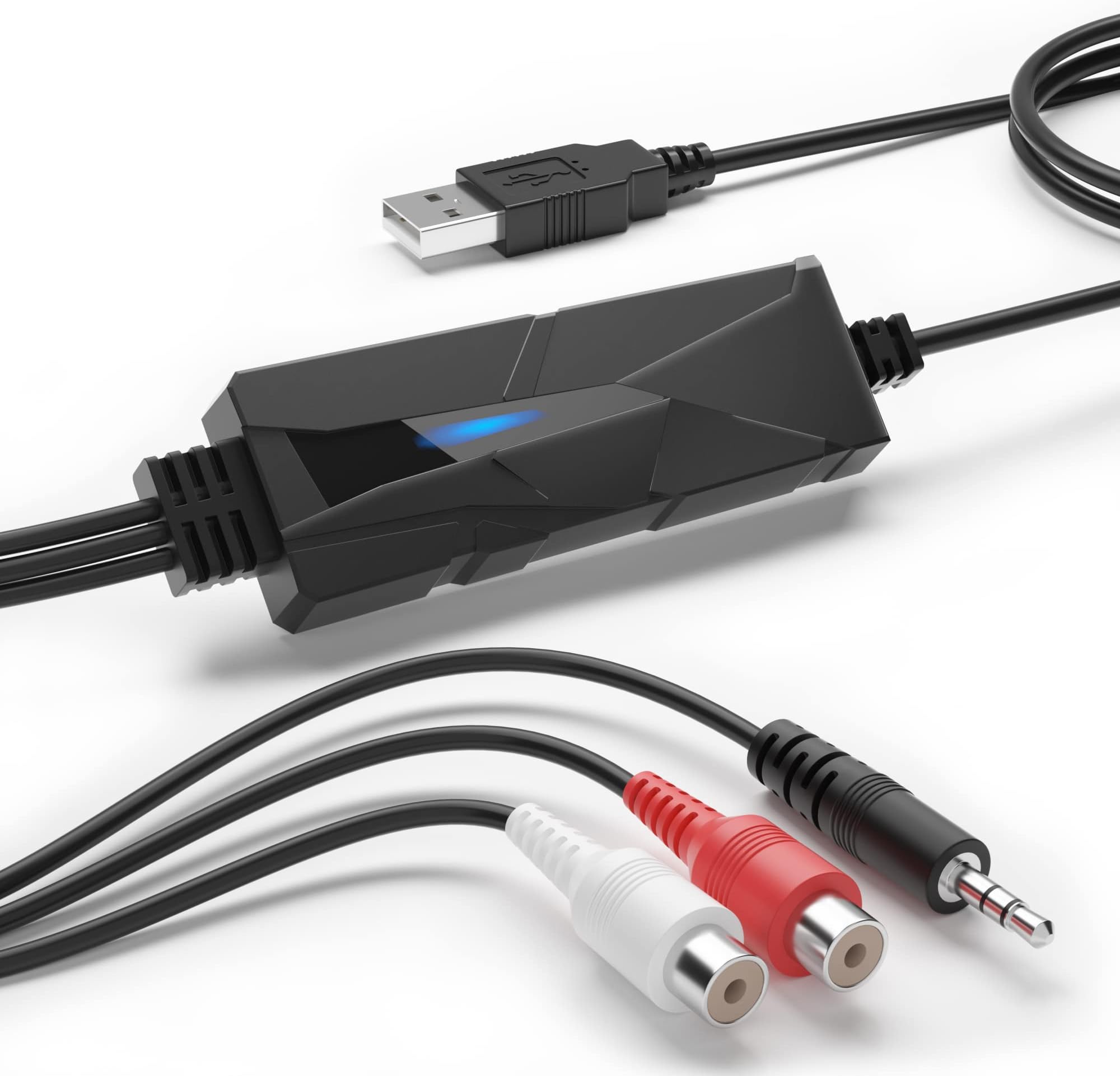
DriverGenius AudioXfer USB Audio Capture is a compact, plug-and-play device designed to convert analog audio sources like cassette tapes, vinyl, and MiniDiscs into high-quality digital files. Supporting dual stereo inputs and sample rates of 44.1kHz and 48kHz, it ensures versatile, professional-grade audio preservation. Compatible across Windows, macOS, and Linux platforms, it requires no additional drivers and comes with dedicated customer support and a 2-year warranty, making it the go-to solution for audio archiving and digitisation projects.


| ASIN | B00XU4NT6K |
| Best Sellers Rank | 15,801 in Computers & Accessories ( See Top 100 in Computers & Accessories ) 16 in External Sound Cards |
| Box Contents | AudioXfer USB Audio Grabber |
| Brand | DriverGenius |
| Brand Name | DriverGenius |
| Colour | Audio Grabber (Black) |
| Compatible Devices | Headphone, PC, Radio |
| Compatible devices | Headphone, PC, Radio |
| Connector Type | Auxiliary, RCA |
| Connector type | Auxiliary , RCA |
| Country of Origin | China |
| Current Rating | 500 Milliamps |
| Customer Reviews | 4.4 out of 5 stars 1,058 Reviews |
| Input Voltage | 5 Volts |
| Item Dimensions | 8 x 3 x 1 centimetres |
| Item Type Name | AudioXfer AV202 |
| Item Weight | 57 Grams |
| Item dimensions L x W x H | 8 x 3 x 1 centimetres |
| Manufacturer | DriverGenius |
| Manufacturer Part Number | FBA_AV202 |
| Model Number | AudioXfer - 1 Pcs (A) |
| Nominal Power | 0.25 Watts |
| Number of Items | 1 |
| Number of Ports | 2 |
| Package Quantity | 1 |
| Power Plug Type | No Plug |
| Product Finish Type | Matte |
| Product Warranty | 2-Year Limited Warranty |
| Specific Uses For Product | Audio Digitisation, Audio Archiving, Analog-to-Digital Conversion, Audio Recording, Vinyl Transfer, Cassette Preservation |
| Specific uses for product | Audio Digitisation, Audio Archiving, Analog-to-Digital Conversion, Audio Recording, Vinyl Transfer, Cassette Preservation Specific uses for product Audio Digitisation, Audio Archiving, Analog-to-Digital Conversion, Audio Recording, Vinyl Transfer, Cassette Preservation See more |
| Unit Count | 1.0 count |
| Warranty Type | Limited |
C**.
Works perfectly, an inexpensive way to digitise cassettes or vinyl
I was looking for a gizmo to allow me to digitise a couple of old cassettes, as I already own a good Nakamichi cassette-player: There are a lot of USB devices which will only take a mono microphone input, so it took a while to find that this was exactly what I needed to do the job: Stereo signal from cassette-player to USB input on laptop. The research proved useful: Apparently, the optimum signal is via the line-out sockets on the rear of the machine, but to save having to dig around the back of my hifi, I chose to try the headphone-out on the front-panel. This has a level-slider, so I could adjust it to get the optimum level for recording in Audacity. So, I ended up with a full-size to mini-headphone adapter, a 5m headphone extension lead (so I could work comfortably on the sofa), and a USB-C adapter to connect with my M1 MacBook Pro. All of these are things a geek such as myself has laying around in various boxes! The USB-C adapter will, of course, go either way in the laptop, but the standard USB end of the gizmo has to be correctly oriented in order to fit into it. That means that the USB-C adapter now also has a correct orientation, in order to work correctly with left and right channels on the appropriate sides. All was hooked up, and a little carefully pushing of connectors employed, used as I was only getting one channel through to monitor on Audacity. Probably from the cassette-deck, which has never head headphones plugged in before. I also took time to ensure it was set to give the best sound-output: It has a couple of filters for tape-hiss, so I experimented with these, set the appropriate tape-type and Dolby, then played the cassette form the beginning and hit 'record' on Audacity. I left it recording whilst I turned the cassette over, to give me one long track to work with. I applied no filters to digital track, having gone through the above process. Also, the previous research had given me some useful tips with regard to the new software: Select a part of the recording that I wanted to be a single track, and then add a label (which will become the track title) to it, and repeat for each track. Then export as multiple tracks based on these labels, select a format for the audio files, add some artist and album details, choose the desired output format, and a few seconds later, I had a complete album of individual, digital tracks to copy to music player, SD card for car, etc. Great stuff! Just a note that if you want WMA file-format exports, then it requires an additional download of codecs from Audacity. Since these are only available under Windows, I saved the single, long track as an Audacity project on the Mac, and did the track, splitting on my Windows PC, where it was easier to see and hear what I was doing (larger monitor, better speakers). All this took a while: Obviously, the recording is in real-time, and this was my first time using Audacity, but I was impressed with both the quality of the original cassette on my Nakamichi, and the finished digital files which I created. If a CD had been available, I would have bought that to rip instead, but for the few times I need to do this, the device is extremely good value, works as expected, and gave me a fun morning messing around on a rainy Sunday.
M**S
Decent USB capture supporting 48khz@16 bits, works on MacOS Catalina
I was looking for something that I could plug into an old MacBook Pro to sample some of my vinyl. Although it is a bit hard to find out the actual specs of the DAC but it supports sampling rate of 48khz at 16 bit. This is perfectly adequate for my use but if you wanted something with a higher rate and better hardware you would need to look elsewhere. I connected this to my MacBook Pro running the latest Catalina release and it was detected and worked without any issues. I haven't plugged it into any of my Windows machines but if imagine it will be the same. I connected the device to the RCA phono outputs from my amp which gave a more than adequate signal. The box also contains a female to female adapter for the 3.5" Jack connection. I didn't use the supplied software but rather downloaded and updated to the latest version (v3.0.4 at the time of writing) of Audacity from their website (it's a free open source program). I used an earlier version a number of years back to perform the same task so am already familiar with it, however there are a number of tutorials on the Audacity site and the web in general on how to use it and it's relatively straight forward. I mentioned the hardware sample rate above as that is what you can ultimately get from the device you can however use the software to down sample this if desired e.g. to the CD standard 44.1khz@16 bits.
M**N
Plug and play, works like a dream. Try rebooting the computer to solve buffering glitches.
Having first purchased a Behringer UCA222 which I couldn't get working on my 2019 iMac i decided to try the VTOP USB Audio Capture Card. The Behringer looks far more pro and comes for a reputable brand so I'd have expected the UCA222 to be the superior item but in actual fact the VTOP proved to be the better option for me. It worked first time with a single setting change on the Mac, within a minute I was recording vinyl and the playback sounds fantastic. Having not used it for a while I plugged it back in and began another project, unfortunately it sounded terrible, buffering like mad, clicking and crunching. I tried everything I could to fix it, new cables, settings and searching online for a solution. Was about to give up when I decided to just try rebooting the computer! The old 'on-and-off-again' trick, and, to my suprise, it worked! Brilliant, now I can record vinyl only tracks to play on all my digital devices and in-car. Not much to look at, but this little piece of kit is a godsend.
G**E
Good piece kit
Does exactly what it says, analogue to digital no issues
S**T
it records stuff
Plugged it in and to my laptop, had to give permission for it to use the microphone and used my old Roxio lp to mp3 program to record and edit. Works great.
M**R
Works with Mac and will give stereo audio.
I have been looking for ages for a stereo 3.5mm in for my Mac mini 2018. Most of the cheap USB types just don’t work for mic’s even though they claim so. There is also little to no static on the audio. Easy to use and works as listed. V happy.
B**G
Awful yet great.
Windows 10 - Zero Stars. Tried on three different computers- desktop and laptop, but could not get Audacity to recognise V-Top. Windows device manager said it needed 'further installation'. Unplugged, replugged, rebooted, Audacity parameters changed - no result. Ubuntu - 5 Stars. Worked immediately on plugging in. Audacity is of course the real star, just read the tutorials in the manual before you leap in.
M**O
Hard to fault for the moneyA
As of today, I've now managed to fry not one, not two but three of these bad boys. Which means they're either very bad (and I'm an idiot for buying another and expecting them to be different) OR I'm an idiot who really shouldn't pump the output of an experimental amplifier directly into the phono. Go on, guess. No really, joking aside (sorry Amazon, and you'll see I don't return them) I really amp working on a very experimental pre-amp and associated bit but I needed a low-cost digitiser that doesn't make more noise than the evening chorus-line at Crickets-R-Us. And amazing as it is, this thing really is that good. Compared to the Focusrite Scarlett Solo it looks a bit feeble but given the vast difference in price... Plug and play in Windows (no drivers required) and it gives you not two but four inputs on the stereo output. There's no mixer so if you wanted to mix down in real time you'd have to adjust that yourself but the point is that the Drivergenius is very good at what it does and really does compare well with much more expensive kit in terms of the audio it delivers. Works in Linux too - sort of - but it's hard to blame this hardware as Linux isn't known for audio and it's clearly not happy to play on my ageing i5 (8th generation) laptop - so two cores and 0-60 eventually. It's not pretty and it's not going to take a licking but for the money, this thing is just about impossible to beat.
A**M
Super résolution, efficace et portable
C’est franchement excellent. 44.1 , 44.8 , 24, c’est aussi bien que la plupart des cartes son standard mais dans un format portable, minuscule. À recommander fortement.
C**L
Lo necesitaba y lo compré
Correcto
M**R
USB Capture adapter. Audio to digital capture.
Works as it should
T**O
Versatilita' e facilita' di utilizzo
Ottimo prodotto funziona in maniera adeguata io lo uso principalmente collegato al mixer della consolle per registrare i miei dj set, si connette automaticamente tramite usb e viene riconosciuto come ingresso microfono dal programma Audacity in dotazione nel dischetto che trovate nella confezione,ricordo di impostare nelle preferenze del programma la frequenza di campionamento a 16 bit ,molto versatile funziona bene con Win 10 istruzioni anche in in italiano garanzia 24 mesi supporto tecnico impeccabile lo consiglio vivamente. Excellent product works properly, I use it mainly connected to the console mixer to record my dj sets, it connects automatically via Usb and is recognized as a recording microphone input by the Audacity program supplied on the disk that you find in the package, remember to set in the program preferences 16 bit sampling rate, very versatile works well with Win10 instructions in Italian 24 months warranty impeccable technical support I highly recommend it.
M**R
Mycket prisvärd
Enkel att använda. Resultat över förväntan.
Trustpilot
1 month ago
5 days ago