


Desertcart purchases this item on your behalf and handles shipping, customs, and support to KSA.
🖨️ Print smart, live connected — the XP-4200 keeps your workflow sleek and wireless.
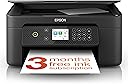
The Epson Expression Home XP-4200 is a compact 3-in-1 inkjet printer designed for the modern professional. It offers wireless printing and scanning via WiFi and WiFi Direct, a sharp 1440 dpi print resolution, and automatic duplex printing to reduce paper use. Featuring a 2.4-inch LCD for easy operation and individual ink cartridges for cost efficiency, it supports printing from smartphones, tablets, and computers without complicated setup. Ideal for home offices and on-the-go productivity, it combines affordability with reliable performance.


| ASIN | B0BB778PHR |
| Additional Printer Functions | Copy |
| B&W Pages per Minute | 33 |
| Best Sellers Rank | 231 in Computers & Accessories ( See Top 100 in Computers & Accessories ) 3 in All-In-One Printers |
| Box Contents | Printer-Power lead -Inks |
| Brand | Epson |
| Brand Name | Epson |
| Color Depth | 24 bpp |
| Color Pages per Minute | 15 ppm |
| Colour | Black |
| Compatible Devices | Smartphones |
| Connectivity technology | Wi-Fi |
| Control Method | App |
| Controller Type | Android |
| Country of Origin | Japan |
| Customer Reviews | 4.2 out of 5 stars 941 Reviews |
| Display Type | LCD |
| Dual-sided printing | Yes |
| Duplex | Automatic |
| Global Trade Identification Number | 08715946702483 |
| Hardware Interface | USB |
| Ink Colour | color |
| Item Dimensions D x W x H | 3.75D x 5.77W x 2.42H metres |
| Item Type Name | Colour Laser Printer |
| Item Weight | 4.3 Kilograms |
| Manufacturer | Epson |
| Maximum Copy Resolution Black and White | 1440 dpi |
| Maximum Copy Resolution Color | 5,760 x 1,440 DPI |
| Maximum Copy Speed Black and White | 33 ppm |
| Maximum Print Resolution Black and White | 1440 dpi |
| Maximum Sheet Capacity | 100 |
| Maximum Supported Paper Size | A4 |
| Maximum print Resolution Color | 1440 dpi |
| Model Name | XP-4200 |
| Model Number | C11CK65401 |
| Model Series | XP |
| Model name | XP-4200 |
| Network Connectivity Technology | Wi-Fi |
| Number of Trays | 1 |
| Other Special Features of the Product | color |
| Paper Size | 9x13 / 10x15 / 13x18 / 20x25 |
| Power Consumption Size | 4.8 Watts |
| Print media | Paper (plain) |
| Printer Output Type | Colour |
| Printer Resolution Vertical Max in Color | 3657.6 Centimeters |
| Printer Type | Micro Piezo |
| Printing technology | Micro Piezo |
| Product Warranty | 28 Days DOA -12 Months |
| Resolution | 1440 x |
| Scanner Type | Photo |
| Special feature | color |
| Total USB Ports | 1 |
| Unit Count | 1.0 count |
| Warranty Type | Limited Warranty |
| Wattage | 4.8 watts |
J**N
Works with Android, iOS, and Linux
I bought this to replace our USB-attached Canon Pixma, which basically finally died (annoying, given that I had just bought some replacement ink for it!) I wanted a WiFi printer so that we wouldn't have to connect to a particular PC just to print something. This was one of the cheapest ones I could find, and I'm very happy with it: - No account needed to set it up (yes, typing in the WiFi password with the controls was a bit fiddly, but it worked) - You don't need to sign up for their ink subscription - it comes with the initial set of inks, and you can buy replacements from various different suppliers - It is on the opposite side of the flat from the WiFi router (two different rooms separated by a hallway), and still works fine - I do most of my work on Linux (Kubuntu), and it detected the printer on the network without me having to do any set-up or configuration. Plus, I can print from my Android phone, my wife managed from her iPad, again, without any extra set-up. It's very cool just being able to print from your phone! - It's not the fastest printer in the world, but I'm happy to sacrifice that for a decent price, and the ease of using it over a network from various devices. - I bought an extra set of ink cartridges from another supplier, which were fairly cheap - Don't remove the tape that covers the ink outlet on the bottom of the cartridge (but do remove the bit covering the top) - there's a sort of 'punch' shaped thing that sticks up from each cartridge slot that will make the correct hole in the bottom tape when you insert the cartridge.
J**A
A cheap 10/10 printer
So the household needed a new printer. Our old one (canon) was fine but dated. I have some work related issues so I needed to print off a load of paper work so just needed a cheapy to get me going. The canon needed a direct plug usb or ethernet cable and also needed drivers for our old laptop if using wireless which was a ball ache. We now use our phones, chrome books and tablets more than windows based laptops so made sense to get a direct WiFi printer (or Bluetooth) so I can print directly off my phone. I was alittle hesitant after reading a few reviews but you don't know until you try. So I've just set the printer up. I'm just throwing this out there. You do not need the app to make this printer work. I skipped that option on the control panel and it asked to setup a network instead. You can either do direct with your phone or type in your WiFi password. That's it. When I click print off my phone, it did it straight away. Absolutely brilliant printer for the cheap cost of it. So I can highly recommend the XP-4200 👍 It does what I need it to do. I haven't tried pictures or photos yet as I bought it for work related tasks. After the initial setup, it hasn't even touched much ink. Some reviews said it drank the cartridge. Looking at my picture shows I still have full capacity. Another reason for this printer was the individual cartridge replacement. You don't need to buy a colour cartridge when red, yellow or blue is running low. That's what I hated about the canon. If you was low on red then you had to buy a whole new cartridge even if yellow and blue was full. With this printer you can replace the individual colours which makes this a better and more economical overall for my needs. Not to mention the cheaper alternative cartridges. So overall 10/10 as I can't find one fault with it.
A**R
Good for the price. Nice and compact.
I do love my new printer but... If you work from home or are a writer the ink does finish quickly. The set up is easy but quite long. It is compact so it doesn't take up a lot of space. I find that there are margin/size issues when printing from the app on my phone as opposed to printing directly from files on my phone or from my laptop. The print isn't as clean as my HP printer was. It can smudge or be faint. This is whether printing black and white or colour. The overall quality is decent and I think the issues with colour is down to how quickly the ink finishes. Once connected to all your devices printing is easy. Good printer for the price.
N**H
Handy little printer
Great little printer, easy enough set up, connects well to both phone and laptop. Prints well from both phone and laptop on photo paper. Really convenient.
M**N
Scanner did not work despite extensive troubleshooting
I am using Windows 11 on a new Dell laptop. Printing worked, but even after approximately five hours of troubleshooting, I was unable to get the scanner to work. When the printer was connected directly to the laptop via USB, Epson Scan 2 consistently produced the following error message: “Unable to receive data. Check the connection to the scanner and try again. (E581-B319)”. Printing over the (same) USB cable worked fine. Connecting the printer via Wi-Fi did not resolve the issue. I ultimately returned the printer because I was unable to get the scanner working. I subsequently purchased a Brother MFC-J5340DW Wireless Colour Inkjet Printer. The installation worked flawlessly.
N**K
Good all round quality.
Love it, really easy to set up, just scan the Q.R code and follow the instructions. Print quality is really good, nice and compack not bulky on your desk. Good price. Would highly recommend.
P**C
Nothing stays the same.
Took me 3 hours to set it up. Printer find the nearby router network when setting up. Had to do it manually, gave very little time to do this. Wouldn’t perform the copy function so I download a new firmware version and then it did copy. Had problems linking it to my desk top computer and waited a long time for the problem to be resolved as it just kept saying ‘fixing problem’. I also didn’t realise this model of printer doesn’t have a tray for the paper and has to be loaded at the back each time unless you’re prepared to leave the paper sticking out the back where it can gather dust if you’re not a regular user. The bodywork of the printer seems less quality than my old Epson XP 540 Expression. If I’d known there was no paper tray I would have chosen another model. Using the screen on the printer is somewhat laborious. It also seems to take much longer to print, copy etc compared to my old printer. Would I buy another XP 4200? Probably not.
D**T
Epson printer XP
Very happy with my new printer and easy to set up after my initial problems with IT, it's a absolute Godsend not having to rely on others to print important documents for me.
A**R
Product is crap. Returning
Takes a long time to even get started. Too many error checks on this item - very clear from the beginning that epson means this cheapo printer to be super ink hungry. When I rang epson support service they said "the only way you can get the promter setup quick is if you now buy all the error setup ink cartridges in xl - only xl- thats the only way" yeah right...thats around $150. NO THANK YOU. thats not even Guranteed that the product will work. Returning this crap
J**A
Great value
Great value and quick delivery
S**P
SCAM
This is a scam by Epson. The printer ran out of black ink after less then 10 pages. I replaced the black cartridge and then all the colours ran out and it refused to print BUT I have not used any colour ink yet so the cartridges are empty when the orinter was sold to me.
Trustpilot
2 weeks ago
2 days ago