Desertcart purchases this item on your behalf and handles shipping, customs, and support to KSA.
💾 Unlock Limitless Storage, Speed & Security — Because Your Memories Deserve the Best!
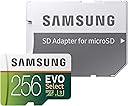
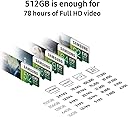
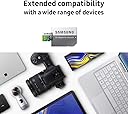
The Samsung 256GB EVO Select MicroSDXC card delivers ultra-fast 100MB/s read and 90MB/s write speeds, perfect for 4K UHD video, gaming, and high-res photography. Engineered with 4-proof protection (shock, water, temperature, X-ray, magnetic), it ensures your data stays safe in any environment. Compatible with a wide range of devices and includes a full-size SD adapter, this card is backed by a 10-year limited warranty, making it the go-to choice for professionals and tech-savvy millennials seeking reliable, high-capacity storage.


| ASIN | B072HRDM55 |
| Additional Features | Drop Proof, Magnetic Proof, Temperature Proof, Water Proof, X Ray Proof |
| Best Sellers Rank | #444 in Micro SD Memory Cards |
| Brand | Samsung |
| Built-In Media | Full-Size Adapater, MicroSD Memory Card |
| Color | White/Clear |
| Compatible Devices | Camera, Laptop, Personal Computer, Smartphone, Tablet |
| Customer Reviews | 4.7 out of 5 stars 142,482 Reviews |
| Flash Memory Type | SDXC |
| Global Trade Identification Number | 00887276199955 |
| Hardware Connectivity | microSDXC |
| Item Type Name | Samsung 100MB/s (U3) MicroSD EVO Select Memory Card with Adapter 256 GB(MB-ME256GA/AM) |
| Item Weight | 13.61 g |
| Manufacturer | Samsung Electronics DAV |
| Media Speed | 90 |
| Memory Storage Capacity | 256 GB |
| Mfr Part Number | MB-ME256GA/AM |
| Model Name | MB-ME256GA |
| Model Number | MB-ME256GA/AM |
| Number of Items | 1 |
| Number of Packs | 1 |
| Secure Digital Association Speed Class | Class 10 |
| UPC | 729530856429 753936169937 729530856511 887276199955 |
| Unit Count | 1 Count |
| Warranty Description | 10-year limited warranty |
| Warranty Type | Limited |
C**8
Great additional storage for Nintendo Switch memory!!!
EDIT: 12/06/2019 I originally bought the 128GB version of these Samsung EVO Select MicroSDXC cards and I used it in both my Android tablet at first and eventually my Nintendo Switch. It performed applicably for years. Recently I wanted to upgrade to a larger card for a bit of future proofing. The 512GB version was on sale so taking advantage of the Cyber Monday sales 2019 I picked one up. Changing SD cards in a Nintendo Switch is as simple as transferring any screenshots to your system memory and opening the useless kickstand and swapping the cards out the system. With the new card in simply go to Settings > System > Formatting Options > Format microSD Card. It's all the way at the bottom of the menu. Formatting the new card and redownloading all your games is all you need to do since your game saves are already on your internal system memory so once you redownload the games basically you can continue where you left of on anything. No need to cloud save import or nothing like that nonsense. Just visit the Nintendo Switch eShop or click on the thumbnails and click download from the main menu. I gave my nephew my old card to put in his Switch and it just needed to be re-formatted and wiped clean because it was already used in another Switch. Which his Nintendo Switch did it and auto detected that. Easy easy easy. I got a bump in storage from a 119 GB to 476GB by switching from the 128GB to 512GB card. These Samsung EVO Selects are what you need and nothing more for the Nintendo Switch's vast digital library of games. Why buy and change out catridges if you don't resell your games? As long as you have a reliable internet connection and with decent speed to where you can just download your games. The games all load up almost instantly with no issues while playing of framerate or anything. No issue at all so far... Are there better cards than this? Sure. Are they better for the Nintendo Switch than this card? No. If your putting this in a Nintendo Switch and not something like a drone or a nice camera than your good. It all depends how you are planning on using it but if it's for the Nintendo Switch you don't need anything better than this. There is no discernible difference between a Evo Select and a Evo Plus for practical application with a Nintendo Switch. Since the Nintendo Switch only supports the UHS-I interface, there is no point getting a UHS-II or UHS-III card if you're only going to use it with the Switch. The benefits of a faster SD card sort of max out around 80-90 MB/s anyways but the Switch itself doesn't use above >100 MB/s SD cards anyways capping speeds so it isn't making the most of better cards. Also the game save files go to the internal memory not the SD card as I mentioned above so the only time you'll ever be writing to the card is when you download a new game or a new game patch. You should save on the expense and just get one of these or a similar cards. I suggest sticking to the memory card manufacturers that are known such as Sandisk, Samsung, PNY, etc. You don't want it to die on you so stay with the good brands, dont get an off brand. Just look for a MicroSDXC card (64 GB and above) with a minimum of UHS class grade and you’re in the clear. UHS (Ultra High Speed) Class is denoted by a U on the card with a number inside the U. As long as it's a minimum of UHS-1, you will get roughly the same loading times as a much faster rated cards for use in a Nintendo Switch. The grades range from UHS-1 to UHS-3 but since Nintendo caps their speeds they only recommend cards that are UHS-1 probably because that's all they take advantage of. Overall, right now, these are the best types of MicroSDXC cards to purchase as they have the best read speeds and size for the best price at this time. NOTE: SanDisk does make a 1TB Extreme MicroSDXC UHS-I Memory Card that you can get on Amazon. I seen them as low as like $219. Personally, at roughly 500GB or half of that space I am okay. I would never use another 512GB so it's just a waste of money for me. Just know there is that option if you need the extra space.
S**S
Outstanding Memory Card - Fast, Reliable, and Perfect Storage!
This Samsung memory card is absolutely fantastic! The 64GB capacity provides plenty of storage space for all my photos, videos, and files. The transfer speeds are incredibly fast - I can move large files in seconds. The card has been completely reliable with zero errors or data loss. The build quality feels solid and durable. I use it in my camera and phone, and it performs flawlessly in both. The price point is excellent for the quality you're getting. It's compatible with all my devices and works seamlessly. Reading and writing speeds are consistently fast. I've had zero issues with compatibility or performance. This is my go-to choice for memory cards now. Samsung really delivers on quality and reliability. Couldn't be happier with this purchase!
Y**?
Affordable performance for most people (1080p or 4K). I tested and got 33MBPS read/write - good enough for me.
Affordable performance for most people (1080p or 4K). I tested 33MBPS read/write - good enough for me. $19.99 Prime Samsung 64GB (U3) Evo Select I purchased 3-22-2018. I examined product closely, did some testing, it appears to be legit Samsung manufacturer product. Fulfilled by (supplier was) Amazon Services. SD card arrived pre-formatted in "XFAT" file system Part 1 Test 1. Windows 10 reports overall (unformatted) capacity at 63,988,301,824 bytes which is 64GB Formatted capacity is 59.5 GB. 2. I deliberately filled the Samsung SD card with aprox 9700 mp3 files and yes it really holds 59.5 GB of data. 3. I used a USB 3.0 Kingston Super Speed Multi-Card Reader (FCR-HS4) attached to a Keedox 7 port USB 3.0 Hub attached to my MSI Gaming 7 motherboard. Part 2 Test: I later wrote those same 9700 MP3 files back to the Samsung Micro SD (U3) Evo Select card. My write rate to the Samsung SD card was roughly 33MB (Mega BYTES per second). My read rate from the Samsung SD card as I copied back to my Sandisk SSD system drive peaked at 39 MB per second but really averaged 35MBPS. ..... The performance I am getting from this SD card is within nominal performance expectations which are: 30 MB/s UHS Class 3 Video Speed Class 3 (U3) Video Speed Class 30 (V30) 1080p and 4K video files at 60/120 fps (UHS bus) Now maybe if I bypassed my USB 3.0 "Hub" device and attached it directly to my motherboard, it may have run faster but..I am not alone in using a desktop hub. It's a legitimate usage scenario test. (How many people really enjoy reaching around the back of their computer for a USB port if the ohter front ports are taken?. In short: Performance of this Samsung MicroSD card is good enough, fast enough for my purposes. DISCLAIMER & MORE PERSPECTIVE: I am totally 1080p based and have no 4K devices. For me, 4K would be "nice" but it's not driving my technology purchases. IF I had 4K devices, I might be somewhat more concerned about transfer rates but just the same, this is probably just fine for basic 4K streaming data rates. It supports a perfunctory / nominal data rate for those who would use 4K. These Micro SD cards are priced affordably and, at least the 2 I got had the following characteristics: I inspected the printing on the SD adapter - it is clear and not misspelled. I inspected the edge of the Micro-SD card - it's color is white. The MicroSD card says "Made In the Philipines" The packaging looks normal and professionally printed. These are all indicators of legitimate, authentic Samsung factory manufactured product. Google to see what I mean. I am satisfied with the performance I am getting for the price a paid. Initial impression: I can recommend this card as a good value.
G**S
Works great after a year, and 100% authentic (128GB version)
If you read the many top reviews (many of which are negative) for this, you'd think that Amazon was directly selling you counterfeit Micro SD's and that this card should be avoided at all costs since it just doesn't work like it should. While some of the complaints may be real, it wasn't my experience at all. When I first got this card, I of course was skeptical due to the negative reviews. After a little research, I was able to verify that my card was indeed 100% authentic (I'll explain how to avoid fakes later). It fits inside my Galaxy S9+ perfectly and the actual storage you'll get is 119GB. It's not the 128GB stated, but still, it's a lot for your money. I mainly use mine to store pictures and videos, along with some music. The read speed is excellent and works great if you have 4K videos. The write speed on the other hand, isn't as fast as it Samsung says it is. When transferring files, I usually get around 30 MB/s, slower than the 60 MB/s that's advertised. After more than a year of use, it works perfectly and haven't any sort of problem with it. It does come with a SD adapter, which can be placed inside a camera if you don't have an SD card with you or into a SD card port in a computer. In order to avoid buying a counterfeit version, make sure the seller section says "Ships from and Sold by Amazon.com" since authenticity from 3rd party sellers isn't guaranteed. All in all, this is a great micro SD card and you get lots of storage for your money. [PROS] - You get 119GB of storage for around $20 - Works on many smartphones and other devices - Comes with a SD adapter, which my Win10 laptop detects - Excellent read speeds - Works with 4K video [CONS] - Counterfeit versions being sold by 3rd party sellers - Write speed isn't as fast as stated
T**C
Works great with my Nintendo Switch
I got the 256GB EVO Select version for my Switch. At first I got a 128GB Lexar MicroSD, but realized it would probably be better to get a 256GB MicroSD. I want to have "room to breathe" a year or two from now. While most current Switch games are less than 10GB, many significantly less, you have some which are larger than 10GB with more larger games to come. Zelda: BoTW is bet. 13 and 14GB and there are games in development that will require more space. If you stick to mostly physical games (cartridges) or something like 50/50, 128GB should be good enough, but if you want to stick to mostly digital downloads, you'll probably run out of space sooner than you think with 128GB or at least feel uncomfortable with the amount you have left a year or two from now. Sure, you have other options like deleting games, buying another 128GB card to save money or whatever. Do what you feel comfortable with. Personally, I feel it's better to have too much capacity than not enough. I know my next iPhone will be 256GB, based on the 4K/60fps videos I may end up shooting in the future and how those files could potentially eat up a lot of space while I'm on vacation. Unfortunately, 256GB MicroSDs are still expensive, about $100+ more on average than 128GB. For some people, it's basically eat the cost now or buy a 256GB card in a year or two, hopefully at a lower price. Of course, you'll have to redownload all of your games which could take a few hours depending on the size of your library and the internet connection. Anyway, the Samsung card has worked great so far and I'll update if I have any issues. Update 4/21/2019: 18 months later and no issues, still works great. However, I think 128GB would’ve been enough. Since my review, I’ve only purchased two games, the last one being Yoshi’s Crafted World, which was released last month. I have just over 200GB free and there’s only one more game, The Legend of Zelda: Link’s Awakening, that I’m interested in purchasing this year. Maybe your situation is different and in that case, this 256GB Samsung EVO Select card is a great choice (or the 128GB version).
D**N
Upgrade for My Nintendo Switch
I bought this to replace a 128GB SanDisk card that I'd filled up in my Switch. I was able to copy everything over from the old 128 to this new 256 (just copy the entire Nintendo folder from the old card), and my Switch found it and ran my downloaded games and updates without a problem. And much, much faster... STEPS TO "UPGRADE" WITHOUT RE-DOWNLOADING YOUR GAMES/UPDATES (NOTE: Requires a computer with enough available storage to temporarily store the files and a SD/microSD Card reader): 1. Power off the Switch. - Hold the power button for a few seconds until the power menu pops up. Touch "Power Options" and "Turn Off." Do this every time you insert/remove the microSD card to avoid data corruption. 2. Remove the old/smaller microSD card. 3. Insert the new/bigger microSD card. Power on the Switch (You may see a popup dialogue telling you that a system update and a reboot is required. If so, update, reboot, and continue). Check "System Settings" | "Data Management" to ensure that the new microSD card is visible to the system. 4. Power off the Switch, and remove the new/bigger microSD card. 5. Insert the old/smaller microSD card into your computer, and copy the entire Nintendo folder from the card to a temporary location, e.g., the Desktop. 6. Eject the old/smaller microSD card via the OS (Do this every time to avoid data corruption), remove it, and insert the new/bigger microSD card into the computer. 7. Copy the entire Nintendo folder (the one you just copied from the old card to the computer) from the temporary location on your computer to the new/bigger microSD card. 8. IMPORTANT!!! If you are doing this on Windows, you will be asked by File Explorer if you want to keep or overwrite three existing files (8000000000000000, 8000000000000124, and private) on the new/bigger microSD card. You MUST OVERWRITE THESE FILES WITH THE BACKED UP FILES FOR THIS PROCESS TO WORK! If you do not, the card will have all the data on it but the Switch will not see it. If you make a mistake and do not copy over the existing files, no worries. I did the same thing. You can fix it by copying "8000000000000000" and "8000000000000124" from "Nintendo\save" in the backup to "Nintendo\save" on the new/bigger microSD card (or just copy the entire "Save" directory) and "private" from "Nintendo\Contents" in the backup to "Nintendo\Contents" on the new/bigger microSD card. 9. Eject the new/bigger microSD card via the OS, remove it, insert it into your Switch, and power it on. DONE! Every game download will be visible and playable on the new/bigger microSD card in the Switch. OPTIONAL: Delete the "Nintendo" folder from your computer. I'd recommend hanging on to it and even occasionally updating it to avoid having to spend hours re-downloading your games should your card ever fail in the future (But it won't because, hey, this is a Samsung!).
K**B
Works great as additional memory for my laptop
Update: This has been working great for 10 months now. It's not as fast as other memory, but I mostly use it to store documents and things I need on hand but don't necessarily work on while on my laptop. It's basically doubled the storage capacity on my laptop. I'm still careful to back it up, but if you are looking for an inexpensive way to add some memory to your laptop, this is a great option. So far, this is working really well. I got this to add some additional memory to my Macbook and I got a special insert tray that sits flush against the side so I don't have to use the adapter and have it stick out. I keep a lot of files that use regularly on this card and I haven't noticed any speed difference between this and the files on my regular hard drive. Granted, I haven't run bench tests or anything like that, but I work on my computer all day for my job so I do notice things like that. I am careful to back it up because I know how fickle these kinds of cards can be, but Samsung has a good reputation and I have other cards by them that I use in my camera and I've always had good luck. I've only been using this a few months so I will update my review if anything happens. One thing -- be sure you are buying these cards from a reputable seller because there are fakes out there. You can usually tell by the price -- if it's too good to be true, it's probably a fake. It's worth it to pay for the real thing.
J**K
Working well
I've used several cards over the years from Pioneer, TDK, SanDisc, PNY and Lexar. I've recently turned to Samsung due to cost and availability. Cards have all lived up to the expected spec for a 64GB card (7/2019 revision and the 128GB card). After hard use, card continues to perform like a trooper. In my camera, (7/2019 revision - I'm expecting the same durability from the 128 card now in my phone and Fire tablet) it's repeatedly shown that it can take data nearly as fast as my camera (burst mode) can send it. Caution: read speed decreases depending on GB size. The 32GB version is only (upto) 20mb, 64Gb is only 60mb while the 128GB gets the 90mb. Perhaps someone from Samsung can explain why. I don't see it becoming an issue for me with my current equipment, but it may be for others. Price difference is low enough that you could just buy a larger card, and only half use it to get faster write speeds. (Revision 7/2019 - And now a few words about the Amazon physical store. AVOID IT. I had originally gone there as I was at the mall already; they carried the same exact same product I was going to buy anyway; and it saved my the postage. Then the problems started. They could not recognize my credit that I had on my Amazon account. (strike one), Tried to upsell me on the Amazon Prime membership (strike two). Then I noticed that their price was $10 higher for the same item on the web listing (strike three - one out). So how much higher is the cost on any other item you happen to see while shopping there? Calling to talk with the Amazon store customer service line, I'm incorrectly referred to Amazon Credit card (nope), told a manager isn't available (wrong), and can't / won't done anything or take comment (strike three - ye're out! 2 down) Fortunately the representative & manager at the online customer service did their best to make up for their other representatives. Saved the experience, but the damage is done. I will NEVER patronize another Amazon physical store.) Bottom line: a nice replacement for my older 64GB cards both faster reading and writing from a reliable manufacturer/distributor.
S**H
Supr
Super
U**A
Good
Nice
M**I
Good buy
Solid product, works well, thank you
O**L
An excellent choice!
Put the card in my phone and it worked straight away. I now have plenty of storage on my phone for music, video clips, and other stuff. Playback is great. Very pleased 😎.
A**A
Top
Ótimo
Trustpilot
5 days ago
2 weeks ago