Buy anything from 5,000+ international stores. One checkout price. No surprise fees. Join 2M+ shoppers on Desertcart.
Desertcart purchases this item on your behalf and handles shipping, customs, and support to KSA.
⌨️ Elevate your Mac setup with the keyboard that works as hard as you do.
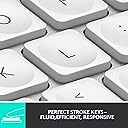
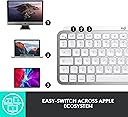
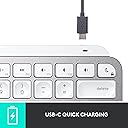
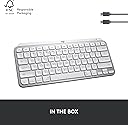
The Logitech MX Keys Mini for Mac is a sleek, compact wireless keyboard engineered for Apple users seeking precision and portability. Featuring a Mac-optimized layout, smart backlit keys, and multi-device Bluetooth connectivity, it offers up to 10 days of battery life on a single USB-C charge. Designed with ergonomic comfort and sustainability in mind, this keyboard seamlessly integrates into any Mac ecosystem, enhancing productivity and style.


| ASIN | B098JF32PT |
| Additional Features | LED Lights, Portable, Rechargeable, Ten Key Less, Wireless |
| Antenna Location | Personal |
| Best Sellers Rank | #35 in Computer Keyboards |
| Brand | Logitech |
| Built-In Media | User Manual |
| Button Quantity | 19 |
| Color | Pale Grey |
| Compatible Devices | Laptop |
| Compatible Operating System Family | Windows |
| Connectivity Technology | Bluetooth |
| Customer Reviews | 4.5 out of 5 stars 1,301 Reviews |
| Enclosure Material | Metal |
| External Testing Certification | Não aplicável |
| Global Trade Identification Number | 00097855169587 |
| Hand Orientation | Ambidextrous |
| Item Dimensions L x W x H | 11.65"L x 5.19"W x 0.82"H |
| Item Type Name | MX Keys Mini for Mac |
| Item Weight | 1.5 Pounds |
| Keyboard Backlighting Color Support | Single Color |
| Keyboard Description | Membrane |
| Keyboard Layout | QWERTY |
| Manufacturer | Logitech |
| Mfr Part Number | 920-010389 |
| Minimum Required Operating System Version | Mac OS 10.12 Sierra |
| Model Name | Logitech MX Keys for Mac |
| Model Number | 920-010389 |
| Number of Keys | 64 |
| Number of Sections | 1 |
| Power Source | Battery Powered |
| Recommended Uses For Product | Personal |
| Special Feature | LED Lights, Portable, Rechargeable, Ten Key Less, Wireless |
| Style Name | Keyboard |
| Switch Type | Linear or Tactile |
| Theme | Computing |
| UPC | 097855169587 |
| Unit Count | 1.0 Count |
| Warranty Description | 1 Year Limited Hardware Warranty |
M**O
Feels premium and well thought out
This doesn’t feel like a typical wireless keyboard. The build quality is noticeably better—there’s some weight to it, so it doesn’t slide around, and the finish matches Apple devices really well. Typing is quiet but satisfying. The keys have a nice resistance and don’t feel mushy. I use it for both work and casual use, and it’s been comfortable even during longer sessions. Bluetooth connection has been stable with my MacBook and iPad. Switching between devices is easy, and I haven’t experienced any lag or dropouts. One thing I didn’t expect to care about but actually like a lot is the smart backlight. It adjusts automatically depending on the lighting, which is a small detail but makes a difference. Price is on the higher side, but it feels like a premium product.
E**G
Great Keyboard
I pair this Logitech keyboard with a Mac Studio, and it works great. I used an Apple keyboard for many years with an older iMac and considered getting another when I upgraded to the Mac Studio. After doing some research, though, I decided to switch to this Logitech and haven’t looked back. The Logitech’s keys are slightly concave and have a nice feel to them. Being concave, they help keep your fingers centered on the keys. They keys are fairly quiet (though not totally) when typing. I think their noise level is comparable to the Apple’s keys. You can recharge the keyboard with a USB-C cable while still using it. With the Apple keyboard, you have to swap out the batteries when they run out. The keyboard looks nice and matches the esthetic of the Mac Studio and the display I bought. The keys are backlit when in use, if that matters to you. The backlight turns off when the keyboard is not in use. It doesn’t seem to eat up the battery any faster than the batteries lasted on my Apple keyboard. A couple of the function keys don’t work the same as an Apple’s do, but it’s not a major problem for me. Specifically, you can’t control screen brightness up or down with the function keys, and apparently you can’t map those functions to the same function keys Apple uses (although I could be wrong on that—I’ve only done a cursory investigation into it). When I first set up my new computer, I had to open the display settings in MacOS to make the brightness adjustments. For me it was just a case of set it and forget it. Also, the F3 key doesn’t provide the Mission Control function that lets you see all of your open apps and documents in a minimized view. I do use that function a fair amount, but Control + Up Arrow on the Logitech performs the same function, so I’ve not yet explored whether that can be mapped to the F3 key. Overall, I’m pleased with the Logitech keyboard and have no regrets about getting it instead of an Apple.
B**N
Excellent, solid, clicky keyboard for Mac, easy setup
Unlike the keyboards Apple sells, and other Apple-style keyboards I've used, this one has well-designed keys and a smooth clicky action that enables accurate fast typing with no weird glitches, repetitions, or irregularities. The software it comes with lets you adjust a number of settings (my one complaint is the backlighting made it hard to see the characters on the keys, basically making them white on white, but I've adjusted it more to my liking). I also like that it speaks directly to my Mac system so I can monitor the power level in the bluetooth dropdown, unlike the Macally keyboard I'm replacing where I was always taken by surprise when it suddenly died. It's not super-lightweight so if you like to carry your keyboard around or type in your lap this may be heavier than you like -- but I like the solidity of it: it never slides around on my desk unless I deliberately move it somewhere. It can connect to 3 different devices, easy switching between them. There are certainly cheaper Mac keyboards out there, but probably not better ones.
M**V
Overall a solid keyboard.
Rarely leave a review but this is a solid product, have been using it for almost 2 years every day with my mac and PC, drop it few times still works just fine, covered it all up in potato chips - no stickiness after cleanup somehow which was a problem for magic keyboard, I like it more than a magic keyboard and this one has some nice extra features such as 3 device switch and led lighting. Had 0 issues with connectivity.
T**E
Pretty good, but beware the shift key
I like the way this keyboard feels. The newest Apple keyboards are too low-travel for me (I prefer the ones from a decade ago), and this has the best feel of the various Logitech keyboards I tried. It has slightly curved keys and a bit more travel than the current crop of Apple laptops (2022). Bluetooth connectivity was easy, and battery life is OK considering it's backlit. It's nice that it comes with a USB-C charging cable. But there were some downsides. The first keyboard I got had a very nasty habit of capitalizing the second key I pressed after hitting Shift. I have typed on many, many keyboards over the last few decades and I have never encountered this problem before. I contacted support to see if there was some way to adjust this sensitivity in software or something, but they just sent me a new keyboard. The second keyboard did not have this issue nearly as much (still happened sometimes), but unfortunately the down-arrow key was busted. It didn't trigger much of the time, and it clicked very loudly when pressed all the way down. So Logitech sent me a third keyboard! Fortunately this one is perfectly functional, with the only problem being that the keyboard wakes up way too often. The others would light up the backlight when I touched them or disturbed the surface (bed, desk, chair) they were sitting on. This one will trigger itself for no apparent reason. This leads it to light up (wasting battery) on a regular basis. This isn't a huge deal, and the shift-key madness isn't as bad as the first (still not ideal though). I give Logitech credit for helping me out with these replacements, but in the future I'll definitely test out the shift key performance before purchasing.
M**R
The perfect keyboard
Don't get me wrong, I still love Apple's Magic Keyboard, it is simply the best and smoothest writing experience I ever had. The pressure point of its keys, the precision, the design, the spacing of the keys, everything is perfect. But I needed a new keyboard because I am working on two computers, and while the Apple connects seamlessly two two machines, it does so through your main computer that needs to be connected to the second one you are using. And for legal reasons, I am not allowed to connect the two computers, because they are for two separate work spaces and assignments. So I needed a keyboard connects itself to two computers and lets you switch manually between them. In the past I might have tried about 15 different keyboards and none of them came even close to the Magic Keyboard experience. Well, the MX does. The keys are perfect, they have a sightly deeper pressure point than the Apple keyboard, but that is ok. The keys feel firm, they respond smoothly to a stroke, and the design is almost the same as the Magic Keyboard The one single minus I would set is that the keys for switching (you are able to switch between three different computers) are where on an Apple keyboard you find the keys to control the brightness, and I haven't yet found out how to get them from switching machines to setting the brightness. On the upside again, there is Logi Options, an easy to install software that lets you basically assign anything to any of the Fn keys in a matter of seconds. And if you have a Logitech Mouse, the software lets you set it up, too. The MX is heavier than the Magic Keyboard but given that I do not carry it around much, that is not an issue. The battery takes about 3 hrs to charge fully and I have been using it now for two weeks, 8 hrs/day, which brought the charge only down to 90%. That is absolutely comparable to the Apple keyboard. So, if for some reason like versatility, or to be able to switch manually between machines you are looking for a substitute to your Apple keyboard, the MX is the one.
A**1
Great Keyboard but DON'T Install 'Options" Software
I have the compact and full-size keyboards (MX Keys S for Mac and MX Keys Mini for Mac). I'm writing this review on the full-size keyboard. I really like both. I like the full-size because it has a few extra controls that the mini does not, for example you can adjust your mac screen brightness and forward/reverse audio track. Both keyboards have backlights that turn off after some amount of time of inactivity and turn back on when you move your hands over the keyboard (to save battery presumably). USB-C charging. Long battery life. Sleek aesthetic that matches my space grey macbook air and macbook pro. ABSOLUTELY DO NOT INSTALL LOGITECH OPTIONS SOFTWARE. It is maybe the WORST bloatware I have ever encountered. I learned that maybe 2 or 3 Logitech keyboards ago. As long as you don't install it you should have basically no problems. The Logitech keyboards I have from years and years ago still work, but I either gave them away or replaced them with these never versions with the backlit keys. One complaint I have is that on my new (less than 1 month old) full-size keyboard I have noticed that the backspace key makes a pretty annoying squeaky sound during certain presses. I'm going to search online and see if other people have reported this and if there's a fix or send it back in to Amazon for a replacement. I read some 1 star reviews and there were people (amateurs) complaining about the Options software or an inability to adjust keyboard backlight brightness. They said they couldn't get the software to make it work. There are buttons on the keyboard (both full-size and compact) for adjusting the backlight brightness of the keys, so I'm not sure what their problem was, but it was not the keyboard's fault. Summary: Great keyboard. Get the full size if you have the space and extra $20-30 or whatever. Watch out for squeaky keys - there are some people online who have taken their problem keys off and applied some lubricant which is probably what I'll do because sending it back means it'll likely just end up in a warehouse or the garbage and would be wasteful. Better than the Apple Magic Keyboard and less expensive.
J**N
A solid keyboard but with backlighting and battery issues
This keyboard has a solid high-quality feel. The scissor keys have an ideal pleasant quiet operation. The keys themselves are a hard smooth plastic that almost feels metallic. I can't imagine a faster typing keyboard. I like the way mine is mac-specific (the cmd and option keys) and the space grey matches my space grey MacBook Pro almost perfectly. It's clear that Logitech has tried to closely match the design of Mac's own Magic keyboard, though there are some key layout differences. Also, the bluetooth connection to my MacBook was easy to setup. Now the problems: After a month of usage, my number one problem is the backlighting. Firstly, it often takes too long to activate. Like many coders I keep my workstation area dark and so really depend on the key backlighting. Oftentimes I go to type something and there is no backlighting for some reason I do not know. I tap on the keys and it might take anywhere from a few seconds to ten seconds for the backlighting to activate. The backlighting is almost never instantaneous and that is frustrating. I theorize this has to do with the bluetooth connection to my MacBook -- perhaps the keyboard loses that connection and wants to re-establish to get keyboard setting prior to activating? This behavior is intermittent. Secondly, I have gathered that backlighting is motion-activated, not touch activated. So oftentimes the backlighting turns on when I'm not touching the keyboard; sometimes when I'm just walking by my desk. So, backlighting is frequently on when I don't want it, and not on when I do. Better if it were just touch activated w/o depending on Bluetooth connection. The other problem I have with backlighting is that the led lights blare out from under the keys unless you're looking straight down at the keyboard, i.e., if you're a sloucher like me. This is light pollution that takes away from the purpose of backlighting: reading the key symbols. Also, the symbols on the keys are not as clear as those on my MacBook, looking at them side-by-side. There is a muddiness to the symbols when backlit and the symbols are not white enough when not backlit. Make the symbols bigger and more legible. The second biggest problem: my battery life is only 2 1/2 weeks. Yes, I'd probably get more without backlighting, but backlighting is essential. With my 2013 Logitech K800, I got about 6 to 8 weeks on one charge AND that keyboard had backlighting that was simpler and more effective than this keyboard. I don't understand the regression in capabilities between these two similarly placed keyboards from the same manufacturer, after ten years. It should be ten years better, not worse. Finally, I suppose in trying to copy the Mac Magic keyboard's minimalism, Logitech has removed spacing that set the function keys apart from the primary keys; function keys are now just another row of keys above the number keys with the same spacing as other rows. The problem is, I used that spacing on my K800 (and other conventional keyboards) to ' tactilely locate' (without looking down at the keyboard) specific function keys that I use for editing code. With this keyboard I have to look down from my screen.
R**L
It works using Unifying receiver and Bolt to connect to old Mac mini mid 2010
update: gave this keyboard 5 stars again because I found a solution. To pair the Bolt and Unifying receivers with your MX keyboard and MX mouse requires at minimum Mac OS Mojave to install the Bolt App 1.0.7948 and LogiMgr 8.54.147 of which these older apps are no longer available from Logitech and you need to find them from 3rd party downloaders. However, short version, once paired Bolt and Unifying Receiver you can delete the Logitech apps and move the receivers (Bolt and Unifying) to another machine and they remained paired. The paired info is stored in non-volatile memory so what that means is that you can pair your Bolt and Unifying receiver on a newer Mac or your friends Mac and then just insert them into your older Mac that is running Sierra. Although it is a bit late for me as I had to patch install Mojave on my Mac mini (4 times) and searched for older versions of the Bolt App and Logi options app (for unifying pairing) with the Bolt App crashing my Mac repeatedly, the good news is that I did un-install the Bolt App afterwards but leaving the Logi Options app installed to control the speed of my MX Anywhere 3 mouse. update: All kinds of problems - reduced my overall rating to 2. So I've been pairing this keyboard with my MacBook 12" and was hoping to pair it with my Mac mini to give me a working cluster of computers as I switch between them all with my HDMI switch. This keyboard does not pair with my Mac mini mid 2010 and even though I managed to upgrade my Mac OS to Sierra. This keyboard doesn't work with the unifying USB neither and even though I probably could buy the Bolt USB I won't be able to pair it with Bolt because the Bolt software needs at least Catalina to pair and my Mac mini only max updates to Sierra OS. So sad really.... You would think all bluetooth works with ALL Bluetooth. Original Review:I have been a logitech keyboard users for more than a decade now. For a long time Logitech thought that the K380 was good enough replacement but I hated the chicklet keys. This new MX keys mini is a very good replacement for the K811 keyboard in both the size of the keyboard and the size of the keys. With the ability to connect up to three devices I currently have it connected to my MacBook 12", my iPad pro and my iPhone 8 plus; well not concurrently but selectable and switchable amongst 3 devices. I have the black version forthcoming. Currently this keyboard which is the mac version will be used for my music composition MacBook. The black one which is arriving in November will be used with my everyday Macbook 12" computer and my VR PC. The keys on this MX mini are wonderful as they feel like every logitech keys on every logitech keyboard through every generation. A soft clickable keyboard that doesn't make a lot of noise and has just the right amount of key depth to each click of the keys. I'm a touch typist and I love the feel of this keyboard as the words spills out of my brain and on to the review box without having to look at what I am typing. I will be buying several for back ups as I won't be left high and dry like the K811 and K810 keyboards that were discontinued and replaced by the k380. There is only one problem with this keyboard though and if you look at the back of the keyboard you will notice that it is actually quite thick and that is the battery and component bar that acts as a keyboard riser. So if you have a keyboard drawer that just holds your keyboard, the actual thickness is just a little over 1/2 an inch. Don't let the photographs fool you on a thin keyboard like the K811 but nevertheless it is still quite thin but has a large battery rechargeable bar. My K811 is breaking down, not only the battery doesn't last as long but some keys don't quite respond until you press it two or three times of which it is terrible because you get all these spelling errors when you are a touch typist. Once my mx mini black keyboard arrives, I will be ordering at least two more to keep for the next decade. Trust me that once you become addicted to a logitech keyboard you will never go back to the standard Apple smart keyboard. The ability to connect up to 3 bluetooth devices gives you the luxury of typing on your phone, you iPad and your mac by just a single press of a key. Yay for Logitech!!
P**L
Defecto
la tecla del enter del teclado numerico, sin tocarla, con solo pasar el dedo se ejecutaba, no se si es un defecto del que me llego o es que todos son asi
D**A
Great Keyboard for Mac Users
The Logitech MX Keys S for Mac is hands down the best keyboard I’ve ever used. From its sleek Space Grey design to its exceptional functionality, it pairs perfectly with my MacBook Pro and iPad. Typing Experience: The typing experience is fluid and precise, mimicking the feel of a premium laptop keyboard. The keys are perfectly spaced and offer just the right amount of tactile feedback, making long typing sessions a breeze. Backlit Magic:The backlighting adjusts automatically based on ambient lighting, and it’s incredibly responsive. Typing in dim environments has never been easier or more enjoyable. Connectivity:Connecting via Bluetooth is seamless, and switching between devices is a breeze. It works flawlessly with my MacBook Air, iMac, and even my iPad. Plus, the USB-C charging makes it super convenient. Build Quality:The keyboard feels sturdy and well-crafted, with a premium look and feel that complements any Apple setup. Overall, the Logitech MX Keys S for Mac is worth every penny. If you’re looking for a reliable, feature-packed, and stylish keyboard to enhance your Mac experience, this is it! Highly recommended.
A**C
Very Happy with the Logitech MX Keys Mini Keyboard!
I'm always looking for the perfect keyboard. I have over 15 different keyboards that I've tried with my iMacs (Intel), iPADs, and Windows PCs. I'm very happy with the Logitech MX Keys Mini and don't plan to swap this one out or revert to one of my older keyboards. Strengths: > Sturdy and Compact - freeing up desk space > Easy Set Up via Bluetooth with up to 3 devices (incl. Macs, PCs, IOS, etc.). > Good Key Travel and spacing leading to greater typing accuracy (even compared to the three Apple Keyboards I use) > Backlighting that turns on if I hover my fingers/hand over the keyboard > Better (slightly higher) incline than the keyboard tilt/angle than modern Apple Keyboards > Good battery life (weeks of heavy use per charge via USB-c cable). Things I wish it had: > Adjustable Tilt levels > Wish I could use the Logitech Options app to change the default backlighting auto-off from 5secs to 15-20secs, knowing that the battery life may be cut in half. My only real issue: I can only speak to Intel-based iMacs (running Monterey or High Sierra) , but upon a reboot or startup, the MAC OS still needs me to grab a wired keyboard or an Apple KB to login into my account. As soon as this is done, the Logitech Keyboard can be used. Overall, I've been putting off buying this Mini MX Keyboard. It is a little expensive. At $80-$90, it would be a no-brainer. However, it has all the key things I want and the added typing accuracy causes less frustration and saves time overall. Well worth it! I don't think I'll be looking for another new keyboard to try for the next year or two, likely a newer revision of this same keyboard by Logitech!
N**K
Très bon clavier doux et précis
C'est du MX Keys S pour Windows et Mac parce que j'ai un bon vieux Windows de 15 ans et c'est du parfait ê , èé n'ont pas de problème .
Trustpilot
2 weeks ago
1 month ago