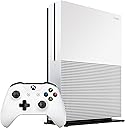
![Xbox One S 2TB Console - Launch Edition [Discontinued]](https://m.media-amazon.com/images/I/816oYiP9srL._AC_SL3840_.jpg)
Buy anything from 5,000+ international stores. One checkout price. No surprise fees. Join 2M+ shoppers on Desertcart.
Desertcart purchases this item on your behalf and handles shipping, customs, and support to KSA.
🎮 Level up your game and your living room with Xbox One S 2TB — where power meets style.
The Xbox One S 2TB Launch Edition is a sleek, 40% smaller console featuring a massive 2TB hard drive, 4K UHD Blu-ray playback, and HDR support for stunning visuals. It includes an enhanced wireless controller with Bluetooth connectivity and a vertical stand for flexible setup. Designed to run quieter with an integrated power supply, it offers a premium gaming and entertainment experience tailored for 4K TV owners seeking both performance and style.
| ASIN | B01GW3GM7I |
| Best Sellers Rank | #80,998 in Video Games ( See Top 100 in Video Games ) #177 in Xbox One Consoles |
| Brand Name | Microsoft |
| Color | White |
| Customer Reviews | 4.2 4.2 out of 5 stars (792) |
| Input Device | Gamepad |
| Item Weight | 2.27 Kilograms |
| Manufacturer | Microsoft |
| Manufacturer Part Number | 2DZ-00001 |
| Memory Storage Capacity | 2 TB |
| Model Name | Xbox One S |
| Model Number | 6430277 |
| Platform | Xbox One |
| Resolution | 4K |
| UPC | 889842098167 |
| Wireless Communication Technology | Bluetooth |
Z**K
A Worthy Successor to the Xbox One only if you need 4k support.
Xbox One S Review from my YouTube channel MiscTech Let's talk about the first two things that immediately stand out - Size and Color. Thew New XBOX One S is about 40% smaller than the original XBOX One and I'd say about 10% smaller than the PS4 overall. It has a much more sleek appearance and some great visual changes including the nice matte white color which I think looks great and is no longer a fingerprint magnet. I've seen a lot of rumblings across the inter-webs about having no black option and definitely can understand not wanting to have something to stick out in your media room; however, I think the white paint is a welcome change and tribute to the original XBOX 360. In addition to the color change, we also now have a vertical stand option which works great and definitely frees up some space. It also seems to run even quieter than the first generation XBOX One and definitely quieter than the PS4, which is important during quiet cut-scenes. Another huge change is the internal power supply, which means no more giant, ugly power brick! While we are talking about power, we can't forget to mention that the power button has changed from a capacitive touch to a physical push button, which is a much appreciated improvement as I can't count the number of times my dogs have turned off my Xbox during a gaming session. The USB port is no longer awkwardly recessed and placed on the side, but has been moved conveniently to the front of the console. We have also lost an dedicated Kinect Port and now have to use a special kinect to usb converter with one of the USB ports on the back of the console. For any of you that are using multiple external drives or usb devices like a steering wheel or rocksmith interface, keep this in mind if you are using Kinect. The new converter will be available September 7th for $39.99 or if you already own the One S & Original XBOX with Kinect, you can register on Microsofts website and get one for free for a limited time. Although, I didn't find myself using kinect much for games, I immediately missed having "Xbox On" and "Cortana, Open Netflix" functionality. If you used the voice navigation functions of Kinect, you will definitely want to pick up a converter. I do want to mention that there is an integrated IR blaster on the front, which will still allow the Xbox to turn on your av components. Lets move on to hardware improvements. The big upgrade to the XBOX One S is the 4K support including HDR, HDMI 2.0 and 12bit color. Apparently, there has also been a slight bump in GPU and CPU power. 4k capability will mainly be reserved for 4k Bluray and 4K streaming playback such as Netflix or hulu. It does have the capability of upscaling older 1080p games to a full 4k, which is a plus. Based on GPU speed, most future games probably won't run at 4k; however, they can be upscaled to 4k and we might find many of the new games running at 1440p. HDMI 2.0a, which enables HDR or High Dynamic Range capability will allow for deeper blacks, brighter whites and more natural colors. This is a nice addition if your TV and A/V receiver support it. Additionally, HDMI 2.0a supports 4k at 60Hz. How does it sound? It has some minor sound improvements and if your AV reciever supports it, it will pass-through Dolby Atmos at the native rate. The launch edition includes a 2TB drive for $399; however, a 500GB and 1TB models will be available later this year. With that in mind, I probably wouldn't go smaller than a 1TB drive as even with the free games included with your gold membership, your drive will fill up quickly. I wish the had a hybrid or full SSD option to further improve performance, or had a drive bay that was easily accessible for upgrades. We may see an upgraded "Elite S" console with a hybrid later this year. The new controller is also in matte white, matching the console but improves upon its design by adding a textured grip to the back as well as much welcomed Bluetooth functionality. This allows you to connect the controller to your PC, Mac or compatible android device for use of the best gaming controller out there. Overall, I would compare the XBOX One S to an iPhone S model. It has some great new features (smaller footprint, 4k/HDR and a new Bluetooth controller), but nothing earth shattering. If you need a solid 4k Blueray player and already have a 4k TV and AV receiver, then the Xbox One S is a worthy upgrade; however, if you don't have any of this, I think you will be disappointed and better served by waiting for Project Scorpio in 2017 and upgrading your AV equipment along with it at that time.
T**0
Microsoft does 4K for the Xbox One and perhaps double dips at your expense, but should you go for it?
For the TL;DR crowd - I like the Xbox One S 2TB system, but wish that it had been less spendy and/or included some sort of credits towards a game or movies to enjoy. Otherwise, it is quite nice. With the Xbox One S, Microsoft is now taking a bit of a page out of the Movie studio's playbook - release a slightly different version of something that your customers had already (in most cases) bought with slightly upgraded features and charge a premium to get it, leaving those that already had paid their own hard earned disposable income to perhaps whine a bit (as I may here if you all bear with me) about having to pay for the same thing twice. But is this really the same thing? Yes, it is still an Xbox One, albeit with a larger hard drive (for the Launch Edition 2TB system), but is it just the same as before, or are there enough improvements to justify the potential repurchase. For those that don't already have an Xbox One, the decision to purchase either the new Xbox One S line or one of the original Xbox One systems is a little easier - if you don't have a 4K TV and aren't rushed to get one, then the recent price drops make the original Xbox One systems a relative bargain. Actually that price drop is part of what rubs a little salt in the wound for someone such as myself when it comes to my purchase of the Xbox One S 2TB launch console. Buyers that buy one of the original consoles typically get a bundle that includes a game and they get it at a much lower price point compared to this relatively spendy console. The launch edition 2TB Xbox One S was a whopping $399 (which is pretty much exactly where the original Xbox One Console systems were back when the box was original released). The original consoles certainly don't have 4K support and can't do 4K Blu-ray playback, which is something that I was buying this console for (though, ironically, I just recently got a 4K Blu-ray player (this Philips BDP7501 4K Ultra HD Blu-Ray Player with bonus 4K Ultra HD Blu-ray disc (Creed) ) and with it, I have less "need" of a 4K Blu-ray player than I once would have). It would have been nice to have had 4K support on the original Xbox One consoles, but the competition between Microsoft and Sony, and the age of the Xbox 360 (and relative slowdown in sales of same) pretty much pushed Microsoft into rushing the Xbox One to market. Sony has a very similar issue now with the PlayStation 4 as it too lacks 4K support and would need to play some catch-up to Microsoft if Sony wishes to keep their competitor from gaining any traction against them. If you have a 4K TV set and haven't already plunked down over 3 Hondo's to get yourself a 4K Blu-ray player, than an Xbox One S is a good choice for you. It offers gaming and 4K Blu-ray playback in the same box. A slightly slender box compared to the predecessor in the line, but still a bit of a brick on your media center nonetheless. On the plus side, the Xbox One S doesn't require the bulky external power brick that was required for the original Xbox One consoles. That saves space back behind your media center/TV shelving. It also runs cooler and seems to be a lot better ventilated. Basically Microsoft took many lessons learned from the Xbox 360 and the original Xbox One consoles and applied them to come out with this much improved system. It also allows them to sell both the original Xbox One consoles and the new slim boxes to satisfy several different price points at the same time. My own biggest complaint with this 2TB Launch Edition console is that Microsoft seems to have been incredibly stingy on giveaways to their buyers. It would have been quite nice to have been given a little credit to spend in the Xbox Store. Perhaps on a movie (hey, one in 4K to show off the boxes abilities would have been forward thinking), perhaps on a game, or even better a combination. Maybe a $10 movie credit and a $20 gaming credit combined. Something that would have left buyers feeling that they didn't just rip themselves off just to say they got one of the Launch Edition Xbox One S consoles and got *nothing* with it. Would I recommend purchase of an Xbox One S, especially the 2TB version? I think you could tell above that my answer was yes, but just to be clear - yes, yes I would. If you have a 4K TV, then by all means. Even if you don't, this console will work with a non-4K TV and it easily sets up and asks simple to understand questions that will help you turn on 4K support if you can (and if you can, then you obviously should). I give this system 4 solid stars, mostly lowered for the thought that Microsoft really should have tossed a bone (bonus) of some sort back to people that had locked in orders of these boxes only to find the prices on the original consoles dropped mightily once they did. Early adopters, like me, somewhat gambled and lost that there'd be something else for us. That is what we bargained for when we hit the pre-order buttons. We did or will certainly benefit from the greatly expanded storage that is available with this console. While it was fairly easy to expand the storage on the original Xbox One consoles (just plug in an external USB drive and answer the prompts to use that storage for games), that came at added cost. I know, as I did do just that since the original capacity was not sufficient for my tastes. For those that wish to save some currency along the way, you could certainly order a smaller storage sized system and use it with or without adding external storage. That would leave some funds for you to buy more games to play, or some movies, or whatever you wished. One final comment here - the white versus black thing. The original Xbox One consoles were black, while the Slim versions are currently white. I don't have a problem with it, but some people will inevitably complain about the color scheme being "off" for their media center area. I really don't know what made Microsoft change up the color schemes. I suppose it came from focus groups and customer feedback. Whatever the case, I like the new not-so-slick texture on the face of the box, and the white color doesn't really bother me. The texture is much better about not getting fingerprinted up, and the white doesn't look bad. For me it's a non-issue as my S box lives behind a sliding door in my TV stand ( Sauder Soft Modern High Boy TV Stand Fine, Walnut Finish ) so I don't see it until I'm ready to play on it. At that point, the white color is actually easier to see and find the disc slot on.
B**Z
If you have a 4k this is a must. If you are thinking of buying a UHD Bluray player buy this instead. No 4K? Get the cheap One
First off, if you have an Xbox One, and don't have a 4K TV don't upgrade. Secondly, if you have a 4K TV, and don't have a UHD BluRay Player, OR a TV that has Netflix with 4K built in, this is a spectacular buy. On to the review. This is an Xbox One. It does all the Xbox One things that all the other Xbox One's do, but it doesn't come with a Kinect, and it comes with a new controller that is not the Elite Controller, but is better than the stock controller from the previous version. Gone is the power brick so this takes up a lot less space. You could reasonably mount this in your car under the seat. (I did this with the 360). I wouldn't, but you could because it is smaller, and doesn't have that annoying brick. It is quieter. Not by much but some. It has a 2TB hard drive so you don't need an external drive if you want to have like 40 games installed. Soon there will be smaller sizes of drive, but the 2TB is nice. (See the comments I talk about actually testing this) It's white, and that doesn't go with my home theater, or likely yours. It also shows the dust more, but fingerprints less. I'll post pictures and such, in addition to the "what's in the box" video later, but the long and the short of it is that the reason for this as an upgrade is you want to watch movies in 4k. Games too. And HDR does make some of the games better. It makes some of them worse. But most of them better. There is not supposed to be any CPU / GPU gains in this version, but there are. Hawken that crawls sometimes plays smooth on this. Play back on Hulu is not any better from a bitstream standpoint, unlike NetFlix which has 4K, but Hulu "tears" less. This is when you see a line about half to a third of the way up where part of the frame is ahead of the rest of the image. Not noticeable on small screens, but on my projector it is, and this doesn't have it any more so things look better. HDR is supported at 1080p so if you have a HDR 1080p Display, (like a really good computer monitor) you can get some benefit without a 4k display. Finally if you are debating between this and the $250 Xbox One and you don't have a 4k. Get the cheaper one and the Elite Controller, or 3 games, you will be happier. If you are thinking of buying a UHD BluRay player, buy this instead, it is a better player than the one or two on the market right now, and Microsoft will keep the software up to date. There are some comments about Dolby Atmos. It will pass bitstream Atmos to your receiver it will not upconvert, or side convert to Atmos. You wouldn't want this anyway it is better to take the audio that the sound guy mixed for 5.1 or 7.1 and use that then it is to fold 7.1.4 down using an algorithm. Hints: You may want a USB Stick for moving your games and such. I found that while cloud storage works, for things like my Forza replays it was going to take days to move. A 128 Gig USB stick made short work of this. You can also use a USB Hard Disk. The Controller is Bluetooth in addition to the proprietary Xbox wireless protocol. This is cool because you can pair it with your laptop if it had bluetooth, or your Android device. I don't have one to try, but I believe this means that it would work with some of the inexpensive Android Game Consoles. On my Laptop it worked flawlessly. The vertical stand seems like a good idea. The temp of the air coming off of the Xbox is pretty warm, and it is a good sized opening I worry that on a dark shelf it would fill with dust and burn up. This is not substantiated, only an inference. If you are upgrading get the Kinect connector for free. xbox.com/XboxOne/KinectAdapter you have to register both Xbox, and even if you don't use the Kinect much you don't want to wish you were going to have a Dance Party and not have it. That's all for now, will do more update after I have had more time to play with it. Comments regarding HDMI, Dolby Vision, HDR10, and 12bit: (If you don't know what this is you won't miss it, and if you do you still won't miss it.) Xbox doesn't support Dolby Vision. This is not likely an issue for a number of reasons that follow. If DolbyVision does become the dominant way of encoding for HDMI Microsoft could ad it since Dolby Vision doesn't require any additional hardware. The HDMI Signal Path is the same but a header is added that specifies the range for the given content. In theory this allows for 10bits of color but allows for a custom curve for the color, and for the Min-Max-Median values to be set differently. The Xbox supports 12 bit color at 4k, and that allows for 10bit plus the gamut adjustment found in Dolby Vision. But enabling this requires a license. Because Xbox supports 12 bit, a movie is encoded for DolbyVision, unless you have an extremely high end system the decode should allow playback with no loss of clarity if your TV supports 12bit. I don't know of a TV that supports Dolby vision that doesn't support 12bit, and many 1080p systems support 12bit but don't recognize the "HDR" flag, but will give HDR results if they are better than the standard and return the proper HDMI handshakes for describing their capabilities. To enable this you may need to Force the Xbox to HDMI PC Mode rather than TV and Autodetect. This is generally a good thing to do unless you move your Xbox a lot as it also enables you to set 24hz, and a few other options which are often not always available. Things that make me sad: Xbox Video Market doesn't include 4k Version of Movies. It would be nice if I could Rent/Buy 4K on demand. I don't use Kinect much, but I notice that I miss voice controls for movies. I wish they had included a mic so that it did the "Alexa thing". (which is surprising because I'm paranoid about things listening)
N**E
Objective Pros and Cons vs. The Original Xbox One, with Unboxing and Comparison Photos
Today is a day I have waited a long time for, the day my Xbox One is no longer the size of a VCR from 1989. Compared with the original Xbox One, we have a few key differences. Most good, but not all. Pros vs. Original Xbox One: [+] 40% smaller! And yes, the difference is very noticeable (see my comparison pictures) [+] 4K output. Not as big of a deal to most people as 4K adoption is not huge yet, and it's only really for video/Blu-ray (games are upscaled) [+] The side USB port has been moved from the left side to the front, which is great for space saving (if another device is to the left) and less damaging if someone trips over the USB cable. [+] No gloss finish. They did get rid of the gloss in a minor pre-S refresh, but I'm happy to see it is completely gone. As always, glossy finishes look great on day one but do NOT age well (easily scuffed and scratched). [+] Built-in power supply. To me, this is HUGE (reverse pun intended). The old power supply added an unreasonable amount of heft to the already oversized console. It is especially great if you like to pack and travel with your Xbox since that's one less brick to carry around, and makes it much easier and cheaper to have spare 'travel' power cables so you don't have to remove your main cables when traveling. [+] Hardware upgrade. In addition to the 4K hardware upgrade (HDMI 1.4 vs HDMI 2.0), there is more processing power available for HDR, though to be honest I'm not sure how much I care about that. The real hardware upgrade won't be until Project Scorpio in 2017. [*] Higher capacity. You can now choose from models ranging from 500GB to 2TB! I definitely recommend no less than 1TB considering how quickly these games eat up hard drive space. I'm not a fan of cluttering up my area with external USB hard drives, so the extra internal space of the 2TB version was a huge selling point to upgrade. Cons vs. Original Xbox One: [-] As of launch, only available in white. Don't get me wrong, the white looks beautiful, but you can't go wrong with additional color choices. In my case, white matching NOTHING else in my home theater setup, so I would have preferred to stick with black. I'm sure that will come soon though. [-] No elite version (yet), which means no hybrid SSD available for faster load times. Elite controller still works great though. [-] Does not offer any option of a bundled Kinect, though it has been clear for awhile that Kinect support has been dwindling. [-] Does not include a headset, not even a cheapy earbud-style one. [-] Kinect users *raises own hand* effectively lost a USB port. They removed the Kinect-specific port, so now you'll have to use up one of the two rear USB ports to get your Kinect on. This also raises the issue of the console not including a Kinect-to-USB adapter, which just adds extra hassle to get your Kinect Kinected again. PSA regarding Kinectability mentioned above: For a limited time, you can get a free Kinect-to-USB adapter by contacting Xbox Support and providing your serial numbers. *Is it worth upgrading my Xbox One?* There is not a one-size-fits all answer to this. For me, it was a yes, as I was replacing a secondary Xbox One and I wanted the 2TB and smaller footprint. My Elite is still my main console, which I'm not ready to replace with the S due to the hybrid SSD and color. For most people, I would bet the answer is no. If money is a concern, it's probably no. If you don't 4K game or need the extra terabyte, it's probably no. If you're just a tech geek like me and always need the latest stuffs and thingies, then go for it! For bonus entertainment, check out my attached comparison pictures of 15 years worth of Xbox hardware generations. The Xbox One S is now as small as the original Xbox 360, but not quite to the size of the Xbox 360 S/E. Unsurprisingly, the original Xbox One was even bigger than the original 2001 Xbox. Ultimately, I'm still much more eagerly awaiting the full Scorpio hardware update, but the Xbox One S was a long overdue refresh. If nothing else, it at least leaves the Xbox One no longer as a beastly, oversized, whalephant, VCR, gargantuan, monolithic mass of plastic as its prior version was.
A**R
Terrible 4K Blu-ray player
Purchased the new Xbox One S primarily for the 4K Blu-ray player. Since this is priced comparably to stand-alone 4K Blu-ray players, thought it would be a nice deal to also get a new generation video game system. As far as games go, the system is fine. I prefer the PS4 as there are more/better games made just for that system. The 4K Blu-ray player is junk, though. My old PS3 has better video quality from standard Blu-rays than the 4K player in the Xbox One S. Complete waste of money. Also, the Xbox One S doesn't support Dolby Atmos (or next generation digital sound formats in general like DTS:X). This is not mentioned in most reviews, but it is critical especially if you have "height" speakers to accommodate Dolby Atmos. Huge oversight on the part of Microsoft. I don't want to keep bringing this back to Sony, but the old PS3 even supports digital audio formats like Dolby Atmos. If you are a die hard Microsoft gamer, you probably don't need any convincing as you already made up your mind to buy the Xbox One S. For everyone else that is even remotely interested in using this as a 4K player, don't waste your money. Either buy a stand-alone 4K Blu-ray player or go with a PS4. While the PS4 won't play 4K Blu-rays, at least it has better quality components.
I**E
"S" is for Superior
First and foremost it's about time Microsoft created a console that has travelers also in mind. I travel with my xbox throughout the US and Canada, and to be frank it's an anchor, heavy, awkward, and fragile. The Xbox One S has the travel and tech savvy gamer in mind. I have read other reviews only boasting its ability to stream 4K and leaving out the real reasons why this is a great console. Let's get to the meat and potatoes so to speak. 1. Yes it is 4K, does this meen anything for players without 4K t.v.'s? Absolutely, because once you do finally upgrade to the 4K you have been looking at since the last Black Friday, you will have a 4K media player and 4K Blu-Ray player ready to go. A 4K Blu-Ray will cost you around $350 and a 4K media player like $100. So in a sense you are already ahead of the game. 2. This unit is 40% smaller, which is a huge decrease in size, allowing you to travel with it without ditching an extra days worth of clothes. 3. Upgraded controller with texture and Bluetooth, allowing you to switch from console to Windows PC without the extra MS controller adapter. Plus it has truly been upgraded, the guts are completely different and it has a 3.5mm audio jack for your headset instead of that goofy mini one you needed yet another adapter for. 4. Internal power supply! Yep, no more hauling that brick around with you that doubles as one of those Amish electric heaters. Additionally the power cord is not some crazy proprietary configuration where if you lost or damaged it you would be out of the game for a week waiting on a replacement. 5. It's faster than the original. You might think that 7.1% is not that impressive but when it comes to gaming, that is a pretty good increase. 6. Solid build! Upon pulling it out of the box the first thing I noticed was it still felt solid and it felt close to the weight of my original Xbox One. I wouldn't have minded if they could cut some weight off it. 7. Vertical positioning! Not all of us have the space to have a VCR equivalent sitting on top of our Sound receiver, not to mention the heat build up is ridiculous. My new Xbox One S came with a vertical stand that allows me to go vertical again and save some much needed real estate. My only complaint would be that the way the stand attaches to the new Xbox seems precarious. I am not sure if I can lock it in better but it's definitely on my things to try list. 8. Robot white! This thing is pretty slick, as in cool looking. I prefer to go with Storm Trooper white without the gloss, but I hate to say it..white is white less dust and fingerprints or microscopic scratches. 9. Reconfigured ports. I didn't see any blue sub 3.0 ports as you see on the side of the original; however I plugged my external 2tb with sub 3.0 into the front port and the speed was outstanding. You still have an extra hdmi for your cable box which is great to plug a fire stick into, and an ir port. My only wish was if they were to add a PC audio output (3.5mm) out so I could plug in my PC speakers since I play on a monitor not a TV. 10. Last but not least the price is competitive! You might think that $399 is rough for a console update, but remember on August 23rd (UPDATED RELEASE DATE) you can pick one up with a smaller 500gb hard drive for $299. Also I refer back to #1 and the fact that you are getting way more bang for your buck. So to recap I am really impressed with this new Xbox One S, and I have very few items for Xbox to address. I purchased the S simply because I travel with my console and now that I have a nice Win 10 laptop, I can transition between console and PC with ease using the Bluetooth controller and free PC game versions that MS offers now with Xbox game purchases. I would like to add that Amazon had this Xbox in my hands the day of release, nice job! I would also be interested in giving unbiased reviews of similar products or accessories!
Q**S
B-Rating
The Xbox One S requires you download a 1024mb patch and then 4k is active. It gives you a 4k details area where you can check your screens HDR abilities. My samsung js7000 didn't register 4k no matter what I did. So naturally I returned the Xbox One S because SUHD is HDR compatible. However, with forza around the corner I broke and returned my JS7000 also and bought the KS8000. It works perfectly. So clearly new tv's have the most advantage..consider this a warning. It wont work with all tvs that claim HDR. This aside it upscales to 4k for all media . Games look great and super clear. It is a real 4k experience, especially on top end sets. Games DO run smoother by qite a few fps higher. The controller feels great and cheap at the same time idk its wierd but nice. Dispite the ugly holes its actually really nice to look at on a shelf. Why wait for Scorpio end of 2017, when you can do all of this today ! 4k HDR Bluray 4k upscaling gaming(all games) HDR gaming Run 3- 9fps higher 2TB hardrive storage Enjoy a futuristic design Enjoy a 14 day Xbox Live Gold trial Bluetooth Controller to PC Have no noisy power brick And enjoy 4k streaming. Overall, if you really look at total package value; you're getting a $200 2TB Xbox One, and a $200 4K HDR player(with new tvs). It's a great value. But only if you have a high end 4K and want HDR gaming. 4K movie content looks better on Samsung's 4K player. You get what you pay for. I don't recommend this to those looking for a high end 4K player. HDR here is weak even at 1000 nits. I do recommend this to those looking for a budget 4K HDR movie and gaming experience that gets close enough, and to those who just like new gaming tech.
A**R
Five Stars
4K, The Only Way I have been a gamer since the original Nintendo. I’ve always tried to stay up to date with the current consoles and games. So naturally when I heard about the 2 terabyte 4K Xbox one S (S), I preordered it. Prior to upgrading to the S I already owned the Play Station 4 (PS4) and Xbox One Elite Edition. The generous storage capacity, gorgeous picture, slim design and new 4K features make this one of the best consoles I’ve ever owned. This why I believe you should upgrade to the Xbox One S as soon as possible. Once I hooked up the console to my 4K TV, I got started on the process of transferring my profile and all my games to the hard drive. On my old Xbox One and PS4, my hard drives were near maximum capacity. I had to make hard choices on which games to keep on my hard drives and which to leave available for download. Now on the S I have double the space, and am able to have all my games playable and ready. This leaves me with plenty of storage space left for more games, digital downloads, and apps. With the new 4k output I can see my games in a new light. The picture is so gorgeous and clear, compared to my old Xbox One and PS4. For example, player versus player (PvP) is now more enjoyable due to the clarity of the environment. The picture has actually helped my kill to death ratio (K/D) in first person shooter (FPS) games because I can see where players are hiding and moving across the map. If you do not have a 4K TV this box may not be for you because at the most, due to your TV, you will be running at 1080p. At 40% smaller size compared to its predecessor the console is truly slim. With the Xbox being smaller and lighter it can be displayed vertically with the aid of a stand. Microsoft has also removed the old, outdated external power supply in favor of an internal one as PlayStation consoles have for many years. This has made placing the box easier since you no longer have to worry about finding space for the bulky power supply. Transporting the console is now much easier because you can fit the S in most backpacks and large bags. The new 4K feature on the Xbox One S make this one of the best deals on the market. This unique capability of the S makes it much more preferable to other consoles like the PS4 and the S’s predecessor. Due to it’s ability to stream in 4k resolution, you can now watch Hulu, Netflix and many other streaming services in brilliant 2160p. With the built in 4K Ultra HD Player you can enjoy new movies in 4K. Plus, with the upscaling feature you can watch your old DVDs and Blurays in a higher resolution. So DVDs look more like Blurays and Blurays scale up closer to 4K Ultra HD quality. If you wanted to buy a 4K Ultra HD player that would stream Netflix and other applications, you would be spending close to $350. The base model Xbox One S with the 500GB hard drive sells for $299 and you have the 4K features along with ability to enjoy all of the great Xbox games. The Xbox One S with it’s beautiful picture, awesome storage space, slim sleek design and 4K features make this one of the best consoles on the market. I rate it a 5 out 5 stars, I would recommend this console to any gamer who is looking to upgrade from their older consoles for a superior gaming experience. Do not miss out on this incredible product, order yours today.
K**U
Excelente consola y reproductor de 4K
La consola me llego antes de lo que esperaba, recientemente adquirí una pantalla 4K Ultra HD y este es el mejor reproductor de 4K compatible con HDR en el mercado. Estoy muy satisfecho con la compra, si tienes una pantalla 4K realmente necesitas una de estas consolas para sacarle el jugo a tu televisión. Recomiendo comprar la consola de los vendedores que tengan logística de amazon así aseguras que tu consola te llegue en uno ó dos días.
E**T
Excelente consola!!!!
La cantidad de gigas de mi consola anterior ya era muy poquita, por lo que los 2 Tb fueron los que me ayudaron a decidirme, y no me arrepiento. Sin duda, la mejor consola que tengo en este momento.
E**M
Buena consola
Las características adicionales bien valen la pena, sin embardo si ya cuentas con un XBOX One las mencionadas características no son indispensable para pensar en un cambio.
A**O
Servicio rapido y producto en excelencia! Muy bueno
Entrega ultra rapida y 100% nuevo sin ningun problema! Altamente recomendado el servicio y pues los que saben... comprenlo! Pocas peliculas HDR 4k en Mx aun.... tipico para los early adopters
J**Z
Bonito diseño
Sigue la linea que vimos en el Xbox One original, pero en un tamaño mucho menor, así como algo mas minimalista y limpio, el sistema es muy silencioso y trae el reproductor de Blu-Ray 4K, nada mal, no se diga la posibilidad de escalar juegos a esta resolución, así como Netflix
Trustpilot
2 months ago
3 weeks ago