

Elevate Your Viewing Experience! 🚀
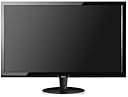
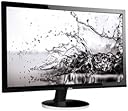
The AOC Q2778VQE is a 27-inch Quad HD monitor featuring a stunning 2560x1440 resolution, 1ms response time, and a dynamic contrast ratio of 20,000,000:1. With versatile connectivity options including HDMI, DisplayPort, and VGA, this monitor is perfect for both work and play. Its sleek design and VESA compatibility make it an ideal addition to any modern workspace.


| ASIN | B00VERZDEG |
| Additional Features | Tilt Adjustment, Wall Mountable |
| Aspect Ratio | 1.78:1 |
| Brand | AOC |
| Brightness | 350 cd/m2 |
| Built-In Media | AOC Q2778VQE 27-Inch Class LED-Lit Monitor, Quad 2560x1440 Resolution, 1ms, 20M:1 DCR, 350cd/m2 Brightness, VGA / DVI /HDMI /DP, VESA, Extra Narrow Bezel |
| Color | Black |
| Connectivity Technology | VGA |
| Contrast Ratio | 20000000:1 candela |
| Customer Reviews | 4.2 out of 5 stars 162 Reviews |
| Display Resolution Maximum | 2560 x 1440 Pixels |
| Display Technology | LCD, LED |
| Display Type | LED |
| Global Trade Identification Number | 00685417097982 |
| Hardware Connectivity | HDMI, VGA |
| Image Contrast Ratio | 20000000:1 candela |
| Item Type Name | Brightness, VGA / DVI / HDMI / DP, VESA, Extra Narrow Bezel |
| Item Weight | 1 Pounds |
| Manufacturer | Envision Peripherals |
| Model Name | 27”QHD LED Monitor, 2560x1440 Resolution, 1ms, 20M:1 DCR, 350cd/m2 |
| Model Number | Q2778VQE |
| Mounting Type | Vesa Wallmount 100x100 |
| Native Resolution | 2560x1440 |
| Refresh Rate | 60 Hz |
| Resolution | QHD Wide 1440p |
| Response Time | 1 Milliseconds |
| Screen Finish | Glossy |
| Screen Size | 27 Inches |
| Screen Surface Description | Glossy |
| Specific Uses For Product | Business, Personal |
| Total Number of HDMI Ports | 1 |
| UPC | 685417097982 |
| Viewing Angle | 170 Degrees |
| Voltage | 220 Volts |
| Warranty Description | 3 Years Parts and Labor |
| Warranty Type | 3 Years Manufacturer Warranty |
M**O
Does the Job
I've had this monitor for just over a month. It's exactly what I needed to add some more screen real estate to my 27" iMac. I'm glad I decided on making my 2nd monitor the same size and resolution as the iMac and using this monitor in particular. There are two quirks with it that I don't think are necessarily the monitor itself (well, maybe one). After an extended period of time where I don't use the monitor, or if it's just been in sleep mode a long time, I'll have two issues. The first is the color pallet for the monitor ends up going back to the default. This is really an OS thing, but over time the color profile for the monitor has become to get duplicated. This is very infrequent compared to the next issue. The second issue is that when I wake the computer the AOC monitor doesn't always "wake up" either. It looks like it's trying to as I'll see it turn on with a "No Signal" message, then turn off. This is what happens more often than not. And this issue seems to happen no matter how long the monitor was sleeping. Occasionally it wakes up as it should, but that's more like a 2 in 10 chance. It's a simple fix to turn it off and turn it back on, but it is annoying. Whether these are the monitor itself, or the iMac, I don't know. I've never had a multiple monitor system. And I don't think I've really ever sat in front of one for that matter. As far as the look of it, it's nice. There seems to be a bit more contrast than the iMac. This is after calibrating it with the OS X calibrator and making a few monitor settings adjustments. I almost prefer it over the iMac's native display. I'm still giving it 5 stars for being a 2560 x 1440 27" monitor that makes my workflow much smoother. The price is right and I'm happy with it. After calibrating it, the colors are a close enough match for what I need. If you need an exact match, then you'll probably need to spend more money. I'm also happy with it not having speakers. I already have that with the iMac and also some external speakers, so they aren't necessary. If you need the speakers, then you'll need to get a different monitor or invest in some speakers.
A**Y
Great Monitor, Great Price!
I've had this monitor now for a month or so. I'm pretty pleased with it. I would give it 5 stars but there are two issues that I have but to be honest, I am not even sure the monitor is responsible for those issues. First issue, the screen sometimes will flicker. Doesn't happen a lot and I've only really noticed it when I wake my PC. Never noticed this prior to getting this monitor. Second issue, I have dual monitors and have set this monitor up as my primary. I am not sure how to describe this issue. Basically, the mouse pointer should go from one screen to the next without interruption. If my pointer is near the top of either screen while trying to back and forth it won't move? It should jump right to the other screen. It just stops, I have to drag the pointer down about an inch and a half in order to get it the other monitor. I've never seen this before and it only started to happen once I set this monitor to be the primary. I've attached a short video of what I am trying to explain. Aside from those two things, I love this monitor. The screen is bright and projects things in crisp and clear manner. I am still in shock that I was able to get 27inch monitor with the 2560x1440 resolution for such a reasonable price. I would highly recommend this monitor to anyone. AOC Q2778VQE 27-Inch Class LED-Lit Monitor, Quad 2560x1440 Resolution, 1ms, 20M:1 DCR, 350cd/m2 Brightness, VGA / DVI /HDMI /DP, VESA, Extra Narrow Bezel
N**S
AOC Q2778VQE with PowerBook Air
Hooked this display up to a MacBook Air (2013) using a Mini DisplayPort to DisplayPort Cable ($7.99 ICZI Amazon). The display came on correctly while the computer was still booting. Had nothing to set or change except I did turn down the brightness. Super nice. I did use the Wall mount which was quite easy to do. Remove the 4 screws and pull the base arm out. The same 4 screws will work for the VISA mounting. I switched over and booted in Windows 10 and of course had to fiddle with the display settings for a bit but thats Windows. Works at full resolution 2560 X 1440. text is nice and crisp. Well worth the price. I have found nothing that I dislike. Update: Tried the monitor with a thunderbolt/display port to HDMI adapter. Works properly but I think the best way is to buy the $&.99 Cable.
T**Y
holy pixles bat man!
it is a very good monitoer for the price, I was very surprised at how crisp games looked on this thing. the resolution upgrade was a bit more then I had expected, the screen has no dead pixles and dos not stutter I have had this product for a few weeks now. pros. no dead pixles looks great! price easy to reach speaker port. cons, the stock mount dosnt alow for much flexibility no speakers. I would recommend this product to anybody who wants to up the resolution but still cant afford a 4 or 5 k monitor. keep an eye out for sales it a great addition to any setup!
D**R
Nice monitor for the price
Nice monitor for the price. It's cheap for a good few reasons though: 1. The stand is quite wobbly and is made of thin plastic. Works fine but likely won't stand up to a lot of abuse. 2. Viewing angles are TERRIBLE. It was actually hard to adjust the tilt of the monitor to make it comfortable. 3. The buttons on the monitor are as cheap as they come. Feels like an afterthought. 4. Had a hard time adjusting the monitor to make it look decent with my Macbook. I know the screen will be nowhere comparable to my retina one, but the difference was pretty stark even after calibrating it. I couldn't actually perform the contrast/brightness calibration that Apple provides - the monitor wouldn't adjust in the ways it was asking to. If you want an inexpensive >1080p monitor, this is honestly a pretty great choice. Just be aware that it won't be comparable to other monitors available for $50-100 more. If you have the money, upgrade!
A**R
A solid entry-level 1440p monitor.
Initial impressions are very good. I'm coming from an HP IPS monitor with a lower (1080p) resolution and initially I was underwhelmed by the color quality. After some adjustment using a free piece of software called Calibrize I am very happy. This is not a high end gaming monitor by any means but it is more than capable of being used for gaming at 1440p, especially when paired with my GTX 1070. To avoid tearing in FPS games you may need to cap your FPS to 60, that's not a big deal unless you're a pro gamer. Pros: - Solid color reproduction after adjustment - Little or no ghosting due to 1ms response time - Doesn't use a power brick, uses a standard PC power cord. Cons: - Stand is somewhat flimsy - As with many monitors button placement is rather poor, but once adjusted all you need to worry about is power anyway. * Use Display Port (cable included) or DVI if possible
E**S
For DVI, make sure to use Dual-Link Cable
This review is for the 27 inch Q2778VQE. I've gone through a lot of monitors over the years, and this was the biggest one I've used to date. It's 3.6 megapixels (1440x2560), which is a nice step up from the 2 megapixel (1080x1920) monitor I used previously. So - not the 8.3 megapixels you'd get with a 4k monitor, but almost halfway there. The biggest and most noticeable change was how bright this monitor is. In a highly lit room everything still stands very out nicely, and in a dim room it feels like a flashlight pointed in my eyes. The colors and contrast look great, no eye strain at all. Back-lighting is even throughout the picture with no noticeable bright or dark spots around the edges. One oddity is that I found that the menu buttons do nothing if there's no valid display source. So if you turn on the monitor and your cable is bad, you might mistakenly think the monitor has died since it won't respond to the menu button presses. To do 1440P on a DVI cable, a dual-link cable is required. I didn't initially pick up on that and tried using my regular old DVI cable when this arrived. That led to a black screen and an unresponsive monitor, and I was very close to calling my monitor DOA before I figured out the issue. The manufacturer really should fix that as I'm sure it leads to a lot of returns. Overall this was a great value for me.
D**D
Great display and fantastic value.
This is a great 2560 x 1440 (WQHD) display for the price. Pros: * TN type panel (generally faster response for gaming than IPS) * 160° viewing angle (nearly as good as IPS from what I can tell) * DisplayPort cable is included * Bright, with fantastic contrast and color. * Large * Sweetspot in Size vs Resolution vs Price - Quirks: On-screen menu (especially when switching inputs) is a bit slow to come up (1 or 2 seconds), especially when no signal is present on the current source. This is a little annoying on initial set-up, but once it is working it is a non-issue - unless you plan to switch inputs often. Included VGA cable is pointless - only Grandma would be happy using this display way below its potential with the limited resolution VGA input. Other thoughts: I thought about spending more on 4k monitor, but you need at least 32-34 inches for that resolution to make sense, and 4k displays that size are 3x more money. This 1440p display has only 720 fewer horizontal lines than 4k (33% less than 2160p/4k) Datasheet: (...)
M**N
High res but has poor viewing angles since it's a TN panel
I'm using this at work for large Excel sheets. As I keep it in portrait mode, I find that I must sit to the left of it in order to avoid the color degradation which is normal for TN panels. Other than that it's a great purchase so I'm pleased. Be aware that you may need to reboot in order for Windows 10 to switch to the monitor's highest resolution.
Trustpilot
3 weeks ago
1 month ago