


Desertcart purchases this item on your behalf and handles shipping, customs, and support to KSA.
🖱️ Elevate your workspace game with precision and comfort — don’t let your mouse hold you back!
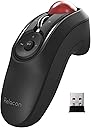
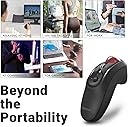
The ELECOM Relacon Handheld Trackball Mouse M-RT1DRBK combines ergonomic design with high-performance 2.4GHz wireless connectivity and a precision 1500 DPI optical sensor. Featuring 10 customizable buttons and durable ruby ball bearings for smooth, low-maintenance tracking, it supports both left and right-handed users. Perfect for professionals seeking comfort, control, and productivity in one sleek device.



| ASIN | B07ZKL66GY |
| Additional Features | Ergonomic Design, Thumb Control, 10-Button Function, Smooth Tracking, DPI Switchable, Wireless, Ambidextrous, Easy Maintenance, Ruby Ball Bearings, Battery Remaining Light Lamp |
| Antenna Location | Gaming |
| Best Sellers Rank | #18 in Computer Trackballs #394 in Computer Mice |
| Brand | エレコム(ELECOM) |
| Button Quantity | 10 |
| Color | Black & Red ball |
| Compatible Devices | Desktop PC, Laptop |
| Connectivity Technology | USB |
| Customer Reviews | 3.8 out of 5 stars 1,863 Reviews |
| Enclosure Material | Plastic |
| Hand Orientation | Left, Right |
| Hardware Platform | PC, Mac |
| Included Components | 2 X AAA battery, Battery Remaining Light Lamp, Wireless Receiver |
| Item Dimensions L x W | 1.61"L x 4.41"W |
| Item Type Name | ELECOM Handheld 2.4GHz Wireless Thumb-operated Trackball Mouse, 10-Button Function with Smooth Tracking, Precision Optical Gaming Sensor, Left / Right Handed (M-RT1DRBK) |
| Item Weight | 2.7 ounces |
| Manufacturer | ELECOM |
| Mfr Part Number | M-RT1DRBK |
| Minimum Required Operating System Version | Mac OS 10.14 Mojave, Windows 7 |
| Model Name | Relacon |
| Model Number | M-RT1DRBK |
| Mouse Maximum Sensitivity | 1500 dots_per_inch |
| Movement Detection | Trackball |
| Movement Detection Technology | Trackball |
| Number of Batteries | 2 AAA batteries required. (included) |
| Number of Buttons | 10 |
| Operating System | Windows 11、Windows 10、Windows RT8.1、Windows 8.1、Windows 7、Windows Vista、macOS 13 Ventura |
| Pattern | Single Item |
| Power Source | Battery Powered |
| Range | 10.0 meters |
| Special Feature | Ergonomic Design, Thumb Control, 10-Button Function, Smooth Tracking, DPI Switchable, Wireless, Ambidextrous, Easy Maintenance, Ruby Ball Bearings, Battery Remaining Light Lamp Special Feature Ergonomic Design, Thumb Control, 10-Button Function, Smooth Tracking, DPI Switchable, Wireless, Ambidextrous, Easy Maintenance, Ruby Ball Bearings, Battery Remaining Light Lamp See more |
| Style Name | Wireless Trackball Mouse |
| Theme | Computer Accessories, Ergonomic Design, Thumb Control |
| Unit Count | 1 Count |
| Warranty Description | 1 year manufacturer |
M**.
Mostly great, but a bit of a struggle with doing precision work or twitching to typing
I really like this mouse in a lot of ways, but there are other times when I've struggled with it, and I've ended up not using it as my daily mouse (I keep it on hand in case my daily mouse dies, like my Logitech finally did). I could see it being great for specific situations (like the listing that shows using it with a laptop at a non-desk location, using as a media controller, etc) but as my everyday mouse at my desk it just didn't work out. I've been using a trackball super happily for about 5 years, so all of the pros and cons below I'm approaching as already being a trackball user. (If you're not already a trackball user... hang in there. Once you get used to it it's GREAT.) PROS ------ - Can hold it in really any position, and it doesn't have to be up on your desktop. I just held it down in my lap a lot, or next to my side when I'm using a standing desk, but you can also rest your hand on the edge of the desk in different positions too. Even set your hand on a luxurious pillow if you want. :D - It's ambidextrous, so it works great for righties and lefties. I'm not ambidextrous myself at all, but if my right wrist is really bothering me I can switch to my left hand; it slows me down a little, but I'm still perfectly able to keep doing what I was doing. - Super flexible in that it allows you to hold it basically however you want. I wish I could adjust the curve of the underside (like have the finger groove hold my other fingers further back) but I don't know how you'd possibly make that adjustable), but just being able to not have your wrist on a desk is a pretty big deal by itself. I've had a lot of wrist pain over the years and this DEFINITELY helps. - Programmable buttons are nice! I don't need them mostly and even the ones I would use (like the back and forward web browsing buttons) I just forget they exist, but if I used it for a long time I'm sure I'd eventually make use of them. It also has a tilting scroll wheel... I had to look up what that even was for, but turns out it's for scrolling horizontally. The more you know! :D I never used it, but it's often just nice to have more options rather than less with anything. - The driver/controller program for it lets you set which button does what, and things like your scroll speed and how to make the wheel do a speed-scroll, plus there's a DPI controller on the mouse itself. CONS ------- - Switching between mousing and typing is just prohibitively annoying. Because it's not on the desktop, every time you want to type two-handed you have to either put the mouse completely down or set it on its stand. And if you're holding down in your lap like I do it you're reaching up and down a ton (which to be fair you'd be doing to reach the keyboard anyway). I just wound up doing a lot of hunt-and-peck typing with my left hand only, which made me remarkably slow at what I was doing compared to what I was doing with my previous trackball. - The stand is basically there to hold the mouse when not in use, but it's a little bit precarious. If you set the mouse down carelessly, it might slide off. I've knocked it off by jostling my desk. My cat's knocked it off. (Why is my cat on my desk? I'd also like to know this!) I'm working in a room with carpeted floor so it hasn't been a serious problem, but if I was using this in my previous workplace with concrete floors, it'd be extremely broken by now. This issue AND the problem mentioned above could be solved by a more substantial base where you could set it (and it would stay) that could turn it temporarily but SECURELY into a desktop mouse. If the stand allowed you to more easily actually USE the mouse while it's set there, it'd become like 90% easier to work with it when you also have to type. - Precision work (like for instance trying to draw or erase an area in Photoshop) was surprisingly difficult. I'm not sure why; I've been doing that work with a trackball mouse for years, so maybe this one's just a bit more sensitive or the ball's a little looser? I really had a hard time producing any sort of non-wobbly line, and no amount of fine-tuning the speed or DPI or anything really helped. - It's a little small, so if you have huge mitts it might be too little for you. For reference, I typically wear a medium in latex/nitrile gloves, and a large in outdoor type gloves, and it fits my hand pretty great. I think smaller hands would probably be fine also, I just think it might be uncomfortable for folks with really big hands. - If you need to get the trackball out to try to clean out gunk, it's surprisingly hard to get it out. It is surprisingly EASY to get it out however if it's knocked on the floor. - I really needed this to have a storage space for the USB dongle, like my old Logitech did. That one you could store the dongle inside the battery compartment; this one's a little weirder shaped but it has an entire base that could have had, if not a screw-top compartment or something, a little slot built into it. I don't think it's terribly overpriced or anything for what it is, but an upgrade on the stand design would make it so much better. In summary, it's a good mouse and if you've got problems with your wrist and don't need to switch constantly between mousing and typing, it's worth a try. For me after about four days of trying I've switched away to another type of ergo desktop model (wish me luck lol) but I'll have it on hand if I need it. Possibly all bagged so I don't lose any components. :D
G**F
Pretty good for what it is, could use smoother tracking though.
It's pretty good for the most part. The tracking on the ball could be a lot better I think, it's not very accurate and hard to click buttons or select text sometimes, it's not that smooth to use I guess is what I'm saying, DPI setting doesn't matter. I do appreciate the extra buttons for forward/back/media control. No complaints about the scroll wheel other than I wish it also had sideways scroll too, with how lots of websites let you scroll endlessly both ways to browse content. No complaints about battery life, still on the first set of batteries and it's been a couple months at least. I've dropped it a few times and it still works just as well as it has always done out of the box.
M**S
Perfect "couch mouse"
I got this mouse initially so I could still use my PC after sustaining an arm injury. It worked great in that capacity, allowing me to rest my arm in my lap while my fingers could still operate the mouse without aggravating the arm, and it has become my go to mouse. I hooked a PC up to my TV and it is perfect for sitting on the couch and browsing the net, but as i got more familiar with it I even can do gaming with it to include fast paced action ones, it has a bit of a learning curve on using the front 2 mouse buttons and the track ball at the same time, but you'll get there with use. Also because it has Pause/play forward/reverse and sound buttons on the mouse I use it as my remote control as well when streaming shows through my PC. It really is the prefect "couch mouse". The only initial issue i had with it is the ball can be lost from a drop. I've had to be careful making sure I put it away in a safe place after I use it to prevent the ball from becoming lost from a careless fall. But the ball needs to be easily removal able for cleaning. Which you can do by simply slapping the ball out of the unit and by just using your finger to trace around the cavity to remove any pet hair and the like so you can regain a smooth rolling action. I also really like that it uses AAA batteries so that don't have to keep it tethered to a USB C cord or have to wait to get it back up and going. If i want to save the planet I can still use rechargeable ones at my discretion. Not to mention no worries as to its longevity from internal battery killing the unit down the road. I like this mouse so much I bought a second backup, just in case.
D**R
Died after only two uses.
Died after only using it twice. I bought the Elecom Relacon handheld mouse and used it in my theater room back in August. I went to use it again in December, but it refuses to work. Tried it in a different computer and it still does not work. The return window is terrible allowing only a month and the contact phone numbers are no longer are in service. Turns out, it was sold as new and arrived as used. I did not realize it till I started to look into it and it had a sticker on the back of the package that read "Thanks to you, this product has a second life". What a scam this is, shame on you Amazon. Selling something as new and it's used and that fact is hidden from the buyer during the purchase. I did complain and they are refunding a portion of the total price, another scam? Buyer beware, Amazon is no longer trustworthy in my book. And I had such high praise for them before this happened.
D**R
Best Air Mouse I've tried
I've tried a skinny "pointer" air mouse and it was sometimes annoying to fight the internal gyroscopes to get the cursor where I wanted it...also the buttons were too sensitive and would double-click all the time. I tried the bigger air mouse with the keyboard and mouse pad on the back and its buttons were not sensitive enough so you had to press so hard the cursor position would jump off of what you wanted to click on. I tried the roller thumb mouse and it would randomly disconnect every couple of days so I would have to constantly remove and re-insert the USB dongle. Also it's roller would get gummed up quickly and make the cursor hard to precisely control. Thirdly, it had no media control buttons, so volume and pausing meant finding the video controls on the screen which was annoying. But THIS mouse has solved all those problems. I saw one review complain about the roller being too sensitive, but that is a normal windows setting you can adjust. It's perfect for me. The roller has not gummed up yet, and when it does, the ball easily pops out for cleaning. Love the volume control and the play pause button which is great for youtube videos...oddly I found that pausing a Hulu video with this method causes the video to pause for like 30 seconds then restart on its own, so I don't know what that's about, but I just click on the pause button on screen instead. You do not need the software that is available for the basic functions to work. I have not installed it, but if you wanted to program the other buttons for certain tasks you could. So it was pricey, but if I had bought it before all the other kinds I've tried, I would have saved money. The only minor downside is the buttons are a little too sensitive, so you either have to lock out input (there is a slide switch for that) before you set it down or be careful to set it down without a button getting bumped or you could accidentally left-click or right-click.
H**T
Lacks good Alternatives
I REALLY want to LOVE this mouse, sadly, it has too many downsides that I encounter on a daily basis. Hardware: 1: Trackball socket is lose: probably kept that way so it could be removed and sensors cleaned, but they should have gone with the rotating cap like some full sized mouses do, when using during a presentation with my arm at the side or angled (aka anyway but straight/flat) the ball comes lose causing the cursor to jump around, I HAVE to apply PRESSURE to keep it in, and EVEN THEN cursor still moves due to arm movements, since my thumb is pressed to it the whole time. 2: The battery door latch is SUPER loose: I have this and the BT model, same on both, when adjusting my hand after 20min~ the door will pop open and come off if im not careful 3: More of a lacking hardware feature: The scroll wheel has no adjustments, no free wheel, or right/left tilt, would allow the right/left buttons to be used for right/left arrow as is sometimes more preferable for presentations Software: 1: Despite choosing install language as English it still defaults to Japanese and has to be manually changed when you run it, even then, profile is not in English until you change it 2: Even when in English, bad translation occurs, I was trying to set a key NOT LISTED, but there is no custom/alternate/etc wording, forgot what it was already, but it was confusing and I had to choose each one to make sure there was a way to set custom key 3: You cannot disable or remap the DPI button... I hit this damn button ALL THE FRACKING TIME and have to cycle through to get back to where I want it Hardware/Software: 1: You have to be running the software for the changes to work, it doesn't save it on the Mouse meaning plugging it into a new PC means restarting and re-configuring (yes import/export, but the same amount of time is taken) 2: You can only pair the BT device to one system, and even then its unreliable Honestly, if this where $30 more, with the above resolved, I wouldn't mind paying $80 for it, it would be the same cost as the MX Anywhere that this replaced (yes I was using the mouse at my side to navigate presentations...), I would even give an extra $10~ if the stand and the unit had a magnet to keep them attached (see other reviews for its uselessness) As the Headline says, it Lacks good Alternatives, I have tried others and it did not sit comfortably in the hand, this will have to do for now, but im not stoked.
T**S
Great hardware, but very poor software. Do NOT even try to install the software!
The Elecom Relacon is a really nice trackball. This is just a niche product, so don't expect premium build quality for the price. It feels like a 20 dollar china mouse one could find at a big lots, especially the scroll wheel. However, it looks and feels like a nunchuck and the buttons are thought out quite well. I even tried gaming on it, mainly Minecraft, CSGO, and Halo MCC. It's actually doable! I recommend getting a program called rawaccel to use for the trackball. As long as you hold the trackball upright, you do not need to press against the ball. Gravity does all the work, you just need to nudge the ball. But if you use the ball at an angle, then yes; you will need to apply pressure to the ball for the movement to track. The ball will not just 'fly' out its socket. You will need to flip the ball upside down and pull the ball out to remove from its socket. Here is when my major problems begin. First, the box is in japanese. The only two english words are the Elecon Relacon logo. Thats it, other than that; everything else is japanese! I went to find the control software on the website, finding it wasn't that big of a deal. But installing it, was almost impossible. The installer wizard looks like it was made in 2009, not really a big deal since its just an install wizard, at least the wizard is in English. However, I see a warning about it not being able to install due to mouse software already being on my computer. Which there isn't (for elecom, at least). Then I get this error window with random japanese characters in it. Do I know what it says? No. Can I translate it? No. Because I can't copy and paste the text from this window. So I tried installing it on a different computer. This time, instead of a japanese error message. The computer bluescreens! Do not even attempt to install the software on your PC!
S**S
Pretty good little mouse
I'm liking it. I've tried the other handheld trackball mice found here on Amazon (if you've been on this search for awhile, you know the ones. There are two cheap white-label/generic models, one with a green trackball, one with a red trackball, both of which can be found with the names of multiple different companies slapped on them, and sold for wildly varying different prices. Those are both terrible, in too many ways to list here.) This mouse, on the other hand, is much higher quality. The trackball is smooth and responsive, the buttons are all well-placed, and equally responsive, but I've not been accidently pushing buttons I don't mean to, so they're just right. The ergonomics are pretty good. It is taking some getting used to holding it so that my middle finger is resting on the (default) left-click button and my index finger on the (default) right-click button, but as I'm learning to relax my grip and hold it lightly, it's starting to feel more natural. And the design makes it easy to drag things while holding either the left or right mouse button (yes, there are right-click drag functions in Windows.) I find myself wishing for slightly more granular DPI option than the three included, but perhaps I'll eventually adjust. The lowest feels too slow, the middle setting is just a wee bit too responsive for my tastes, and the fastest setting is just way too touchy (even on my 38" monitor), but some people like it that way. The only thing I don't like isn't about the mouse itself. The little stand that comes with it is worse than no stand at all. The slightest accidental nudge will knock it from the stand, and when that happens, the stand acts as a little slide, which sends accelerates toward the front edge of the desk far faster than most people could react to catch it. Luckily, the mouse seems tough. It fell to the floor 3 times before I gave up on the stand. The trackball popped out, and twice the battery cover popped off, but after putting it back together, it seems completely unfazed by the impacts. The localization (language options) in the app for it is very sloppy and unfinished. Once you've figured out how to flip it to you language of choice, several things are left untranslated, still showing kanji (Japanese.) Luckily the vital stuff you need to use is all translated though (or at least for the things I've tried so far. Not a reason to skip it though, it just stands out since the quality of the mouse itself is so high. I traded in my PC gaming addiction for learning to play guitar a few years ago, so I can't comment on how it works for gaming, but I can say it's not the first type of mouse I would reach for if I wanted to be pwning n00bs. But if you're looking for ergonomics as the most important feature in a mouse, gaming is probably not your primary focus anyway.
P**K
Mouse Trackball alternativo (dolori al Tunnel Carpale)
S**I
Super 👍
Le prix vaut le coup pratique à utiliser et il fonctionne bien avec un adaptateur USB sur un smartphone Android
H**I
الكرة غير دقيقه والمؤشر يهتز
الجوده لاتستحق اكثر من ربع القيمه الكوره فيها اهتزاز ويجب الضغط عليها وعند رفع الاصبع يقفز المؤشر الى مكان اخر الازرار تعمل البلاستيك سيء الجوده وخفيف
H**.
Mostly perfect
2 years now and I love this mouse. This mouse is perfect for the couch surfer, you can set up a pc TV connection and do all your activities in blissfull comfort. Whether it's streaming, websurfing, video editing, gaming, or anything else, this thing is sidekick. In fact, I think it could be the ultimate gaming mouse with a few tweaks and Im suprised there are so few similar options on the market. I would suggest this company design a second product from this, and adjust some functions for improved accessibility. The trigger buttons for example, they are not easy to have both covered for long periods, the ergonomics of the button placement is not ideal. One finger is fine, so 95% off ehat you do, you will not have a complaint with this, but in game it's almost a game breaker. You need to have both index and middle finger naturally positioned on buttons for proper gameplay. Next, rethink the middle mouse button. Alot of times in a game you need to hold the middle mouse button while moving the mouse, and this controller makes that a two handed or awkwardly painful process. Not The controller would. Benefit greatly from a grip button function, so this could be explored. And finally, improve the ball design. It's pretty good, but it's loose in the well and jiggles or moves as you move your hand. This creates mouse pointer instability. Put a lock on collar around the top with replaceable felt liners to firm up that feel to smooth AF. And add some buttons along the side for the thumbs. And give it a belt clip for the wrist strap. It needs to hang from the waist line with a short lead so you can walk around with it and drop it freely. I'm going to 3d print one, but it would just be a tiny little thing to include and it would go a long way. Those few things will take this thing to be the ultimate living room, home theater, gaming, or conference companion. Seriously. I had the surface mouses and the the surface rested trackball mouses. This thing is superior anywhere other than a desk. It's also tough. Dropped it probably well over 100 times now. Sometimes the ball goes flying, but it still works great and isn't damaged. And batteries last forever in it. Would suggest getting Bluetooth to reduce number of USB plug in devices, also because others report the the 2.4 ghz transmitter failing and they aren't standard channel transmitters either so you can't really replace them with a universal one. It would be incredible if they made both left and right handed versions, mirror imaged. Then users could buy two and then no keyboard game as well. And no, it's not the same as a xbox controller experience. I would pay $200CAD for each controller if it were available.
L**.
Best ambidextrous mouse, no need for a table!
It's ok for left handers too! You dont have to move your whole arm like most presentation remotes! You can control volume, play, stop a vdo with ease. I'm using w a Mac. You can adjust the speed of the trackball as well.
Trustpilot
2 months ago
1 week ago