


Desertcart purchases this item on your behalf and handles shipping, customs, and support to KSA.
🎶 Take your studio on the road — create, control, and captivate anywhere!
The Akai Professional MPK Mini MKII is a compact, travel-ready MIDI controller featuring 25 velocity-sensitive synth-action keys, 8 backlit MPC-style pads, 8 assignable Q-Link knobs, and a 4-way thumbstick for pitch and modulation control. Designed for seamless plug-and-play USB connectivity with Mac and PC, it includes onboard arpeggiator functionality and four memory banks for preset storage. Bundled software like Hybrid 3 and MPC Essentials empower producers to compose and perform with professional-grade tools wherever inspiration strikes.


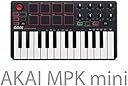
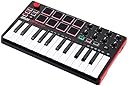



| ASIN | B00IJ6QAO2 |
| Additional Features | Thumbstick & Built-in Arpeggiator |
| Best Sellers Rank | #100,331 in Musical Instruments ( See Top 100 in Musical Instruments ) #339 in Computer Recording MIDI Controllers |
| Brand | Akai Professional |
| Brand Name | Akai Professional |
| Color | Red |
| Compatible Devices | PC |
| Connectivity Technology | USB |
| Connector Type | USB |
| Control Method | Touch |
| Control Type | Keyboard Controller |
| Customer Reviews | 4.5 out of 5 stars 19,902 Reviews |
| Global Trade Identification Number | 00694318015599 |
| Hardware Interface | USB |
| Hardware Platform | PC/Mac |
| Human Interface Input | Keyboard |
| Included Components | Akai Professional MPK Mini MKII | 25-Key Ultra-Portable USB MIDI Drum Pad & Keyboard Controller with Joystick, VIP Software Download Included, IOGEAR 4-Port 2.0 Hub GUH285 (Black), Hosa USB-205AF Type A to High Speed Extension Cable, 5 feet, Photo4Less Camera and Lens Cleaning Cloth |
| Instrument | Keyboard |
| Instrument Key | Any |
| Item Dimensions D x W x H | 7.13"D x 12.52"W x 1.73"H |
| Item Type Name | 25-Key Portable USB MIDI Keyboard With 8 Backlit Performance-Ready Pads, 8-Assignable Q-Link Knobs |
| Item Weight | 1.6 pounds |
| Keyboard Description | Ergonomic |
| Manufacturer | inMusic Brands Inc. |
| Manufacturer Part Number | MPK Mini MK2 |
| Material Type | Rubber |
| Model Name | MPK Mini MKII |
| Model Number | MPK MINI MK2 |
| Noise Control | None |
| Number of Items | 1 |
| Number of Keys | 25 |
| Platform | Mac OS X |
| Product Dimensions | 7.13"D x 12.52"W x 1.73"H |
| Product Style | Old Model |
| Special Feature | Thumbstick & Built-in Arpeggiator |
| Supported Software | MPC Beats |
| Total USB 2.0 Ports | 1 |
| Total USB Ports | 1 |
| UPC | 615435500935 694318015599 |
| Unit Count | 1 Count |
| Warranty Description | 1 year parts & labor. |
D**Z
A mini controller with an Arpeggiator - Get outta here!
Okay I pulled the trigger on buying Akai's MPK Mini MK2, even though I had resisted the urge to purchase the MK1 (1st gen) model because I also own a first generation M-Audio Axiom 25 M-Audio Axiom 25 25-Key USB MIDI Keyboard Controller with Assignable Control Surface, 2nd Gen and Akai's Original LPD 8 pad controller. When the first MPK Mini came out I was tempted to get it because I thought its size would make it easier to do portable production with my laptop. So anyways was browsing here on Amazon and found that Akai had released an upgraded version of its original this time with a sustain pedal input and a knob controller for pitch bend and modulation. My first thought was that's insane (in a good way), add a midi output port and you could use this thing as a standalone controller to control any of your synth hardware (for those of us who still have some). Akai must've hired some mad scientist engineers to design its newer product lines because its following suggestions that were made back in the hardware only MPC days, my first thought - the plan is working - first upgraded midi controller - then, world domination, muhahaha - okay maybe not in that order. ABOUT THE VIDEO: I wanted to show both the positive and negative aspects of working with the MINI so far, so the first four minutes is intro, and troubleshooting, if you want to skip to the part showing the Editor software and then using the arpeggiator in Cubase that stars around 4:00 Anyway DOWN TO THE DETAILS: 1) Ease of Set Up - 4/5 - the drivers were automatically recognized and downloaded on my Windows 7 laptop, haven't tried on Windows 8 yet, but the basic drivers are plug and play. However it did take a couple of resets in Cubase and a version of Kontakt player that I have before the controller was recognized - ie -being able to play the keys and pads. The controller was listed but wouldn't respond at first, this could be due to the fact that I didn't restart my laptop after installing the drivers so the DAW/ VST software may not have been using the most current file, just my guess anyway but this kind of thing happens with other gear so not really a big deal, but could be an annoyance for someone new to working with MIDI controllers and music software, at least on Windows. 2) Key/ PAD Response and Arpeggiator 3.5/5 - the keys are mini keys and feel plastic but their response and velocity sensitivity is pretty good, if you've played on any synth with minikeys before like a Korg mini, then you may know what to expect, don't expect full expression, but they are good enough to do chords, bass-lines, and some basic riffs. The PADS - ahh the pads, well some reviewers have said that the pads were more responsive than the first gen, can't comment on that but I will say at least so far the pad have the same feel and quality as Akai's LPD 8 Akai Professional LPD8 Ultra-Portable USB Pad Controller for Laptops , they are fairly thick for mini pads and have a nice bouncy feel to them, not like those nightmare cheap pads they put on the earlier MPD models Akai Professional MPD32 USB/Midi MPC Pad Controller l. LAST but no LEAST the Arpeggiator - I have to say this is where I think its a mixed bag, yes the arpegiator works and you can sync it to your DAW by downloading the MPK mini editor software, but its response even when synced to the software seems a little bit delayed, I got better results in Cubase Elements but still may take some practice, not a fast as either a keyboard Arp or built in VST one. To sync it to your DAW software you have to set the clock sync to external using the editor software and then you have to send a Midi Clock signal from your DAW (audio workstation - Cubase, Fruity Loops, Ableton, Logic -etc) software to the MPK Mini by selecting that as the Midi Clock output port - for those who may be wondering. Your DAW software may have slightly different names for these, but the process is the same (except for Reason Essentials which doesn't transmit midi-clock so you can't use this feature). 3) Software - No Rating Yet - Being that I already have a bunch of software-instruments( aka VSTs) from Reason, Cubase, and Kontakt (Native Instruments), I haven't downloaded any of the "included" software yet besides the MPK Mini Editor software which is free (no registration either) from Akai, I am looking forward to using the MPC Essentials software, but just haven't gotten around to doing the whole online register and download thing, which I know is no big deal but just haven't done it yet. However for ANYONE NEW to computer music production this step may be one of the most important and you should realize that A) the MINI DOESN'T COME WITH ANY MUSIC SOFTWARE PRE-LOADED or even on a disc and B) you have to use this as a MIDI-CONTROLLER with music software it DOESN'T HAVE ITS OWN SOUNDS, sorry for the caps but reading some of the reviews I know people who are just starting to get into making music may not realize this, I know this seems like a no brainer for the rest of us but I try to consider every kind of user. The Editor software is pretty good and if you own any of Akai's other software you will probably be familiar with the interface and layout, you can change the control numbers, pad numbers, and even the default octaves for the keys. And you also can set the Arpeggiator to internal or external sync. You get four Programs (or layout groups) which you can store. PROS and Cons vs other devices: I was on the fence between this and the M-Audio Axiom AIR Mini 32 MIDI Controller but the biggest selling point for me on the Akai was the option for a sustain foot pedal, that to me takes the MPK Mini to another level production wise. I also considered Akai's new MPX 16, even though its more a sampler than midi-controller, but all the reports of MIDI problems and sync issues convinced me to stay away from it (at least for now). Anyway like usual sorry for the longer review but just wanted to hit some points that I thought were important when considering buying this device, the pads are cool, the keys are responsive, and the portability is great, work out the issues with the Arpeggiator and this thing kicks a* and takes names! Current SET UP: Windows 7 64 Bit Laptop soundcard: Focusrite Scarlett 2i4 USB Audio Interface DAW: Cubase Elements, Reason Essentials, Ableton Live
C**E
Fun and cheap, but with a learning curve.
This is a great piece of equipment for a beginner musician, but there IS a learning curve, so please be aware of that when buying. What you are purchasing is a MIDI controller (Musical Instrument Digital Interface). Unlike a synthesizer, MIDI controllers do not produce sound without software. It's basically just a tool to control computer software. So after you've downloaded the software and plug it in, you will still not have any sound generated until you've set everything up properly and loaded sounds onto the pads. So I feel it is slightly inaccurate to call it a "plug-in and go", as some people do. Pros: - Its easy to use AFTER you have learned how to set up and use it. - Its fun. - A good way to get into digital music making. - Budget friendly. Cons: - The software setup is kind of intimidating but luckily there are easy-to-find tutorials to help you. - Akai itself doesn't seem to have much assistance in actually using the controller. Every useful tutorial I found was by someone else, not the company. It would be nice for them to take the time to make more tutorials. Unless I just didn't find them? Everything I found just had to do with setting up the software, nothing really about HOW to actually use it. -The software that is included is limited. You can't use the knobs with MPC Essentials, you need Ableton or something similar for that. Or rather, I should say, you can't use the knobs for effects in your track. I believe you can use it for other things but I still don't quite understand that part. I am still learning to use this but it has gotten significantly funner to use as I have learned more about it and found sounds I like. Just as a tip: - Make sure you know where all your files are saved when you setup the software. You will need to know where your VST stuff is so you can load it into MPC Essentials. -Use Program 2 when you're finally ready to start loading sounds in. Program 2 has the pads laid out in order in the software, so everything correlates properly. -Read the manual and do a lot of research if you are new to it. It's worth the time, trust me.
T**N
Best MIDI controller on a budget!
I'm a full-time student at a university, and on the side I like to make music--so I'm not doing anything huge here. I was looking at budget MIDI/USB controllers a couple months ago--and I came across the Akai Professional MPK Mini 25-Key Ultra-Portable USB MIDI Keyboard Controller . I was about to get it, but I saw people saying that the pads had a somewhat bad hit detection. After looking at some videos I confirmed this to be true, but there was also an easy fix for it (the electrical tape fix). After more research I saw that there was a second version of the MPK Mini coming out, except this one apparently had updated pads AND a new control knob (which I REALLY wanted). I figured I'd wait it out and buy it when it came out! So, I did and here's my review: As a preface, I was looking for a MIDI controller mostly because I make live music with programmed drums, and I wanted to get velocity-triggered pads to make them sound more realistic. I also make Instrumental Hip-Hop in the style of Nujabes, so I was keeping that in mind as well. Generally, I just wanted a really well-rounded keyboard that I could do a huge variety of things with. As soon as you plug the controller into the computer, the pre-loaded drivers install themselves and then you're ready to go. I had no issues with this step, and I'm using Windows 7. After that I loaded up my DAW of choice (FL Studio), and loaded a channel to get going. Everything was already completely working. I didn't have to mess with the MIDI settings at all! I actually didn't even know that the KEYS were also velocity-sensitive before I bought this keyboard, so that was a pleasant surprise as well. The pitch & mod knob by default on most things for me was pitch shifting, but in whatever DAW you use you should have no trouble mapping the knob to whatever you want. This being my first controller, everything else was on point 100%. I was worried about the pads still having the same hit detection issue as the last model, but that's not the case. In fact, by the time I got around to the second use the pads got MORE sensitive. You honestly don't need to hit very hard to get maximum velocity. What's also great is that there's a "full level" button which always plays the pads at max velocity no matter how hard you hit. I highly recommend reading the manual when you first get the keyboard, as it explains all the features pretty much on one page! Lastly, I'd like to talk about the arpeggiator. I think it's really nifty, and I love it a lot, but there's a serious problem I've been having with it. It doesn't automatically sync the tempo up to the computer, and it doesn't always play right when you hit the keys (I'm assuming that it's either one of the settings causing this, or something in the DAW itself--I'm still just a noob when it comes to MIDI controllers, so I'm sure that the MIDI clock isn't set up correctly). But since the arpeggiator runs on the tempo, you have to manually sync it up to the computer, and even then I still have issues. I'm sure there's a trick to make it auto-sync, but I haven't found it yet. It's just annoying when I'm trying to record with the arpeggiator and it doesn't start playing right when I hit the keys--it gives it about a one-second delay 60% of the time, even when I play right on the beat and/or I'm NOT recording. So, all in all, I HIGHLY recommend this to anyone looking to start out with a really well-rounded MIDI controller. It has so many features that seriously cannot be beaten for the price you pay. Pros: Great price Improved pads--overall very sensitive on my part Lots of control knobs and multiple programs/banks High variety of settings for arpeggiator and pads Velocity-sensitive keys/pads Worked immediately from initial plug-in Fast response Cons: Arepeggiator issues (most likely a DAW sync issue) Had a couple issues with mapping the knobs (probably the VST itself) Joystick was a little jerky at first, but it works in pretty quickly I still can't believe that I only paid $100 for this. Too incredible of a deal.
T**A
Now that I have MPC Beats I love this little controller!
Updated 7/26/2020 I updated my rating from a 2 to a 4, primarily because Akai Pro just dropped the MPC Beats software, which is light years ahead of the bundled MPC Essentials. And the great thing is, the expansion packs and VSTs that come bundled with the MPK Mini are available in MPC Beats, so when you download it you actually get six expansion packs. When you register for the MPC forum you have access to another 5 free expansion pack samplers. That is quite a bit of instruments, programs, samples, and sequences to get started with. In MPC Beats the K knobs work right out the box with the Q-Links. When you are in the channel mixer they work with the sliders. I am now very happy with this little controller. Oh and Akai Pro also has tons of video tutorials for MPC Beats to get you started in the software and writing songs. And just like with MPC Essentials, MPC Beats will work as a plugin in your DAW, like Cubase or Logic, and you can work with it to build a song with more than 8 tracks. I finally dusted it off and a few keys weren't working, easy fix, I unscrewed it, removed the keys and pad, blew some air on it and give it a quick clean with an alcohol swab and just like new. Excellent value for your buck. Once you register keep going back to the Akai Pro website because they offer lil freebies or discounts for expansions, VSTs and other software. ---------------------------++++++++++++++++++++++++++------------------------------------------------------- Looks nice on my desk but I should've sent it back for a Novation or another controller that works better with Cubase This keyboard fits perfectly on my desk and the software that comes with it has some excellent sounds for looping. There is a steep learning curve with the included software, and I am having trouble accessing the software in my DAW. I also am having trouble programming the pads in my DAW, but I can program the pads in the included software. Aside from the software learning curve, the hardware works as advertised. I just wished it worked perfectly right out of the box with all software DAWS. I have Cubase AI 8 and the poor support received from Akai just made it a bear to learn the software and use the controller to work on projects. I think I would've had better success with the Novation controller since it integrates better with Cubase. Purchase a controller that works best with your DAW.
P**X
My favorite portable MIDI controller
This is a seriously sweet controller! Not perfect, but excellent for portable work with a MacBook or an iPad. I would say I don't understand why there are so many negative reviews, but I do. They are mostly from folks who just didn't understand what they were getting into... This is a MIDI controller. As such, it must be attached to a device that can interpret it and produce sound (Logic/GarageBand on a Mac, or GarageBand on an iPad, for instance). If you just want to tinkle the keys it'll work out of the box with either, but to really get some use out of it you're going to have to load the Editor software and dig in a little bit. I did a bit of research, and was able to map out the things I wanted to do. As it turns out, Apple has 16 drum sounds that are available for the drum kits (not drum machines) in both GarageBands (Mac & iOS) and Logic. Better yet, they share 16 note numbers to trigger them. So I was able to setup the 8 pads with all 16 sounds using the A/B switch, and was able to group the sounds physically on the pads so it worked for me. I used two different "Prog"s, so I could have 2 different layouts, and then used my P-Touch label maker on the smallest font to create labels that tell me which sounds are where. I had to cut the labels with scissors to make them fit between the pads, but it worked and now I can see exactly what's where even when I haven't used it for weeks or months. I did the same thing with the knobs. Assigned basic values (Channel Vol, Pan, Modulation) to the most convenient knobs, then picked some of the more esoteric MIDI CC values so I could play with them for the other knobs. And labelled the whole mess so I would remember it. The sensitivity of the keys and the pads is great; better than the LPK25 or the LPD8 I think. Doesn't have aftertouch, but that's about all I can see missing (and that isn't a reasonable expectation at this price point). My only problem was connecting it to an iPad Pro, but I think I've got that figured out. Using just the Apple Lightning to USB Camera Adapter didn't work; I got "Cannot Use Device. MPKmini2: The connected device requires too much power." Turns out I needed to connect it through a USB hub. I used an unpowered Satechi hub I had handy and it worked. That's got a long cord, though, so I'm going to try using a very inexpensive Sabrent 4-port unpowered USB 2.0 hub with a 6" cord. That should do the trick. The AmazonBasics 4-port 2.0 hub would be another option... The Editor software for this is MUCH easier to use than many I have tried. It's more straightforward than the editors for the LPK25 or the LPD8, and beats the Korg nano editors shamefully. And don't get me started on the Roli BLOCKS editor... Overall, this is the nicest portable MIDI controller I've found. Get the Khanka case for it and you'll be all set. Just make sure to put some dryer sheets or something in the Khanka case before you put the MPKmini in there; the case smells like something died... :)
P**K
This is a fantastic little midi-controller
This is a fantastic little midi-controller. I use it with my Mac Mini (OS X 10.8.5) running Logic X (it will also work with GarageBand and most other DAW's) and it works very well. It also works well with my M-Audio sustain pedal, it has a port for a sustain pedal in the back (in case you were wondering.) The packaging was fantastic. Included is the Keyboard, USB-Midi cable, instructions, and information on where and how to download your included software. The keyboad itself looks great. It is very streamline and has a great color scheme. A unique feature is the 4 way joystick for modulation and pitch control. I have to say I like it better than a typical wheel style control you see on other midi-controllers. It really helps keep the size of the keyboard down since you don't have to include those bulkier pitch and modulation wheels. It really helps make this a portable keyboard. Though someone who is use to the wheel style control might not like this feature. It takes a minute to get acclimated to. Right now my only complaint is that the keys are a little smaller than I was expecting. As you can see in my pictures, each key is about the size of a penny. They are completely usable but a little hard to get used to if you are use to a full size keyboard. This may or may not matter to you. If you have big fingers, I may recommend looking for something else. Of course this is not the manufacturer's fault, they list "mini keys" in the first description of the product so I am not going to knock any stars for that. I just thought they wouldn't be quite so mini. But the upside is that it makes the overall footprint very small, smaller than my computer keyboard infact. Also, unless you have nothing else, this isn't really the type of keyboard you (or atleast I) would use to put down a lot of notes. I think it's more for editing and mixing than for creating and composing, but if you really needed to you easily could. I think would be really neat if they made this same controller with normal sized keys. They make one similar (Akai Professional MPK25 25-Key USB MIDI Keyboard Controller with MPC Pads) but it has a lot more going on and is $80 more. Maybe I will invest in that someday. If you have larger fingers or don't like the mini-keys go check that one out. Anyway, in summary, fantastic little midi keyboard. Good price, great packaging, and great usability. I think this is a good keyboard to start out with as a beginner and even a good keyboard to have floating around if you are a pro. Pick it up, I don't think you will be disappointed.
R**K
You like it I love it
First off let me just say this is the first midi controller that I ever owned and the first Akai product as well. I like the fact that this controller is portable and light weight. I am NOT used to MIDI controllers I'm used to using workstation keyboards I'm from the old school.I love the way the pads feel and respond I have not gotten used to the keys because like I said I'm use to work station keyboard but that's minor.I purchased this because every time I used my workstation as a MIDI controller I would lose midi connection while I was working on music and it will cause my programs the freeze up and crash and I would lose whatever I was working on.I don't know if it was my board or my midi cable's you know 5 pin to USB.Thank God this is USB powered so I don't have to worry about that anymore. It has plenty of features for the price and is easy to set up. The only downside is for me is that MPC essential is not the full version. You only get a one track sequencer but you still can use it and save projects you have to press the overdub button to separate you're tracks if you are using it as a stand alone.if you are using it as a Au or Vst plugin you can pull it up on separate tracks in your DAW and use it that way. I can't because MPC ESSENTIAL is 64 bit and I'm using mixcraft 6 and it is 32 bit so I have to up grade to mixcraft 7 in order to use it that way. I read online that the only way you can unlock mpc essential you have to connect a MPC Renaissance or studio or an element to unlock it to full version. In order for you to register hybrid 3 And Wobble you would have to use ilok to unlock those plugins.All in all a great midi controller with a ton of features 3 free software good build quality and portability for the price you can't go wrong.
J**B
Advice for entry level buyers on the bundled software and a critique of the mini keys with alternative recommendations
I bought this Akai Professional MPK Mini MKII because I wanted a small keyboard to set up in front of my monitor for programming my software virtual synths, as well as something I could toss in the laptop bag to use while traveling. It checks these feature boxes very well! And it is the Amazon #1 best seller, so that should say something. Before I get started, I just want to mention that I read the reviews before I ordered this. I noticed two things regarding the high number of Amazon reviewers that had a bad experience with the bundled software (like 25%). 1. The difficulty with getting the bundled software setup and/or being able to make it work well. 2. The likely lack of a professional audio interface with high performance ASIO audio drivers. I think part of the problem is that this controller appears to be marketed towards the more advanced computer music producer, based on the bundle offered. However the price point is also very attractive to many entry level users. For issue #1, just be aware, that you do not need to use ANY of the bundled software to make this work with your computer. It is truly plug and play. If you have a Mac and Garageband, then you're all set! If you are just starting out on a PC, then you will have a better first time experience and be making sounds very quickly if instead you just go to the PreSonus website and get Studio One Prime 3 (free). [....] It is a completely free (not demo) feature rich DAW (Digital Audio Workstation) that includes the Presence XT virtual sampler instrument (with over 1.5GB sound library), which you can then play with this MPK Mini MIDI keyboard. It also includes some audio effects units like EQ, compression, reverb, etc. You just need to add Studio One Prime to your cart and create an account. The main DAW program downloads quickly, but if you opt to download the Presence sound library, this can take a little while longer. But it's worth it if you don't have any virtual instruments on your PC yet. There will still be a learning curve, but Studio One Prime has an integrated user guide, as well as an online forum dedicated to Prime users, not just the pro versions. For issue #2, if you have any desire to plug in a microphone or guitar and record it, you must get a pro audio interface. There are many available between $100-150 with 2 inputs. Amazon offers many, which are usually bundled with some LE version of a DAW, so you can try something else besides Studio One if not to your liking. These also provide the correct audio drivers for digital audio on the computer. If you don't plan to do this and only want to play MIDI sounds with your MPK, you can install ASIO4ALL, a freeware audio driver that will let you play your virtual MIDI instruments with the MPK without any noticeable lag or delay with any modern PC. The stock Windows audio drivers are not designed to provide the high performance of ASIO drivers, often resulting in delays, popping & crackling, or complete audio dropouts. You have been warned :-) [...] I only gave this three stars because of what it could have been. It is very well designed and built. It has enough functions that could be very useful, such as the rotary knobs and velocity sensitive pads. The octave up and down buttons provide more range than the two octave keyboard has. The joystick is nice to control modulation with. I was able to set MIDI learn in my music software to several AKAI MPK knobs and easily control volume and pan within my music software, as well as any other parameters I wanted to control. But the keyboard and keys are another story. For me, the small keys are a deal-breaker as far as play-ability goes. I knew that it was a mini keyboard. but I had no idea that they would be this small. It really reminds me of a small child's first toy piano. I had difficulty hitting keys without partially striking the adjacent keys. The keys feel stiff and springy, but I could live with that if they were a little wider There is also no aftertouch on the keyboard for MIDI expression, it just has the velocity (volume) sensitivity, like the pads. Anyway this thing is taunting me because of how good it could have been. It's only 12.5" wide, and adding 3.5" more to make the 25 keys full width wouldn't have been a big deal. It still could fit a laptop bag and be just as portable. And much more playable!!! Someone might suggest I try the larger AKAI with full size keys, but I already have 32 key & 49 key controllers with full size keys and all the bells and whistles. The only problem with most of the full size 25-32 key models is that you end up with a controller 2 feet wide and about 10 lbs. Definitely not going to slip into a laptop bag, Takes up a lot of space in front of the monitor too. Anyway, I tried this other compact keyboard out as an alternative with 25 full size keys and it is amazing. It would be nice to have knobs and pads, but at least for me, the keys are the priority. Made with a solid aluminum frame and less than 16" wide. It also has polyphonic aftertouch. https://www.amazon.com/Xkey-25-Key-Portable-Musical-Keyboard/dp/B00DU2VKV8 [...]
J**N
Nice gear!
This is a fantastic piece of audio equipment, and I have used it to produce custom ambient audio and soundtracks for my YouTube channel. I combine it with Ableton Live and after an extremely tough learning curve, I've managed to get enough functionality from it to make it worth the price. I'm very tech-oriented and I can usually discern my way around various gear, but it is definitely not beginner friendly. YouTube tutorials have been invaluable, so be prepared to watch a good few of them to get started. That said, it is a wonderful piece of gear and very much a decent quality product. The more expensive Novation boards are probably even better, but this one fit my needs just fine and is a fair price for what you get. Mine came bundled with lots of software too, a nice bonus. Recommended.
D**A
Il migliore in assoluto per adesso. Consigliato.
Possedevo già la versione MKI che ha dato già elevate soddisfazioni. Con questo modello ‘AKAI si aggiudica per ora il premio come migliore controller portatile qualità/prezzo insuperabili. Lo ricomprerei in tutti i colori e tutte le varianti. Veloce da configurare e bello anche solo da guardare. L’interfaccia grafica del software Akai editor control nn é stata mai un granché no come utilizzo perché resta sempre chiara e veloce ma come aspetto. Va migliorata. Per il resto l’unica nota negativa é la spedizione del pacco senza una protezione esterna. Nel senso che il postino oltre ad attaccarci le etichette ha scritto anche sulla scatola ... e se avessi voluto regalare questo prodotto? Che figura avrei fatto? Questo comunque nn influisce sulle 5 stelle meritatissime !
E**T
great quality vs price - DAW software not included
For 148$ this was an absolute steal. It's my first time purchasing a midi controller, so I can't really compare it to any other controllers. But, it's small, cute, good quality for its price and it does exactly what I was hoping to do with it. NOTE TO PEOPLE WHO ARE NEW TO MIDI-CONTROLLERS With Covid, I wanted to pick up a new hobby - but using one of these is definitely not for beginners who just want to pick up a random a hobby. Using it takes quite some computer know-how. So this isn't a toy or something you should buy for a child unless they know what they're getting themselves into. The controller only comes with software that let's you map out the nob/pad/key controls into a DAW (digital audio workstation). This means it only links all the buttons on the controller to the DAW so that when you have the DAW open, you can hear sounds when pressing keys and can assign sounds to keys. The DAW software can be purchased online as a digital copy. Most of these software can only be purchased through yearly subscriptions - so prepare yourself to fork out more money if this is something you want to pursue. Note that not all DAW software is compatible with the MPK and can be more or less difficult to use depending on the software you choose. FL studio works great - but Akai recommends Ableton. END NOTE Overall - i love this product. I went with FL studio and it took me about 3 hours of looking at youtube tutorials and looking up questions online before I was able to start recording a single track of sounds. After 8 hours, I had about 2 minutes of a song done with about 5 tracks (5 instruments). Thankfully I'm pretty computer savy because of my work, but I could see this being way more difficult for someone with less computer knowledge.
J**A
Gracias por todo
Excelente producto
J**.
Compacto y de buena calidad.
Compré el Akai MPK mini para facilitar el trabajo en composiciones y mezclas. Me ha sorprendido gratamente ya que por el precio que tiene es muy versátil y funcional. Me esta ayudando mucho a la hora de componer y realizar automatizaciones en los instrumentos virtuales, además de que permite aportar un grado de humanidad sobre el parámetro velocidad bastante útil. En resumen, muy contento con la compra, lo recomiendo al 100% si estas pensando en comprar un controlador MIDI de tamaño reducido y portátil. PROS: -Compacto y fácil de transportar -Funcional desde el primer momento -Permite controlar los valores que quieras si lo configuras adecuadamente -Estéticamente es bonito CONTRAS: -Se nota que es un teclado para "principiantes", lo cual no significa que no sea de calidad -El cable USB es bastante corto
Trustpilot
2 weeks ago
3 days ago