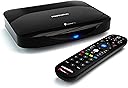


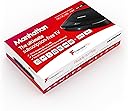


Manhattan T3•R 1TB
Product ID: 126762647
Details
- BrandManhattan
- ColourBlack
- Compatible devicesTelevision
- Connectivity technologyEthernet USB
- Connector typeHDMI
- Memory storage capacity1 TB
⚡Quad-core CPU
💾1TB storage
📺85+ channels
📺 Elevate Your Viewing Game with the T3-R!
The ManhattanT3-R Freeview Play 4K Smart Recorder offers a subscription-free TV experience with over 85 channels, a 1TB hard drive for extensive recording, and advanced features like dual recording and smart search, all while supporting Ultra HD and HDR for a premium viewing experience.
| Asin | B07RF9B9G5 |
| Best Sellers Rank | 21,742 in Electronics & Photo (See Top 100 in Electronics & Photo) 40 in Set-Top Receiver Boxes |
| Box Contents | AC power adapter, Get Started Guide, Premium high speed 1.2m HDMI cable, supports resolutions up to 4K/60Hz, Remote control & batteries |
| Brand Name | Manhattan |
| Colour | Black |
| Compatible Devices | Television |
| Connector Type | HDMI |
| Customer Reviews | 4.4 4.4 out of 5 stars (4,502) 4.4 out of 5 stars |
| Manufacturer | Manhattan |
| Manufacturer Part Number | T3-R |
| Memory Storage Capacity | 1 TB |
| Model Number | T3-R |
| Network Connectivity Technology | Ethernet, USB |
| Number Of Items | 1 |
| Resolution | 4k |
| Supported Internet Services | youtube |
User
Should've gone for this way sooner!
Bought this because my BT/Humax YouView DTR-T1000 finally kicked the bucket...and I do want to continue to record stuff. I know that makes me something a dinosaur, but I really don't want to be at the mercy of broadcasters, who in my experience always seem to manage to tear down their content just as I decide I want to watch it! And I find using the broadcasters' players to be bit of a faff. (Okay...I'm a fully fledged dinosaur!)In the several weeks I've had it, the T3-R's been brilliant. The first thing that jumped out at me was how it seems to have brought out the very best in the picture quality of my rather aged, non-smart Sony TV, HD being now particularly superb, and even SD having discernibly improved. And that applies to both live and recorded content. How the T3-R's managed that, and whether others with similarly aged HD TVs will enjoy the same benefit, I don't know. It could just be down to the HDMI cable. I replaced the cable I'd been using with the YouView box with the one supplied with the T3-R, so it might just be that the old cable was faulty in some way. I can't comment on the 4K experience, but given the excellent quality of the T3-R's SD and HD pictures, I'm looking forward to it (when I get my hands on a 4K telly)!The second thing that jumped out was the speediness of the T3-R's response: push a button on the remote, and what should happen happens right away. Of course, I'm using the old YouView box as a yardstick, so I guess a comparison of the two boxes' responsiveness is bound to favour the T3-R. But the T3-R does fly.Set up was quick and easy. But for getting my head around the standby modes and states, I'd easily have managed it without dipping into the 'manual', which is actually a short and concise set-up and troubleshooting guide, and so nothing terribly frightening anyway. Once set up, the T3-R is highly intuitive, there being just the one thing I've had to look up so far, i.e. how to delete a recording (it's one of the functions of the record button). The go-to feature is a boon. While playing back a recording, it lets you jump to any minute of the recording's elapsed time. If my old YouView box had that then I'm an idiot for not realising it was there. It's just the thing for quickly skipping ad breaks.Just the one thing on the downside, and it's actually nothing to do with the T3-R itself: when registering the T3-R on-line, you're invited to upload an image of the vendor's receipt, and when I uploaded my Amazon invoice, I was horrified to receive it back in an unencrypted e-mail message. The problem there is that the invoice, which contains my personal data, was exposed while it was in transit in the Internet. I would accept that those data are not particularly sensitive, and I'm not suggesting that Manhattan should've gone for e-mail encryption, which is generally none too straight-forward. But I do wonder why they found it necessary to send the invoice back to me at all. In doing so, they'll have made things for the identity thief who might have intercepted it just that little bit easier!
User
Excellent PVR
Leaving Sky after 17 hears, we (wife and myself) were lost, thinking of what would be the best replacement for Sky box. We searched on the web for best Freeview recorders on the market and a number of PVRs came up. We took our time and went through the reviews for all of them, including Manhattan T3-R which wasn't even the first, second, third or fourth in the list. To our greatest surprise, the recorder with the least negative review was the T3-R. The positive reviews for T3-R influenced us to go for this equiptment. We are glad we did.The T3-R is not only good, it is a better replacement for our Sky box. The installation was easy - just follow the clear instructions and even over 80 like me installed it with ease. The operation is easy. You can record two programmes at the same time, while you watch pre-recorded programme or record one programme while you watch a channel. You can go to the programme guide and programme your favourite programmes you want to record, seven days in advance. You can even go few days backwards and watch some programmes you have missed. The pictures are crystal clear. The remote handles well. We just cannot fault the T3-R.We had what is now to me a little problem. After installation, the TV blinked out for a second or two and the screen went dark and came back again. Then it went on to blink out for three or four seconds with sound but dark screen. I contacted Manhattan and I was advised to unplug and plug in the HDMI cable, switch off and switch back. I did all these but the problem persisted. I got back to Manhattan and I was asked to exchange the HDMI cable supplied with the equiptment with another HDMI cable. This I did and bingo, everthing was fine. The Manhattan Technical team asked me to produce receipt for the purchase and they would send me a replacement HDMI cable. This I did and a replacement HDMI cable was received the next day. Great service indeed!! The only minor negative is not having LED to show when you are recording, but you get used to it.All in all, we are very satisfied with the T3-R. This equiptment is a 5 Star PVR and is highly recommended.Manny
User
Easy to set up and use. Decent picture.
After moaning for several years about getting around to cancelling the very underused and expensive Sky subscription, I finally got around to it and bought this. I wanted to get the recordable version with a decent amount of hard drive space as we used to record quite a lot of programs to watch at a later date as I very rarely watch TV when it is actually broadcasting.It was extremely easy to install - only needed to be connected to the aerial socket (which I don't think had been used for donkey's years) and then connected to Wi-Fi. It then did a software update (which didn't take very long) and did a scan to pick up all the channels and then it was good to go. The whole process from taking it out of the box and being able to watch channels took around half an hour.The user interface took a bit of getting used to after so many years of being used to the sky interface, but the interface is fairly intuitive and wasn't too difficult to see what was going on. The picture quality isn't bad at all - sometimes it goes a little bit blurry and a bit pixelated, but I think that is more to do with the arial than anything else. (We did purchase a new arial but when we realised that the original arial was still on top of the house we'd moved to and had no ladders to get up to change it over, we've stuck with the old one for the time being).I haven't had chance to play around with all of the different functions that the interface offers as yet, but I have noticed that when looking for some programmes on catch up it doesn't seem to give you the option to carry on where you left off (if you were half way through a program the night before and stopped it). It doesn't show you which ones you've viewed or where you had got to through a partly-viewed programme. If it does have this option, then I haven't worked out what it is yet. (I should also add this was on the More 4 app so it might be different on other channels).Bizarrely, I also haven't recorded anything so far - despite previously recording quite a lot of stuff on sky to watch later, so I can't review how that works or how to do it as yet. The remote is decent (it also came with batteries, which was apprieciated).So far I'm happy with this. Not a great fan of the interface, as said before, but that's certainly not the be all or end all and I think it's worth the money it the long run.
User
Excellent Customer Service - Faith in the Product Restored
13.02.20I am amending and updating my original review which I have left below.I had become disillusioned with my T3-R 1TB after it developed several issues as I have described in my original review.My review was seen by Alex @ Manhattan who replied asking me to contact him direct which I did, he then called me and spent about an hour on the phone with me talking to me about my issues and asking me to run some checks and tests on my original STB.He assured me that the failure rate of the devices is very very low and rare and he was convinced that after discussing the issues with me that I was in the unfortunate position to have a box that had developed some issues.I explained to him that the original box had been excellent and that we were very pleased with it before it started to exhibit the issues I detail in my first review.He arranged for a replacement box to be sent out to me and for the courier company to collect the faulty one from me, this was all arranged on Tuesday 11th Feb and today I received my new replacement which I have installed and is working perfectly, I repeated some of the tests that we performed (and failed) on my original box and the replacement has worked flawlessly. I now have every confidence that this new box will be reliable and work without issues going forwards.I can't thank Alex and his colleagues at Manhattan enough for their excellent care and consideration that they have shown towards me, it has strengthened my decision to purchase this device one factor of which that I hadn't mentioned in my original view being that it is a British product and I am keen to support British companies as much as I can.They have demonstrated the highest level of customer service you could possibly expect to receive.If you are in need of any help or advice with your Manhattan system contact them they will help you.On the strength of my initial impressions of my first box before it started to exhibit the problems I mention and the most excellent customer service I am upgrading my review from a 3 star to 5 star review and I am doing so at my own decision and not at the request of Manhattan.I am very happy with the service and the product and look forward to getting the very best out of it.ORIGINAL 3 STAR REVIEW:OK before my comments I want explain why I have this item! I moved house in Aug 2019, my existing TV supplier could not continue to provide me with the services I used.Also in an attempt to reduce monthly outgoings I wanted to utilise the FreeView options that my new home was already setup for.I had researched and decided on a Humax unit but at the last minute my attention was drawn to the Manhattan offering and I liked the reviews so took the decision to get the 1TB version, at the time it was slightly cheaper than the Humax and seemed to match it pretty much spec wise.At the start we were very happy, the device itself was attractive and well made, the remote was easy to use and program to control the TV on/off and other settings.Picture Quality was great and the sound also very good. The EPG was pretty and not difficult to navigate and all in we were pleased with it.I had hoped the streaming services may increase as it only has You Tube over and above the normal streaming services that presumably you get with all Freeview devices (iPlayer etc.)Sadly though a little over 4 months in our first impressions have faded from memory.We have to routinely reboot it as we often loose the picture but retain the sound, we also get a weird issue where we will change channel and have the picture of the changed channel but the sound from the previous channel or the whole thing just freezes up and stops working/responding.It chops the end off recordings even though we have extended the recording buffer to reduce this.It is very slow to respond to commands from the remote, often the channel up/down button doesn't work then miraculously starts working again only to stop again.I have replaced the RC batteries (no change) I check weekly for any firmware updates but it is as up to date as it can be so no chance of a solution via a firmware update, even if one was available I am not convinced it would resolve all the issues we have, generally we have lost faith and confidence in it.Also, one of the reasons I opted for this unit was because it had WiFi so no need to connect via cable for the streaming services.Well it may as well not be there, the WiFi reception on it is atrocious. In terms of location the STB is about 10 feet from my WiFi router yet we often find that if we try to watch anything on the catch up services like iPlayer, or if we try to watch YouTube the picture will freeze or buffer and the sound is interrupted making anything we are trying to watch almost unwatchable.Since we bought this item we replaced our TV with a newer Smart TV, so to make sure it wasn't a WiFi signal problem I ran a test and tried the same show on BBC iPlayer via the Manhattan STB and from the iPlayer app on the TV - it played flawlessly on the TV app yet all the issues mentioned above continued when I played it on the Manhattan.I had high hopes for this product and it was fine for the first couple of months but now we do not feel we cannot rely upon it to do what is expected of it.My return window with Amazon has long since passed but I am going to contact them to see if I can return it as it is not fit for the purpose for which it was purchased and at the price I feel is not worth the investment.I think with time this product could be very good but it is a long way off being as good as offerings from it's competitors always a risk I suppose with a new company or product.I am hopeful Amazon's excellent customer service will kick in and let me send the item back to them so I can then invest the refund in the Humax model that I had originally decided to buy.
User
Amazing, over the moon - A solution to switching from Sky!
So this is a review for the Manhattan T3-R Freeview Play 4K Smart Recorder 1TB which is the new upgraded PVR - I wanted to make that clear, because some of the reviews here appear to be talking about another model for some reason.I spent some time reading reviews for other top line recent PVR models before deciding on the Manhattan T3-R. We've been with Sky for 15 years, the missus has gotten used to the Sky box interface and even though we'd been paying over the odds for years, we felt reluctant to go down the freeview/PVR route because there didn't appear to be anything out there that could match the interface of the guide, recordings, etc. But the kids are watching Netflix these days, we rarely watch Sky content, so it seemed prudent to start looking for a decent PVR. You're probably reading this because you're afraid of making that leap into something different. We were in the same boat.After spending a few weeks with it now, we're so relieved that it seems to do pretty much everything the Sky Q box could and I'm left bewildered by some of the reviews written against this product here which almost made me not buy it in the first place.So first of all let's dispel some false claims written in some of the other reviews... Yes, it *can* pause and rewind live TV, quickly and effortlessly. You *can* watch from the start of a program that is currently recording. You *can* choose from the guide and start recording a program from the guide. You *can* move frame by frame forward should you want to. I say all these things because I've done them and there is at least one other review here that oddly said you couldn't.I like the fact you can record a single program, or set it to record an entire series if you want to. Brilliant for Corrie, Eastenders and all the other rubbish the wife watches!You can press a button 'Recordings' on the remote and it neatly lists the recordings in either 'All' or 'By Series' - You can see scheduled recordings you have set to record into the future. If you delete a program you've recorded, it even saves it for a while in the 'Trash' tab section - Just in case the kids decided to delete the last episode of Peaky Blinders before you got to watch it! Just fish it out from the trash.When you first plug it in, it searches for all the channels automatically. The channels are then all listed into a guide which has its own button on the remote. All the Freeview HD channels are crisp, record and then play perfectly in superb quality. The 'Home' menu also includes apps such as YouTube and YouTube Kids. The unit is very responsive and does not lag at all when flipping around in the menu, which I believe is a common complaint for PVRs.Going back to the guide, the programs are not only listed nicely, but you also get program information, photos of the programs (not in every case), all similar to what you might see on the Sky box interface.- *edit* We've had the unit for months now and it has never let us down recording something we wanted. I thought it might flip out over Christmas with all the recordings we gave it to do (some of them airing on different channels at the same time), but it managed the tasks perfectly.So what *don't* I like about it?- {*edit* Have used this device extensively for several months now)... The single most frustrating issue this device has is an *infrequent* syncing issue between audio and visual on recordings. In fairness, I must stress it only happens *sometimes* but the sound will (ever so slightly) go out of sync with the picture. It seems to happen more if you are pausing a lot, rewinding, forwarding through a program. It's not permanent for that recording and it can be resolved by stopping the program, going back out to the menu and back into it again where it will resume where you left it (or switching the device into standby and on again). It doesn't happen a lot, but the fact it happens at all is frustraing. I'm hoping a future software/firmware update will resolve this issue.- Some have mentioned it, and I'm inclined to agree, I think it would be nice in addition to the static blue LED light at the front have a recording lamp, so you know when it's recording. You just have blue for 'on' and red for 'stand by' modes. It's not a deal breaker for me though, maybe I was just used to having that with Sky.- Would be nice to have apps like NowTV (missus watches Teen Mom! on MTV... I know, I know) available on the main menu. Fortunately our smart TV has the app, but would be nice to have it and others on the Manhattan.There are a couple of minor quirky software peeves that I come across every now and again but nothing major that would put you off this excellent machine.In general, we are delighted with it. The remote is a little 'clunky' and the missus prefers the modern Sky remote we got with the Sky Q box - She'll miss it only because she's used to the Sky remote, but again - Not a deal breaker. I found myself getting annoyed with her that somehow she preferred paying £90 p/m just so she can feel all jolly with a superior remote control unit!It's worth saying the interface is certainly different to Sky's. It will take you a short while to get used to it, but once you do, it's just as functional, if not more functional than the Sky Q box interface.I'll be sure to come back and update this review and edit it (already have, twice) should anything go wrong with the unit, but for now at least, we're over the moon with this purchase and will save us a small fortune in the long run!
User
A really worthwhile purchase.
I have been using the Manhattan T3-R for a month now. I am so pleased to have bought it.The need for a means of recording TV was highlighted by spending several Sundays watching episodes of Columbo back to back on the Freeview channel, 5 USA. Obviously it would be nice to record them and watch them later, one at a time.The last video recorder I had bought was decades ago, a Hitachi, VHS tape machine. Using this meant setting the start time and end time, and making sure you had a tape in the machine. I was rather out of touch with the current technology.I looked at a few cheaper options first, but discovered that some of these had no means of storing the recordings and so you had to connect a USB stick. But after browsing the options on Amazon, I settled on this Manhattan T3-R model, with 500GB of storage capacity, which equates to about 300 hours of recording (or about 100 three hour VHS tapes!).The Manhattan T3-R was easy to set up, following the instructions provided. Basically, you just connect your TV aerial into the Manhattan, (instead of the tv) and then connect the Manhattan to the tv via the supplied HDMI cable. Initially, you spend a little while accepting terms and conditions for BBC i-player, ITV, and Youtube but then you are ready to start recording.Everything is operated via the Manhattan's remote control. I found that the EPG (electronic programme guide) was much better than what I had been using from the tv's tuner.Best of all, setting a recording is so simple: just find the programme you want from the EPG and then click Record. No start or end times to worry about. The programme is then added to the list view of Scheduled recordings.Recordings are then easy to find, automatically saved with the programme's name and date of broadcast. They are listed in date order but can easily be switched to alphabetical if preferred.I have not yet used all the features. One useful bonus is the ability to go back and watch a programme that has been screened in the last 7 days, just from the EPG, although not all broadcasts have this feature. Also, if you find that a programme has already started, you may press a button to go back and watch it from the beginning.There is an option either to record one programme or the entire series.I have been delighted with this piece of equipment and would recommend it to anyone who watches TV via Freeview. It has been worth buying already just for Columbo.
User
To replace virgin media
We borrowed an older humax youview box from a neighbour to see how we got on without the ever increasing expensive of Virgin media tv..Reading reviews, we chose this Manhattan TR-3 500 gig.Only had it a few weeks so this is first impressions. It’s compact and easy to setup. Quicker. Found all our free view channel's. (We are on a loft Ariel with a booster and 3 TV’s.) No problem with signal strength.For settings you press the red “f” home button on the remote. Took a while to find that out.Although it only has 2 tuners for recording it has not proved to be a problem yet but 3 would be better when program start and endings overlap.Good points-Channel changing and search is faster than our smart tv.Power on startup is almost as fast as the tv.Manhattan remote turns off/on our Samsung tv and well as adjusting the volume.Easy to record /playback programs or series.Channel guide is quick to respond with almost no delay.Indicates if a program is available on catch-up if you miss the start.Bad points -Remote is not so intuitive- takes a bit of learning.Remote is chunky with big buttons.Only has 2 tuners. Although you can still use free view if it is build into your tv.People have remarked on the lack of recording indicator light but this is the same as other tv boxes like virgin etc so not a problem..Overall I’m happy with my choice . Will update this review when I have used it more.UPDATE.1-Found if you are recording 2 programs at once or they overlap you have to watch one of them while they both record.Of corse you can still watch a 3 Rd on the tv if you have freeview built into your tv.2- shopping channels like QVC will record but you cannot play the recordings back. They have a ‘X’ by the recording and it you try the play it, it delete’s the recording and does not show in deleted list.3- Had problems playing back recordings made late night/ early morning like shopping channels. When you press OK to play it would only delete the recording. Found that by changing ‘standby options’ - standby mode to ‘sleep’ recordings would play OK.Update 2. The HDMI and Ariel connection on the back became loose and wobbly so that TV channels would stop receiving a signals. This got so bad I had to return the unit for refund . I was offered a replacement but decided on a refund. I eventually bought an alternative brand.
User
Manhattan Great Quality Item
This review is about the Manhattan T3R smart recorder 1TB. Like previous reviewers I spent quite a bit of time pondering what get to replace the Sky Q and Q Mini boxes we were paying about £1000.00 per year for. (I'd also recently had a run in over lack of service from one other of the major communications companies supplying diminishing broadband eventually down to zero whilst they took on on other customers and yes we were legally contracted to pay £39.50 per month for. Back to Manhattan. Our TV' is not a Smart TV and to be quite frank most of the TV programmes my wife was watching via Sky are available via Freeview free to air channels anyway. So why pay out all that money when Gas and elec prices have shot up, we thought. My wife also often watched Netflix before this company I don't like to Talk about reduced the service to nothing. Now Netflix is not available via this tuner box but I decided I would use an Apple TV we have for this instead now we have ethernet back. So to the Manhattan. we've had it a few days and It works very well. The two Sky boxes we had, have been sent back. It will take a few days for us to get used to the Manhatten controls -it's a new change- but reading the manual that came with the Manhattan it's easy enough to use and the user interface is great. I copied over some of the TV (LG) remote controls functions such as TV on off, volume and even HDMI input or source switching from the original LG TV to the Manhattan remote which happily accepts these. This was fairly easy to do although some patience is needed and it took me about 20 mins and couple of go's with a coffee to get right. So the outcome is we can control the TV on off more or less completely without using the original TV remote, just the Manhattan remote. Admittedly the Manhattan user screen interface is different to Sky in my opinion but not by much and is just as good. The only main difference I can see the Manhattan does not appear to group shows like Discovery and News type channels on a one or two section menu button. The Manhattan is also connected via ethernet cable to our new internet provider 3 Three who also use wireless internet. Overall, so far, I'd give the Manhattan 5 stars although I cannot compare it to anything else it generally has catch up from the previous 7 days and recording but it works well and my wife and I are both pleased.
Trustpilot
3 weeks ago
1 month ago